
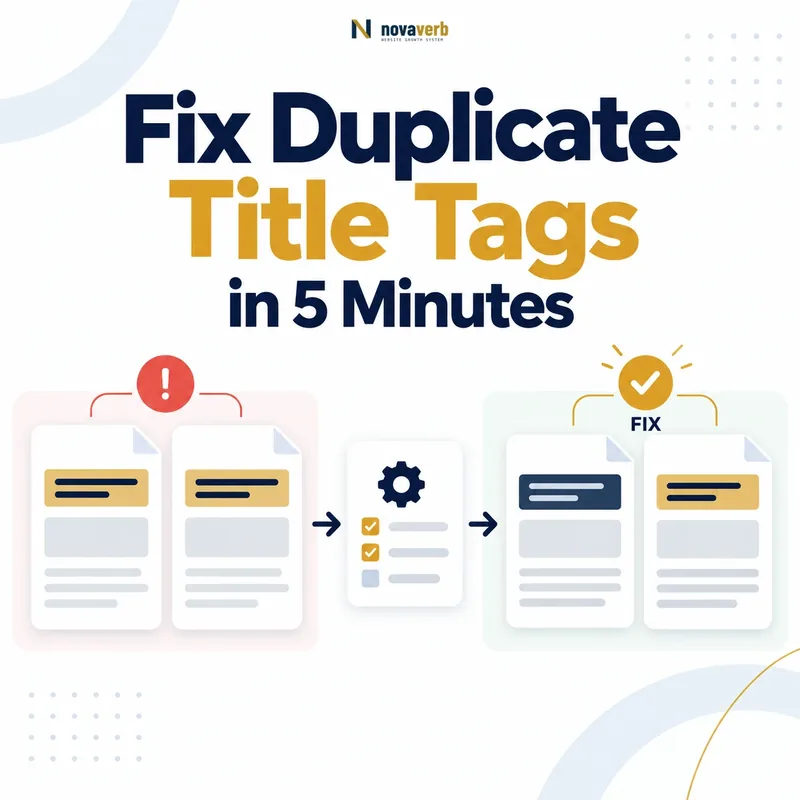
What Are Duplicate Title Tags?
Duplicate title tags occur when two or more URLs use the same or
nearly identical text inside their HTML <title>
elements. The affected pages may contain different content,
similar content, or exact duplicates. That distinction determines the
correct fix.
For example, a service page, category page, and blog post might all use the title “SEO Services | Example Company.” An SEO crawler will flag the three URLs because their titles do not explain what makes each destination different.
A duplicate-title report is therefore a starting point for investigation, not proof that every affected page is technically broken. Before rewriting anything, confirm whether each URL has a separate audience, search intent, content scope, purpose, and indexation value.
Why Should You Fix Duplicate Title Tags?
Distinct title tags help users and search engines understand the specific purpose of each indexable page. They also make it easier for your team to identify which URL owns each topic, audience, and conversion goal.
Search-result clarity
When several results from the same website look identical, users cannot quickly identify which page best matches their need.
Intent ownership
Repeated titles often reveal that multiple URLs are trying to serve the same query, audience, or decision stage.
Template quality
Sitewide duplication may expose a CMS template that omits the product, category, location, model, or page-specific variable.
The objective is not merely to remove a warning from an SEO report. The objective is to make every important URL identifiable, useful, and aligned with one clear search purpose.
Do Duplicate Title Tags Cause a Google Penalty?
No. Duplicate title tags do not automatically trigger a Google penalty. They are primarily a differentiation, metadata, URL-governance, and information-architecture issue.
Google can still crawl and index pages that share a title. It may also generate a different title link by using the page’s visible heading, prominent text, Open Graph title, internal anchor text, or links pointing to the page.
The practical risk is ambiguity. Separate pages can look interchangeable, weak templates can hide the actual purpose of a page, and overlapping URLs may compete for the same search intent.
What Can You Realistically Fix in Five Minutes?
In five minutes, you can diagnose and fix one duplicate-title group or identify one repeatable template defect. You cannot responsibly repair thousands of URLs in five minutes without first classifying why the duplication exists.
Minutes 1–2: Diagnose
- Open one duplicate-title group.
- Compare the URLs and page types.
- Check status, canonical, robots, and content.
Minutes 3–5: Act
- Select rewrite, redirect, canonical, merge, or noindex.
- Apply the change.
- Verify the final rendered HTML.
On a large website, use the five-minute check to establish the correct pattern. Then apply that pattern through the CMS, template, database, or development workflow.
Step 1: Find the Duplicate Title Group
Use a crawler, site-audit platform, CMS export, or database query to group URLs that share the same title. Begin with indexable URLs that return a successful response and receive impressions, traffic, backlinks, or important internal links.
- Sort groups by the number of affected URLs.
- Prioritize service pages, product pages, category pages, local pages, and high-impression articles.
- Separate exact duplicates from titles that differ only by punctuation, capitalization, or brand suffix.
- Exclude staging, redirected, noindexed, login, account, and development URLs after confirming their status.
- Record the title, URL, page type, canonical target, indexability, and intended search purpose.
Step 2: Determine Whether the URLs Serve the Same Intent
Two URLs should not remain separate indexable destinations when they serve the same audience, answer the same query, deliver the same outcome, and lead to the same action with substantially similar content.
Separate intent
One page explains what technical SEO is. Another page sells a technical SEO audit. Their topics are related, but their users, outcomes, and next steps are different.
Overlapping intent
Two pages sell the same audit, target the same market, use the same proof, and end with the same form. Changing only their titles will not resolve the conflict.
Ask these four questions
- Who is this page specifically for?
- What does the visitor want to accomplish now?
- What unique result or information does the page provide?
- What is the page’s primary next action?
When the answers are effectively identical, evaluate consolidation before writing two different titles.
Step 3: Choose the Correct Fix for Each URL
The correct action depends on whether the URL is unique, duplicated, obsolete, parameter-generated, or unnecessary for search. Do not automatically rewrite every title flagged by a crawler.
| Situation | Recommended action | Reason |
|---|---|---|
| Unique page with distinct intent | Rewrite the title | Make the page’s purpose and differentiator clear. |
| Many pages are missing variables | Fix the CMS template | Resolve the source instead of editing every URL. |
| Two pages serve the same intent | Consolidate and redirect | Preserve the strongest content and signals in one URL. |
| An obsolete page has a replacement | Permanent redirect | Send users and crawlers to the current destination. |
| The same content is available through multiple URLs | Canonicalize | Declare the preferred representative URL. |
| The page is useful to users but not useful in search | Noindex | Keep the page accessible without search indexation. |
| The page has no user, search, link, or business value | Delete or retire | A new title cannot create a purpose for the page. |
Step 4: Write a Unique, Intent-Matched Title
A useful title identifies the primary topic, a meaningful page-specific differentiator, and the expected outcome without repeating unnecessary keywords.
- Lead with the topic or outcome most important to the searcher.
- Add a real differentiator such as audience, product type, location, use case, format, model, material, or service scope.
- Include the brand concisely when it adds recognition or trust.
- Make the title consistent with the H1 and visible page content.
- Avoid keyword repetition, empty variables, and generic boilerplate.
- Write for clarity before trying to reach an arbitrary character count.
<title> element. Google may truncate a title link
according to available display width and may generate a different title
when the declared title is weak or inconsistent.
Step 5: Publish and Verify the Final HTML
After updating the title, verify that the live page contains
exactly one intended <title> element and that the
canonical, indexability, H1, and visible content support the same page
purpose.
- Open the live URL in a private browser window.
- View the page source and search for
<title>. - Confirm that the intended title appears inside the document head.
- Check for duplicate title output from themes or SEO plugins.
- Confirm that the canonical points to the intended URL.
- Check the robots directive and HTTP response status.
- Recrawl the URL and verify that the duplicate group has changed.
- Use URL Inspection for important URLs when Google-side validation is needed.
When the old title remains, clear page caches, application caches, server caches, CDN caches, and SEO-plugin caches before testing again.
Duplicate Title Examples: Before and After
A strong rewrite makes the destination and intent clear without manufacturing superficial differences.
How to Fix Duplicate Titles in WordPress
In WordPress, repeated titles are commonly caused by a global SEO template, missing variables, duplicate plugin output, or a theme that prints its own title element.
- Open the affected post, page, product, or taxonomy archive.
- Review the SEO title in the active SEO plugin.
- Check the global template for that content type.
- Confirm that variables such as post title, product name, category, location, or page number are populated.
- Make sure only one SEO plugin controls title output.
- Inspect the theme header for a second title element.
- Check whether a page builder overrides the SEO title.
- Clear WordPress, object, server, and CDN caches.
- Inspect the final source and recrawl the URL.
How to Fix Duplicate Titles on Ecommerce Websites
Ecommerce templates should distinguish products, categories, and variants only when those distinctions support a useful standalone search destination.
- Include the product name and a meaningful attribute such as model, material, use case, or intended audience.
- Avoid indexable pages for every color or size when those variants contain no independent content or search value.
- Use a single preferred product URL when variants are substantially identical.
- Give category pages titles based on their actual inventory and customer intent.
- Prevent sorting, session, tracking, and internal-search parameters from creating uncontrolled title duplicates.
- Test templates with empty, missing, and unusually long variables.
How to Handle Category, Tag, and Archive Titles
Keep an archive indexable only when it provides a distinct topic, useful content collection, clear internal-link role, and meaningful search destination.
Archive worth indexing
“Technical SEO Guides” organizes a defined subject, contains a useful introduction, links to relevant resources, and serves a clear discovery intent.
Archive with little value
A generic “SEO” tag repeats the same posts already available through categories, search results, author archives, and other tags.
For valuable archives, create a unique title, H1, introduction, canonical URL, breadcrumb position, and internal-link path. For thin or redundant archives, consider noindexing, merging, redirecting, or removing the taxonomy.
How to Handle Pagination, Filters, and URL Parameters
Parameter URLs should not become separate indexable pages unless the filtered state represents a stable and useful search destination with independent demand.
| URL state | Typical purpose | SEO treatment to evaluate |
|---|---|---|
?utm_source= |
Campaign tracking | Do not create a separate canonical page. |
?sort=price |
Presentation order | Usually not a separate search destination. |
?session= |
Application state | Prevent indexable copies. |
?color=black |
Product filtering | Index only when the combination has real inventory, demand, content, and a controlled URL. |
?page=2 |
Pagination | Keep crawl and discovery needs separate from title differentiation. |
Do not solve an uncontrolled parameter system by automatically adding filter values or “Page 2” to every title. First decide which URL states deserve independent search visibility.
When Should You Use a Canonical Tag?
Use a canonical tag when multiple accessible URLs contain duplicate or substantially similar content and one URL should be treated as the preferred representative.
<link
  rel="canonical"
  href="https://www.example.com/preferred-page/"
>
The preferred canonical URL should normally:
- Return a successful HTTP response.
- Be indexable.
- Contain the representative content.
- Use a self-referencing canonical.
- Receive consistent internal links.
- Be the version included in the XML sitemap.
When Should You Redirect, Noindex, or Consolidate?
Some duplicate-title groups should be removed from the index or retired rather than rewritten. Select the action that reflects the intended future of the URL.
Permanent redirect
Use when an old or inferior URL has a clear permanent replacement and should no longer remain a separate destination.
Content consolidation
Combine useful information from competing pages into one stronger URL, then redirect the retired page.
Noindex
Use when a page should remain accessible to users but has no independent search value, such as some utility or internal-result pages.
Deletion
Remove pages with no users, links, traffic, business purpose, or replacement value.
Changing titles on two cannibalizing pages may make the report look cleaner while leaving the ranking and conversion conflict unresolved.
How to Check Whether Google Uses the New Title
Google may continue showing the old title or a generated title link until it recrawls and reprocesses the page. A correct HTML update does not guarantee an immediate search-result change.
- Confirm that the new title appears in the live HTML source.
- Use URL Inspection to check the indexed URL and request recrawling when appropriate.
- Review the actual search result for relevant queries after Google processes the change.
- Compare the displayed title with the HTML title, H1, prominent text, and internal anchor text.
- Monitor impressions, clicks, CTR, and query alignment in Search Console.
Avoid These Common Duplicate Title Fixes
A rushed title rewrite can hide the audit warning without improving the website. Avoid these common mistakes:
- Adding random numbers, dates, or locations that are not supported by the page.
- Changing only punctuation while keeping the same meaning and intent.
- Stuffing synonyms into every title to force artificial uniqueness.
- Writing unique titles for parameter URLs that should be canonicalized.
- Keeping two pages that compete for the same query and conversion action.
- Editing hundreds of pages manually when the problem comes from one template.
- Running multiple SEO plugins that each output title metadata.
- Ignoring conflicts between the title, H1, visible headline, and content.
- Expecting a title change alone to improve rankings immediately.
- Noindexing valuable pages only to make an audit score look cleaner.
Five-Minute Duplicate Title Tag Checklist
Use this checklist to fix one duplicate-title group without overlooking the underlying SEO issue.
- Open one group of URLs sharing the same title.
- Confirm status code, indexability, canonical URL, and page type.
- Decide whether the URLs serve separate or overlapping intent.
- Choose rewrite, template update, canonical, redirect, consolidation, noindex, or deletion.
- Write a title based on the page’s real topic, differentiator, and outcome.
- Confirm that the H1 and visible content support the new title.
- Publish the change and clear all relevant caches.
- View the source and confirm the intended title element.
- Recrawl the URL and verify that the duplicate group changed.
- Monitor Search Console after Google recrawls the page.
Frequently Asked Questions About Duplicate Title Tags
These answers address the most common questions that arise when a site audit reports duplicate titles, including when to rewrite a title and when the real solution is consolidation, canonicalization, redirection, or noindexing.
What causes duplicate title tags?
Duplicate title tags are usually caused by repeated CMS templates, missing page variables, duplicate URLs, filters, parameters, or multiple pages targeting the same intent. They may also appear when a theme and an SEO plugin both generate metadata, or when category, tag, product, and archive pages inherit the same default title.
How can I find duplicate title tags on my website?
Crawl the website and group indexable URLs by their HTML
<title> values. Prioritize URLs returning
a 200 status code, then review their canonical tags, page types,
content, impressions, internal links, and intended search purpose.
Google Search Console can help prioritize pages, but it does not
provide a dedicated sitewide duplicate-title report.
Do duplicate title tags hurt Google rankings?
Duplicate titles do not automatically reduce rankings or trigger a Google penalty. However, they can make pages harder to distinguish, expose overlapping search intent, weaken search-result clarity, and signal that multiple URLs are competing for the same topic. The underlying URL or content problem matters more than the repeated title text alone.
Does every indexable page need a unique title tag?
Every valuable indexable page should have a title that clearly identifies its distinct topic and purpose. Two titles do not need to be artificially different when the pages themselves should be consolidated. First confirm that both URLs deserve independent search visibility, then write titles that reflect their real differences.
Can I fix duplicate titles by changing only a few words?
Changing a few words is appropriate only when the pages already serve genuinely different intents. Adding punctuation, synonyms, dates, locations, or random modifiers does not solve duplicate content or keyword cannibalization. The title should express a real difference in audience, topic, product, location, format, service scope, or expected outcome.
When should I rewrite a duplicate title tag?
Rewrite the title when the URL contains unique content and serves a distinct search intent. The revised title should identify the primary topic, include a meaningful differentiator, and match the page’s H1, visible content, offer, and next action. When many URLs share the same defect, update the title template instead of editing every page manually.
When should I use a canonical tag instead of rewriting the title?
Use a canonical tag when multiple accessible URLs contain duplicate or substantially similar content and one URL should be the preferred representative. Do not canonicalize unrelated pages merely because their titles match. The canonical target should normally be indexable, self-canonicalized, internally linked, and included in the XML sitemap.
When should duplicate-title pages be redirected or merged?
Merge and redirect pages when they target the same audience, answer the same query, provide similar content, and lead to the same conversion action. Keep the strongest URL, combine any useful information, update internal links, and permanently redirect the retired URL. This resolves the page conflict instead of merely hiding it behind different titles.
Should filter and parameter URLs have unique title tags?
Most tracking, sorting, session, and low-value filter URLs do not need unique indexable titles. First decide whether the URL state deserves independent search visibility. A filtered page may deserve a controlled title and clean URL only when it has stable inventory, unique value, search demand, useful content, and a clear canonical strategy.
How do I fix duplicate title tags in WordPress?
Check the active SEO plugin’s title template, page-level SEO title, theme header, and page-builder overrides. Make sure only one plugin controls title output and confirm that variables such as post title, category, product, location, or page number are populated. Clear every relevant cache and inspect the live source after publishing.
Why does Google show a different title after I fix the HTML title?
Google may generate a different title link when the declared
title is vague, repetitive, outdated, stuffed, or inconsistent with
the visible page. Google may use the H1, prominent text,
Open Graph title, internal anchor text, or external link text. Align
these signals instead of repeatedly changing only the
<title> element.
How long does it take Google to recognize a new title tag?
Google must recrawl and reprocess the page before a new title can appear in search results. The timing varies by crawl frequency, site importance, internal linking, and technical health. Verify the live HTML first, use URL Inspection when appropriate, and monitor the page’s queries, impressions, clicks, and displayed title after Google revisits the URL.
Find the Real Cause of Your Duplicate Title Tags
Do not rewrite titles blindly. Check the live URL, compare its title, canonical tag, H1, indexability, and page purpose, then apply the fix that matches the actual problem.
- Inspect the title Google can read
- Check the canonical URL
- Compare the title with the H1
- Identify template-level problems
- Review one public URL at a time
Start with the highest-impression or highest-value URL in each duplicate title group. Fix the underlying cause before scaling the change across the website.