
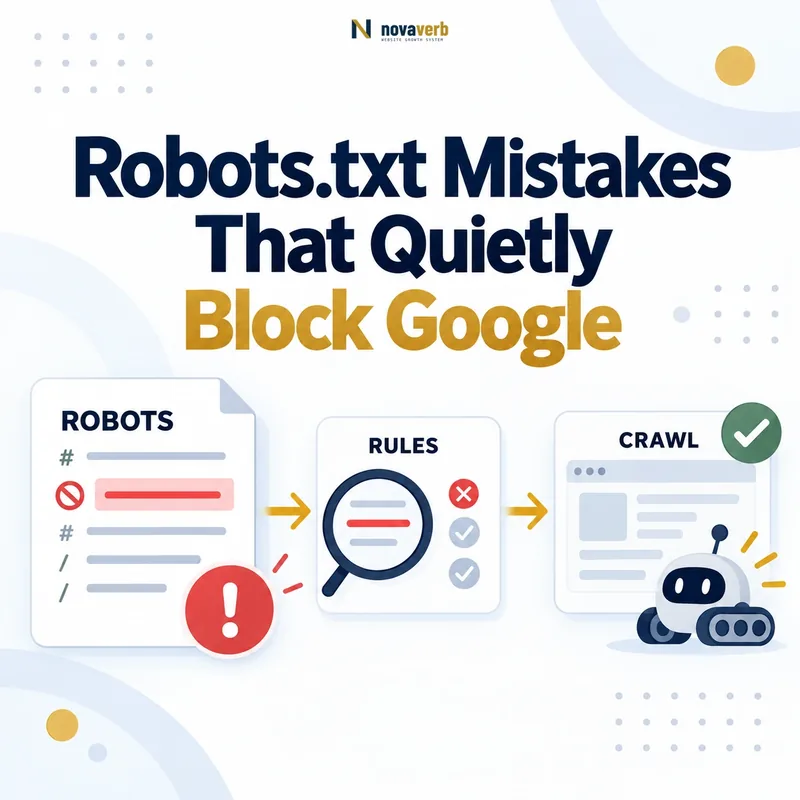
The 5-Minute Takeaway
Robots.txt mistakes can stop Googlebot from crawling important pages and resources without creating a visible error for human visitors. The fastest audit is to check for a sitewide block, review important paths, inspect user-agent groups, test rendering resources, and verify a real URL in Google Search Console.
A website can appear completely normal in a browser while Googlebot is being told not to request its most valuable URLs. That is why robots.txt problems often remain hidden until rankings, indexing coverage, image visibility, or crawl activity begin to decline.
- Open
https://yourdomain.com/robots.txt. - Search for
Disallow: /. - Compare every disallowed path with your important pages.
- Confirm that essential CSS, JavaScript, images, and rendering endpoints are crawlable.
- Test a representative URL with Google Search Console URL Inspection.
Key distinction: robots.txt manages crawler access. It does not reliably remove an HTML URL from Google Search.
What Does Robots.txt Actually Control?
Robots.txt is a crawl-control file that tells cooperating crawlers which URL paths they may or may not request from a specific host. Its rules apply to crawling, not authentication, canonicalization, or guaranteed index removal.
The file is public and normally lives at the root of a host, such as https://example.com/robots.txt. Crawlers read its user-agent groups and then apply the matching Allow and Disallow rules.
Robots.txt can help you
- Manage crawler access to URL paths.
- Reduce requests to low-value crawl spaces.
- Block selected media files from applicable search crawlers.
- Declare absolute XML sitemap locations.
- Create crawler-specific access policies.
Robots.txt cannot reliably
- Protect confidential information.
- Require a user to authenticate.
- Consolidate duplicate URLs.
- Guarantee that an HTML URL disappears from search.
- Replace a meta robots or X-Robots-Tag directive.
Use password protection or authorization for private content. Use a crawlable noindex directive when a page must not appear in Google Search.
Why Robots.txt Mistakes Are So Easy to Miss
Robots.txt errors are difficult to notice because they affect crawler behavior rather than the page experience seen by ordinary visitors. A blocked page may still load, accept orders, record analytics, and pass a manual browser check.
The problem becomes visible only when someone examines the site from a crawler’s perspective. Even then, a blocked URL may still appear in search results if Google discovered the address through internal links, external links, an XML sitemap, or historical crawl data.
Users see no error
The website continues to load because browsers do not use robots.txt as an access-control file.
The URL may still exist in Google
Google may know the URL while being unable to fetch its content or generate a useful snippet.
The cause may be far from the page
A deployment, CDN rule, plugin update, wildcard, or host mismatch may be responsible.
Do not diagnose robots.txt problems from rankings alone. Review the live file, server response, matching rule, rendered page, canonical, and indexing directives together.
Mistake 1: Accidentally Blocking the Entire Website
The rule Disallow: / under a matching user-agent group prevents that crawler from requesting every path on the applicable host. It is one of the most damaging robots.txt mistakes because the website can remain fully accessible to visitors.
User-agent: *
Disallow: /
This configuration is appropriate for some non-public test environments, but it should not reach a production website that depends on organic discovery.
- Check whether the rule sits under
User-agent: *or a Google-specific group. - Confirm that the live production host serves the expected file.
- Inspect both apex and
wwwhosts when they are independently reachable. - Review CDN and edge-cache versions of robots.txt.
A minimal configuration that does not restrict crawling can use an empty Disallow value:
User-agent: *
Disallow:

Sitemap: https://www.example.com/sitemap.xml
Mistake 2: Using Robots.txt to Remove a Page from Google
Blocking a page in robots.txt prevents crawling but does not guarantee that its URL will disappear from Google Search. Google may still discover and index the address from links, sitemaps, feeds, or previously collected data.
User-agent: *
Disallow: /private-report/
Because Googlebot cannot fetch the blocked page, it cannot read a noindex meta tag placed inside that page. The result can be an indexed URL with limited information or no descriptive snippet.
Use robots.txt to limit crawler requests to selected paths.
Keep the page crawlable and return a noindex directive.
Require authentication or remove public access at the server level.
For an HTML page, use:
<meta name="robots" content="noindex">For a PDF or other non-HTML resource, return an HTTP header such as:
X-Robots-Tag: noindexMistake 3: Blocking CSS, JavaScript, Images, or Rendering APIs
Blocking resources required for rendering can prevent Google from seeing the same content, links, layout, or structured information that users see. A resource does not need to rank independently to be important for page understanding.
User-agent: *
Disallow: /assets/
Disallow: /scripts/
Disallow: /styles/
Disallow: /api/
These rules may hide navigation generated by JavaScript, lazy-loaded product details, client-rendered internal links, responsive images, structured content, or data returned through an API.
Usually keep crawlable
Files or endpoints required to expose primary content, navigation, meaningful images, canonical tags, or internal links.
Potentially safe to block
Resources that are demonstrably unnecessary for rendering or understanding the page, such as selected internal diagnostics.
Use URL Inspection to review the rendered HTML and screenshot. Check whether the answer-first content, internal links, images, and essential interface elements are present in the version Google receives.
Do not block an entire technical directory merely because its file names look unimportant. Test the effect on real templates first.
Mistake 4: Publishing Robots.txt on the Wrong Host or Path
A robots.txt file must be served from the root of the host it governs, and its rules apply only to the same protocol, hostname, and applicable port. A file inside a subfolder is not the site-level robots.txt file.
Valid location
https://www.example.com/robots.txt
This file governs crawl rules for the matching HTTPS www host.
Invalid site-level location
https://www.example.com/folder/robots.txt
Crawlers do not treat this subfolder file as the root robots.txt policy.
The following addresses may require separate policies because they do not share an identical host and protocol scope:
https://example.com/
https://www.example.com/
https://shop.example.com/
http://www.example.com/
https://www.example.com:8181/
Audit every production hostname that can serve crawlable content. A correct file on one hostname does not repair a conflicting file on another.
Mistake 5: Ignoring Case-Sensitive URL Paths
Robots.txt field names are case-insensitive, but the path values used in Allow and Disallow rules are case-sensitive. A rule written for one capitalization may not match a URL with another capitalization.
Disallow: /products/This rule may match:
/products/
/products/shoes/
/products/?sort=price
It does not automatically match:
/Products/
/PRODUCTS/
/productS/shoes/
This becomes risky when a CMS, legacy application, CDN, or migration preserves uppercase paths. A team may believe a directory is protected or crawlable while the live path uses different capitalization.
- Compare robots rules with the exact browser URL.
- Check canonical URLs and XML sitemap entries.
- Review redirect behavior between uppercase and lowercase paths.
- Test actual URLs instead of relying on a visual reading of the rule.
Mistake 6: Misunderstanding User-Agent Groups
Google selects the most specific matching user-agent group, and a crawler-specific group is not automatically combined with the global * group. This can produce behavior that differs from what the file’s author expected.
Ambiguous intention
User-agent: *
Disallow: /internal/

User-agent: Googlebot
Allow: /public/
Explicit Googlebot policy
User-agent: Googlebot
Disallow: /internal/
Allow: /public/

User-agent: *
Disallow: /internal/
In the first example, Googlebot follows its specific group. The wildcard restriction is not automatically inherited by that group.
Separate groups with the same specific user-agent may be combined internally, but the order of groups in the file is not the deciding factor. The matching user-agent identity is what matters.
Keep every important crawler-specific group complete enough to express the intended access policy without requiring a reader to mentally merge unrelated groups.
Mistake 7: Writing Wildcard Rules That Match Too Much
Google supports limited wildcard matching in robots.txt, where * represents zero or more characters and $ marks the end of a URL. A broad pattern can unintentionally block far more URLs than expected.
Contains .php
Disallow: /*.phpThis can match paths containing .php, including URLs with parameters or additional path content.
Ends with .php
Disallow: /*.php$This is narrower because the URL path must end with .php.
A rule such as:
Disallow: /fishcan match /fish, /fish.html, /fishheads, /fish/salmon.html, and /fish.php?id=10.
When the intent is to block only a directory and its contents, a trailing slash is usually clearer:
Disallow: /fish/Build a test list containing URLs that must match and URLs that must remain allowed before deploying a wildcard rule.
Mistake 8: Assuming the First Matching Rule Wins
Google applies the most specific matching rule based on the matched rule-path length, not simply the first rule that appears in the file. When equally specific Allow and Disallow rules conflict, Google uses the less restrictive result.
Allow: /products/public/
Disallow: /products/
Result: a URL under /products/public/ is allowed because the matching Allow path is more specific than /products/.
Changing the visual order of these two lines does not change the specificity of their paths. The same principle applies to patterns containing wildcards.
- Identify every rule that matches the tested URL.
- Compare how many characters each rule matches.
- Apply the most specific rule.
- Use the least restrictive result when conflicting matches have equal specificity.
Never approve a robots.txt change only by reading the file from top to bottom. Test real URLs against all potentially matching rules.
Mistake 9: Relying on Unsupported Directives
Google’s robots.txt parser supports the standard fields needed to identify crawlers, allow paths, disallow paths, and declare sitemaps. A directive copied from another crawler’s documentation may be ignored by Google.
For example, Google does not support crawl-delay in robots.txt:
User-agent: Googlebot
Crawl-delay: 10
Do not assume: a directive is valid for Google merely because an SEO plugin, template, another search engine, or an AI crawler recognizes it.
Unsupported fields can create a false sense of control. Document which crawler is expected to interpret each non-standard directive and verify that crawler’s current public specification.
For Google crawl-rate problems, investigate server health, response times, crawl patterns, unnecessary URL spaces, and the controls Google actually supports.
Mistake 10: Returning the Wrong HTTP Status for Robots.txt
The HTTP response returned by /robots.txt changes how Google interprets or temporarily handles the site’s crawl policy. A syntactically correct file is not enough if the endpoint returns the wrong status or cannot be fetched reliably.
Google processes the robots.txt content returned by the server.
Google follows a limited redirect chain before treating an unresolved chain as unavailable.
Except for 429, Google generally behaves as though no crawl restrictions exist.
Google may pause crawling, retry the file, and use a previously cached valid version.
Google generally caches robots.txt for up to 24 hours, but the cached version may remain longer when a refresh fails because of server, network, or timeout errors.
Monitor the robots.txt endpoint for status changes, latency, redirect loops, CDN failures, DNS errors, invalid responses, and accidental HTML output.
A broken robots.txt endpoint can affect the entire host, making it more operationally significant than a mistake limited to one page template.
Mistake 11: Letting Deployments, Plugins, or CDNs Overwrite the File
Robots.txt should be managed as production configuration because deployment systems, CMS plugins, CDNs, and infrastructure templates can replace it without an editor noticing. The source file in a repository may not match what Googlebot receives from the live host.
Recommended release control: fetch the live robots.txt file after every production deployment, compare it with the approved version, test priority URLs, record the response status, and store the result in the change log.
Monitoring should target the public endpoint rather than only the repository file. The production response is the version crawlers actually interpret.
Mistake 12: Blocking Faceted URLs Without an Indexing Strategy
Blocking filter and parameter URLs may reduce crawling, but it does not consolidate duplicate signals or guarantee that previously discovered URLs leave the index. Faceted navigation needs a coordinated crawl, indexing, canonical, and internal-link policy.
/products/?color=black
/products/?size=large
/products/?sort=price
/products/?brand=example&color=black
Some filtered pages may represent valuable search demand and deserve indexable, self-canonical landing pages. Other combinations may create near-infinite crawl spaces with no independent user value.
Indexable facets
Use stable URLs, unique value, crawlable links, self-canonical signals, and intentional sitemap inclusion.
Non-indexable but crawlable
Use appropriate robots meta controls when Google must crawl the URL to see the indexing directive.
Low-value crawl spaces
Reduce internal discovery, normalize parameters, limit combinations, and use selective robots rules where justified.
Do not apply one global Disallow pattern before classifying which facets should rank, which should remain accessible to users, and which should not be generated at all.
How to Audit Robots.txt in Five Minutes
A five-minute robots.txt audit checks the live file, identifies the matching rule, tests important paths, confirms rendering access, and verifies the outcome with a real URL. Make the smallest justified change rather than rewriting the entire file.
-
Open the production file.
Visit
https://yourdomain.com/robots.txtand confirm that the expected host returns plain-text rules. -
Check for a sitewide block.
Search for
Disallow: /and identify the user-agent group that contains it. - Test priority URL paths. Compare every disallowed pattern with the homepage, service pages, product pages, categories, articles, images, scripts, and APIs.
- Review user-agent selection. Confirm whether Googlebot, Googlebot-Image, or another crawler follows a specific group rather than the global group.
-
Inspect wildcards and capitalization.
Review
*,$, trailing slashes, query patterns, and case-sensitive path values. - Run URL Inspection. Check crawl permission, page fetch, rendered HTML, screenshot, resources, canonical signals, and robots directives.
- Deploy and verify. Record the old rule, new rule, affected patterns, reason, test evidence, deployment time, and post-deployment result.
Safe Robots.txt Examples for Common Websites
A safe robots.txt file is the smallest policy that accurately expresses the site’s crawl requirements. Do not copy a long template containing directories or crawler rules that have not been verified against the live website.
Basic website
User-agent: *
Disallow:

Sitemap: https://www.example.com/sitemap.xml
An empty Disallow value creates no crawl restriction for the matching group.
Typical WordPress baseline
User-agent: *
Disallow: /wp-admin/
Allow: /wp-admin/admin-ajax.php

Sitemap: https://www.example.com/sitemap_index.xml
The AJAX endpoint remains available when required by public-facing functionality.
Do not automatically block: /wp-content/, /wp-includes/, theme resources, plugin resources, scripts, stylesheets, images, or APIs. Some may be necessary for rendering and page understanding.
Replace the example sitemap URL with the live canonical sitemap or sitemap-index location. Test every rule against real URLs before publishing.
Robots.txt vs Noindex, Canonical, Password Protection, and Status Codes
The correct technical control depends on the intended outcome: crawling, indexing, duplicate consolidation, privacy, or permanent removal. Robots.txt should not be used as a universal solution for every URL-management problem.
| Goal | Primary control | Important condition |
|---|---|---|
| Limit crawler requests | Robots.txt and crawl-path controls | The matching rule must target the intended crawler and path. |
| Remove an HTML page from Google | Crawlable noindex |
Google must be allowed to crawl the URL and read the directive. |
| Remove a PDF or file from Google | X-Robots-Tag: noindex |
The resource must remain fetchable until Google processes the header. |
| Consolidate duplicate URLs | Canonical signals, redirects, and clean internal links | All major signals should point consistently to the preferred URL. |
| Protect confidential content | Authentication or authorization | Do not expose secrets in a public robots.txt file. |
| Permanently remove a deleted URL | 404, 410, or relevant redirect |
Select the response based on whether a genuine replacement exists. |
Critical rule: do not combine robots.txt blocking and noindex without understanding the conflict. Blocking crawling can prevent Google from reading the noindex instruction.
How to Confirm the Robots.txt Fix Worked
A robots.txt fix is complete only when the live file is delivered correctly, the intended URLs are crawlable, and Google can render the content and resources that matter. Syntax validation alone does not prove the operational outcome.
Level 1: File delivery
- Correct production host
- Expected HTTP response
- Plain-text body
- UTF-8 encoding
- Correct CDN and origin version
Level 2: URL access
- Priority URLs are allowed
- The correct user-agent group applies
- No broader wildcard overrides the intention
- Redirects resolve correctly
- Canonical URLs remain consistent
Level 3: Rendered page
- Main content is visible
- Internal links are crawlable
- Images and scripts load
- Robots meta rules are readable
- Structured content exists in the DOM
Definition of done: live file verified → representative URLs tested → rendered HTML checked → evidence recorded → post-deployment crawl rechecked.
Frequently Asked Questions About Robots.txt Mistakes
These answers address the most common misunderstandings about crawl blocking, indexing, file location, directives, caching, and verification.
Can robots.txt remove a page from Google?
No. Robots.txt primarily controls crawling. Use a crawlable noindex directive, password protection, or permanent removal when exclusion from search is the actual goal.
Can a URL blocked by robots.txt still be indexed?
Yes. Google may discover the URL through links, sitemaps, or previous crawl data and show the address without crawling its current content.
Should CSS and JavaScript files be blocked?
Only block resources that are not required for rendering or understanding the page. Essential scripts and styles should remain crawlable.
Does Google support crawl-delay?
No. Google does not support the crawl-delay robots.txt field.
Is robots.txt case-sensitive?
Field names are case-insensitive, but URL path values are case-sensitive. /products/ and /Products/ may match differently.
Should robots.txt list the XML sitemap?
It is useful but not mandatory. The Sitemap value must be a complete absolute URL containing the protocol and hostname.
Can robots.txt be placed in a subfolder?
No. A site-level robots.txt file must be served from the root of the applicable host.
How quickly does Google detect a robots.txt change?
Google generally caches robots.txt for up to 24 hours, although the cached version may persist longer when the file cannot be refreshed.
What happens when robots.txt returns a 404?
Google generally treats most 4xx responses, except 429, as though no robots.txt crawl restrictions exist.
What happens when robots.txt returns a 500 error?
Google may temporarily pause crawling, retry the file, and use the last successfully fetched version while the error continues.
Can noindex be added directly to robots.txt?
No. Google does not support a noindex directive inside robots.txt. Use a meta robots tag or an X-Robots-Tag HTTP header.
Does a valid robots.txt file improve rankings?
Not directly. It can help crawlers access important pages and avoid selected low-value crawl spaces, but it is not an independent ranking boost.
Check Your Live Robots.txt Before It Blocks Valuable Pages
Fetch the public file, review its HTTP status, inspect user-agent groups, count Allow and Disallow rules, and identify broad crawl restrictions with source-level evidence.
Run the Free Robots.txt Checker