
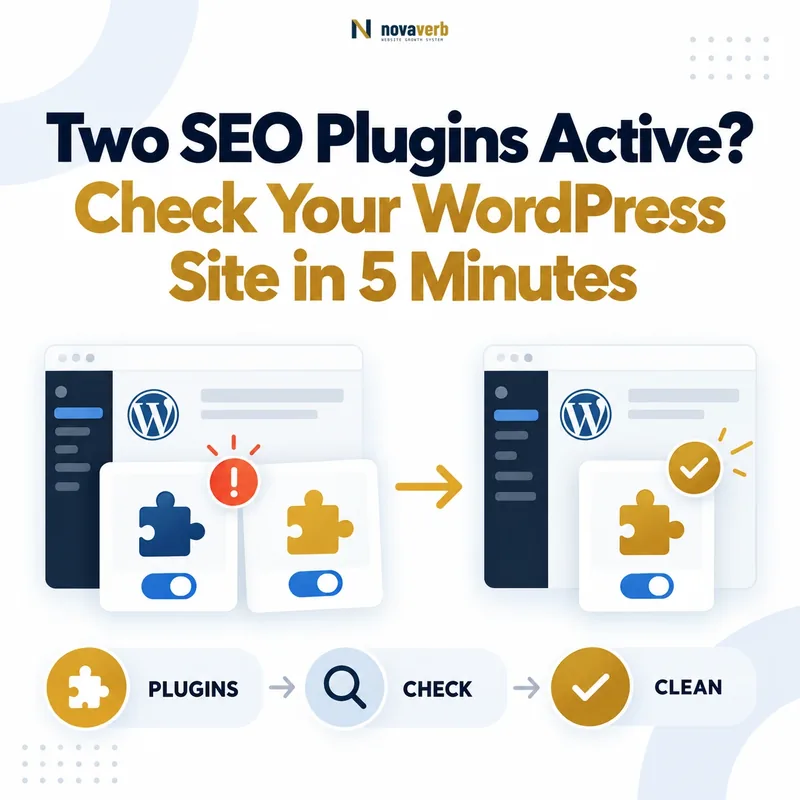
Are Two SEO Plugins Active on Your WordPress Site?
Two SEO plugins are active when two separate systems are simultaneously generating or controlling the same SEO elements on a WordPress website.
Common combinations include Yoast SEO with Rank Math, All in One SEO with SEOPress, or a full SEO plugin combined with SEO functionality built into a theme, page builder or custom code.
Quick answer: Check one important URL and identify which system owns the title, meta description, canonical URL, robots directives, sitemap and structured data.
You pass when one system clearly owns every major output. You fail when two systems publish duplicate or contradictory signals.
Why Two SEO Plugins Can Create Conflicting Signals
Two full SEO plugins can conflict because both are designed to control the same WordPress hooks, metadata fields and search-engine directives.
The website may look normal to visitors while its HTML contains duplicated or contradictory instructions for crawlers.
Search-engine risk
- Two canonical URLs may be declared for one page.
- Index and noindex directives may appear together.
- Several schema graphs may describe the same entity differently.
- Multiple sitemaps may expose different URL inventories.
Operational risk
- Editors do not know which SEO field controls the live page.
- One plugin may overwrite settings saved in another.
- Migration becomes harder because ownership is unclear.
- Technical audits find symptoms without identifying the source.
Installed Is Not the Same as Active
An installed but inactive SEO plugin does not normally generate live-page metadata. The risk begins when two active systems have overlapping features enabled.
| Situation | Status | Recommended action |
|---|---|---|
| Two SEO plugins are installed, but only one is active. | Usually pass | Confirm the inactive plugin is not network-activated. |
| A base plugin and its official premium extension are active. | Usually pass | Treat both components as one product system. |
| Two complete SEO suites are active. | High risk | Inspect live output and choose one primary owner. |
| An SEO plugin and the theme both generate schema or canonical tags. | Review | Disable the overlapping theme or plugin feature. |
Which SEO Features Usually Overlap?
The highest-risk features are those that publish machine-readable instructions in the document head, HTTP headers, XML sitemaps or structured data.
| SEO feature | Duplicate symptom | Potential consequence |
|---|---|---|
| SEO title | Two title systems or unstable saved values | Unclear editorial ownership |
| Meta description | Two description tags with different text | Search engines must choose between them |
| Canonical URL | More than one canonical declaration | Conflicting URL consolidation signals |
| Robots directives | Index and noindex appear together | The restrictive directive may be applied |
| XML sitemap | Several sitemap indexes expose different URLs | Inconsistent URL discovery and governance |
| Structured data | Duplicate Article, Organization or Breadcrumb nodes | Contradictory entities and properties |
| Open Graph | Repeated title, description or image tags | Incorrect social preview |
| Redirects | Two plugins manage the same source URL | Redirect chains or loops |
The 5-Minute Pass/Fail Test
The five-minute test checks one representative URL across active plugins, HTML metadata, crawl directives, structured data and sitemap ownership.
Pass
One system owns each SEO output and all values are internally consistent.
Fail
Two systems publish the same signal, values conflict or ownership is unknown.
Check the Active Plugins Screen
Open WordPress Admin → Plugins → Installed Plugins and identify every active system that can control titles, descriptions, canonicals, robots rules, sitemaps, schema, breadcrumbs or redirects.
Full SEO suites
- Yoast SEO
- Rank Math SEO
- All in One SEO
- SEOPress
- The SEO Framework
- Squirrly SEO
Other possible sources
- Theme-level SEO options
- Dedicated schema plugins
- XML sitemap plugins
- Breadcrumb plugins
- Redirect managers
- Code-snippet plugins
Pass: One full SEO suite is active and supporting plugins have clearly separated responsibilities.
Fail: Two full SEO suites are active or the team cannot identify which system owns each output.
Inspect the HTML Head of One Important URL
The live HTML is stronger evidence than a plugin settings screen. Open one important URL and inspect the metadata actually delivered to browsers and crawlers.
- Open the page in a private browser window.
- Right-click and select View Page Source.
- Use Ctrl+F or Command+F.
-
Search for
<title,description,canonical,robotsandapplication/ld+json.
Cached HTML can preserve output from a previous configuration. Purge WordPress, server and CDN caches before confirming that duplicate tags are still active.
Count Canonical Tags and Compare Their Targets
A normal indexable page should present one clear canonical preference. Finding two canonical tags, especially when they point to different URLs, is a strong failure signal.
Pass example
One canonical points to the intended preferred URL.
Fail example
Two URLs are declared as canonical for one page.
Compare the canonical with the final URL after redirects, internal links, sitemap entry and the URL you actually want indexed.
Review Google’s canonical URL guidance .
Check Robots Meta Tags and HTTP Directives
Robots directives determine whether a page may be indexed and how its content may appear in search. Conflicting directives are dangerous because a restrictive rule can override a permissive one.
The example above does not create a compromise between index and noindex. It gives Googlebot a specific noindex instruction.
Check the HTTP response header
A page can also receive an X-Robots-Tag through the server, CDN or security layer. This directive does not appear in normal page source.
Pass: HTML and HTTP headers communicate one intentional indexing policy.
Fail: Index and noindex coexist or the owner of an X-Robots-Tag cannot be identified.
Find Duplicate Title and Meta Description Output
Each HTML page should have one document title and one clearly controlled meta description. Duplicate tags indicate that more than one system may be attempting to describe the page.
- Count
<title>elements. - Count
<meta name="description"elements.
| Finding | Interpretation | Status |
|---|---|---|
| One title and one description | Normal output when values are correct | Pass |
| Two identical descriptions | Duplicate ownership still exists | Fail |
| Two different descriptions | Two systems are publishing competing summaries | Fail |
| One tag, but plugin edits do not change the source | A theme, cache or another system may own the output | Review |
Google may rewrite a title or snippet even when the page is technically correct. Diagnose the live source rather than treating every search-result rewrite as a plugin conflict.
Check XML Sitemap Ownership
A healthy WordPress setup should have one documented sitemap strategy and one team-approved source of truth.
Check three locations
-
Open
/robots.txtand review everySitemap:declaration. -
Test common locations such as
/sitemap_index.xmland/wp-sitemap.xml. - Review the Sitemaps report in Google Search Console.
WordPress core may generate a sitemap while an SEO plugin generates another sitemap index. This is acceptable only when one system is intentionally used and ownership is documented.
Fail: Different sitemap systems expose conflicting canonical URLs, index unnecessary archives or leave the team unsure which sitemap should be submitted.
Review Google’s sitemap guidance .
Inspect Structured Data for Duplicate Entities
Multiple JSON-LD scripts are not automatically an error. The failure occurs when several systems describe the same page, organization, breadcrumb, article or product with contradictory data.
Search the source for application/ld+json, then test the URL
with Google’s Rich Results Test or a schema validator.
Fields that commonly conflict
- Different Organization names, logos or profile URLs
- Two Article nodes with different authors or dates
- Two BreadcrumbList nodes with different hierarchies
- Several WebPage nodes using unrelated
@idvalues - Product markup with inconsistent price or availability
- FAQ markup that does not match visible content
A valid graph may contain Organization, WebSite, WebPage, Article and BreadcrumbList nodes. The goal is not one schema type per page. The goal is one coherent graph without duplicate ownership.
Check Open Graph and Twitter Card Tags
Duplicate social metadata may not directly determine Google indexing, but it is strong evidence that several systems are competing to describe the same URL.
property="og:title"property="og:description"property="og:image"name="twitter:card"name="twitter:title"name="twitter:image"
When two plugins generate different image URLs, social platforms may select an outdated image, an incorrect ratio or a generic site logo.
Pass: One complete Open Graph set and one intentional Twitter/X card set describe the page.
Fail: Repeated tags contain different titles, descriptions or images.
Review Breadcrumb Ownership
Breadcrumbs can be generated by the theme, an SEO plugin, an ecommerce plugin or custom template code. Only one visible hierarchy and one matching structured-data hierarchy should be authoritative.
- Is more than one visible breadcrumb trail displayed?
- Does the visible breadcrumb match the information architecture?
- Does BreadcrumbList schema reproduce the visible hierarchy?
- Are two plugins generating separate BreadcrumbList nodes?
- Do breadcrumb links point to canonical, indexable URLs?
Breadcrumb conflicts are often information-architecture problems disguised as plugin problems. Define the intended parent-child relationship before choosing a breadcrumb generator.
Review what makes a website SEO-friendly .
What Counts as a Pass?
A pass does not mean the website has only one plugin. It means every important SEO output has one intentional owner and the live source matches the documented settings.
- Only one full SEO suite controls page-level metadata.
- The page contains one intended title and description.
- One canonical points to the correct preferred URL.
- Robots directives are consistent across HTML and headers.
- The sitemap has one documented source of truth.
- Structured data forms one coherent entity graph.
- Social metadata has one owner.
- Visible breadcrumbs and BreadcrumbList schema match.
- Plugin changes reliably update the live source.
- The team knows which system owns each technical feature.
Pass statement: One SEO system owns the page, its output is consistent and the live source matches the intended configuration.
What Counts as a Fail?
A fail occurs when the same SEO responsibility has multiple owners, machine-readable values conflict or the team cannot explain which system controls the rendered page.
- Two complete SEO suites are active without a migration plan.
- Two canonical tags appear on the same page.
- Robots directives conflict between HTML and headers.
- Duplicate title or description tags are present.
- Two sitemap systems expose materially different URL sets.
- Schema nodes describe the same entity differently.
- The theme and plugin both generate breadcrumb markup.
- Social previews use values from an unknown system.
- Deactivation unexpectedly removes redirects or metadata.
- The live source does not match the interface being edited.
After finding a failure, test the homepage, one article and one commercial page. Different templates may produce different SEO output.
Which SEO Plugin Should You Keep?
Keep the plugin that can preserve existing SEO data, support the website’s required features and remain understandable to the team.
| Selection criterion | Question to answer |
|---|---|
| Data continuity | Can it import existing titles, descriptions and canonical settings? |
| Technical coverage | Does it provide the schema, sitemap and robots controls you need? |
| Team familiarity | Can editors use it consistently without creating conflicts? |
| Integration | Does it work with the theme, ecommerce and multilingual stack? |
| Performance | Does it add unnecessary modules or database load? |
| Support | Is it actively maintained for the current WordPress environment? |
| Governance | Can one owner be assigned to every SEO function? |
The best choice is not the plugin with the largest feature list. It is the smallest reliable system that covers the website’s real requirements without duplicate ownership.
How to Remove One SEO Plugin Without Losing SEO Data
Do not deactivate or delete the old plugin before preserving its metadata, redirects and configuration. Separate data migration, deactivation and deletion into different stages.
- Back up the database and files.
- Export the current plugin settings.
- Import supported SEO data into the retained plugin.
- Compare representative URLs before deactivation.
- Confirm which system owns redirects.
- Deactivate the old plugin without deleting it.
- Purge WordPress, server and CDN caches.
- Repeat the source and header audit.
- Delete the old plugin only after validation.
Deactivation does not always remove stored data, while deletion behavior differs between products. Review the vendor’s migration and uninstall documentation before removing production data.
Review this practical WordPress SEO guide .
What to Check After Deactivating the Duplicate Plugin
The migration is complete only when the rendered website, search-engine directives and key templates remain correct after the duplicate plugin has been deactivated.
Immediate checks
- Homepage title, description, canonical and robots tags remain present.
- Article author, date and featured-image metadata remain correct.
- Commercial pages retain their custom titles and descriptions.
- No important page has unexpectedly changed to noindex.
- The XML sitemap loads and contains canonical URLs.
- Breadcrumbs still display and match structured data.
- Redirects return the intended status and destination.
- Social previews retain the correct image and description.
- Rich Results Test reports no new critical errors.
- Page source contains no duplicate metadata.
Search Console checks
- Inspect one changed URL with URL Inspection.
- Compare user-declared and Google-selected canonical URLs.
- Confirm the intended sitemap is submitted.
- Monitor indexing and structured-data reports.
Do not request indexing for hundreds of URLs automatically. Request recrawling only where a meaningful page-level change requires faster verification.
Your Final 5-Minute Action Plan
Open one important URL, identify every active SEO system, inspect the live output and record a pass or fail.
Pass
One system owns each output, the values agree and the team knows where future changes should be made.
Fail
Duplicate or contradictory output exists, ownership is unclear or the live source does not match the selected plugin.
The correct next step is not another plugin. Preserve the data, define ownership, remove duplicated output, clear caches and test the rendered page again.
Questions About Running Two SEO Plugins on WordPress
These answers address the most common concerns website owners have before disabling, replacing or migrating a WordPress SEO plugin.
Can two SEO plugins be active at the same time?
Two full SEO plugins should not normally remain active at the same time. Both may try to control titles, meta descriptions, canonical URLs, robots directives, XML sitemaps and structured data.
A specialised plugin can coexist with a primary SEO plugin only when their responsibilities do not overlap and the team has documented which system owns each function.
Will two SEO plugins directly hurt my Google rankings?
Using two SEO plugins does not automatically trigger a Google penalty. The risk comes from the conflicting output they may produce, such as duplicate canonical tags, contradictory robots rules or inconsistent structured data.
Rankings may be affected when those conflicts make it harder for Google to identify the preferred URL, understand the page or process the intended indexing instructions.
How can I tell which SEO plugin controls the live page?
Inspect the live HTML source rather than relying only on plugin settings.
Search for the title, meta description, canonical tag, robots tag and
application/ld+json output.
Plugin names, comments, classes or structured-data IDs may reveal the source. You can also change one test field, clear all caches and check whether the live HTML changes.
Is it safe to deactivate one of the SEO plugins?
It is safe only after you confirm which data and functions the plugin owns. Titles, descriptions, canonical settings, redirects, schema and sitemap configuration may depend on the plugin being deactivated.
Back up the website, export available settings, migrate supported data and test representative URLs before permanently deleting the old plugin.
Will I lose SEO titles and meta descriptions when switching plugins?
You may lose access to existing metadata if it is not imported before the switch. Many major SEO plugins include migration tools, but the fields they support can differ.
Test the import on several page types, including the homepage, articles, service pages, products and categories. Do not assume that one successful page proves every template migrated correctly.
Are duplicate canonical tags a serious SEO problem?
Duplicate canonical tags are a serious technical failure when they point to different URLs. They give search engines conflicting information about which version of the page should be treated as preferred.
Even two identical canonical tags reveal duplicate ownership and should be cleaned up. The page should publish one intentional canonical declaration that matches the indexing strategy.
Can two SEO plugins create duplicate schema markup?
Yes, two plugins can generate duplicate or contradictory structured data. Both may publish Organization, WebPage, Article, Product, BreadcrumbList or FAQ markup for the same page.
Multiple schema nodes are acceptable when they form one coherent graph. The problem begins when the same entity appears with different names, URLs, authors, dates, prices or identifiers.
Why does Google show a different title from my SEO plugin?
Google may generate a different title even when only one SEO plugin is active. It can use the page heading, anchor text or other visible content when those elements appear more useful for a specific search.
A rewritten search title is therefore not proof of a plugin conflict. Check the live HTML for duplicate title elements before blaming the SEO plugin setup.
Can an inactive SEO plugin still cause duplicate output?
An inactive plugin does not normally execute and generate live metadata. However, cached HTML, database records, custom code or a network-activated plugin can make the situation appear less clear.
Purge every cache layer and check WordPress Multisite network settings before concluding that an inactive plugin is still controlling the page.
Can my WordPress theme conflict with an SEO plugin?
Yes, a WordPress theme can conflict with an SEO plugin when both generate the same output. Some themes include canonical tags, Open Graph metadata, breadcrumbs or structured data.
Keep the theme responsible for presentation and assign technical SEO output to one chosen system whenever possible. Disable overlapping theme features instead of adding another plugin to hide them.
Which SEO plugin should I keep?
Keep the plugin that preserves your current data and covers the website’s actual requirements. Evaluate metadata migration, schema, sitemaps, redirects, integrations, performance, maintenance and team familiarity.
The best plugin is not necessarily the one with the longest feature list. It is the smallest reliable system that the team can govern consistently.
What should I check after removing the duplicate SEO plugin?
Recheck the live HTML, HTTP headers, sitemap, redirects, breadcrumbs and structured data. Confirm that important pages still have the intended title, description, canonical URL and robots directives.
Test the homepage, one article and one commercial page, then inspect a changed URL in Google Search Console. The migration is complete only when the rendered output remains correct without the removed plugin.
Next step: If the website fails this check, document the current owner of each SEO function before deactivating anything. For a broader technical framework, review the SEO-friendly website checklist .