
What Does 408 Request Timeout Mean?
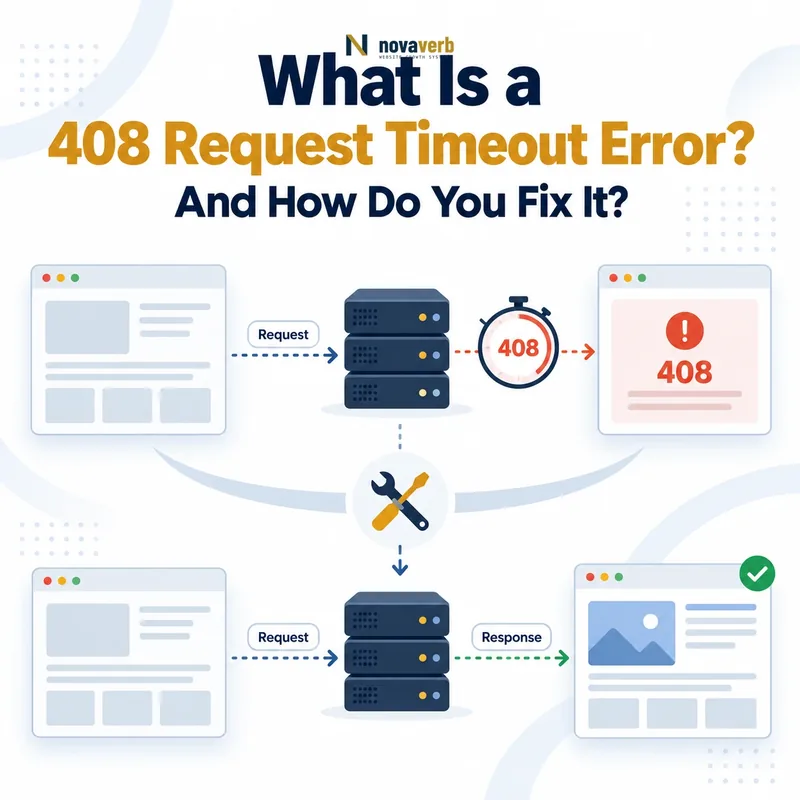
A 408 Request Timeout means that the server did not receive a complete request message within the period it was prepared to wait.
A valid 408 response can indicate that:
- The connection reached a server: A web server, proxy or another receiving component accepted the connection.
- The client did not finish the request: The request line, headers or body remained incomplete.
- The server’s waiting period expired: A configured request-read deadline was reached.
- The connection will normally be closed: The client should not assume that the same connection remains reusable.
- The requested operation was not completed normally: The intended resource or action was not delivered through that request.
The status does not prove that the website application was slow. The timeout may occur before the complete request reaches the application at all.
How Does an HTTP 408 Response Work?
An HTTP 408 response is generated when a receiving server begins waiting for a request but does not receive the complete request message before its deadline expires.
- A client opens a connection to a server or intermediary.
- The server begins waiting for an HTTP request.
- The client sends nothing, sends the headers too slowly or stalls while sending the body.
- The request-read timeout expires.
- The server returns
408 Request Timeoutwhere supported. - The server closes the connection instead of waiting indefinitely.
Client opens connection
→ Server waits for request
→ Request remains incomplete
→ Request-read deadline expires
→ HTTP 408 returned
→ Connection closed
The server may also close the connection without sending a visible 408 response. The exact behavior depends on the HTTP version, server and connection state.
What Part of the Request Timed Out?
A 408 can occur while the server is waiting for the initial request, the complete request headers or additional request-body data.
| Request stage | What the server is waiting for | Possible cause |
|---|---|---|
| Idle connection | The first request bytes | A browser opened a speculative connection but did not use it. |
| Request line | The method, target and protocol information | The client or network stalls immediately after connecting. |
| Request headers | The complete set of HTTP header fields | A slow connection or slow-header protection reaches its limit. |
| Request body | Additional upload, form or API payload data | The upload pauses for longer than the configured read interval. |
| TLS or pre-request stage | Enough connection progress to begin normal request processing | A server-specific security timeout closes the connection. |
Server logs should identify the stage more precisely. Without that evidence, “request timeout” is still only a symptom classification.
What Causes a 408 Request Timeout?
A 408 can be caused by an idle connection, slow request headers, an interrupted upload, unstable networking, overloaded connection handling or an overly restrictive request-read timeout.
| Cause | Example | Evidence to inspect |
|---|---|---|
| Idle preconnection | A browser opens a connection in advance but never sends a request. | Zero request bytes, connection timing and browser behavior |
| Slow request headers | The client does not finish transmitting headers before the deadline. | Header-read timeout logs and bytes received |
| Interrupted upload | A large file upload pauses because the network becomes unstable. | Body bytes received, upload duration and client network events |
| Mobile network change | The client moves between cellular and Wi-Fi connections. | Connection reset, client logs and regional pattern |
| Overloaded server | The server cannot read incoming requests promptly. | Connection queues, worker pressure and socket metrics |
| Restrictive timeout | A legitimate upload cannot meet the configured read interval. | Server configuration and normal upload baseline |
| Proxy mismatch | Different layers apply conflicting client-read deadlines. | Timeout settings at the CDN, proxy and origin |
| Slow-client protection | A security module intentionally limits incomplete connections. | Security-module events and matched policy |
Some logged 408 responses represent unused connections rather than failed page views. Separate connection-level noise from real URL requests before assigning SEO impact.
408 Error vs 504 Gateway Timeout
A 408 means a server stopped waiting for the client to finish sending its request. A 504 means a gateway stopped waiting for an upstream server to return a response.
| Dimension | 408 Request Timeout | 504 Gateway Timeout |
|---|---|---|
| Who is too slow? | The client sending the request | The upstream server returning a response |
| Timeout direction | Client → receiving server | Gateway → upstream server |
| Error class | 4xx client error | 5xx server error |
| Typical example | An upload stalls while the body is being sent. | A database-backed page takes too long to render. |
| Primary evidence | Bytes received and request-read logs | Gateway timing and upstream traces |
The two statuses describe opposite sides of the request-response exchange. Increasing an upstream response timeout does not fix an incomplete client request.
408 Error vs 429 Too Many Requests
A 408 means the client did not complete one request in time. A 429 means the client sent too many requests within an applicable rate limit.
| Dimension | 408 Request Timeout | 429 Too Many Requests |
|---|---|---|
| Primary condition | One request remained incomplete. | The request rate or quota was exceeded. |
| Typical trigger | Slow headers, idle connection or stalled upload | Repeated, concurrent or quota-consuming requests |
| Retry guidance | A new connection may be required. | The client should respect Retry-After and slow down. |
| Google crawl-rate signal | No | Yes, Google treats 429 as an overload signal. |
| Corrective focus | Complete the request reliably. | Reduce request volume or adjust a justified quota. |
Do not return 408 because Googlebot is crawling too quickly. Use 429 when the requester’s rate is the defining problem.
408 Error vs 400 Bad Request
A 408 means the complete request did not arrive in time. A 400 means the server received enough of the request to determine that it was malformed or otherwise invalid.
| Dimension | 408 Request Timeout | 400 Bad Request |
|---|---|---|
| Request completeness | Incomplete within the waiting period | Received but invalid for processing |
| Typical cause | Slow or stalled transmission | Malformed syntax, framing or routing data |
| Time dependency | Central to the status | Not normally central |
| Correction | Complete the request within a justified deadline. | Correct the request format or data. |
| Connection handling | The server normally closes the connection. | Depends on the malformed condition and server. |
A request that first arrives slowly and then proves malformed may be classified differently depending on which condition the server detects first.
408 Error vs 499 Client Closed Request
A 408 is a standardized response indicating that the server stopped waiting for a complete request. A 499 is a nonstandard operational code commonly used to record that the client closed the connection first.
| Dimension | 408 Request Timeout | 499 Client Closed Request |
|---|---|---|
| Standardized by HTTP | Yes | No |
| Who ends the wait? | The server | The client |
| Typical condition | The client did not finish sending the request. | The client disconnected before the response completed. |
| Where it appears | HTTP response and server logs | Often only in proxy or server logs |
| Diagnostic focus | Request-read duration and bytes received | Client cancellation and server response duration |
Do not expose a nonstandard 499 as though it has universal semantics. Interpret it according to the server or platform that generated the log entry.
408 Error vs Browser Connection Timeout
A 408 is an HTTP response returned by a server. A browser connection timeout can occur without any HTTP response being received.
| Dimension | HTTP 408 | Browser timeout |
|---|---|---|
| HTTP status received | Yes | Not necessarily |
| Who times out? | The server waiting for the request | The browser waiting on connection or response progress |
| Evidence | Response headers and server access log | Browser error, network trace and server logs |
| Typical message | 408 Request Timeout | Connection timed out, network changed or site took too long |
| Corrective focus | Request transmission and server read policy | Full client, network and server path |
Confirm the actual HTTP status before optimizing for 408. A screenshot of a browser timeout page does not prove that the server returned that status.
Why Can a Server Return 408 Without a Request?
Some servers return 408 on an idle connection when the client opened the connection but did not send an HTTP request before the idle waiting period expired.
- A browser predicts that the user may visit a hostname.
- It opens a connection in advance to reduce future latency.
- The predicted navigation never occurs.
- The connection remains idle.
- The server closes the unused connection and may log or return 408.
This can create 408 entries that do not correspond to a real page request, completed URL path or failed user action.
What Does Connection: Close Mean in a 408 Response?
Connection: close indicates that the server intends to close the current HTTP/1.x connection rather than keep waiting or reuse it for another request.
HTTP/1.1 408 Request Timeout
Connection: close
Content-Type: text/html
The client should treat the connection as finished. A later request should use a new connection rather than attempt to continue sending data on the timed-out connection.
The header does not specify how long the client must wait before retrying. It communicates connection termination, not a rate-limit reset period.
Connection: close ends the current connection. Retry-After communicates a requested waiting period in response types that support that guidance.
Can a Slow Internet Connection Cause a 408 Error?
Yes. A slow or unstable client connection can cause 408 when request headers or body data do not reach the server within the configured read deadline.
Network-related conditions include:
- Weak mobile or Wi-Fi signal
- Packet loss and retransmissions
- Switching between network interfaces
- A congested VPN or proxy
- Low upload bandwidth
- An interrupted connection during a file upload
- High-latency satellite or remote connections
A slow connection is only one possibility. The same symptom can occur when the server is overloaded or the timeout is too strict for normal users.
Can a Large File Upload Cause a 408 Error?
Yes. A large upload can trigger 408 when request-body transmission pauses or progresses more slowly than the receiving server permits.
Investigate:
- The upload size and expected upload duration
- The client’s actual upload bandwidth
- Whether transmission stopped between body chunks
- CDN, proxy and origin body-read timeouts
- Maximum request-body size limits
- Browser or application cancellation
- Server connection and worker capacity
- Whether resumable or multipart upload is supported
A request-size violation may return `413 Content Too Large` instead. A 408 indicates that the timing of receiving the request was the defining failure.
Can an API Return a 408 Request Timeout?
Yes. An API server or intermediary can return 408 when the API client does not finish sending the complete HTTP request within the allowed period.
API-related causes include:
- A large JSON, multipart or binary body uploads too slowly.
- The client opens a connection but delays sending headers.
- A streaming client stops transmitting data.
- A proxy closes an incomplete API request.
- The client process pauses or loses network access.
- Timeout policies differ between the API gateway and origin.
Many client libraries use the phrase “request timeout” for local timeouts that do not involve an HTTP 408 response. Capture the actual response code before applying HTTP-specific retry logic.
Can WordPress Cause a 408 Request Timeout?
WordPress can be involved in workflows that encounter 408, but the response is usually generated by the web server, proxy, CDN or hosting layer before WordPress receives the complete request.
Common WordPress situations include:
- Uploading large media, themes or plugins
- Importing a large content or product file
- Submitting a long multipart form
- A page builder sending a large save request
- A backup or migration plugin uploading an archive
- A mobile administrator using an unstable connection
- A security layer applying a strict request-read timeout
Check server and proxy logs before disabling plugins. A WordPress error log may contain no entry when the complete request never reached PHP.
Can Nginx Return a 408 Error?
Yes. Nginx returns 408 when the client does not complete request headers within client_header_timeout or sends no body data within the interval controlled by client_body_timeout.
client_header_timeout 60s;
client_body_timeout 60s;- Header timeout: The client must transmit the complete request header within the configured period.
- Body timeout: The timer applies between successive request-body read operations rather than necessarily to the complete upload duration.
- Log evidence: Review the exact request, bytes received, connection timing and matched virtual server.
- Configuration scope: Values can differ by HTTP, server or location context.
Do not change proxy_read_timeout to fix this condition. That directive concerns Nginx waiting for an upstream response, not reading the client request.
Can Apache Return a 408 Error?
Yes. Apache can return 408 when a client fails to complete the TLS handshake, request headers or request body within limits configured through request-timeout controls.
Apache’s request-timeout behavior can evaluate:
- Time allowed for the TLS handshake
- Time allowed to receive request headers
- Time allowed to receive the request body
- Minimum data-transfer rates during request transmission
- Different policies for different virtual hosts or environments
Review the Apache error log, access-log timing and the active mod_reqtimeout configuration. Confirm whether a front-end proxy returned the response before the request reached Apache.
Can a CDN or Reverse Proxy Cause a 408 Error?
Yes. A CDN or reverse proxy can return 408 when it accepts the client connection but does not receive the complete request within its own client-read deadline.
Possible conditions include:
- An edge server waits for incomplete request headers.
- A large upload stalls between body chunks.
- The client disconnects or changes networks.
- The CDN applies slow-client protection.
- Edge and origin request timeouts are inconsistent.
- One region experiences connection instability.
- The public response is generated before the origin sees the request.
Inspect CDN response headers and event identifiers. If the origin has no matching request, the timeout likely occurred at the edge or before origin delivery.
Can a Load Balancer Return a 408 Error?
A load balancer can return 408 when its client-facing listener does not receive a complete request within the configured request or idle deadline.
Review:
- The listener’s client-header and body-read policies
- Whether the request reached a backend target
- The number of bytes received before timeout
- Connection duration and idle intervals
- Regional or availability-zone differences
- TLS handshake and request timing
- Whether another proxy sits in front of the load balancer
A backend health check may remain successful because the incomplete client request never reached a backend. Do not interpret every 408 as an unhealthy application target.
Can Security Controls Trigger a 408 Response?
Yes. Request-read timeouts can be part of security controls designed to prevent clients from occupying connections by sending headers or body data extremely slowly.
Security-related request controls may limit:
- Time to complete the TLS handshake
- Time to send request headers
- Time between request-body reads
- Minimum acceptable data-transfer rate
- Total incomplete connections per client
- Header size and body size through separate controls
These protections can produce false positives for users on slow networks or during legitimate large uploads. The correct response is to tune the narrow policy from observed traffic, not remove protection entirely.
Is 408 Request Timeout Bad for SEO?
A real 408 returned to Googlebot on an indexable URL is an SEO risk because Google treats 408 as a regular 4xx client error and does not use the response content for indexing.
Risk increases when:
- Googlebot repeatedly receives 408 for canonical pages.
- The homepage or major category pages are affected.
- New pages return 408 during discovery.
- XML sitemaps or critical assets are unavailable.
- A CDN returns 408 only to crawler traffic.
- Large groups of URLs share the same restrictive policy.
- Previously indexed URLs remain on 408 responses.
Not every logged 408 represents a crawled URL. Idle preconnections without a meaningful request target should be separated from actual Googlebot requests.
How Does Google Handle 408 Responses?
Google handles 408 as a 4xx client error: it ignores the response content, does not index a new URL from that response and can remove a previously indexed URL if the 4xx state persists.
- Googlebot attempts to request the URL.
- The server returns HTTP 408.
- Google does not use the returned body as page content.
- A new URL is not processed as a working indexable page.
- A previously indexed URL can be removed over time if it continues returning 408.
- Crawl frequency for that URL can gradually decline.
Google treats all 4xx codes except 429 in broadly the same way for Search processing. This makes persistent 408 responses more dangerous than treating them as temporary server errors.
See Google’s HTTP status code handling documentation.
Can 408 Errors Reduce Crawling?
Persistent 408 responses can reduce successful crawling of affected URLs, but 408 is not a Google crawl-rate control signal in the way that 429 and selected 5xx responses are.
Repeated 408 responses can lead to:
- Fewer successful fetches of the affected URL
- Gradually lower revisit frequency for URLs treated as unavailable
- Delayed discovery of newly linked pages
- Missed content and directive updates
- Wasted crawl requests on responses that provide no usable content
However, returning 408 does not tell Googlebot that the server is overloaded and should reduce sitewide crawl pressure. For that purpose, Google documents other response codes.
Review the broader allocation model in What Is Crawl Budget?.
Can Repeated 408 Errors Affect Indexing?
Yes. Google does not index content returned with 408, and previously indexed URLs that persistently return this 4xx response can be removed from the index over time.
Indexing risk depends on:
- Whether Googlebot actually requested a real URL
- How consistently the URL returns 408
- How long the condition continues
- Whether the URL was already indexed
- Whether successful 200 responses return between failures
- The importance and internal linking of the URL
- Whether the issue affects one URL or an entire template
Idle connection entries without a completed request target should not be counted as proof that a specific page is being removed.
Should a 408 Error Page Return 200?
No. A page displayed because the server stopped waiting for a complete request should return the accurate 408 status rather than 200 OK.
| Response | What it communicates | Use |
|---|---|---|
408 Request Timeout |
The complete request did not arrive in time. | Correct for a genuine request-read timeout |
200 OK |
The requested resource was served successfully. | Incorrect when only an error message is shown |
429 Too Many Requests |
The requester exceeded a rate limit. | Use only when request rate is the problem |
503 Service Unavailable |
The service is temporarily unavailable. | Use only for broad temporary service unavailability |
A friendly response body may explain that the connection closed, but visual design must not change the underlying status.
Should You Retry a Request After a 408 Error?
A client may retry after a genuine 408, but it should open a new connection, confirm the operation is safe to repeat and avoid an uncontrolled retry loop.
- Confirm that the response is actually HTTP 408.
- Close or discard the timed-out connection.
- Check whether the request method is safe or idempotent.
- Verify whether the previous operation created any result.
- Correct obvious network or upload problems.
- Retry once through a new connection.
- Stop and surface an error if the timeout repeats.
Automated clients should use a maximum attempt count and an overall request deadline. A permanent loop can create duplicate operations or additional connection pressure.
Is It Safe to Retry POST Requests After 408?
Do not automatically assume that every POST request is safe to repeat after a timeout, especially when an intermediary or application may have partially processed the operation.
Before retrying, check:
- Whether the server received the complete request
- Whether an order, payment or booking already exists
- Whether the endpoint supports idempotency keys
- Whether the client generated a stable operation identifier
- Whether the API documents POST retry behavior
- Whether partial files or records require cleanup
- Whether the response came from the origin or an intermediary
A standards-compliant 408 indicates that the receiving server did not obtain a complete request message. However, clients often encounter mixed proxy and application behavior, so high-value operations still require verification.
Should You Increase the Request Timeout?
Increase a request-read timeout only when measured legitimate clients cannot complete expected requests within the current limit and the longer wait remains safe for server capacity and security.
A larger timeout may be justified when:
- Large uploads are a required product feature.
- Users commonly connect through slower supported networks.
- The application supports resumable or controlled uploads.
- The current threshold is lower than the documented service contract.
- Capacity testing shows that longer connections remain sustainable.
- Security controls still limit abusive incomplete connections.
It is usually the wrong first action when the issue is caused by an upload bug, connection leak, overloaded server, misconfigured proxy or abusive slow-client traffic.
How Do You Find 408 Errors?
Find 408 errors through server access logs, proxy and CDN events, browser network traces, upload telemetry, website crawls and Google Search Console evidence.
| Evidence source | What it reveals | Limitation |
|---|---|---|
| Access logs | Status, request target, client, bytes and timing | Idle connections may have incomplete URL data. |
| Server error logs | Header, body or request-read timeout reason | Detail depends on logging configuration. |
| CDN or proxy events | Edge location and client-facing timeout | May not include origin evidence. |
| Browser network panel | The user action and request that failed | Covers one client session. |
| Upload telemetry | Bytes sent, pauses and network changes | Requires application instrumentation. |
| Website crawl | URLs returning 408 to the crawler | A normal crawler may not reproduce slow-client behavior. |
| Search Console | 4xx access problems encountered by Google | Not a complete real-time server log. |
Separate idle connection entries from requests tied to a real URL, user action or crawler fetch. This prevents connection noise from being reported as a sitewide SEO failure.
Check a public URL with the HTTP Status & Redirect Chain Tracer.
How Do You Diagnose a 408 Request Timeout?
Diagnose a 408 by confirming the real HTTP response, identifying which layer returned it and determining which part of the client request remained incomplete.
- Capture the exact timestamp and client action.
- Confirm that HTTP 408 was returned.
- Identify the CDN, proxy, load balancer or origin that generated it.
- Determine whether a real request target existed.
- Measure bytes received before timeout.
- Classify the timeout as idle, header or body related.
- Record active timeout settings at every client-facing layer.
- Compare affected networks, regions and request sizes.
- Review server connection and worker pressure.
- Check for security modules or slow-client protections.
- Reproduce the request safely under controlled conditions.
- Verify recovery with repeated representative tests.
Do not start with PHP execution time, database queries or upstream response time unless evidence shows that the complete request reached the application.
How Do Users Fix a 408 Request Timeout?
Users can address an isolated 408 by stabilizing the connection, reopening the page through a new request and avoiding repeated submission of sensitive actions.
- Check whether the internet connection is stable.
- Stop any repeated refresh or resubmission loop.
- Open the page again through a new connection.
- Retry on a stable network when an upload failed.
- Reduce the upload size if the service supports compression.
- Confirm whether a payment, booking or form was already recorded.
- Disable a problematic VPN only when organizational policy permits it.
- Contact the site owner when multiple networks show the same error.
Clearing a browser cache is not a universal 408 fix because the failure concerns request transmission or connection handling rather than stale page content.
How Do Website Owners Fix Repeated 408 Errors?
Website owners fix repeated 408 errors by correcting the verified network, upload, proxy, capacity or timeout condition without weakening legitimate slow-client protections unnecessarily.
| Verified cause | Possible correction | Required verification |
|---|---|---|
| Idle preconnections only | Classify them separately from real URL failures. | Page-request success remains healthy. |
| Header timeout too restrictive | Adjust the scoped limit from legitimate traffic data. | Normal clients succeed without weakening protection broadly. |
| Large upload stalls | Use resumable uploads, chunking or a justified body timeout. | Supported upload sizes complete reliably. |
| Overloaded connection handling | Repair capacity, queueing or worker pressure. | Request reads remain stable under realistic load. |
| CDN or origin mismatch | Align client-read expectations across serving layers. | The intended layer controls the timeout consistently. |
| Frontend upload bug | Repair stalled streams, retries or connection reuse. | The client sends continuous valid progress. |
| Search crawler false positive | Correct the narrow connection rule from verified evidence. | Googlebot receives stable intended responses. |
After recovery, compare status distribution, request-completion rates, upload success and crawler responses across representative regions.
How Do You Prevent Duplicate Actions After a Retry?
Prevent duplicate actions by assigning a stable operation identifier and making repeated requests return the original result instead of creating a second transaction.
POST /orders HTTP/1.1
Idempotency-Key: order-7f31e6a2
A resilient implementation should:
- Generate one key per intended business operation.
- Reuse the same key when retrying the same operation.
- Store the key and result atomically where possible.
- Reject reuse with materially different request data.
- Return the original operation result for safe repeats.
- Define key expiration and conflict behavior.
- Show users the current order or payment state.
Idempotency support must be implemented by the receiving system. Adding an arbitrary header does not create protection unless the server recognizes and enforces it.
Common 408 Request Timeout Mistakes
Common mistakes confuse 408 with 504, treat every log entry as a failed page, increase timeouts blindly or repeatedly retry state-changing requests.
| Mistake | Why it fails | Preferred correction |
|---|---|---|
| Calling 408 a slow server response | The defined timeout concerns receiving the request. | Identify whether the client request or server response timed out. |
| Treating every 408 as a page failure | Some entries come from idle connections without a real URL request. | Separate idle connections from completed request targets. |
| Increasing every timeout | Incomplete connections occupy resources for longer. | Find the affected request stage and legitimate baseline. |
| Returning 200 for an error page | The response falsely reports successful delivery. | Return the accurate status. |
| Using 408 to slow Googlebot | Google treats it as a regular 4xx, not an overload signal. | Use an appropriate 429 or server-error response. |
| Changing an upstream timeout | That does not fix incomplete client request transmission. | Review client-header and request-body read controls. |
| Retrying POST blindly | The business operation may be duplicated. | Verify state and use supported idempotency controls. |
| Disabling security protection | Slow-client resource exhaustion becomes easier. | Tune the narrow rule from real evidence. |
| Checking only application logs | The request may never reach the application. | Start with the client-facing server or intermediary. |
| Closing after one successful retry | The error may recur for uploads, networks or crawler traffic. | Monitor representative request patterns. |
408 Request Timeout Checklist
A 408 task passes QA when the response source, incomplete request stage, triggering client condition and safe corrective action are documented with evidence.
- The exact timestamp is recorded.
- The real HTTP 408 response is confirmed.
- The response headers are captured.
- Connection: close behavior is checked.
- The responding server or intermediary is identified.
- The request target is recorded when available.
- Idle connections are separated from real requests.
- The request method is recorded.
- The request size is recorded.
- Bytes received before timeout are measured.
- Header-read timing is reviewed.
- Body-read timing is reviewed.
- TLS timing is reviewed where relevant.
- Client network conditions are reviewed.
- Upload progress is reviewed.
- CDN and proxy events are reviewed.
- Origin access logs are reviewed.
- Server connection pressure is reviewed.
- Worker and socket usage are reviewed.
- Security timeout rules are reviewed.
- Nginx or Apache directives are documented.
- Timeouts across layers are compared.
- Googlebot impact is measured separately.
- Indexable URLs return stable 200 responses.
- 408 is not used as a crawl-rate signal.
- POST retry safety is documented.
- Idempotency controls are verified where needed.
- The correction preserves security protection.
- Representative requests are retested.
- Monitoring confirms no recurrence.
Frequently Asked Questions About 408 Errors
What does 408 Request Timeout mean?
Is 408 a client error or server error?
What is the difference between 408 and 504?
What is the difference between 408 and 429?
Can a server return 408 without a page request?
Can slow internet cause a 408?
Can a large upload cause 408?
Can WordPress return a 408?
Can Nginx return 408?
Should I retry after a 408?
Can 408 hurt SEO?
How can I check whether a URL returns 408?
Trace the Timeout Before Increasing the Limit
Start by confirming that the server returned a real 408 response. Then identify whether it closed an idle connection, timed out while reading headers or stopped receiving a request body.
Separate browser network errors, client cancellations, gateway timeouts and genuine request-read failures before changing infrastructure settings.
Novaverb connects live HTTP responses, crawl evidence and URL-level status data so teams can separate real page failures from idle connection noise.
Use the Decision Ladder to determine whether the next action should be client correction, upload redesign, timeout tuning, capacity recovery or security escalation.