
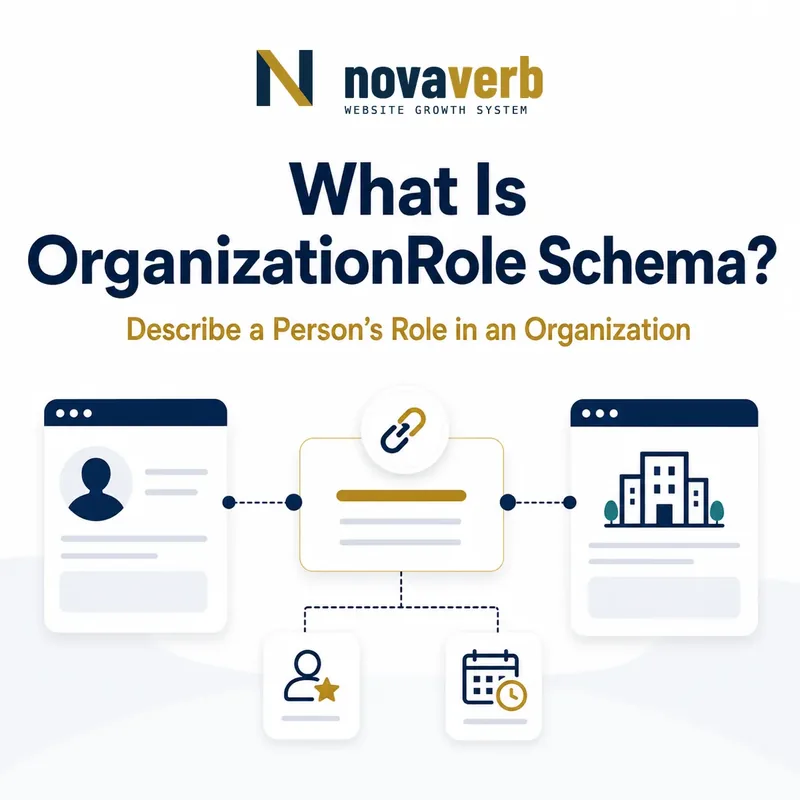
What Is OrganizationRole Schema?
OrganizationRole is a Schema.org type for describing a role held by a Person or Organization within an Organization, with optional name, dates, and numbered position.
It sits between a relationship property and the underlying participant, allowing the graph to qualify who served, how, and when. Common patterns include a team member with a playing position, an association officer with a term, a board or advisory role, and an alumni relationship with a date. OrganizationRole inherits roleName, startDate, and endDate from Role and adds numberedPosition. EmployeeRole is its employment-specific subtype.
- Use OrganizationRole for a role within an organization.
- Add only role facts supported by the page.
- Use EmployeeRole when the relationship is specifically employment.
- Identify the exact page, asset, entity or relationship described in this section.
- Inspect the live implementation and retain the observed evidence.
- Compare the observation with the intended meaning and its primary specification.
- Correct any mismatch, then retest the live result.
- Record the accountable owner and review date.
| Layer | Type or property | Purpose |
|---|---|---|
| Role type | OrganizationRole | Qualifies organization relationship |
| Subtype | EmployeeRole | Employee-specific relationship |
| Role label | roleName | Names the function |
| Lifecycle | startDate/endDate | Qualifies time |
| Position number | numberedPosition | Adds an organization role number |
Primary specification: Schema.org definition for OrganizationRole.
OrganizationRole adds meaningful context to an organization relationship without forcing every role to become employment.
When Should You Use OrganizationRole?
Use OrganizationRole when a direct member, alumniOf, affiliation, or similar organization link needs role name, dates, or position context.
A simple current membership can stay simple. The role wrapper earns its complexity when the page explains a term of office, athletic position, chapter function, board seat, advisory appointment, alumni transition, or another time-qualified organizational relationship. Do not add a role node merely to wrap a Person name, and do not use it to hide uncertainty about whether a relationship is membership, employment, affiliation, volunteering, or governance.
- Identify the underlying organization relationship.
- Check whether role or time context is visible.
- Use the direct property when no qualification is needed.
- Add OrganizationRole only when it clarifies the relationship.
- The exact page, asset, entity or relationship covered by this section
- The live implementation rather than an editor-only preview
- The primary specification or first-party record defining the expected behavior
- The validation result, accountable owner and review date
| Page need | OrganizationRole? | Reason |
|---|---|---|
| Simple member directory | Usually no | Direct member may suffice |
| Officer term | Yes | Role and dates matter |
| Athlete position | Yes | Position or number matters |
| One-time event speaker | Usually no | Event role differs |
| Employment history | Use EmployeeRole | More specific subtype |
Use the role wrapper when it makes the organization relationship more precise, not merely more complex.
How Does OrganizationRole Work With member?
OrganizationRole can qualify an Organization’s member property by placing the Person or Organization inside the role and adding roleName, dates, or position details.
For example, a sports team can use member with an OrganizationRole that in turn contains the Person, roleName, startDate, endDate, and numberedPosition. An association can represent an officer term similarly. The wrapper must preserve the original relationship: the organization has a member, and that member served in a role. Do not detach the Person, reuse one role for several unrelated members, or place dates on the Organization when they describe only the person’s term.
- Start from the Organization and member relationship.
- Use OrganizationRole as the member value when qualification is needed.
- Place the Person or Organization inside the role’s member property.
- Add supported role and date facts.
- Reuse canonical participant and organization ids.
- The exact page, asset, entity or relationship covered by this section
- The live implementation rather than an editor-only preview
- The primary specification or first-party record defining the expected behavior
- The validation result, accountable owner and review date
| Element | Entity | Meaning |
|---|---|---|
| Container | Organization | The group or team |
| Relationship | member | Connects role wrapper |
| Wrapper | OrganizationRole | Qualifies membership |
| Participant | Person or Organization | Who holds the role |
| Qualifier | roleName and dates | What and when |
A role-qualified member graph keeps the organization, participant, relationship, and term as separate facts.
How Does OrganizationRole Work With alumniOf?
OrganizationRole can qualify alumniOf when a Person’s relationship to an educational organization needs timing or other role context.
A Person can use alumniOf with an OrganizationRole wrapper that contains the educational organization and a relevant date. The semantics of dates require care: a startDate on the alumni relationship may reflect when alumni status began, often after leaving the institution, rather than the first day of study. If the page simply states an alma mater, a direct alumniOf relationship may be clearer. Do not manufacture attendance dates or imply graduation when the source only supports attendance.
- Use direct alumniOf for a simple alumni relationship.
- Use OrganizationRole when alumni timing is material.
- Interpret role dates according to the relationship being qualified.
- Preserve the canonical educational organization identity.
- Avoid unsupported graduation claims.
- Identify the exact page, asset, entity or relationship described in this section.
- Inspect the live implementation and retain the observed evidence.
- Compare the observation with the intended meaning and its primary specification.
- Correct any mismatch, then retest the live result.
- Record the accountable owner and review date.
| Evidence | Model | Caution |
|---|---|---|
| Alma mater only | Direct alumniOf | No invented dates |
| Alumni since a year | OrganizationRole | Date may mark alumni status |
| Attendance period | Role or separate education model | Do not assume graduation |
| Current employee and alumnus | Separate relationships | Do not merge roles |
| Unverified bio | Omit until confirmed | Third-party copying can be stale |
Role-qualified alumni markup should clarify timing without rewriting attendance history or inventing graduation facts.
How Is OrganizationRole Different From EmployeeRole?
OrganizationRole covers roles within organizations broadly, while EmployeeRole is the narrower subtype for employee relationships and adds salary-related properties.
A volunteer officer, board position, association role, athlete position, advisor, or club member may fit OrganizationRole without implying employment. A staff or executive role can use EmployeeRole when employment is established and role detail is needed. Choose the narrowest accurate type. Do not use EmployeeRole merely because a role has a title, and do not use generic OrganizationRole to avoid acknowledging clear employment when the page is an employee profile.
- Use OrganizationRole for non-employment organization roles.
- Use EmployeeRole for verified employee relationships.
- Do not infer employment from a title alone.
- Keep salary fields out of generic organization roles.
- Identify the exact page, asset, entity or relationship described in this section.
- Inspect the live implementation and retain the observed evidence.
- Compare the observation with the intended meaning and its primary specification.
- Correct any mismatch, then retest the live result.
- Record the accountable owner and review date.
| Relationship | OrganizationRole | EmployeeRole |
|---|---|---|
| Volunteer officer | Yes | No |
| Board member | Often | Only if employed |
| Athlete team role | Often | Depends on employment context |
| Company employee | Possible but broad | Prefer when detail needed |
| Salary fields | No dedicated support | baseSalary and salaryCurrency |
Use the broader role for organization participation and the employee subtype only when employment is a verified part of the claim.
How Should roleName, Dates, and numberedPosition Be Used?
roleName, startDate, endDate, and numberedPosition should describe the specific role at the precision and meaning supported by the page.
roleName accepts Text or URL and should use a recognizable function rather than an internal code. Dates use Date or DateTime in ISO 8601 format; a year is better than an invented full date when only the year is known. numberedPosition is a Number associated with the role, such as an athlete’s jersey number. It is not a ranking, sort order, employee id, membership number, or list position unless the organization explicitly uses it that way.
- Use the public role label.
- Use ISO-formatted dates at known precision.
- Omit endDate for an active role.
- Use numberedPosition only for a real role number.
- Keep internal ids and display order out of the property.
- The exact page, asset, entity or relationship covered by this section
- The live implementation rather than an editor-only preview
- The primary specification or first-party record defining the expected behavior
- The validation result, accountable owner and review date
| Field | Good use | Avoid |
|---|---|---|
| roleName | Treasurer or Quarterback | Internal database code |
| startDate | 2022 or 2022-09 | Fabricated day |
| endDate | Completed term date | Future placeholder |
| numberedPosition | Jersey number 12 | Row position or employee id |
| Current role | No endDate | Arbitrary 2099 date |
Role qualifiers should preserve known meaning and precision rather than filling every available field.
How Should Multiple and Historical Roles Be Modeled?
Model each materially distinct role as a separate OrganizationRole when function, organization, term, or participant differs.
A person may serve two terms, hold several positions, move between chapters, or maintain simultaneous roles in different organizations. Combining all roleName and date values in one wrapper makes it unclear which facts belong together. Reuse the same canonical Person and Organization ids while giving each meaningful role its own context. Historical roles should have an endDate or be presented clearly as past; current roles should not inherit dates from a former term.
- Define role boundaries by organization, function, and term.
- Create one wrapper per meaningful role.
- Attach the correct participant and organization ids.
- Separate current and completed terms.
- Merge duplicates produced by templates or locales.
- The exact page, asset, entity or relationship covered by this section
- The live implementation rather than an editor-only preview
- The primary specification or first-party record defining the expected behavior
- The validation result, accountable owner and review date
| Scenario | Recommended model | Avoid |
|---|---|---|
| Two terms as officer | Two dated roles | One mixed timeline |
| Two organizations | One role per organization | Blended organization |
| Promotion or role change | Separate meaningful periods | Overwritten history |
| Localized profile | Same canonical roles | Duplicate per language |
| Minor task list | Keep in description | Role entity proliferation |
Separate role nodes should make a timeline clearer while canonical identities keep the people and organizations unified.
What OrganizationRole Mistakes Are Common?
Common mistakes include adding role wrappers without purpose, using EmployeeRole for non-employees, inventing dates, misusing numberedPosition, disconnecting the participant, and duplicating role identities.
Teams may wrap every member even when no qualifier exists, place a job vacancy inside OrganizationRole, treat list order as numberedPosition, or create one role with several people. Former roles may lack endDate and appear current. Localized and embedded templates can create duplicate Organization and Person ids. Validation can catch some malformed structures but cannot determine whether a role existed, whether it was employment, or whether a term is current.
- Empty role wrapper around a direct relationship.
- EmployeeRole used without employment evidence.
- JobPosting replaced by a role node.
- Display order used as numberedPosition.
- One role reused for unrelated participants.
- Former role shown as current.
- Duplicate Person, Organization, or role ids.
- Identify the exact page, asset, entity or relationship described in this section.
- Inspect the live implementation and retain the observed evidence.
- Compare the observation with the intended meaning and its primary specification.
- Correct any mismatch, then retest the live result.
- Record the accountable owner and review date.
| Error | Impact | Fix |
|---|---|---|
| Unnecessary wrapper | Complexity without meaning | Use direct relationship |
| Wrong subtype | False employment claim | Use OrganizationRole |
| Invented dates | False timeline | Use known precision |
| Wrong position number | Misleading fact | Remove or correct |
| Disconnected participant | Broken graph | Attach canonical entity |
| Duplicate roles | Fragmentation | Consolidate contexts |
A useful OrganizationRole adds verified role context; anything else should be simplified, corrected, or removed.