
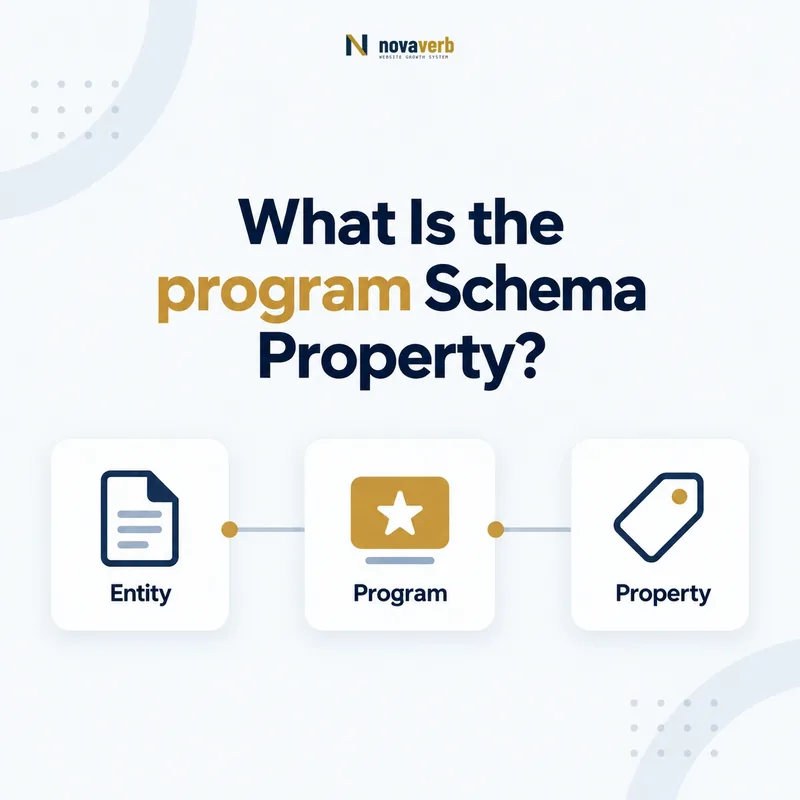
What Is the program Schema Property?
The program property connects a ProgramMembership to the MemberProgram associated with that membership.
It identifies which loyalty or membership program governs a specific membership relationship. This is more precise than repeating a program name as text because a MemberProgram entity can have a stable @id, hosting organization, URLs, and tier architecture. The subject must be ProgramMembership and the value must be MemberProgram. A retailer, airline, hotel, or subscription club can use the relationship where a page legitimately describes a membership without exposing confidential account data.
- Place program on ProgramMembership.
- Use MemberProgram as the value.
- Reference a stable program @id across relevant pages.
- Identify the exact page, asset, entity or relationship described in this section.
- Inspect the live implementation and retain the observed evidence.
- Compare the observation with the intended meaning and its primary specification.
- Correct any mismatch, then retest the live result.
- Record the accountable owner and review date.
| Role | Type | Meaning |
|---|---|---|
| Subject | ProgramMembership | The membership relationship |
| Property | program | Connects membership to program |
| Value | MemberProgram | The associated loyalty program |
Primary specification: Schema.org definition for program.
The program property gives a membership one explicit program identity instead of relying on a loose text label.
Where Can the program Property Be Used?
The program property is used on ProgramMembership and expects MemberProgram as its value.
It does not belong directly on Organization, Person, MemberProgramTier, Offer, Product, or Reservation. Those types have other properties for their relationships. An Organization can use hasMemberProgram, a Person can connect through memberOf where appropriate, a tier can use isTierOf, and a Reservation can use programMembershipUsed when a membership is applied. Keeping program on ProgramMembership makes the entity graph readable and prevents similarly named concepts from being mixed together.
- Identify the page’s real primary entity.
- Create a ProgramMembership only when a membership relationship is represented.
- Connect it to MemberProgram through program.
- Use adjacent properties for member, tier, or reservation relationships.
- The exact page, asset, entity or relationship covered by this section
- The live implementation rather than an editor-only preview
- The primary specification or first-party record defining the expected behavior
- The validation result, accountable owner and review date
| Entity | Relevant property | Purpose |
|---|---|---|
| ProgramMembership | program | Names associated MemberProgram |
| Organization | hasMemberProgram | Names offered program |
| MemberProgramTier | isTierOf | Names parent program |
| Reservation | programMembershipUsed | Names membership applied |
Use program for one narrow edge - membership to program - and model every surrounding relationship separately.
How Is program Different From programName?
program links to a MemberProgram entity, while programName is a Text label and the entity-based property is preferable for a connected graph.
Legacy implementations may only store the name of a loyalty plan. That label cannot reliably distinguish programs with similar names, carry ownership, enumerate tiers, or be reused from commercial policies. Migrating to program does not require deleting visible names; the MemberProgram entity can still have a name. The change is structural: the membership references a real entity rather than an isolated string. During migration, avoid publishing contradictory values where program points to one entity and programName names another.
- Create or identify the canonical MemberProgram node.
- Move the program label to the node’s name.
- Reference that node through program.
- Remove or reconcile stale programName output.
- Identify the exact page, asset, entity or relationship described in this section.
- Inspect the live implementation and retain the observed evidence.
- Compare the observation with the intended meaning and its primary specification.
- Correct any mismatch, then retest the live result.
- Record the accountable owner and review date.
| Approach | Value | Capability |
|---|---|---|
| program | MemberProgram | Connected, reusable entity |
| programName | Text | Standalone legacy label |
| Both temporarily | Entity plus text | Must remain consistent |
Prefer program for durable identity and keep any legacy text synchronized until it is safely retired.
How Should ProgramMembership JSON-LD Be Structured?
ProgramMembership JSON-LD should identify the membership, reference its MemberProgram through program, and include only facts the page can safely support.
An inline MemberProgram object works when the membership page also explains the program. An @id reference works when the canonical program is defined elsewhere in the same graph or on a stable program page. Other membership properties may describe the member, hosting organization, points earned, or membership number, but privacy and page visibility matter. A technically valid field can still be inappropriate if it exposes account information in public HTML.
- Declare ProgramMembership as the subject.
- Add program with a MemberProgram object or @id.
- Reuse the canonical program identity.
- Include only visible, necessary membership facts.
- Inspect final rendered JSON-LD.
- The exact page, asset, entity or relationship covered by this section
- The live implementation rather than an editor-only preview
- The primary specification or first-party record defining the expected behavior
- The validation result, accountable owner and review date
| Pattern | Best fit | Main check |
|---|---|---|
| Inline MemberProgram | Complete account explanation | Avoid duplicate identities |
| @id reference | Canonical program exists | Reference resolves |
| Graph nodes | Several related entities | All ids stay consistent |
| Public example | Educational page | Never copy real account data |
A good implementation connects the membership while minimizing sensitive data and entity duplication.
How Does program Relate to Member and Tier Data?
program identifies the MemberProgram, while member, validForMemberTier, and membershipPointsEarned describe different parts of the membership.
The member property can identify the Person or Organization holding the membership when that disclosure is appropriate. Tier status can be represented with validForMemberTier on ProgramMembership, while points can use membershipPointsEarned. MembershipNumber is an identifier, not a program identity, and deserves special privacy treatment. Separating these facts keeps a program from being confused with a member, tier, balance, or account number.
- Use program for the associated MemberProgram.
- Use member for the membership holder when appropriate.
- Use validForMemberTier for the applicable tier.
- Use membershipPointsEarned for a current points value.
- Avoid exposing membershipNumber publicly.
- Identify the exact page, asset, entity or relationship described in this section.
- Inspect the live implementation and retain the observed evidence.
- Compare the observation with the intended meaning and its primary specification.
- Correct any mismatch, then retest the live result.
- Record the accountable owner and review date.
| Question | Property | Expected concept |
|---|---|---|
| Which program? | program | MemberProgram |
| Who belongs? | member | Person or Organization |
| Which tier? | validForMemberTier | MemberProgramTier |
| How many points? | membershipPointsEarned | Number or QuantitativeValue |
Every membership fact should answer one question, with program reserved for the program entity itself.
How Should Privacy Shape Membership Markup?
Privacy should limit ProgramMembership markup to information the user and page context are authorized to expose.
Account pages may contain names, membership numbers, balances, tier status, and transaction context. Putting those values into structured data does not make them safer; it adds another machine-readable copy to the page. Public marketing pages should model programs and illustrative membership concepts, not real customer records. Authenticated pages still need data minimization because browser extensions, logs, screenshots, and third-party scripts can broaden exposure. The safest program reference is often a non-sensitive canonical @id without private identifiers.
- Classify every membership field by sensitivity.
- Remove private identifiers from public markup.
- Minimize structured data on authenticated pages.
- Confirm third-party scripts cannot collect unnecessary fields.
- Test with representative permissions and account states.
- The exact page, asset, entity or relationship covered by this section
- The live implementation rather than an editor-only preview
- The primary specification or first-party record defining the expected behavior
- The validation result, accountable owner and review date
| Field | Typical sensitivity | Default action |
|---|---|---|
| Program @id | Low | Safe when public |
| Tier name | Contextual | Expose only when needed |
| Points balance | Personal | Minimize on account pages |
| Membership number | High | Do not expose publicly |
| Member identity | High | Require clear authorization |
A correct program relationship never justifies publishing more personal membership data than the page needs.
How Do Multi-Program Accounts Use program?
A multi-program account should use a separate ProgramMembership entity for each real membership and connect each one to its own MemberProgram.
Travel portals, financial dashboards, and marketplaces may aggregate several loyalty relationships. One generic membership node with an array of unrelated programs obscures which tier, points balance, number, and host belong together. Separate nodes preserve boundaries. Programs with similar names still need distinct canonical ids, and a partner portal should not claim ownership simply because it displays the membership. Model the accountable program and hosting organization from visible, authoritative account terms.
- Create one ProgramMembership per membership relationship.
- Connect each node to one MemberProgram.
- Keep tier and points facts attached to the correct node.
- Distinguish display partner from program host.
- Identify the exact page, asset, entity or relationship described in this section.
- Inspect the live implementation and retain the observed evidence.
- Compare the observation with the intended meaning and its primary specification.
- Correct any mismatch, then retest the live result.
- Record the accountable owner and review date.
| Account pattern | Recommended model | Avoid |
|---|---|---|
| Two airline programs | Two membership nodes | One blended balance |
| Retailer plus card program | Separate program references | Assuming shared ownership |
| Family account | Model only supported relationships | Publishing every person publicly |
| Imported partner data | Reference actual program | Portal as false owner |
Separate membership nodes keep program identity, benefits, balances, and ownership from bleeding across accounts.
What program Property Mistakes Are Common?
Common mistakes include using Text instead of MemberProgram, placing program on the wrong type, duplicating program identities, and exposing private membership data.
Teams also confuse program with hostingOrganization, tier, or programMembershipUsed. Migration code may create a new MemberProgram for every member, fragmenting one program into thousands of entity ids. Another failure occurs when programName remains stale after the program reference changes. Syntax validation can detect some type errors, but privacy exposure and false business relationships require rendered-page review against live program and account evidence.
- Plain text used as the program value.
- Property attached directly to Person or Organization.
- One MemberProgram node created per account.
- Membership number published in public HTML.
- program and programName naming different programs.
- Identify the exact page, asset, entity or relationship described in this section.
- Inspect the live implementation and retain the observed evidence.
- Compare the observation with the intended meaning and its primary specification.
- Correct any mismatch, then retest the live result.
- Record the accountable owner and review date.
| Error | Impact | Fix |
|---|---|---|
| Wrong value type | Disconnected identity | Use MemberProgram |
| Wrong subject | Invalid placement | Move to ProgramMembership |
| Duplicate program nodes | Fragmented graph | Reuse canonical @id |
| Private identifier leak | Customer risk | Remove and minimize data |
| Stale text label | Contradiction | Reconcile or retire programName |
Valid markup must also preserve one program identity, accurate relationships, and strict membership privacy.