
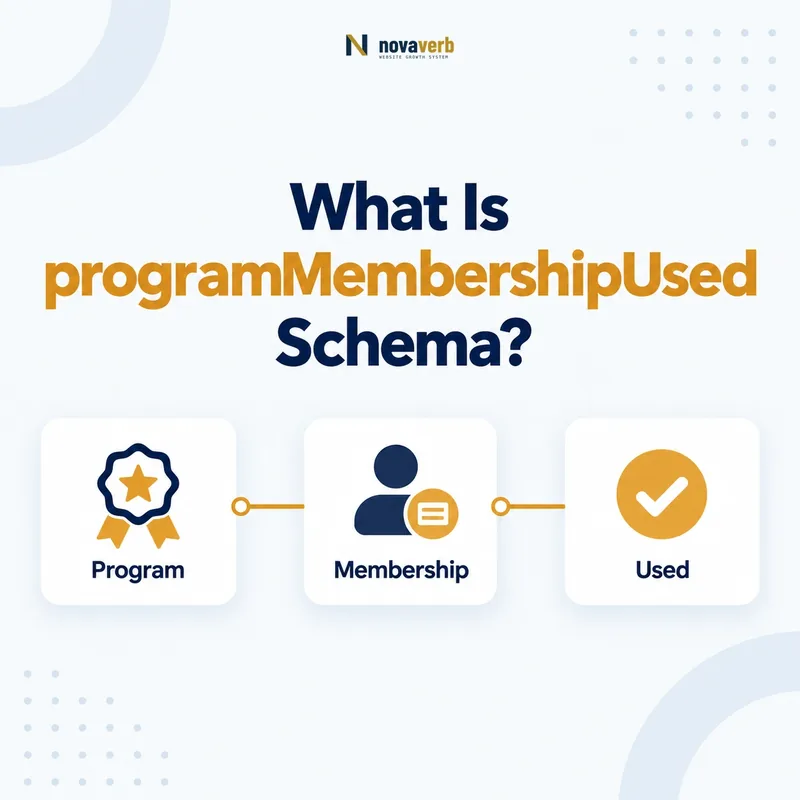
What Is programMembershipUsed Schema?
programMembershipUsed is the Schema.org property that connects a Reservation to the ProgramMembership applied to that reservation.
It can show that a frequent-flyer, hotel loyalty, rail club, rental, or other membership relationship was used for an actual booking. The subject is Reservation or a subtype, and the value is ProgramMembership. This edge is about application to a specific reservation; it does not define the loyalty program itself, the member’s tier, or a general promotional offer. Accurate use helps keep booking facts and membership facts connected without flattening them into text.
- Place programMembershipUsed on Reservation.
- Use ProgramMembership as the value.
- Model program, tier, and member facts on the membership node.
- Identify the exact page, asset, entity or relationship described in this section.
- Inspect the live implementation and retain the observed evidence.
- Compare the observation with the intended meaning and its primary specification.
- Correct any mismatch, then retest the live result.
- Record the accountable owner and review date.
| Role | Expected type | Meaning |
|---|---|---|
| Subject | Reservation | The actual booking |
| Property | programMembershipUsed | Membership applied |
| Value | ProgramMembership | The relevant membership relationship |
Primary specification: Schema.org definition for programMembershipUsed.
programMembershipUsed records which membership was applied to one real reservation.
Where Can programMembershipUsed Be Used?
programMembershipUsed is used on Reservation, including reservation subtypes such as flights, lodging, trains, taxis, rentals, events, and dining where the property is inherited.
The page or message should describe an actual reservation, not a generic service or sales page. A hotel landing page offering rooms is not a LodgingReservation; a flight search result is not a FlightReservation. The property becomes appropriate when a specific booking exists and the membership was actually associated with it. Subject selection protects the graph from implying a customer transaction where none occurred.
- Confirm the content represents an actual booking.
- Select the correct Reservation subtype.
- Create or reference the applied ProgramMembership.
- Attach it through programMembershipUsed.
- The exact page, asset, entity or relationship covered by this section
- The live implementation rather than an editor-only preview
- The primary specification or first-party record defining the expected behavior
- The validation result, accountable owner and review date
| Surface | Likely type | Use property? |
|---|---|---|
| Confirmed flight booking | FlightReservation | Yes, if membership applied |
| Hotel confirmation | LodgingReservation | Yes, if membership applied |
| Generic hotel page | LodgingBusiness or Offer | No |
| Flight search result | Offer | No |
| Restaurant confirmation | FoodEstablishmentReservation | Possible |
Use the property on real reservation records, never to turn availability or marketing content into a customer booking.
How Is programMembershipUsed Different From program?
programMembershipUsed connects a Reservation to ProgramMembership, while program connects that ProgramMembership to MemberProgram.
The two properties form consecutive edges. A booking used a membership; the membership belongs to a loyalty program. Combining them allows one reservation to reference a customer-specific relationship without confusing the program entity with the account relationship. A reservation should not point directly to MemberProgram through programMembershipUsed, and a ProgramMembership should not use programMembershipUsed to name its program. Keeping the types correct also makes privacy decisions easier because program identity can be public while membership details may be private.
- Reservation → programMembershipUsed → ProgramMembership.
- ProgramMembership → program → MemberProgram.
- MemberProgram → hostingOrganization → Organization.
- Keep each node’s private and public fields separate.
- The exact page, asset, entity or relationship covered by this section
- The live implementation rather than an editor-only preview
- The primary specification or first-party record defining the expected behavior
- The validation result, accountable owner and review date
| Property | Subject | Value |
|---|---|---|
| programMembershipUsed | Reservation | ProgramMembership |
| program | ProgramMembership | MemberProgram |
| hostingOrganization | MemberProgram or membership | Organization |
The booking references a membership, and the membership separately references its program.
Which Reservation Types Can Use the Property?
Any Reservation subtype inherits programMembershipUsed, so the implementation can cover travel, lodging, transport, dining, rental, and event bookings when a membership is truly applied.
FlightReservation and LodgingReservation are common loyalty cases, but TrainReservation, BusReservation, TaxiReservation, RentalCarReservation, EventReservation, and FoodEstablishmentReservation may also fit. The membership need not be a points program if it is a genuine club or membership relationship used in the booking. Do not invent a ProgramMembership for an email subscriber, coupon code, anonymous discount, or ordinary customer account unless it represents a real membership program.
- Flight and airline loyalty reservations.
- Hotel and accommodation member bookings.
- Rail, bus, taxi, or rental memberships.
- Dining and event club reservations.
- Other Reservation subtypes with a real applied membership.
- Identify the exact page, asset, entity or relationship described in this section.
- Inspect the live implementation and retain the observed evidence.
- Compare the observation with the intended meaning and its primary specification.
- Correct any mismatch, then retest the live result.
- Record the accountable owner and review date.
| Reservation subtype | Possible membership | Key evidence |
|---|---|---|
| FlightReservation | Frequent-flyer account | Booking confirmation |
| LodgingReservation | Hotel loyalty account | Member rate or account link |
| TrainReservation | Rail club | Reservation record |
| RentalCarReservation | Rental loyalty account | Contract or confirmation |
| EventReservation | Member presale account | Actual booking association |
Reservation inheritance broadens coverage, but every use still needs evidence that a membership was applied.
How Should Reservation JSON-LD Be Structured?
Reservation JSON-LD should identify the booking, reference a ProgramMembership through programMembershipUsed, and limit customer-specific fields to what the private context requires.
An inline membership object can work in an authenticated confirmation or transactional message, while an @id reference can reduce duplication in a larger graph. The reservation may also include status, provider, reservationFor, bookingTime, underName, and reservationId. Do not copy every booking-system field into JSON-LD. Select only facts supported by the rendered confirmation and necessary for the experience, then inspect the final output with a controlled test reservation.
- Declare the correct Reservation subtype.
- Add core booking facts supported by the confirmation.
- Connect the applied membership with programMembershipUsed.
- Connect the membership to MemberProgram through program.
- Validate rendered output with synthetic data.
- The exact page, asset, entity or relationship covered by this section
- The live implementation rather than an editor-only preview
- The primary specification or first-party record defining the expected behavior
- The validation result, accountable owner and review date
| Model choice | Best use | Risk |
|---|---|---|
| Inline membership | Self-contained confirmation | Overexposing account details |
| @id reference | Shared graph identity | Broken or inaccessible reference |
| Minimal node | Privacy-sensitive context | Missing useful program identity |
| Full account object | Rarely justified | Unnecessary data duplication |
A useful reservation graph connects the applied membership while keeping the booking payload deliberately small.
How Should Privacy Shape Reservation Membership Markup?
Privacy should prevent membership numbers, balances, personal identities, and booking details from appearing in public pages or unnecessary machine-readable payloads.
Reservations are individual transactional records. They can combine dates, routes, hotels, events, member status, confirmation codes, and identity data into a sensitive profile. Transactional email or authenticated account markup may have legitimate functionality, but inclusion still needs minimization and access control. Public SEO pages should use service, offer, organization, and program entities instead of fabricating or publishing reservations. Never place membership numbers or reservation tokens in URLs, canonical tags, analytics events, or public JSON-LD.
- Keep real reservation markup off public marketing pages.
- Omit membershipNumber unless a private use is necessary.
- Use synthetic data in documentation and testing.
- Prevent booking and member identifiers from reaching analytics.
- Review email forwarding and cache exposure.
- Identify the exact page, asset, entity or relationship described in this section.
- Inspect the live implementation and retain the observed evidence.
- Compare the observation with the intended meaning and its primary specification.
- Correct any mismatch, then retest the live result.
- Record the accountable owner and review date.
| Data | Sensitivity | Default |
|---|---|---|
| Program name | Low | May be public elsewhere |
| Member tier | Personal context | Minimize |
| Membership number | High | Omit when possible |
| Reservation ID | High | Protect |
| Travel dates and route | Personal | Restrict to authorized context |
Structured reservation data should never expand the audience for membership or itinerary information.
How Do Partner and Codeshare Bookings Work?
Partner and codeshare bookings should reference the ProgramMembership actually applied, not whichever airline, hotel, broker, or marketplace logo dominates the confirmation.
A booking may involve a seller, broker, operating provider, loyalty host, and redemption partner. Those roles are different. If a traveler enters Program A’s membership and the reservation records it, reference that membership even when Partner B operates the service. Do not infer application merely because the traveler could earn points. The confirmation, account activity, or reservation record should show that the membership was attached.
- Identify the seller, provider, and operating party.
- Confirm which membership is recorded on the booking.
- Connect that ProgramMembership to its actual MemberProgram.
- Avoid claiming points or benefits not shown in the reservation.
- The exact page, asset, entity or relationship covered by this section
- The live implementation rather than an editor-only preview
- The primary specification or first-party record defining the expected behavior
- The validation result, accountable owner and review date
| Scenario | Reference | Avoid |
|---|---|---|
| Codeshare flight | Recorded frequent-flyer membership | Operating logo as automatic program |
| Hotel marketplace | Membership attached by hotel | Marketplace rewards if unused |
| Card travel portal | Program actually applied | Assuming card ownership equals membership |
| Rental partner | Recorded rental membership | Potential eligibility as actual use |
Partner complexity changes business roles, but the property still follows the membership actually applied to the reservation.
What programMembershipUsed Mistakes Are Common?
Common errors include using the property on offers, pointing directly to MemberProgram, inventing memberships, exposing identifiers, and retaining stale links after booking changes.
A canceled or modified reservation may no longer carry the same membership. Template code can also copy a logged-in account membership into every reservation even when the booking was made without it. Another failure is modeling a coupon, card payment, email account, or ordinary customer record as ProgramMembership. Type validation catches a direct MemberProgram value, but only real booking evidence can prove the membership was applied.
- Property placed on Offer or a generic service page.
- MemberProgram used instead of ProgramMembership.
- Logged-in membership assumed to apply to every booking.
- Membership number exposed in confirmation HTML.
- Canceled or changed booking retains stale membership data.
- Identify the exact page, asset, entity or relationship described in this section.
- Inspect the live implementation and retain the observed evidence.
- Compare the observation with the intended meaning and its primary specification.
- Correct any mismatch, then retest the live result.
- Record the accountable owner and review date.
| Error | Impact | Fix |
|---|---|---|
| Offer treated as reservation | False transaction | Use Offer and omit property |
| Wrong value type | Broken relationship | Reference ProgramMembership |
| Assumed application | Misleading booking fact | Use reservation evidence |
| Identifier leak | Privacy risk | Remove unnecessary field |
| Stale association | Incorrect record | Sync modification workflow |
Correct types are essential, but the booking record must also prove that the membership was actually used.