
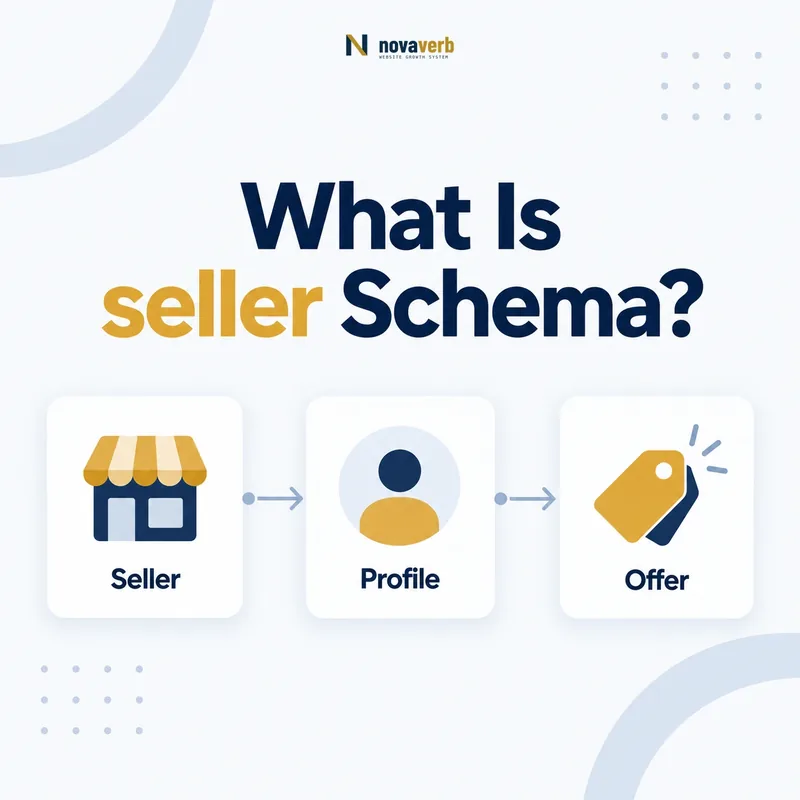
What Is seller Schema?
The seller schema property identifies the Organization or Person that offers goods or services for sale, lease, lending or loan within a supported transaction context.
It models the commercial party making the offer. The seller may also be the provider, manufacturer or brand owner, but those roles are not automatically identical. A marketplace can sell a service performed by another company, while a retailer can sell a product manufactured under another brand.
Schema.org defines seller on BuyAction, Demand, Flight, Offer and Order. It accepts Organization or Person and supersedes the older merchant and vendor properties. The page should make the seller visible through offer, checkout, merchant or order information.
- Frame the decision raised by What Is seller Schema.
- Confirm its value type and the object it describes.
- Compare the markup with visible page information.
- Correct the source data or template without inventing values.
- Validate the rendered result and monitor future changes.
| Element | Role | Evidence |
|---|---|---|
| seller | Party offering transaction | Offer or checkout identity |
| Organization | Business seller | Named merchant |
| Person | Individual seller | Named individual merchant |
| Offer | Commercial terms | Price and availability |
| provider | Party fulfilling service | Delivery responsibility |
- Identify the party offering the transaction.
- Use Organization or Person.
- Separate selling from fulfillment and production.
seller schema should name the real merchant or transactional party, not whichever brand is most prominent.
Which Types Can Use seller?
The seller property is supported on BuyAction, Demand, Flight, Offer and Order, so its exact meaning depends on the transaction entity that owns the relationship.
Offer is the most common commercial context: it describes terms under which rights to an item or service are transferred, and seller names the party making those terms available. In Order, seller identifies the merchant associated with the recorded purchase. In Demand, it can identify the seller involved in the demand context.
Do not place seller directly on Product, Service or Organization. Connect Product or Service to Offer, then place seller on the Offer when the page supports the transaction.
- Evidence for Which Types Can Use seller: the live structured-data entity and property relationship
- The expected value type and any nested object
- Visible page information that supports the structured value
- Related offer or catalog fields needed for interpretation
- A fresh validation result after the page changes
| Parent type | Seller meaning | Example |
|---|---|---|
| Offer | Party making offer | Retailer selling software plan |
| Order | Merchant in order | Store fulfilling purchase record |
| BuyAction | Seller participant | Party in purchase action |
| Flight | Seller of flight | Airline or ticket merchant |
| Demand | Seller in demand context | Commercial participant |
- Identify the transaction entity.
- Confirm seller is supported there.
- Name the visible merchant.
- Connect the offered item separately.
Correct parent placement ties the seller to a real offer, order or transaction instead of the item in isolation.
How Is seller Different From provider?
seller identifies who offers the transaction, while provider identifies who supplies, operates or performs the service or goods; one party can hold both roles, but marketplaces often separate them.
A consulting agency selling and delivering its own work can be both seller and provider. A booking platform may sell a reservation while a hotel provides the stay. A software reseller can sell a plan provided by the software company.
Trace checkout responsibility and delivery responsibility separately. The provider schema guide explains fulfillment identity. When roles match, reuse one canonical Organization node rather than creating duplicates.
- Frame the decision raised by How Is seller Different From provider.
- Confirm its value type and the object it describes.
- Compare the markup with visible page information.
- Correct the source data or template without inventing values.
- Validate the rendered result and monitor future changes.
| Question | seller | provider |
|---|---|---|
| Primary role | Offers transaction | Delivers or performs |
| Typical subject | Offer or Order | Service or other provided item |
| Evidence | Merchant/checkout terms | Fulfillment responsibility |
| Can same entity fill role? | Yes | Yes |
- Audit payment and fulfillment independently.
- Model the same entity once when roles match.
- Preserve different parties when roles differ.
Seller owns the commercial offer; provider owns delivery or performance.
How Is seller Different From manufacturer, brand and broker?
The seller transacts with the buyer, the manufacturer produces the product, the brand identifies its commercial identity, and the broker arranges an exchange without normally owning the item.
A marketplace listing can involve all four: a manufacturer makes the product, a brand appears on it, a third-party merchant sells it and the platform brokers the transaction. Collapsing these roles into the platform Organization changes who is responsible for what.
Use visible first-party disclosures such as “sold by,” manufacturer details, brand labels and intermediary terms. Domain ownership or logo prominence is not enough to assign every role.
- Evidence for How Is seller Different From manufacturer, brand and broker: the live structured-data entity and property relationship
- The expected value type and any nested object
- Visible page information that supports the structured value
- Related offer or catalog fields needed for interpretation
- A fresh validation result after the page changes
| Role | Main function | Evidence |
|---|---|---|
| seller | Offers sale/lease/lending | Sold-by or checkout identity |
| manufacturer | Produces product | Product manufacturing disclosure |
| brand | Commercial identity | Brand presentation |
| broker | Arranges exchange | Marketplace terms |
- Map the transaction flow.
- Identify production and brand ownership.
- Identify any intermediary.
- Assign only evidence-backed roles.
Seller, manufacturer, brand and broker describe different relationships even when one company holds several.
Should seller Use Organization or Person?
Use Organization for a company, store, institution or marketplace merchant, and Person when an individual is the actual party offering the item or service.
Most ecommerce and SaaS offers use Organization because the company contracts with the buyer. An independent consultant or individual marketplace merchant may be Person when the transaction is genuinely in that person’s name. Do not choose Person merely because a founder appears prominently on the page.
The seller node needs only supported identity facts. A stable @id, name and URL can be enough. Do not add private addresses, personal identifiers or unsupported legal information for completeness.
- Frame the decision raised by Should seller Use Organization or Person.
- Confirm its value type and the object it describes.
- Compare the markup with visible page information.
- Correct the source data or template without inventing values.
- Validate the rendered result and monitor future changes.
| Scenario | Seller type | Reason |
|---|---|---|
| SaaS company checkout | Organization | Company offers subscription |
| Retail store | Organization/Store subtype | Merchant business |
| Individual marketplace listing | Person if publicly identified | Individual offers item |
| Founder on company page | Organization | Visibility does not change merchant |
- Follow the contracting merchant.
- Use the most accurate Organization subtype.
- Protect personal data and avoid assumptions.
The seller value should match the legal or commercial party that makes the offer to the buyer.
How Do You Add seller to an Offer?
Add seller to an Offer by referencing the merchant’s canonical Organization or Person identity alongside accurate price, currency, availability and itemOffered data.
A stable @id prevents merchant identity from drifting across product or service pages. The Offer should point to the actual item being sold, and the page should display the same commercial terms. Avoid creating a new seller node for every offer when one merchant owns them all.
{
  "@type": "Offer",
  "price": "99.00",
  "priceCurrency": "USD",
  "availability": "https://schema.org/InStock",
  "seller": {
    "@type": "Organization",
    "@id": "https://example.com/#organization",
    "name": "Example Software Company"
  },
  "itemOffered": {"@type": "Service", "name": "SEO Audit"}
}
If the offer applies only in certain regions, combine it with verified coverage described in the areaServed guide.
- Evidence for How Do You Add seller to an Offer: the live structured-data entity and property relationship
- The expected value type and any nested object
- Visible page information that supports the structured value
- Related offer or catalog fields needed for interpretation
- A fresh validation result after the page changes
| Offer field | Purpose | Control |
|---|---|---|
| seller | Names merchant | Match checkout identity |
| itemOffered | Names item or service | Match page entity |
| price/priceCurrency | States cost | Match visible current price |
| availability | States availability | Match inventory or enrollment |
- Identify the canonical merchant.
- Create or reuse its @id.
- Add it to the correct Offer.
- Validate all visible commercial terms.
Seller markup is trustworthy only when merchant identity and the surrounding Offer agree with the live transaction.
Can One Item Have Multiple Sellers?
One Product or Service can be sold by multiple parties, but each merchant should normally have its own Offer so seller-specific price, availability, region and terms remain attached to the correct transaction.
Marketplace product pages often aggregate several offers for the same item. A single Offer with multiple sellers can hide which price belongs to which merchant. Separate Offer nodes preserve merchant-level commercial truth.
When one merchant operates several storefronts, decide whether the seller identity is the parent company or each Store based on who contracts with the buyer. Reuse stable identifiers and avoid duplicate seller nodes that differ only in spelling.
- Frame the decision raised by Can One Item Have Multiple Sellers.
- Confirm its value type and the object it describes.
- Compare the markup with visible page information.
- Correct the source data or template without inventing values.
- Validate the rendered result and monitor future changes.
| Scenario | Model | Reason |
|---|---|---|
| Several marketplace merchants | One Offer per seller | Keep terms aligned |
| Same seller, several prices | Separate offers or price specs | Preserve eligibility |
| Storefront is contracting merchant | Store as seller | Match transaction identity |
| Duplicate name variants | One canonical @id | Consolidate merchant |
- Separate merchant-specific offers.
- Keep price and availability with the seller.
- Resolve storefront and parent identities deliberately.
Multiple sellers are best represented through distinct offers with complete seller-specific terms.
What seller Schema Mistakes Are Common?
Common seller mistakes include placing it on Product or Service, using the provider or brand without transaction evidence, assigning a marketplace platform to every offer, duplicating merchant identities and leaving stale sellers after inventory changes.
Type validation cannot prove which party takes the order. A well-formed Organization value can still be commercially false. Review sold-by labels, checkout entities, invoices and current marketplace data.
Template defaults create broad risk. If the site’s own Organization is automatically injected as seller on third-party listings, thousands of offers can misstate the merchant. Merchant identity must come from the offer source, not page ownership.
- Evidence for What seller Schema Mistakes Are Common: the live structured-data entity and property relationship
- The expected value type and any nested object
- Visible page information that supports the structured value
- Related offer or catalog fields needed for interpretation
- A fresh validation result after the page changes
| Mistake | Impact | Repair |
|---|---|---|
| seller on Product | Wrong subject | Place on Offer |
| Platform default merchant | Wrong seller at scale | Map listing seller |
| Provider assumed to sell | Roles conflated | Check checkout identity |
| Duplicate seller nodes | Fragmented merchant identity | Reuse canonical @id |
| Inactive merchant retained | Stale offer | Sync live inventory |
- Check the seller’s parent entity.
- Compare merchant and fulfillment roles.
- Resolve canonical identity.
- Remove stale or inferred sellers.
Seller markup must reflect the current transaction, not the page owner or a convenient template default.