
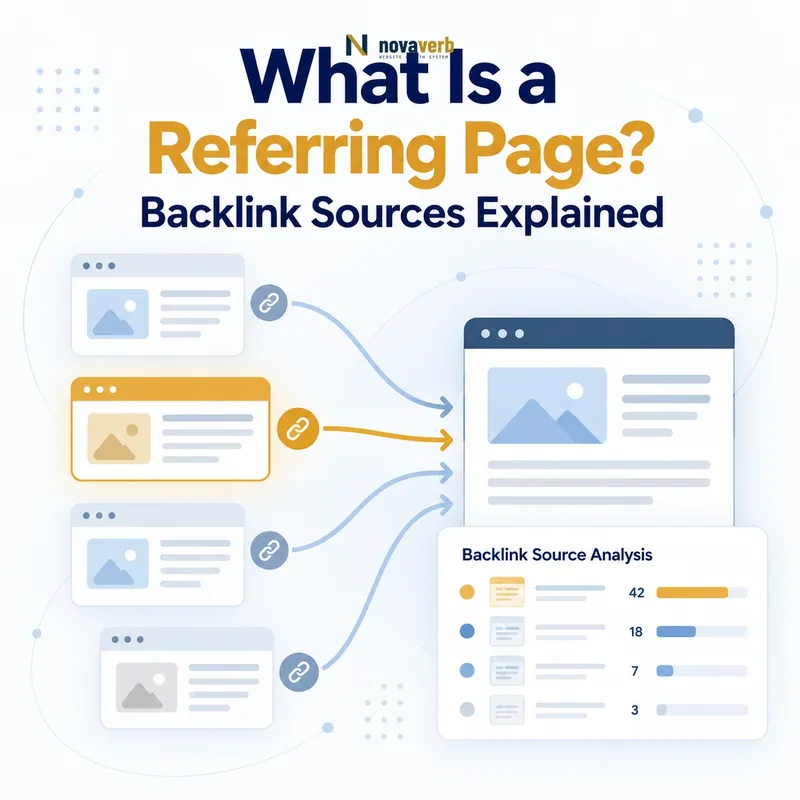
What Is a Referring Page?
For example, if example.com/resources/seo-tools links to novaverb.com/free-tools/backlink-checker, the resources URL is the referring page, example.com is the referring domain and the clickable relationship is the backlink.
A provider may retain a referring-page record after the page changes or disappears. Treat exported data as an observation with a timestamp, then open the exact source URL before deciding that the relationship is still present.
- Exact source URL
- Observed destination URL
- Anchor or linked element
- Surrounding page context
- Link attributes
- First-seen and last-seen dates
- Current verification status
| Element | Example | Meaning |
|---|---|---|
| Referring page | example.com/resources/seo-tools | Exact source URL |
| Referring domain | example.com | Source website |
| Destination | novaverb.com/free-tools/backlink-checker | Linked target |
| Anchor | backlink checker | Clickable text |
| Backlink | Source-to-destination relationship | Observed link |
The referring page is the precise source location where a backlink can be verified in context.
Referring Page vs Referring Domain vs Backlink
These units answer different questions. Domain counts show source breadth, page counts show coverage and repetition, while backlink records preserve exact anchors, targets and attributes.
Do not describe one thousand referring pages from a single website as one thousand independent sources. A sitewide footer or template can generate many pages and links from one underlying domain relationship.
- Domain for source diversity
- Page for exact evidence
- Backlink for each relationship
- Destination for linked asset
- Grouped event for shared cause
- Live check for current truth
| Unit | Counts | Best question |
|---|---|---|
| Referring domain | Unique source websites | How broad is source coverage? |
| Referring page | Unique source URLs | Where exactly do links appear? |
| Backlink | Individual link relationships | Which target and attribute are observed? |
| Destination page | Linked URLs on target site | Which assets earn links? |
| Grouped event | Rows sharing one cause | What operational change happened? |
Use domain, page and backlink counts together because none of the three explains the entire relationship alone.
What Information Does a Referring Page Reveal?
The source page can explain why a link exists. A citation inside a research article differs from a navigation link, author biography, partner directory, product widget or repeated footer even when provider metrics look similar.
Inspect the rendered page and relevant markup. Confirm that the link is discoverable, note whether redirects alter the final destination and record facts separately from judgments such as relevance or acquisition intent.
- Page title and primary topic
- Publisher and author context
- Location within main content or template
- Anchor text or linked image
- Destination and redirect chain
- Observed rel attributes
- Publication and update signals
- Duplicate or syndicated versions
| Source-page signal | Observed fact | Question it supports |
|---|---|---|
| Page topic | Visible subject of page | Is the relationship relevant? |
| Placement | Body, navigation, footer or bio | Why is the link present? |
| Anchor | Clickable words or image | How is the target described? |
| Destination | Final resolved URL | Does the link still help users? |
| Attributes | Observed rel values | How is the link marked? |
| Update state | Dates and live content | Is the evidence current? |
A referring page makes the backlink interpretable by showing the exact editorial and technical setting in which it appears.
How Do SEO Tools Find Referring Pages?
A provider cannot observe every page continuously. Some sources block crawlers, change frequently, require interaction or sit deep within large websites. A link may therefore be live before a tool discovers it or remain in historical data after it disappears.
Normalize URL variants carefully. Protocol, hostname, trailing slash, tracking parameters, fragments, canonical tags and redirects can cause visually similar pages to be stored as separate or consolidated records.
- Crawler discovers a source URL
- Page response and content are retrieved
- Links are extracted from available markup
- Source and destination URLs are normalized
- Attributes and anchors are recorded
- Observation dates are stored
- Later crawls update or retire the record
- Reports group pages, domains and targets
| Provider difference | Effect on referring pages | Interpretation |
|---|---|---|
| Crawl coverage | Some pages are unseen | Absence is not proof |
| Refresh timing | Status can lag reality | Verify priority sources |
| URL normalization | Variants merge or split | Check exact URL rules |
| JavaScript rendering | Dynamic links may differ | Inspect rendered source |
| Historical retention | Removed links remain visible | Use seen dates |
| Deduplication | Counts vary by rule | Compare methods before totals |
Tool records are dated crawl observations, while the current source page is the authority for what is live on that page now.
Why Do Referring Page Counts Change?
One template deployment can add links across thousands of pages on a single domain. A migration can temporarily split or consolidate referring URLs. A provider recrawl can also discover old pages in a short window, producing an apparent spike without a new acquisition campaign.
Compare new and lost pages by domain, anchor, destination, first-seen date and page pattern. Relate unusual movements to link velocity, but verify representative URLs before assigning an event.
- New editorial citation
- Sitewide template deployment
- Source-page deletion
- URL migration or redirect
- Publisher redesign
- Crawl refresh or coverage change
- Canonicalization and deduplication change
- Temporary response or access failure
| Count pattern | Possible cause | Verification |
|---|---|---|
| Many pages, one domain | Template or crawl expansion | Inspect shared placement |
| Few pages, many domains | Editorial coverage | Open representative sources |
| Mass losses from one folder | Migration or removal | Check paths and redirects |
| Old pages marked new | Provider rediscovery | Compare historical evidence |
| Page count changes, domain flat | Coverage within existing sources | Group by domain |
| Domains and pages fall together | Broader loss event | Check live sources and targets |
A count change becomes actionable only after affected URLs are grouped into a verified source, template or provider event.
How Do You Evaluate a Referring Page?
Begin with the page’s purpose and audience. A low-traffic specialist resource can be more relevant than a high-metric general page, while a polished-looking source can still contain copied content, deceptive placements or unrelated outbound links.
Check the final destination as well as the source. A strong citation loses user value if it resolves through a broken redirect, irrelevant page or soft error. Record observation and judgment separately so another reviewer can reproduce the decision.
- Open the exact source URL
- Confirm response and visible content
- Locate the link or linked element
- Read surrounding context
- Inspect anchor and observed attributes
- Resolve the final destination
- Assess audience and topical fit
- Classify placement and relationship
- Save evidence, confidence and action
| Evaluation area | Strong evidence | Reason to review |
|---|---|---|
| Legitimacy | Maintained identifiable publisher | Copied or deceptive page |
| Relevance | Same audience problem | Only broad category overlap |
| Placement | Useful contextual citation | Hidden or unrelated placement |
| Destination | Healthy matching resource | Error or irrelevant redirect |
| Freshness | Current maintained content | Abandoned or stale record |
| Relationship | Clear editorial or business fit | Unknown controlled arrangement |
The best referring-page evaluation connects live source legitimacy and context with a healthy, relevant final destination.
Can One Referring Page Create Multiple Backlinks?
Multiple links on one page do not automatically represent multiple independent endorsements. They often serve navigation or usability needs inside one document. Preserve individual records for technical traceability, then group them at page and event level for interpretation.
Similarly, a paginated, translated or syndicated article can create several referring-page URLs with substantially the same content. Review canonical and duplication signals before describing the set as distinct editorial coverage.
- Repeated links to one destination
- Links to several target pages
- Text and image links together
- Navigation plus body placement
- Translated or regional versions
- Pagination and print views
- Syndicated copies
- Tracking-parameter variants
| Observed pattern | Raw records | Interpretation unit |
|---|---|---|
| Three body links to one target | Three backlinks | One source-page citation context |
| Links to tool and guide | Two destinations | One page supporting two assets |
| Body plus footer | Two placements | Separate purpose within one page |
| Fifty template pages | Many referring pages | One sitewide component event |
| URL parameter variants | Several source URLs | Possibly one canonical page |
| Syndicated article copies | Several pages or domains | One content event with distribution |
Keep raw links for evidence, but group repeated URLs and placements according to the smallest verified underlying relationship or event.
How Do You Check Referring Pages and Act on Them?
Use Backlink Checker for initial source discovery, then organize broader evidence with Backlinks Explorer. Compare page-level findings with the referring domain and overall backlink profile so one repeated source does not dominate the decision.
Connect verified work through the SEO tools system. A useful record includes the exact source URL, observed destination, verification date, evidence note, owner, next action and outcome.
- Select a source record
- Open the exact referring URL
- Locate the observed link
- Check anchor, placement and attributes
- Follow every redirect
- Confirm destination health and fit
- Group duplicates or templates
- Choose protect, repair, reclaim, investigate or monitor
- Assign owner and review date
| Verified condition | Next action | Success evidence |
|---|---|---|
| Strong live citation | Protect and monitor | Source remains healthy |
| Link points to moved page | Repair destination path | Valid final response |
| Mention without expected link | Evaluate reclamation | Editorially accepted placement |
| Source removed link | Investigate cause | Confirmed status or recovery |
| Template repetition | Group event | Accurate coverage count |
| Irrelevant or deceptive page | Exclude or investigate | Documented decision |
Referring-page work is complete when the exact live evidence is connected to a proportionate, owned and measurable next action.
Frequently Asked Questions About Referring Pages
- Inspect the exact URL
- Group repeated causes
- Verify the final destination
Is a referring page the same as a backlink?
Can one domain have many referring pages?
Can one referring page have several backlinks?
Why is a referring page missing from a tool?
Why does a tool show a link that is gone?
Are more referring pages always better?
Should I track pages or domains?
How often should referring pages be checked?
Referring-page reports are reliable only when their exact URLs, dates, grouping rules and current live status remain visible.
Verify the Exact Page Behind Every Backlink
Start with a free backlink check, organize recurring source evidence in Backlinks Explorer and connect verified findings to the complete SEO tools workflow.
- Find the exact source
- Inspect live placement
- Resolve the destination
- Group repeated events
- Protect, repair or monitor with evidence
A backlink total tells you how many records were observed; the referring page shows what the relationship actually looks like.