
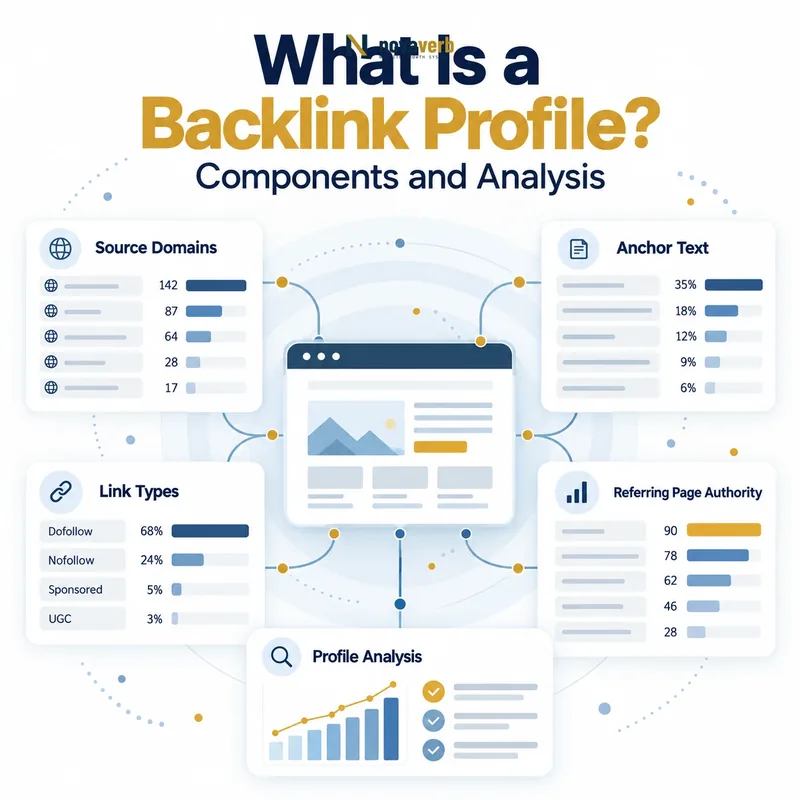
What Is a Backlink Profile?
The profile is always shaped by target scope, provider coverage, filters and observation time. Two tools can show different totals because they crawl different parts of the web and apply different normalization rules.
A backlink profile is therefore an evidence dataset, not a public search-engine score. Its value comes from understanding how individual links and source patterns connect to the destination site.
- Observed backlinks
- Distinct referring domains
- Exact referring pages
- Anchor text and surrounding context
- rel attributes and placement
- Linked destinations
- First-seen, last-seen, new and lost states
| Profile component | What it records | Key limitation |
|---|---|---|
| Backlinks | Individual external links | Can include repetition |
| Referring domains | Distinct source websites | Hides page-level context |
| Referring pages | Exact source URLs | Requires live verification |
| Anchors | Visible link labels | Must be read in context |
| Destinations | Linked target URLs | May redirect or fail |
A backlink profile is a structured collection of observed relationships, not one score or one total.
What Does a Backlink Profile Include?
Domain-level summaries show breadth, while page-level records show the actual citation, placement and surrounding topic. Link-level fields add anchor text, rel attributes and destination paths.
Change fields show whether a relationship is new, recurring, lost or rediscovered under the provider’s comparison rules. They should always carry observation dates rather than implying an exact editorial event time.
- Source domain and source URL
- Source-page topic and availability
- Anchor text or image alternative text
- Follow, nofollow, sponsored and UGC attributes
- Original target, redirect chain and final URL
- Observation and verification timestamps
| Level | Example question | Best use |
|---|---|---|
| Domain | How many distinct websites link? | Measure source breadth |
| Page | Which exact documents link? | Verify editorial evidence |
| Link | What anchor, attribute and target exist? | Classify the relationship |
| Destination | Which assets attract citations? | Protect and expand useful pages |
| Time | What changed between snapshots? | Monitor new and lost links |
A useful profile lets an analyst move from a domain summary to the exact source link and final destination.
Backlink Profile vs Backlink Audit
A profile can be refreshed automatically and viewed as a current inventory. An audit adds target scope, quality criteria, live checks, business importance, owners and retest conditions.
Use What Is a Backlink Audit? when you need the step-by-step workflow for moving from exported records to protect, repair, reclaim, investigate, expand or ignore actions.
- Keep inventory separate from judgment
- Date both provider and live observations
- Use the profile to discover patterns
- Use the audit to verify and assign actions
| Dimension | Backlink profile | Backlink audit |
|---|---|---|
| Purpose | Describe observed relationships | Evaluate and prioritize them |
| Primary input | Provider link index | Profile plus live evidence |
| Output | Inventory, totals and changes | Verified action plan |
| Cadence | Continuous or periodic refresh | Scheduled review or triggered investigation |
The profile describes what was observed; the audit explains what verified action should follow.
How Are Backlink Profiles Measured?
A provider may group subdomains under one registered domain or show them separately. It may count repeated links from one source page individually, collapse identical links or filter links it cannot currently revisit.
Always report provider, target scope, filters and refresh time next to profile totals. Never combine counts from two providers or compare URL-level and root-domain scopes as though they are equivalent.
- Provider discovers an external page
- Crawler extracts its outbound links
- Source and target URLs are normalized
- Records are matched to the selected target
- Duplicates and attributes are classified
- Snapshots produce new and lost labels
| Measurement choice | Possible options | Effect |
|---|---|---|
| Target scope | URL, prefix, subdomain, domain | Changes included destinations |
| Domain grouping | Host or registered domain | Changes source totals |
| Duplicate handling | Individual or collapsed | Changes backlink count |
| Link filters | All, follow, nofollow and more | Changes profile composition |
| Refresh window | Recent or historical | Changes new and lost states |
A profile total is reproducible only when its provider, scope, filters and observation time are declared.
How Do You Analyze Referring Domains?
A domain total helps compare breadth, but it cannot show whether links are editorial, sitewide, sponsored or irrelevant. Move from the domain row to each important source page before making a quality claim.
The referring domain guide explains how domains differ from backlinks and referring pages, including why provider grouping rules matter.
- Count distinct domains under one declared rule
- Separate root domains and subdomains consistently
- Group sitewide repetition
- Open important referring pages
- Classify source type and relevance
- Track new and lost domains separately
| Domain pattern | Possible meaning | Required check |
|---|---|---|
| One domain, one editorial link | Focused citation | Open the source page |
| One domain, thousands of links | Template repetition | Inspect placement |
| Many related subdomains | One organization or many sections | Apply declared grouping |
| New domain | First provider observation | Verify the live link |
| Lost domain | No current qualifying links | Check exact referring pages |
Domain diversity is useful for prioritization, but page-level evidence determines what each source relationship actually is.
How Do You Analyze Anchor Text?
Branded, exact-match, partial-match, URL, generic and image anchors can all occur naturally. Context explains whether the label is useful, misleading, templated or forced.
Read What Is Anchor Text? for detailed definitions, examples and internal-link applications. Keep external anchor analysis tied to source relevance and final destination health.
- Normalize case without losing original wording
- Group anchor types
- Identify repeated template patterns
- Open exact-match examples
- Check surrounding copy
- Confirm the final destination matches
| Anchor group | Example | Profile question |
|---|---|---|
| Branded | Novaverb | Does it identify the expected brand destination? |
| Exact match | backlink checker | Is wording natural in context? |
| Partial match | free link checker | Does the target satisfy the phrase? |
| URL | novaverb.com/page | Is the linked URL canonical? |
| Generic | read more | Does surrounding copy provide enough context? |
Anchor distributions identify patterns to inspect, while the live source sentence determines whether an individual label makes sense.
How Do Link Types and Attributes Shape a Profile?
A nofollow link can still send referral traffic and help readers discover a resource. Sponsored and UGC attributes disclose relationship context. Image links use alternative text or surrounding content differently from text links.
Use Dofollow vs Nofollow Backlinks for a focused explanation. During analysis, record attributes exactly and keep user value separate from assumptions about link equity.
- Ordinary crawlable links
- nofollow relationships
- sponsored links
- user-generated links
- text and image links
- redirected and canonicalized destinations
| Type | What to record | Do not assume |
|---|---|---|
| Ordinary link | Source, anchor and target | Guaranteed ranking impact |
| nofollow | Exact rel value | No possible user value |
| sponsored | Commercial disclosure | Editorial endorsement |
| UGC | User-generated context | Publisher-authored citation |
| Image link | Image alt and placement | Same context as text anchor |
A complete profile preserves each link’s real attributes and context instead of reducing every relationship to follow or nofollow.
How Do You Evaluate Backlink Profile Changes?
Ten new links from one footer deployment are different from ten editorial links across distinct sources. A large loss may come from one domain outage, a template removal or a provider refresh rather than ten separate publisher decisions.
Connect the profile to lost backlink and backlink reclamation workflows when important relationships disappear or break.
- Keep target scope and filters stable
- Compare dated snapshots
- Group links sharing a source or template
- Resolve destination changes
- Open priority new and lost sources
- Record the underlying event
- Assign monitor, protect, repair or reclaim actions
| Change | Possible causes | Verification |
|---|---|---|
| Backlinks rise, domains flat | Sitewide or repeated links | Inspect source placement |
| Domains rise | New distinct sources | Open exact referring pages |
| Many links disappear | Template or source-domain event | Group by source |
| Target mix changes | Migration or content strategy shift | Review destinations |
| Anchor mix changes | New campaign or template | Open live examples |
Profile trends become actionable only after related rows are grouped into a verified underlying event.
Frequently Asked Questions About Backlink Profiles
- Declare the data source
- Preserve page-level evidence
- Verify important changes
What makes a good backlink profile?
How many backlinks should a site have?
Are more referring domains always better?
Can a backlink profile guarantee rankings?
Why do tools show different backlink totals?
How often should a profile be reviewed?
Is anchor diversity a ranking formula?
Which tool can show a backlink profile?
A useful backlink profile retains enough source, destination and time evidence for another analyst to reproduce the observation.
Explore the Profile, Then Verify the Relationship
Use the free backlink checker for an initial profile, move recurring monitoring into Backlinks Explorer and connect actions across the SEO tools system.
- Set the target scope
- Review domains, pages and anchors
- Verify priority sources
- Check final destinations
- Track and act on changes
A profile creates value when its summaries lead to verified relationship-level decisions.