
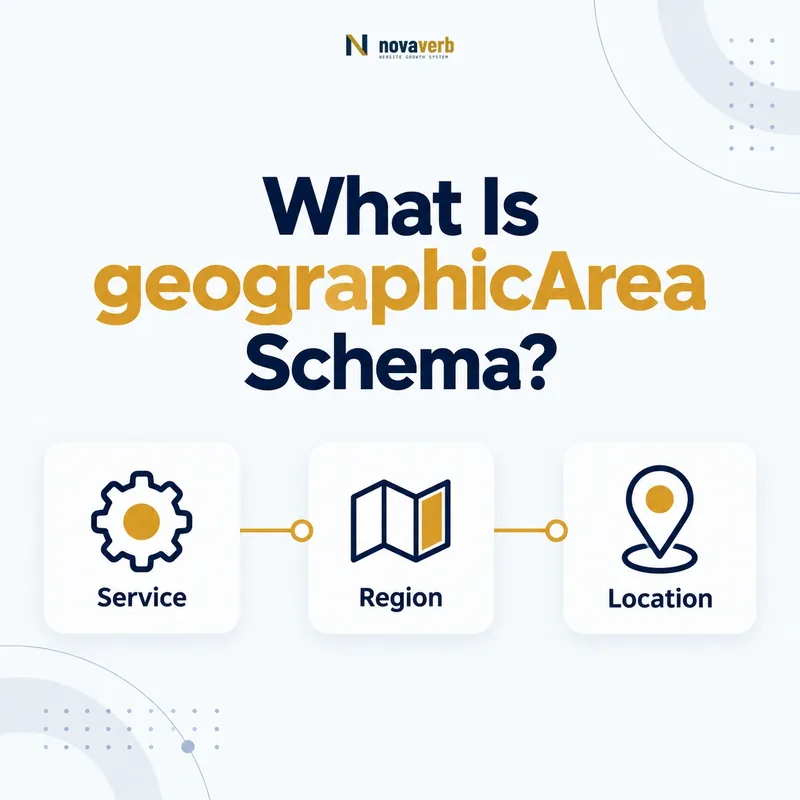
What Is geographicArea Schema?
The geographicArea schema property connects an Audience to the AdministrativeArea associated with that audience, such as a country, state or other government-defined region.
It describes where the intended group is located or scoped, not automatically where the publisher has an office, where a server runs or where a page ranks. A webinar for California retailers may use California as the audience’s geographicArea even when the organizer is based elsewhere.
Schema.org defines geographicArea on Audience and expects AdministrativeArea. More specific audience types inherit it, including BusinessAudience. This lets a page combine a target-group label with a supported market. Read the audienceType guide to keep the group identity separate from its location.
- Frame the decision raised by What Is geographicArea Schema.
- Confirm its value type and the object it describes.
- Compare the markup with visible page information.
- Correct the source data or template without inventing values.
- Validate the rendered result and monitor future changes.
| Element | Role | Evidence |
|---|---|---|
| geographicArea | Connects audience and region | Visible market or eligibility scope |
| Audience | Represents intended group | Who the item serves |
| AdministrativeArea | Represents the region | Named country, state or jurisdiction |
| audienceType | Names the group | Visible positioning |
- Describe audience geography, not publisher location.
- Use a real supported region.
- Omit geography when the page is silent.
geographicArea is accurate only when the region truly belongs to the item’s intended audience.
Where Is geographicArea Allowed?
Use geographicArea on Audience or its subtypes, with an AdministrativeArea value; do not place it directly on Product, Service, Event or Organization.
The parent entity reaches the location through its audience relationship. A Service points to BusinessAudience, and that audience points to a Country or State through geographicArea. Each layer answers a different question: what is offered, who it serves and where that audience is associated.
Direct placement can look plausible because many entities have other geographic properties. A Service may use areaServed, an Event has location, and an Organization has address. Those properties are not interchangeable with audience geography.
- Evidence for Where Is geographicArea Allowed: the live structured-data entity and property relationship
- The expected value type and any nested object
- Visible page information that supports the structured value
- Related offer or catalog fields needed for interpretation
- A fresh validation result after the page changes
| Subject | Relevant property | Meaning |
|---|---|---|
| Audience | geographicArea | Region associated with target group |
| Service | areaServed | Area where service is provided |
| Event | location | Where event occurs |
| Organization | address | Organization’s physical address |
- Identify the fact you need to express.
- Select the correct subject entity.
- Nest Audience under the parent item.
- Add geographicArea only to that audience.
Correct placement prevents audience location from being confused with service coverage, venue or business address.
How Is geographicArea Different From areaServed?
geographicArea identifies the region associated with an intended Audience, while areaServed identifies the geographic area where a service or organization provides service.
The two facts can overlap but need not. A national software service may be available across the United States while one guide targets New York agencies. The Service areaServed could be the country, while the guide’s Audience geographicArea could be New York.
Do not copy one value into the other by default. Availability does not prove targeting, and targeting does not prove operational coverage. Check visible service terms, eligibility rules, shipping boundaries and audience wording separately.
- Frame the decision raised by How Is geographicArea Different From areaServed.
- Confirm its value type and the object it describes.
- Compare the markup with visible page information.
- Correct the source data or template without inventing values.
- Validate the rendered result and monitor future changes.
| Question | geographicArea | areaServed |
|---|---|---|
| What does it describe? | Audience geography | Service coverage |
| Typical subject | Audience | Service or Organization |
| Evidence | Targeting or eligibility copy | Coverage or delivery terms |
| Can values differ? | Yes | Yes |
- Audit target scope and delivery scope independently.
- Keep each property on its supported subject.
- Allow different values when the page supports them.
Use geographicArea for who-and-where targeting and areaServed for where service is actually provided.
Which AdministrativeArea Type Should You Choose?
Choose the most specific AdministrativeArea subtype that accurately matches the page, commonly Country for a national audience or State for a state-level audience.
AdministrativeArea represents a geographic region typically under government jurisdiction. Country and State are useful specific types. Use the page’s own scope rather than forcing city neighborhoods, sales territories or informal regions into a type that does not fit.
A phrase such as “businesses across the United States” supports Country. “California contractors” supports State. “Pacific Northwest founders” may require careful modeling because the phrase crosses administrative borders and is not itself one formal jurisdiction. Several supported regions may be clearer.
- Evidence for Which AdministrativeArea Type Should You Choose: the live structured-data entity and property relationship
- The expected value type and any nested object
- Visible page information that supports the structured value
- Related offer or catalog fields needed for interpretation
- A fresh validation result after the page changes
| Visible scope | Possible type | Decision |
|---|---|---|
| United States | Country | Direct national match |
| California | State | Direct state match |
| California and Oregon | Separate State values | Preserve two jurisdictions |
| Pacific Northwest | Clarify or enumerate | Avoid invented boundary |
- Extract the public region wording.
- Determine whether it is a formal jurisdiction.
- Choose the narrowest accurate subtype.
- Use multiple regions when the page names several.
Specific types improve clarity only when they preserve the page’s real geographic boundary.
How Do You Mark Up a US Audience?
Mark up a US audience by nesting a Country named “United States” under Audience.geographicArea when the page explicitly targets or limits the item to that national audience.
Do not infer the country from English language, USD prices, a .com domain or a US office address. Those signals can coexist with global availability. Stronger evidence includes “for US businesses,” US-only eligibility, nationwide domestic service terms or a market-specific page built for United States users.
{
  "@type": "BusinessAudience",
  "audienceType": "US ecommerce teams",
  "geographicArea": {
    "@type": "Country",
    "name": "United States"
  }
}
Keep naming consistent across localized templates. “US,” “USA” and “United States” can all be understood by people, but one canonical editorial value reduces duplicates and makes audits easier.
- Frame the decision raised by How Do You Mark Up a US Audience.
- Confirm its value type and the object it describes.
- Compare the markup with visible page information.
- Correct the source data or template without inventing values.
- Validate the rendered result and monitor future changes.
| Signal | Enough by itself? | Reason |
|---|---|---|
| English content | No | English serves many countries |
| USD pricing | No | Global products often price in USD |
| US-only eligibility | Yes | Explicit audience boundary |
| “For US retailers” | Yes | Direct targeting statement |
- Require explicit US audience evidence.
- Use one canonical country name.
- Review global and US pages separately.
A US geographicArea should translate a stated audience boundary, never a market assumption.
How Do You Mark Up State and Multi-State Audiences?
Use State values for state-specific audiences and preserve multiple named states as separate supported regions instead of inventing one broad area that includes unlisted markets.
A licensing course for Texas and Oklahoma contractors can associate the audience with both states. A single label such as “South Central US” may obscure exact eligibility if the page names only those jurisdictions. The graph should retain the same boundaries visitors must follow.
State abbreviations can be ambiguous outside context. Full names make the structured object clearer, while page copy may still use postal abbreviations. If separate offers apply by state, connect the correct audience to each offer rather than attaching every state to one generic parent.
- Evidence for How Do You Mark Up State and Multi-State Audiences: the live structured-data entity and property relationship
- The expected value type and any nested object
- Visible page information that supports the structured value
- Related offer or catalog fields needed for interpretation
- A fresh validation result after the page changes
| Page scope | Model | Avoid |
|---|---|---|
| California only | One State: California | United States as overly broad scope |
| Texas and Oklahoma | Two State values | Invented regional umbrella |
| All states except Alaska | Model from explicit policy carefully | Country value implying full coverage |
| Different terms per state | Separate audience/offer relationships | One merged statement |
- Capture every included jurisdiction.
- Preserve exclusions.
- Use full unambiguous names.
- Connect state audiences to the relevant item.
State-level markup should preserve exact inclusion and exclusion rules without broadening the audience.
Can One Audience Have Multiple Geographic Areas?
An Audience can be associated with multiple geographic areas when the same group and item genuinely apply across several named jurisdictions, but separate audiences are clearer when groups or terms differ.
A training resource for accountants in California and Nevada may use one audience with two states if the content and eligibility are identical. If California participants have different requirements, model the relationships separately so the graph does not imply uniform rules.
Avoid adding a long country list simply because a digital product can technically be accessed there. Availability is not the same as intended audience. GeographicArea should reflect purposeful targeting rather than every possible visitor location.
- Frame the decision raised by Can One Audience Have Multiple Geographic Areas.
- Confirm its value type and the object it describes.
- Compare the markup with visible page information.
- Correct the source data or template without inventing values.
- Validate the rendered result and monitor future changes.
| Scenario | Structure | Why |
|---|---|---|
| Same group, same terms, two states | One Audience, multiple areas | Shared audience meaning |
| Different rules by state | Separate audience relationships | Preserve distinctions |
| Global web accessibility | No automatic areas | Access is not targeting |
| Country-specific localized pages | Page-specific audience area | Match each version |
- Combine only jurisdictions with identical audience meaning.
- Separate regions when rules differ.
- Do not equate accessibility with targeting.
Multiple areas are useful when they describe one coherent audience, not a list of every reachable market.
What geographicArea Mistakes Are Common?
Common geographicArea mistakes include placing it on the wrong entity, confusing it with areaServed or location, inferring countries from weak signals, broadening state scopes and copying one market across localized pages.
A structurally valid Country object can still be false. Validators cannot determine whether an English page truly targets the United States or whether a national area incorrectly replaces California-only eligibility. Evidence comparison remains essential.
Another risk is stale localization. A copied US audience may survive after a page is adapted for Canada, leaving currency, text and structured geography inconsistent. Geographic values should come from the same market configuration that controls visible content.
- Evidence for What geographicArea Mistakes Are Common: the live structured-data entity and property relationship
- The expected value type and any nested object
- Visible page information that supports the structured value
- Related offer or catalog fields needed for interpretation
- A fresh validation result after the page changes
| Mistake | Impact | Repair |
|---|---|---|
| Country inferred from USD | Unsupported market claim | Require explicit targeting |
| geographicArea on Service | Wrong subject | Use Audience or areaServed |
| Country replaces one state | Audience becomes too broad | Use accurate State |
| US value on Canadian page | Localization conflict | Generate from market source |
| Office address used as audience | Different fact | Keep Organization address separate |
- Check the subject and relationship.
- Compare the exact region with visible copy.
- Test inclusions and exclusions.
- Trace repeated mistakes to localization templates.
Geographic truth depends on exact scope and context, not merely a recognizable place name.