
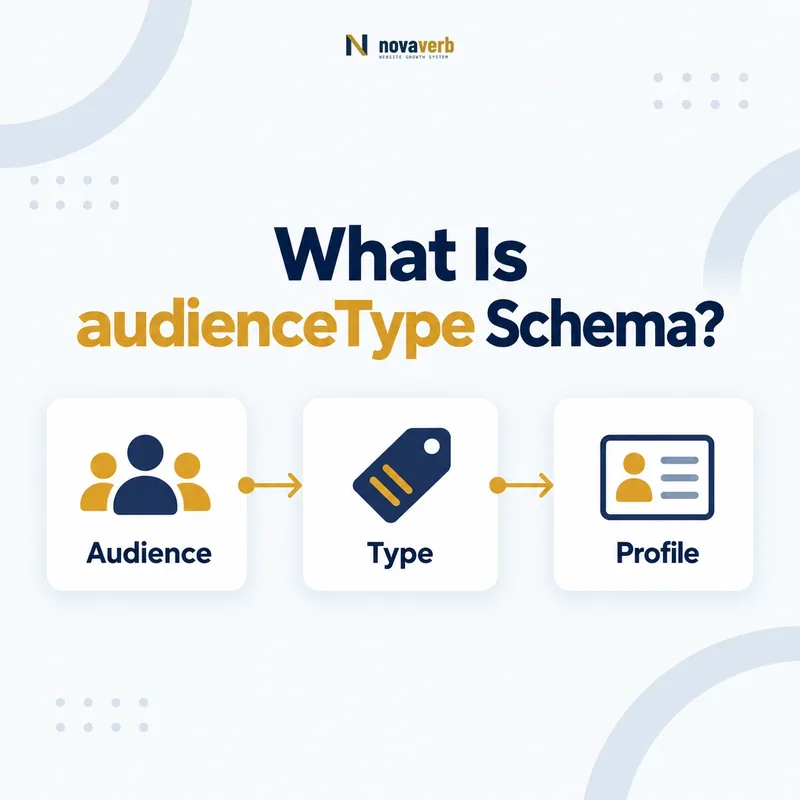
What Is audienceType Schema?
The audienceType schema property is a Text label that identifies the target group associated with an Audience, such as agency owners, first-time homebuyers or enterprise SEO teams.
It answers a simple question: who was this item created for? The property belongs on Audience and is inherited by more specific audience types, including BusinessAudience, EducationalAudience, MedicalAudience and PeopleAudience. It should summarize a real group described by the page rather than supply extra keywords.
Unlike quantitative B2B fields, audienceType does not encode employee counts, revenue bands or operating age. Its strength is human-readable classification. “US ecommerce teams” can be accurate when the page uses that positioning, while “best affordable enterprise software buyers” usually mixes promotional language and keyword targeting rather than naming a coherent audience.
- Frame the decision raised by What Is audienceType Schema.
- Confirm its value type and the object it describes.
- Compare the markup with visible page information.
- Correct the source data or template without inventing values.
- Validate the rendered result and monitor future changes.
| Element | Role | Evidence |
|---|---|---|
| audienceType | Names the target group | Visible positioning or eligibility copy |
| Audience | Represents the intended group | Who the item serves |
| audience | Connects item and group | Parent-page relationship |
| geographicArea | Adds geographic scope | Visible market or service area |
- Use a concise, factual group label.
- Match the page’s actual target audience.
- Keep promotional claims out of the value.
audienceType works best as a precise label for a group visitors can recognize on the page.
Where Can audienceType Be Used?
Use audienceType on Audience or one of its more specific types, then connect that audience to the relevant item through a supported relationship such as audience.
The property is not placed directly on Product, Service, Event or CreativeWork. Those entities can point to an Audience object, and the nested object carries audienceType. This structure distinguishes the offered item from the group for whom it was created.
Audience itself can also appear in other relationships, such as a permit audience or a document-permission grantee. The label must describe the audience in that specific relationship. Do not assume that a sitewide customer persona is the right value everywhere.
- Evidence for Where Can audienceType Be Used: the live structured-data entity and property relationship
- The expected value type and any nested object
- Visible page information that supports the structured value
- Related offer or catalog fields needed for interpretation
- A fresh validation result after the page changes
| Context | Structure | Example label |
|---|---|---|
| Service | Service → audience → BusinessAudience | Independent SEO agencies |
| CreativeWork | CreativeWork → audience → Audience | In-house content teams |
| Event | Event → audience → Audience | Local retail owners |
| Product | Product → audience → Audience | Technical SEO professionals |
- Identify the primary item.
- Choose the most accurate Audience subtype.
- Nest it through the supported relationship.
- Add a text label backed by visible content.
Correct nesting ensures the label describes an intended group rather than the item itself.
How Is audienceType Different From the audience Property?
The audience property creates the relationship between an item and its intended group, while audienceType is the text inside the Audience object that names that group.
Confusing these levels creates malformed or unclear graphs. A Service should not use a plain audienceType field directly. It should use audience with an Audience value. Conversely, putting the words “marketing agencies” directly in audience may lose the structured audience node and its ability to hold geography or subtype-specific characteristics.
Think of audience as the edge and Audience as the node. audienceType is one attribute on that node. This model allows BusinessAudience to combine a label with numberOfEmployees, yearlyRevenue or yearsInOperation when those criteria are publicly supported.
- Frame the decision raised by How Is audienceType Different From the audience Property.
- Confirm its value type and the object it describes.
- Compare the markup with visible page information.
- Correct the source data or template without inventing values.
- Validate the rendered result and monitor future changes.
| Part | Schema role | Question answered |
|---|---|---|
| Service/Product | Parent entity | What is offered? |
| audience | Relationship | Who is it for? |
| Audience | Target-group entity | What group is represented? |
| audienceType | Text attribute | What is the group called? |
- Keep relationship and label separate.
- Nest labels inside an Audience node.
- Add detailed fields only on compatible subtypes.
audience connects the graph; audienceType gives the connected audience a readable identity.
How Do You Write a Clear audienceType Value?
Write audienceType as a short, specific noun phrase that identifies one verifiable target group without slogans, keyword repetition or unsupported qualifiers.
Good labels preserve the vocabulary used by the page: “US ecommerce managers,” “independent dental practices,” or “second-grade teachers.” They are specific enough to be meaningful but not so long that they become a hidden summary of the entire offer.
Avoid first-person language, calls to action and comparative claims. “Grow faster with the best SEO tool” does not name an audience. “Smart ambitious businesses” uses subjective adjectives that cannot be verified. If the page itself cannot state who the item is for clearly, structured data should not pretend the targeting is settled.
- Evidence for How Do You Write a Clear audienceType Value: the live structured-data entity and property relationship
- The expected value type and any nested object
- Visible page information that supports the structured value
- Related offer or catalog fields needed for interpretation
- A fresh validation result after the page changes
| Candidate | Quality | Reason |
|---|---|---|
| Independent SEO agencies | Strong | Specific group noun phrase |
| Businesses | Weak | Too broad to clarify intent |
| Best growth-focused winners | Poor | Promotional and subjective |
| Companies with 10–50 employees | Mixed | Use BusinessAudience numeric field too |
- Extract the page’s explicit audience wording.
- Remove promotional modifiers.
- Keep one recognizable group per label.
- Review the label in its parent context.
The strongest audienceType value reads like a factual category, not an advertising headline.
Should audienceType Include Geography?
Include geography in audienceType only when it is integral to the group label; otherwise keep the group in audienceType and represent the supported location separately with geographicArea.
“US tax professionals” may be a coherent audience because tax rules and professional context are market-specific. However, “marketing agencies” plus a separate Country object for the United States often creates cleaner, reusable structure. The visible page should determine whether geography is identity or scope.
Do not infer a US audience solely because the content is in English, uses dollars or is hosted on a .com domain. A service area, eligibility statement, shipping policy or explicit market description provides stronger evidence. Localized pages should be evaluated independently rather than inheriting one global label.
- Frame the decision raised by Should audienceType Include Geography.
- Confirm its value type and the object it describes.
- Compare the markup with visible page information.
- Correct the source data or template without inventing values.
- Validate the rendered result and monitor future changes.
| Page wording | audienceType | geographicArea |
|---|---|---|
| US tax professionals | US tax professionals | United States if separately supported |
| Agencies serving clients nationwide | Agencies | United States |
| English-speaking founders | English-speaking founders | Do not infer country |
| No market statement | Supported group only | Omit geography |
- Separate identity from service area.
- Use explicit market evidence.
- Audit each localized version on its own.
Geographic precision should come from page evidence, not assumptions about language or domain.
How Does audienceType Work With BusinessAudience?
On BusinessAudience, audienceType supplies the readable B2B segment label while numberOfEmployees, yearlyRevenue and yearsInOperation can add supported quantitative boundaries.
A label such as “mid-market ecommerce brands” gives visitors and machines a recognizable category. If the page defines mid-market as 50–500 employees and $10M–$100M revenue, those numbers can be modeled separately rather than packed into one long text string. If no definition is published, keep only the descriptive label.
This separation prevents false precision. Marketers often use terms such as startup, SMB, mid-market and enterprise differently. Structured values should not translate those labels into fixed bands unless the page makes that translation visible. Read our BusinessAudience guide for the full relationship.
{
  "@type": "BusinessAudience",
  "audienceType": "US ecommerce agencies",
  "numberOfEmployees": {
    "@type": "QuantitativeValue",
    "minValue": 10,
    "maxValue": 100
  }
}- Evidence for How Does audienceType Work With BusinessAudience: the live structured-data entity and property relationship
- The expected value type and any nested object
- Visible page information that supports the structured value
- Related offer or catalog fields needed for interpretation
- A fresh validation result after the page changes
| Field | Purpose | Use when |
|---|---|---|
| audienceType | Names the segment | Group label is visible |
| numberOfEmployees | Defines workforce band | Exact band is published |
| yearlyRevenue | Defines revenue band | Amount and currency are published |
| yearsInOperation | Defines maturity | Operating-age rule is published |
- Choose the group label.
- Add only proven numeric dimensions.
- Keep each dimension in its own property.
- Verify page and markup together.
BusinessAudience is most useful when a clear audienceType anchors only the quantitative details the page can prove.
Can One Item Have Multiple audienceType Values?
An item can serve multiple audiences, but model distinct Audience objects when groups have different characteristics rather than compressing unrelated segments into one ambiguous audienceType string.
A webinar for agency owners and in-house SEO leaders may legitimately have two audiences. Separate nodes make each group readable and allow different geography or business criteria. A comma-separated label can work for closely related synonyms, but it often hides whether there are two groups or one compound group.
Do not multiply audiences merely to include more search terms. Each group should be visible, relevant to the item and materially distinct. If every page receives the same long list of personas, the markup stops describing page intent and becomes boilerplate.
- Frame the decision raised by Can One Item Have Multiple audienceType Values.
- Confirm its value type and the object it describes.
- Compare the markup with visible page information.
- Correct the source data or template without inventing values.
- Validate the rendered result and monitor future changes.
| Situation | Model | Reason |
|---|---|---|
| Agency owners and in-house teams | Two Audience objects | Distinct groups |
| SEO managers / SEO leads | One concise label | Closely overlapping terms |
| Different revenue criteria | Separate BusinessAudience objects | Different structured attributes |
| Keyword list of ten personas | Reduce to proven groups | Avoid boilerplate spam |
- Separate groups with different attributes.
- Merge only true synonyms or one compound role.
- Require page evidence for every audience.
Multiple audiences should clarify genuine segmentation, not expand keyword coverage.
What audienceType Mistakes Are Common?
Common audienceType mistakes include placing it on the parent item, using marketing slogans, stuffing keywords, copying one label sitewide, inventing demographics and mixing several unrelated groups into one string.
Because audienceType accepts Text, almost any string can pass a basic validator. That flexibility increases the need for editorial controls. A technically valid label may still be meaningless, misleading or inconsistent with the visible page.
Private personas also create risk. Internal labels such as “high-LTV whale” or inferred demographic segments are not suitable public descriptions. Use language the business intentionally presents to visitors, and remove sensitive or speculative attributes.
- Evidence for What audienceType Mistakes Are Common: the live structured-data entity and property relationship
- The expected value type and any nested object
- Visible page information that supports the structured value
- Related offer or catalog fields needed for interpretation
- A fresh validation result after the page changes
| Mistake | Why it fails | Repair |
|---|---|---|
| audienceType on Service | Wrong property subject | Nest an Audience object |
| Best affordable SEO buyers | Promotional keyword phrase | Use factual group label |
| Same audience on every page | Ignores page intent | Generate page-specific values |
| Private CRM persona | Not public evidence | Use visible positioning |
| Ten comma-separated groups | Ambiguous and noisy | Create distinct supported audiences |
- Check the property is on Audience.
- Compare the label with rendered copy.
- Remove promotion and private attributes.
- Trace repeated labels to templates.
Text flexibility is not permission to publish labels the page cannot support.