
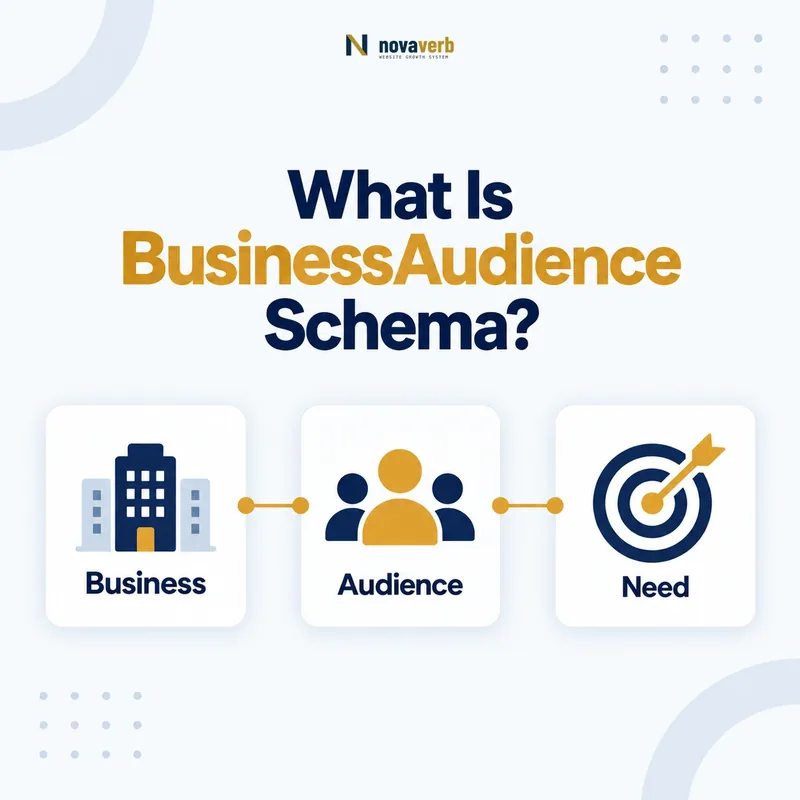
What Is BusinessAudience Schema?
BusinessAudience schema describes the characteristics of businesses an item is intended for, using structured fields for company size, annual revenue, operating age, audience type and geography.
It is a subtype of Audience, not a profile of the company publishing the page. That distinction matters. A software page may target US agencies with 10–50 employees, while the software vendor itself may have an entirely different headcount, revenue and age. The markup should represent the audience visibly described by the page.
The type adds three B2B-specific properties: numberOfEmployees, yearlyRevenue and yearsInOperation. Each accepts a QuantitativeValue, so a page can express a supported range instead of forcing a single number. It also inherits audienceType and geographicArea from Audience.
- Frame the decision raised by What Is BusinessAudience Schema.
- Confirm its value type and the object it describes.
- Compare the markup with visible page information.
- Correct the source data or template without inventing values.
- Validate the rendered result and monitor future changes.
| Field | What it communicates | Typical evidence |
|---|---|---|
| audienceType | Plain-language business segment | Visible positioning copy |
| numberOfEmployees | Target company-size range | Plan or qualification criteria |
| yearlyRevenue | Target annual-revenue range | Published eligibility language |
| yearsInOperation | Target operating-age range | Published program requirements |
| geographicArea | Area served or targeted | Visible location scope |
- Describe a real intended business audience.
- Use only attributes supported on the page.
- Omit fields that the visitor cannot verify.
BusinessAudience is useful when B2B targeting is explicit enough to describe accurately, not when a marketer merely wants extra markup.
Where Can BusinessAudience Be Used?
Use BusinessAudience as the value of the audience property on a CreativeWork, Event, LodgingBusiness, PlayAction, Product or Service when that item genuinely targets a defined business group.
The official audience property identifies a group for whom something was created. On a B2B website, the cleanest applications are usually a Service page, Product page, webinar Event, or a guide represented as CreativeWork. The parent entity remains the thing offered or published; BusinessAudience is nested inside its audience field.
Do not add BusinessAudience to every page through a global template. A homepage that says only “software for growing companies” may support an audience label, but it does not automatically support revenue, employee or maturity thresholds. Page-level evidence should control page-level markup.
- Evidence for Where Can BusinessAudience Be Used: the live structured-data entity and property relationship
- The expected value type and any nested object
- Visible page information that supports the structured value
- Related offer or catalog fields needed for interpretation
- A fresh validation result after the page changes
| Parent type | Good use | Weak use |
|---|---|---|
| Service | Consulting limited to mid-market retailers | Generic service with no segment stated |
| Product | Plan built for agencies of a stated size | All-purpose product page |
| Event | B2B workshop with eligibility criteria | Public event open to everyone |
| CreativeWork | Guide written for US SaaS teams | Article with no audience positioning |
- Identify the parent entity already described on the page.
- Confirm the intended audience is visible.
- Nest one accurate BusinessAudience object under
audience. - Validate the complete entity, not the nested block alone.
The correct placement is wherever the page’s primary entity has a specific, verifiable B2B audience.
How Is BusinessAudience Different From Organization Data?
BusinessAudience describes the businesses being targeted, while Organization properties describe the actual company represented by the entity; the same property name can therefore carry a completely different meaning by context.
Consider numberOfEmployees. On an Organization, it reports the organization’s own workforce. Inside BusinessAudience, it defines the workforce size of an intended customer or participant. Copying the publisher’s Organization data into the audience object reverses the relationship and creates a misleading statement.
The same evidence rule applies to revenue and operating age. An ideal customer profile in an internal sales document is not automatically public-page evidence. If the page says “for established firms operating five years or more,” that statement can support yearsInOperation. If the page says nothing, keep the structured data silent.
- Frame the decision raised by How Is BusinessAudience Different From Organization Data.
- Confirm its value type and the object it describes.
- Compare the markup with visible page information.
- Correct the source data or template without inventing values.
- Validate the rendered result and monitor future changes.
| Question | Organization | BusinessAudience |
|---|---|---|
| Whose employee count? | The named organization | The target business group |
| Whose revenue? | The named organization | The intended customer segment |
| Whose operating age? | The named organization | The qualifying audience |
| Primary evidence | Company facts on the page | Targeting or eligibility copy |
- Read the parent-child relationship before evaluating a value.
- Keep publisher facts and audience thresholds in separate nodes.
- Use stable identifiers when the same Organization appears elsewhere.
Always ask “who does this value describe?” before approving a BusinessAudience field.
How Does audience Connect Content or Offers to BusinessAudience?
The audience property connects a page’s Product, Service, Event or CreativeWork entity to a nested BusinessAudience object that defines the intended B2B group.
This relationship should mirror the visible page. If a managed SEO service is for US ecommerce teams with 10–100 employees, the Service can contain an audience object with a descriptive audienceType, a US geographicArea, and an employee range. Keep the structure compact and avoid adding unrelated company facts.
{
  "@context": "https://schema.org",
  "@type": "Service",
  "name": "Managed Technical SEO",
  "audience": {
    "@type": "BusinessAudience",
    "audienceType": "US ecommerce teams",
    "numberOfEmployees": {
      "@type": "QuantitativeValue",
      "minValue": 10,
      "maxValue": 100
    },
    "geographicArea": {"@type": "Country", "name": "United States"}
  }
}
- Evidence for How Does audience Connect Content or Offers to BusinessAudience: the live structured-data entity and property relationship
- The expected value type and any nested object
- Visible page information that supports the structured value
- Related offer or catalog fields needed for interpretation
- A fresh validation result after the page changes
| Layer | Role | Audit question |
|---|---|---|
| Parent entity | The content, event, product or service | Is this the page’s main item? |
| audience | The relationship | Was the item made for this group? |
| BusinessAudience | The target business characteristics | Are these characteristics visible? |
| QuantitativeValue | A number or range with units | Do boundaries match the copy? |
- Mark up the primary item.
- Add
audienceonly when targeting is explicit. - Choose BusinessAudience for business characteristics.
- Keep every nested value aligned with visible claims.
A clear parent-to-audience relationship is more valuable than a large disconnected graph.
How Should numberOfEmployees Define Company Size?
Use numberOfEmployees inside BusinessAudience to express the target company’s workforce as a supported number or range, preferably with QuantitativeValue boundaries that match the page.
A phrase such as “built for teams of 25–200 employees” maps naturally to minValue 25 and maxValue 200. A phrase such as “for companies with at least 50 employees” supports a minimum but not an invented maximum. Do not transform vague labels such as small business into precise numbers unless the page defines what small means.
Keep this use distinct from the Organization property explained in our numberOfEmployees schema guide. Within BusinessAudience, the value qualifies the intended customer segment. Within Organization, it describes the organization itself.
- Frame the decision raised by How Should numberOfEmployees Define Company Size.
- Confirm its value type and the object it describes.
- Compare the markup with visible page information.
- Correct the source data or template without inventing values.
- Validate the rendered result and monitor future changes.
| Visible wording | Safe representation | Avoid |
|---|---|---|
| 25–200 employees | minValue 25, maxValue 200 | A single average |
| At least 50 employees | minValue 50 | Invented upper bound |
| Up to 20 employees | maxValue 20 | Invented lower bound |
| Small businesses | audienceType text | Unsupported numeric band |
- Preserve inclusive boundaries exactly as published.
- Update markup when plan eligibility changes.
- Remove obsolete values from cached templates and feeds.
Employee ranges should translate the page’s qualification language, never manufacture a sharper segment than the visitor sees.
How Should yearlyRevenue Define Revenue Bands?
Use yearlyRevenue to describe the target business’s annual revenue only when the page publishes a revenue qualification, and encode the amount or range with QuantitativeValue plus a clear currency unit.
Revenue without currency is ambiguous for a US market page that may be viewed globally. A displayed requirement such as “$1M–$10M in annual revenue” can be represented with minimum and maximum values and unitText USD. Maintain the same scale in both boundaries; do not store one value in dollars and another in millions.
Revenue bands can also become stale quickly. Connect markup review to the same operational owner who changes qualification copy or pricing. Structured data should not preserve an older sales threshold after the visible page has moved to a new segment.
- Evidence for How Should yearlyRevenue Define Revenue Bands: the live structured-data entity and property relationship
- The expected value type and any nested object
- Visible page information that supports the structured value
- Related offer or catalog fields needed for interpretation
- A fresh validation result after the page changes
| Page statement | Structured approach | Control |
|---|---|---|
| $1M–$10M annual revenue | min 1000000, max 10000000, USD | Match both boundaries |
| More than $5M | Supported minimum in USD | Do not add a ceiling |
| Enterprise companies | audienceType only | No invented revenue |
| Private sales threshold | Omit from public markup | Require visible evidence |
- Locate the exact public revenue statement.
- Normalize the numeric scale.
- State the currency consistently.
- Test the rendered JSON-LD after template changes.
Revenue markup is trustworthy only when amount, range, currency and page copy remain synchronized.
How Should yearsInOperation Define Business Maturity?
Use yearsInOperation to express how long a target business has operated when maturity is a real audience criterion, representing the published age or range with QuantitativeValue.
This field is about the intended business audience, not the age of the publisher or the product. It suits an accelerator for companies operating one to three years, an insurance service for established firms, or a program limited to newly formed businesses. It does not suit a generic claim that the vendor has decades of experience.
Time-based language needs a clear interpretation. “Operating for at least two years” can support minValue 2 with unitText years. “Early-stage” alone is descriptive and should remain in audienceType unless the page defines its duration.
- Frame the decision raised by How Should yearsInOperation Define Business Maturity.
- Confirm its value type and the object it describes.
- Compare the markup with visible page information.
- Correct the source data or template without inventing values.
- Validate the rendered result and monitor future changes.
| Visible criterion | Possible value | Meaning |
|---|---|---|
| 1–3 years in operation | min 1, max 3, years | Target operating-age range |
| At least 2 years | min 2, years | Minimum maturity |
| New businesses | audienceType text | No numeric claim implied |
| Founded in 2018 | Organization foundingDate | Publisher fact, not audience |
- Use years as the unit when the copy uses years.
- Do not calculate a moving age from an unrelated founding date.
- Review qualification rules when a program changes.
Operating-age data belongs in BusinessAudience only when it is an explicit condition of the target group.
What BusinessAudience Mistakes Are Common?
The most common mistakes are confusing the audience with the publisher, inventing numeric thresholds, applying one audience globally, omitting units and leaving structured data out of sync with visible targeting copy.
BusinessAudience often looks technically valid even when its meaning is wrong. A validator can confirm that a field accepts QuantitativeValue, but it cannot prove that “50–500 employees” is the audience described on the page. Semantic QA therefore needs both code inspection and evidence comparison.
Another failure is treating markup as lead-scoring data. Structured data is public. Private CRM segments, modeled revenue estimates and inferred customer profiles should not be copied into a public graph unless the page makes the same claim appropriately and the business intends to publish it.
- Evidence for What BusinessAudience Mistakes Are Common: the live structured-data entity and property relationship
- The expected value type and any nested object
- Visible page information that supports the structured value
- Related offer or catalog fields needed for interpretation
- A fresh validation result after the page changes
| Mistake | Why it fails | Repair |
|---|---|---|
| Publisher headcount in audience | Describes the wrong entity | Move it to Organization or remove it |
| Exact numbers from vague copy | Creates unsupported precision | Use audienceType only |
| Sitewide audience object | Ignores page-specific intent | Scope by content template |
| Revenue without currency | Leaves amounts ambiguous | Add a supported unit |
| Old thresholds | Conflicts with current offer | Connect updates to content QA |
- Identify the entity each value describes.
- Compare every value with rendered text.
- Remove inferred or private attributes.
- Retest after CMS and template releases.
A smaller, evidence-backed audience object is safer than a detailed object built from assumptions.