
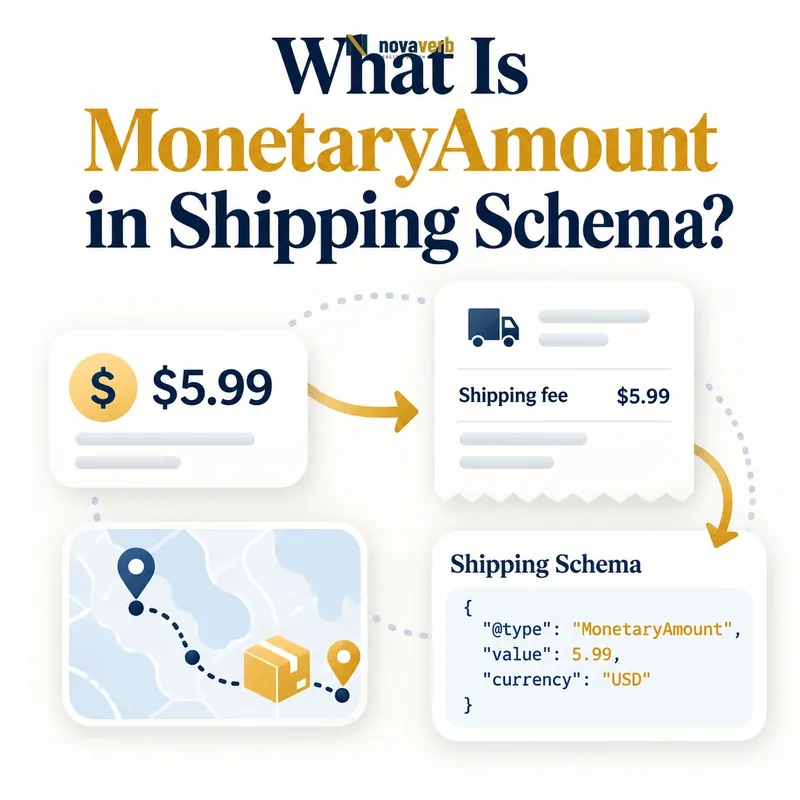
What Is MonetaryAmount in Shipping Schema?
MonetaryAmount is a structured-data type that represents either a shipping cost or an order-value eligibility range, depending on the property where it appears.
Inside shippingRate, it can state a fixed charge or maximum charge. Inside orderValue, it defines the cart-value band that selects a ShippingConditions rule. The same type therefore has two distinct roles, and its properties must be interpreted from their parent relationship.
- Identify the exact page, asset, entity or relationship described in this section.
- Inspect the live implementation and retain the observed evidence.
- Compare the observation with the intended meaning and its primary specification.
- Correct any mismatch, then retest the live result.
- Record the accountable owner and review date.
| Parent property | Role | Typical fields |
|---|---|---|
| shippingRate | Cost customer pays | value or maxValue, currency |
| orderValue | Cart eligibility range | minValue, maxValue, currency |
| Offer price | Product price | Use Offer price fields instead |
| Return fee | Policy charge | Separate policy context |
- Read MonetaryAmount in its parent context.
- Always use a three-letter ISO currency code.
- Keep shipping cost separate from cart eligibility.
Use the free backlink checker while reviewing linked product pages.
Primary specification: Schema.org definition for MonetaryAmount.
MonetaryAmount is accurate only when its numbers and currency answer the question asked by the parent shipping property.
How Does MonetaryAmount Work as a Shipping Rate?
As shippingRate, MonetaryAmount uses value for a fixed cost or maxValue for a maximum cost, together with currency.
A flat $7.95 charge uses value 7.95 and currency USD. A variable carrier quote that will not exceed $20 may use maxValue 20 when that ceiling is defensible. Do not provide value and maxValue together in this rate context because one claims an exact cost while the other claims only an upper bound.
- The exact page, asset, entity or relationship covered by this section
- The live implementation rather than an editor-only preview
- The primary specification or first-party record defining the expected behavior
- The validation result, accountable owner and review date
| Rule | Markup | Meaning |
|---|---|---|
| Flat $7.95 | value 7.95, USD | Exact charge |
| Free shipping | value 0, USD | Exact zero charge |
| Up to $20 | maxValue 20, USD | Maximum charge |
| $5–$20 variable | Review supported model | Do not imply exact cost |
- Identify whether the cost is fixed or capped.
- Select value or maxValue.
- Add the transaction currency.
- Attach destination and eligibility conditions.
- Compare with checkout.
A maximum should not be presented as the usual or guaranteed cost in visible copy.
Shipping-rate MonetaryAmount must state either one exact cost or one defensible ceiling, never both at once.
How Does MonetaryAmount Work as an Order-Value Range?
As orderValue, MonetaryAmount uses minValue, maxValue, or both to define which cart subtotal band qualifies for a ShippingConditions rule.
This number is not the shipping charge. For example, minValue 75 USD can select a free-shipping condition whose shippingRate has value 0 USD. A lower paid band might use minValue 0 and maxValue 74.99. The two MonetaryAmount objects perform different jobs.
- Identify the exact page, asset, entity or relationship described in this section.
- Inspect the live implementation and retain the observed evidence.
- Compare the observation with the intended meaning and its primary specification.
- Correct any mismatch, then retest the live result.
- Record the accountable owner and review date.
| Eligibility band | orderValue | Separate rate |
|---|---|---|
| Under $75 | 0–74.99 USD | 7.95 USD |
| $75 and above | min 75 USD | 0 USD |
| Up to $500 | max 500 USD | Policy rate |
| All cart values | Omit orderValue | Universal within other conditions |
- Define the subtotal basis.
- Use the market currency.
- Make adjacent bands complete and non-overlapping.
- Keep orderValue separate from shippingRate.
Review ShippingConditions schema for the full rule-matching model.
Order-value MonetaryAmount selects the eligible cart band; it never states the delivery charge by itself.
When Should You Use value, minValue, or maxValue?
Use value for an exact shipping cost, minValue and maxValue for eligibility boundaries, and maxValue alone for a shipping-cost ceiling.
The property choice follows both context and certainty. A fixed charge can use value. A cart range can use minimum and maximum together. An open-ended range can omit one boundary, but the team should understand the resulting default breadth. Do not use minValue to claim the minimum possible shipping cost in a rate context unless the consuming contract explicitly supports that meaning.
- The exact page, asset, entity or relationship covered by this section
- The live implementation rather than an editor-only preview
- The primary specification or first-party record defining the expected behavior
- The validation result, accountable owner and review date
| Context | Field | Interpretation |
|---|---|---|
| shippingRate | value | Exact cost |
| shippingRate | maxValue | Maximum cost |
| orderValue | minValue | Lowest qualifying cart value |
| orderValue | maxValue | Highest qualifying cart value |
| orderValue | both | Closed cart-value band |
- Identify the parent property.
- Decide whether the number is exact, capped, or a boundary.
- Select only fields with that meaning.
- Add currency.
- Validate sample inputs.
Using the right numeric field prevents a range from being mistaken for a price or vice versa.
Property selection is correct when the number's certainty and parent context agree.
How Do You Mark Up Free Shipping?
Mark genuinely free shipping with shippingRate MonetaryAmount value 0 and the applicable currency inside the condition that qualifies for it.
Zero does not make the condition universally free. If free delivery requires a $75 order, membership, destination, or service level, those inputs must select the zero-rate condition. A product page should not advertise free shipping when the displayed item alone fails the threshold and no cart context is available.
- Identify the exact page, asset, entity or relationship described in this section.
- Inspect the live implementation and retain the observed evidence.
- Compare the observation with the intended meaning and its primary specification.
- Correct any mismatch, then retest the live result.
- Record the accountable owner and review date.
| Free-shipping case | Zero rate? | Required condition |
|---|---|---|
| Always free in US | Yes | US destination |
| Free over $75 | Yes | orderValue min 75 USD |
| Members only | Only for eligible audience | Membership scope |
| Free economy, paid express | Economy only | Separate services |
| Free except Alaska | Not universal | Specific region rules |
- Use numeric zero, not “Free.”
- Keep currency explicit.
- Represent thresholds and regions.
- Separate paid expedited options.
A zero amount is a cost outcome, while eligibility comes from the surrounding condition.
Free-shipping markup is truthful only when every stated condition needed to obtain the zero rate is represented.
How Should Currency Work in MonetaryAmount?
Currency should use the three-letter ISO 4217 code for the shipping charge or order-value band, and it must match the market context evaluated by checkout.
A $75 threshold is not equivalent across USD, CAD, and AUD. Likewise, a USD shipping charge should not be attached to a CAD Offer without an explicit conversion model. Symbols are ambiguous and locale codes describe language or region, not money.
- The exact page, asset, entity or relationship covered by this section
- The live implementation rather than an editor-only preview
- The primary specification or first-party record defining the expected behavior
- The validation result, accountable owner and review date
| Value | Valid? | Meaning |
|---|---|---|
| USD | Yes | US dollar |
| CAD | Yes | Canadian dollar |
| AUD | Yes | Australian dollar |
| $ | No | Ambiguous symbol |
| en-US | No | Locale, not currency |
- Determine the checkout market.
- Read its transaction currency.
- Generate threshold and rate in that currency.
- Align visible shipping messages.
- Test localized sessions.
See PriceCurrency in Product schema for the wider Offer context.
Currency makes MonetaryAmount interpretable and must remain consistent across thresholds, rates, Offers, and checkout.
How Do Threshold Boundaries Avoid Gaps and Overlaps?
Threshold bands should cover intended cart values exactly once, with explicit treatment of the boundary amount and decimal precision.
A paid band ending at 74.99 and a free band starting at 75.00 works for a two-decimal USD subtotal. A first band ending at 75 and a second starting at 75 creates overlap. A first band ending at 74 and a second starting at 75 leaves values between them uncovered.
- Identify the exact page, asset, entity or relationship described in this section.
- Inspect the live implementation and retain the observed evidence.
- Compare the observation with the intended meaning and its primary specification.
- Correct any mismatch, then retest the live result.
- Record the accountable owner and review date.
| Band design | Result | Action |
|---|---|---|
| 0–74.99, then 75+ | Complete for cents | Confirm inclusive semantics |
| 0–75, then 75+ | Overlap at 75 | Repair boundary |
| 0–74, then 75+ | Gap from 74.01–74.99 | Repair precision |
| min 75 only | Open upper bound | Intentional for free tier |
- Use the currency's pricing precision.
- Define inclusive boundaries.
- Test just below, at, and above thresholds.
- Account for discounts and taxes consistently.
The threshold basis should match checkout's subtotal stage, including whether coupons are applied before eligibility. Document whether taxes, gift cards, store credit, discounts, and excluded product categories affect the qualifying amount. Test each adjustment because an apparently simple threshold can move after checkout recalculates the cart.
A sound threshold partition maps every intended cart to one shipping outcome with no ambiguity.
What MonetaryAmount Shipping Mistakes Are Common?
Common mistakes include confusing order value with shipping cost, providing value and maxValue together, omitting currency, using symbols, publishing false free shipping, and creating overlapping threshold bands.
Another error is using a fixed MonetaryAmount for a complex carrier formula or publishing a maximum as though it were exact. A syntactically valid number can still conflict with checkout because destination, service, cart value, or product weight changes the result.
- The exact page, asset, entity or relationship covered by this section
- The live implementation rather than an editor-only preview
- The primary specification or first-party record defining the expected behavior
- The validation result, accountable owner and review date
| Mistake | Consequence | Fix |
|---|---|---|
| orderValue used as rate | $75 appears as shipping cost | Separate parent contexts |
| value and maxValue together | Exact and capped claims conflict | Choose one |
| Currency missing | Amount is ambiguous | Add ISO code |
| Zero without threshold | Free shipping overclaimed | Add eligibility condition |
| Flat value for live quote | Checkout mismatch | Use defensible model or omit |
- Identify the MonetaryAmount parent.
- Translate the rule into plain language.
- Recalculate representative carts.
- Repair the policy source.
- Verify rendered output and checkout.
Correcting the source rule prevents the same monetary error from propagating across the catalog.
MonetaryAmount errors require contextual pricing reconciliation, not only numeric-format fixes.