
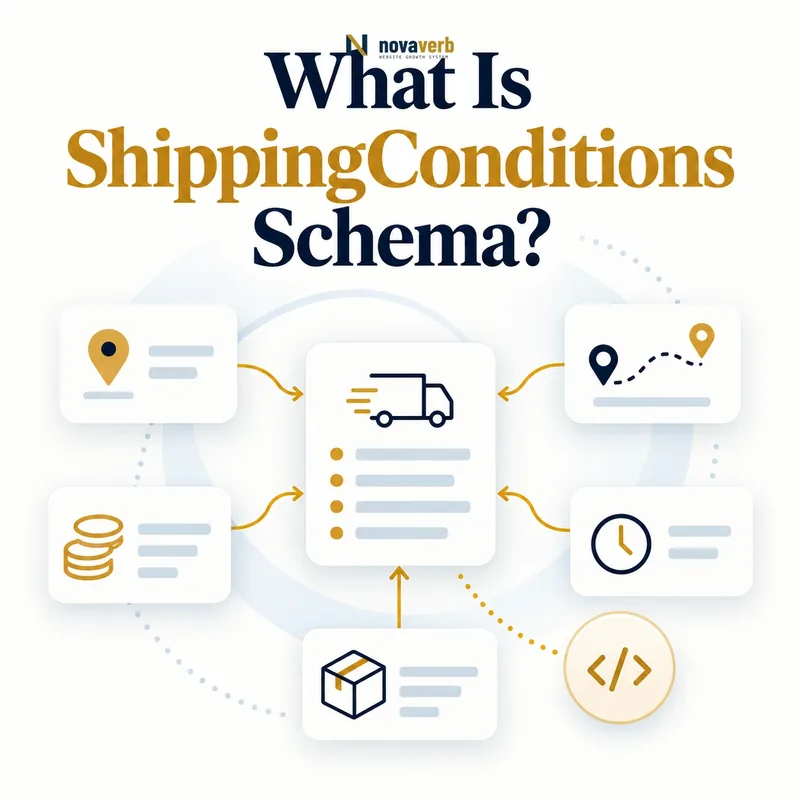
What Is ShippingConditions Schema?
ShippingConditions is a structured-data type that groups the destination, origin, cart characteristics, shipping rate, transit time, exclusion, and seasonal validity for one shipping rule.
It acts as the matching layer inside a ShippingService. The condition answers both “when does this rule apply?” and “what cost and delivery outcome follow?” A merchant can publish several conditions for different regions, order values, weights, quantities, or seasonal periods.
- Identify the exact page, asset, entity or relationship described in this section.
- Inspect the live implementation and retain the observed evidence.
- Compare the observation with the intended meaning and its primary specification.
- Correct any mismatch, then retest the live result.
- Record the accountable owner and review date.
| Rule part | Question | Property |
|---|---|---|
| Geography | Where does it apply? | shippingOrigin, shippingDestination |
| Cart eligibility | Which order qualifies? | orderValue, weight, numItems |
| Cost | What is shipping? | shippingRate |
| Speed | How long after dispatch? | transitTime |
| Exception | Is shipment blocked? | doesNotShip |
- Make each condition internally coherent.
- Separate rules when cost or speed changes.
- Match the same logic used by checkout.
Use the free backlink checker while reviewing key commerce pages.
Primary specification: Schema.org definition for ShippingConditions.
ShippingConditions is valuable when one entity fully describes the inputs and outcome of a real shipping rule.
Where Does ShippingConditions Belong?
ShippingConditions belongs under shippingConditions inside a ShippingService, which can be connected to an Organization as the merchant's reusable shipping policy.
This organization-level model differs from product-specific OfferShippingDetails. A standard service can describe rules shared across most products, while an oversized or restricted product may override those defaults at Offer level. Choosing the wrong scope can duplicate policy data or hide exceptions.
- The exact page, asset, entity or relationship covered by this section
- The live implementation rather than an editor-only preview
- The primary specification or first-party record defining the expected behavior
- The validation result, accountable owner and review date
| Node | Scope | Use |
|---|---|---|
| Organization | Merchant identity | Owns reusable services |
| ShippingService | Named policy or method | Groups conditions |
| ShippingConditions | One eligibility and outcome rule | Defines region, rate, and time |
| OfferShippingDetails | Product-specific Offer | Overrides or special fulfillment |
- Identify rules shared across the catalog.
- Create the merchant ShippingService.
- Split its conditions by meaningful differences.
- Use Offer-level details for exceptions.
- Validate shared references and rendered pages.
Review Merchant Shipping Policy schema and OfferShippingDetails for scope decisions.
Place reusable conditions under ShippingService and reserve Offer-level markup for genuine product exceptions.
Which Properties Define a Shipping Condition?
A complete ShippingConditions rule can combine shippingOrigin, shippingDestination, orderValue, weight, numItems, shippingRate, transitTime, doesNotShip, and seasonalOverride.
Not every rule needs every property. A nationwide flat rate may need destination, rate, and transit. A free-shipping tier may add an order-value range. A bulky-item exclusion may add weight and doesNotShip. Omitted properties broaden applicability, so every omission must be intentional.
- Identify the exact page, asset, entity or relationship described in this section.
- Inspect the live implementation and retain the observed evidence.
- Compare the observation with the intended meaning and its primary specification.
- Correct any mismatch, then retest the live result.
- Record the accountable owner and review date.
| Property | Input or outcome | Effect when omitted |
|---|---|---|
| shippingDestination | Input | May imply broad geography |
| orderValue | Input | All cart values can qualify |
| weight | Input | All weights can qualify |
| shippingRate | Outcome | No shipping cost stated |
| transitTime | Outcome | No transit window stated |
- Document the intended match set.
- Use only governed source fields.
- Do not add irrelevant constraints.
- Test what omitted properties allow.
The model should be minimal without accidentally becoming universal.
When more than one condition can match, the policy needs deterministic precedence that the structured representation and checkout evaluate the same way. A broad national rule and a specific Alaska rule must not leave the rate to chance. Likewise, a free-shipping order-value band should not compete with a paid default at the exact threshold. Build explicit tests for the intersection of geography, weight, item count, and order value. Record which rule should win, which cost and transit window it returns, and why. If precedence cannot be described clearly, split or repair the source rules before publishing them.
Choose properties by the exact inputs that select the rule and the outcomes checkout returns.
How Do Order-Value Ranges Work?
OrderValue uses MonetaryAmount with currency and a minimum, maximum, or both to define the cart-value band where a shipping condition applies.
This use of MonetaryAmount describes eligibility, not shipping cost. A condition for orders from $0 through $74.99 can charge $7.95, while a second condition starting at $75 can charge zero. The bands must use the same subtotal basis and currency as checkout.
- The exact page, asset, entity or relationship covered by this section
- The live implementation rather than an editor-only preview
- The primary specification or first-party record defining the expected behavior
- The validation result, accountable owner and review date
| Band | orderValue | shippingRate |
|---|---|---|
| Standard paid tier | 0–74.99 USD | 7.95 USD |
| Free threshold | 75 USD and above | 0 USD |
| High-value insured tier | 500 USD and above | Policy-specific rate |
| No value condition | Omitted | Applies across cart values |
- Define the subtotal basis.
- Choose currency and inclusive boundaries.
- Build non-overlapping value bands.
- Attach the appropriate rate and transit.
- Test just below, at, and above thresholds.
Do not confuse a $75 threshold with orderPercentage; ShippingRateSettings describes a cost formula, not the eligible cart band.
Order-value conditions are correct when their currency, boundaries, and subtotal basis match checkout exactly.
How Do Weight and Item-Count Conditions Work?
Weight and numItems use QuantitativeValue ranges to select shipping rules based on shipment weight or product quantity.
Weight requires a consistent unit and a clear basis: product weight, packaged weight, or billable dimensional weight. Item count requires a definition for bundles and multi-quantity lines. Gaps or overlap at boundaries can cause two rates or no rate to match.
- Identify the exact page, asset, entity or relationship described in this section.
- Inspect the live implementation and retain the observed evidence.
- Compare the observation with the intended meaning and its primary specification.
- Correct any mismatch, then retest the live result.
- Record the accountable owner and review date.
| Condition | Boundary question | Risk |
|---|---|---|
| 0–5 lb | Does 5 lb belong here? | Overlap with next band |
| 5–20 lb | Is packaged weight used? | Catalog weight understates cost |
| 1–3 items | How are bundles counted? | Quantity mismatch |
| 4+ items | Is upper bound open? | Large carts uncovered |
- Use consistent unitCode values.
- Define inclusive and exclusive edges operationally.
- Validate bundle and quantity semantics.
- Test dimensional-weight products separately.
Condition ranges should partition intended carts without relying on hidden precedence.
Weight and item-count rules are reliable when units, count semantics, and adjacent boundaries are explicit and complete.
How Do Regions, Rates, and Transit Time Stay Together?
Each ShippingConditions entity should keep its origin, destination, rate, and transit time together so no region inherits the cost or speed of another route.
A $5 three-day rule for the contiguous United States cannot describe Alaska if its actual rate is $20 and transit is seven days. Multiple conditions should represent those routes. A DefinedRegion gives each destination exact geographic scope, while transitTime describes carrier travel after dispatch.
- The exact page, asset, entity or relationship covered by this section
- The live implementation rather than an editor-only preview
- The primary specification or first-party record defining the expected behavior
- The validation result, accountable owner and review date
| Route | Rate | Transit |
|---|---|---|
| Warehouse to contiguous US | $5 | 3–5 days |
| Warehouse to Alaska | $20 | 5–8 days |
| Warehouse to Hawaii | $18 | 5–7 days |
| Excluded territory | No rate | doesNotShip true |
- Map each origin-destination route.
- Attach its exact rate.
- Attach its transit range.
- Separate materially different services.
- Test representative and boundary addresses.
Use DefinedRegion and ShippingDeliveryTime to keep geography and timing precise.
A shipping condition must preserve the rate and speed of one real route instead of mixing best values across regions.
How Do Exclusions and Seasonal Overrides Work?
DoesNotShip marks a matched condition as unavailable, while seasonalOverride limits a temporary condition to a validFrom and/or validThrough date period.
Exclusions need destination and cart context so they do not block more orders than intended. Seasonal overrides can represent holiday deadlines, temporary surcharges, or peak transit windows. At least one validity boundary is needed, and temporary rules must be removed or allowed to expire cleanly.
- Identify the exact page, asset, entity or relationship described in this section.
- Inspect the live implementation and retain the observed evidence.
- Compare the observation with the intended meaning and its primary specification.
- Correct any mismatch, then retest the live result.
- Record the accountable owner and review date.
| Case | Property | Required context |
|---|---|---|
| No Alaska delivery | doesNotShip true | Alaska destination |
| Heavy items excluded | doesNotShip true | Weight range |
| Holiday surcharge | seasonalOverride | validFrom and validThrough |
| Temporary slower transit | seasonalOverride | Date range and updated time |
- Make negative regions specific.
- Use ISO 8601 dates.
- Define override precedence.
- Schedule post-season verification.
A seasonal condition should describe a real operational interval, not a permanent rule with decorative dates.
Exclusions and overrides are safe when their matching scope, priority, and validity period are explicit.
What ShippingConditions Mistakes Are Common?
Common mistakes include overlapping bands, uncovered carts, missing destinations, mixed currencies, reversed ranges, unbounded exclusions, and seasonal rules that remain active after their end.
Another defect is combining the cheapest rate from one condition with the fastest transit from another. A validator can confirm property shape but cannot prove checkout selects the same condition. Rule evaluation must be tested with representative inputs.
- The exact page, asset, entity or relationship covered by this section
- The live implementation rather than an editor-only preview
- The primary specification or first-party record defining the expected behavior
- The validation result, accountable owner and review date
| Mistake | Consequence | Fix |
|---|---|---|
| Value bands overlap | Two costs match | Repair boundaries or precedence |
| Weight gap | No rule matches | Complete intended coverage |
| Destination omitted | Rule appears global | Add geographic scope |
| Currency differs | Threshold changes meaning | Align market context |
| Expired override | Stale seasonal promise | End and remove temporary rule |
- Normalize every rule into inputs and outcomes.
- Compute overlap and gap sets.
- Fix the authoritative policy map.
- Test checkout cases safely.
- Recrawl the rendered policy.
A source-level correction prevents the same policy defect from reaching every linked product.
Shipping-condition errors require rule-set analysis, not isolated validation of individual objects.