
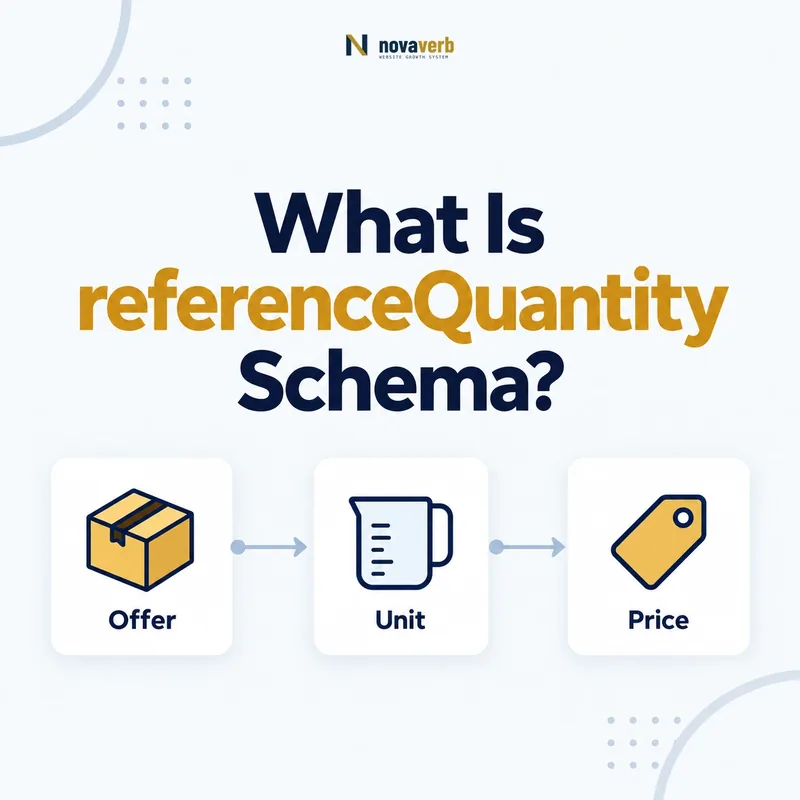
What Is referenceQuantity Schema?
referenceQuantity defines the standardized amount used as the basis for a unit price in UnitPriceSpecification. It lets an offer explain that a displayed comparison price is, for example, $4 per kilogram, $0.20 per fluid ounce, or $15 per 100 square feet.
The property is not the amount a shopper necessarily buys. Instead, it supplies the denominator that makes the unit price meaningful. This distinction matters whenever products have different pack sizes, weights, volumes, lengths, areas, or service quantities.
- Frame the decision raised by What Is referenceQuantity Schema.
- Confirm its value type and the object it describes.
- Compare the markup with visible page information.
- Correct the source data or template without inventing values.
- Validate the rendered result and monitor future changes.
| Question | Answer | Example |
|---|---|---|
| What does it define? | The quantity used to express a unit price | 1 kilogram |
| Where is it used? | Within UnitPriceSpecification | $4 per kilogram |
| What does it not mean? | The pack quantity actually purchased | A 2 kg bag can still use 1 kg as reference |
- Use a QuantitativeValue to state the reference amount.
- Include a clear unit code or unit text.
- Keep the unit price consistent with visible page calculations.
The core definition is the denominator: referenceQuantity tells systems what amount the stated unit price is “per.”
How Does referenceQuantity Work With UnitPriceSpecification?
referenceQuantity works by pairing a QuantitativeValue denominator with the price inside UnitPriceSpecification. The price supplies the monetary numerator, while referenceQuantity supplies the measurable denominator used for comparison.
A product may sell for $8 in a two-kilogram package while also displaying a unit price of $4 per kilogram. The ordinary Offer can describe the $8 transaction; UnitPriceSpecification can describe the $4 comparable rate; referenceQuantity identifies one kilogram as the rate’s basis.
- Evidence for How Does referenceQuantity Work With UnitPriceSpecification: the live structured-data entity and property relationship
- The expected value type and any nested object
- Visible page information that supports the structured value
- Related offer or catalog fields needed for interpretation
- A fresh validation result after the page changes
| Element | Responsibility | Coffee example |
|---|---|---|
| Offer | The actual purchasable terms | 2 kg bag for $8 |
| UnitPriceSpecification | The comparable unit price | $4 per reference unit |
| priceCurrency | The currency of the price | USD |
| referenceQuantity | The amount used as “per” | 1 kg |
- Model the actual product offer first.
- Calculate the unit price from the same product data.
- Add the reference quantity and unit to the unit price specification.
- Verify the visible and structured calculations agree.
See UnitPriceSpecification Schema for the parent entity.
The relationship must remain mathematical: the price and referenceQuantity together must reproduce the unit price shown to the shopper.
When Should You Use referenceQuantity?
Use referenceQuantity when a page presents a normalized price for comparing products sold in different quantities. Common cases include groceries, beverages, building materials, fabric, cable, cosmetics, fuel, bulk goods, and measured services.
Do not add it solely because a product has a weight or pack count. The property is useful when the markup contains a true unit-price specification and the page visibly communicates the same comparison basis.
- Frame the decision raised by When Should You Use referenceQuantity.
- Confirm its value type and the object it describes.
- Compare the markup with visible page information.
- Correct the source data or template without inventing values.
- Validate the rendered result and monitor future changes.
| Category | Visible unit price | Reference quantity |
|---|---|---|
| Packaged food | $0.40 per ounce | 1 ounce |
| Flooring | $3.25 per square foot | 1 square foot |
| Detergent | $0.18 per load | 1 load |
| Fabric | $12 per yard | 1 yard |
| Cloud storage | $2 per 100 GB | 100 gigabytes |
- Use it when comparison requires a stable denominator.
- Use the same denominator displayed to US shoppers.
- Avoid a normalized price that customers cannot verify on the page.
Use referenceQuantity for real unit pricing: it belongs wherever “price per amount” is an explicit part of the offer.
Which QuantitativeValue Properties Does referenceQuantity Need?
A referenceQuantity normally needs value plus unitCode or unitText; valueReference can add context when the denominator depends on another structured constraint. The amount and unit must jointly identify a repeatable comparison basis.
Use a standardized unit code when one accurately represents the measurement. Use unitText for understandable commercial units such as “load,” “serving,” or “seat” when a suitable code is unavailable or would be less clear.
- Evidence for Which QuantitativeValue Properties Does referenceQuantity Need: the live structured-data entity and property relationship
- The expected value type and any nested object
- Visible page information that supports the structured value
- Related offer or catalog fields needed for interpretation
- A fresh validation result after the page changes
| Field | Purpose | Example |
|---|---|---|
| value | The numeric reference amount | 100 |
| unitCode | A standardized unit identifier | GRM |
| unitText | A readable measurement label | grams |
| valueReference | Additional basis or constraint when genuinely needed | A defined product measurement context |
- Select the denominator used in the visible unit-price label.
- Express the numeric amount without adding marketing text.
- Add the most precise unit identifier available.
- Confirm the same unit is used throughout the variant and checkout data.
A number alone is not enough: referenceQuantity becomes meaningful only when its value and unit form an unambiguous denominator.
How Do You Add referenceQuantity in JSON-LD?
Add referenceQuantity as a QuantitativeValue nested inside UnitPriceSpecification. Keep the unit-price specification connected to the relevant Offer and generate every numeric value from the same product or pricing record.
{
  "@context": "https://schema.org",
  "@type": "Offer",
  "price": "8.00",
  "priceCurrency": "USD",
  "priceSpecification": {
    "@type": "UnitPriceSpecification",
    "price": "4.00",
    "priceCurrency": "USD",
    "referenceQuantity": {
      "@type": "QuantitativeValue",
      "value": 1,
      "unitCode": "KGM",
      "unitText": "kilogram"
    }
  }
}- Evidence for How Do You Add referenceQuantity in JSON-LD: the live structured-data entity and property relationship
- The expected value type and any nested object
- Visible page information that supports the structured value
- Related offer or catalog fields needed for interpretation
- A fresh validation result after the page changes
- Frame the decision raised by How Do You Add referenceQuantity in JSON-LD.
- Confirm its value type and the object it describes.
- Compare the markup with visible page information.
- Correct the source data or template without inventing values.
- Validate the rendered result and monitor future changes.
| Check | Correct result | Incorrect result |
|---|---|---|
| Nesting | QuantitativeValue inside UnitPriceSpecification | Loose property on Organization |
| Arithmetic | Unit price matches pack price and size | Copied price from another variant |
| Currency | Consistent currency at both levels | USD offer with CAD unit price |
| Visibility | Same unit price is understandable on page | Markup-only comparison |
Use Novaverb Site Audit to verify the deployed markup across product templates.
The implementation is trustworthy when it is reproducible: pack price divided by pack quantity must equal the marked-up unit price for the chosen reference.
referenceQuantity vs eligibleQuantity: What Is the Difference?
referenceQuantity is the denominator for a normalized unit price, while eligibleQuantity is the amount included in or covered by an offer. The first helps compare rates; the second helps describe the transaction quantity.
A two-kilogram bag can have eligibleQuantity of two kilograms because that is what the buyer receives. Its unit price can use referenceQuantity of one kilogram because that is the comparison basis. Both values may appear in a complete model without duplicating meaning.
- Evidence for referenceQuantity vs eligibleQuantity: What Is the Difference: the live structured-data entity and property relationship
- The expected value type and any nested object
- Visible page information that supports the structured value
- Related offer or catalog fields needed for interpretation
- A fresh validation result after the page changes
- Frame the decision raised by referenceQuantity vs eligibleQuantity: What Is the Difference.
- Confirm its value type and the object it describes.
- Compare the markup with visible page information.
- Correct the source data or template without inventing values.
- Validate the rendered result and monitor future changes.
| Dimension | referenceQuantity | eligibleQuantity |
|---|---|---|
| Main question | What amount is this price per? | How much does this offer include? |
| Typical parent | UnitPriceSpecification | Offer |
| Two-kilogram pack | 1 kg for unit comparison | 2 kg purchased |
| Main use | Normalized comparison | Transaction scope |
Read eligibleQuantity Schema before modeling packs or measured services.
The simplest test is “per” versus “included”: referenceQuantity answers “per what,” while eligibleQuantity answers “how much is included.”
How Do You Calculate a Unit Price From referenceQuantity?
Calculate the unit price by dividing the payable price by the purchasable quantity, then multiplying by the chosen reference amount after converting both quantities to the same unit. Never mix ounces with pounds, milliliters with liters, or pack counts with weights without an explicit conversion.
- Evidence for How Do You Calculate a Unit Price From referenceQuantity: the live structured-data entity and property relationship
- The expected value type and any nested object
- Visible page information that supports the structured value
- Related offer or catalog fields needed for interpretation
- A fresh validation result after the page changes
| Offer | Reference | Calculation | Unit price |
|---|---|---|---|
| $12 for 3 lb | 1 lb | 12 ÷ 3 × 1 | $4/lb |
| $9 for 750 ml | 100 ml | 9 ÷ 750 × 100 | $1.20/100 ml |
| $45 for 15 sq ft | 1 sq ft | 45 ÷ 15 × 1 | $3/sq ft |
| $30 for 200 GB | 100 GB | 30 ÷ 200 × 100 | $15/100 GB |
- Read the actual payable price for the active variant.
- Convert the sold quantity into the reference unit.
- Apply one consistent rounding policy.
- Render the same result in visible copy and structured data.
- Recalculate whenever price, pack size, or variant changes.
The formula is only reliable when inputs share a unit: normalize first, calculate second, and round once at the display boundary.
How Do You Validate referenceQuantity Markup?
Validate referenceQuantity by checking JSON-LD syntax, entity placement, measurement units, price arithmetic, variant alignment, and live-page visibility. Passing a parser proves structure, but it does not prove that the unit price is commercially accurate.
- Frame the decision raised by How Do You Validate referenceQuantity Markup.
- Confirm its value type and the object it describes.
- Compare the markup with visible page information.
- Correct the source data or template without inventing values.
- Validate the rendered result and monitor future changes.
| Layer | Evidence to inspect | Pass condition |
|---|---|---|
| Syntax | Parsed JSON-LD | No malformed object or invalid value type |
| Entity | Structured-data graph | Nested in the intended UnitPriceSpecification |
| Measurement | Value and unit | Clear denominator using one unit system |
| Arithmetic | Offer price and sold quantity | Recalculation matches the marked-up rate |
| Variant | Selected SKU data | Price, size, and unit price describe one SKU |
| Rendered page | Visible unit-price disclosure | A shopper can understand the same comparison |
- Test small and large package variants.
- Test sale prices separately from regular prices.
- Crawl category samples to detect template-wide unit drift.
- Recheck after feed, currency, or measurement changes.
Connect this check with the wider Novaverb SEO tools system.
Start with a relevant free SEO check, continue the evidence workflow in Site Health, and review pricing when comparing continuous monitoring with a one-time manual review.
Validation must prove the calculation: a valid property with the wrong denominator is still incorrect commerce data.