
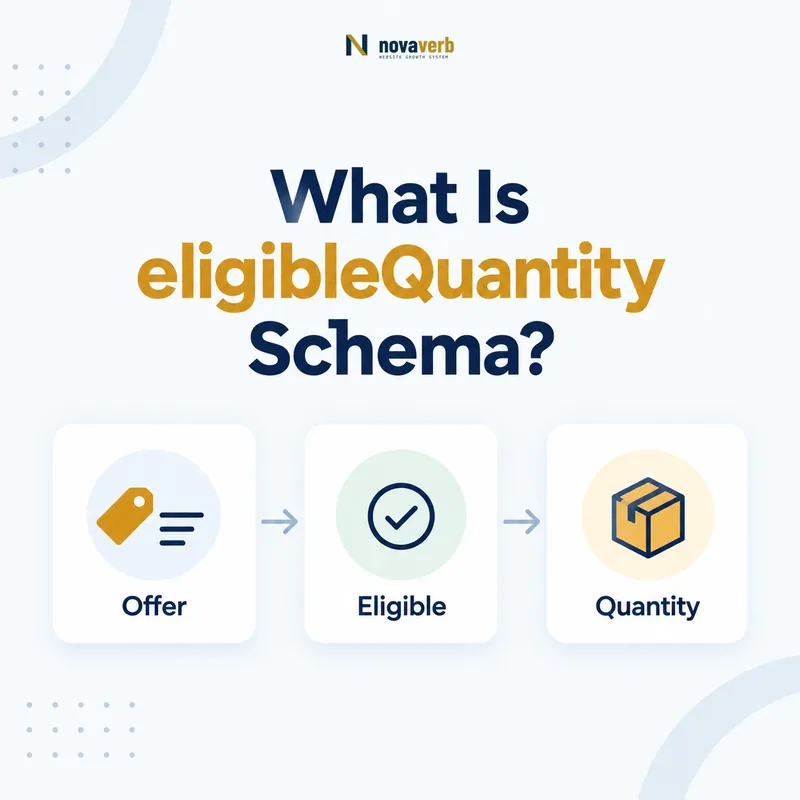
What Is eligibleQuantity Schema?
eligibleQuantity identifies the amount of a product or service that a particular Offer covers. It normally points to a QuantitativeValue, allowing a seller to say that a price applies to one item, a pack of six, 500 grams, ten hours, or another defined quantity.
The property belongs to the commercial meaning of an offer. A visible price such as $24.00 is incomplete when a shopper cannot tell whether it buys one bottle, a case, one consultation, or a recurring allotment. eligibleQuantity connects the offer to that amount in machine-readable form.
- Frame the decision raised by What Is eligibleQuantity Schema.
- Confirm its value type and the object it describes.
- Compare the markup with visible page information.
- Correct the source data or template without inventing values.
- Validate the rendered result and monitor future changes.
| Question | Practical answer | Typical value |
|---|---|---|
| What does it describe? | The quantity covered by an Offer | QuantitativeValue |
| Where is it placed? | Inside an Offer or a compatible offer subtype | Alongside price and priceCurrency |
| What does it not replace? | The visible pack size, product copy, or price disclosure | Keep page and markup consistent |
- Use it when quantity changes how the price should be interpreted.
- Express the amount with a clear value and, when needed, a unit.
- Match the structured data to the quantity a buyer can actually purchase.
The useful definition is simple: eligibleQuantity tells systems exactly how much the stated offer buys.
How Does eligibleQuantity Work in an Offer?
eligibleQuantity works by nesting a QuantitativeValue inside an Offer and pairing that amount with the offer’s price, currency, availability, and item. Search and commerce systems can then interpret the price in the correct unit context instead of treating it as an isolated number.
The parent Offer answers “what can be bought and on what terms?” The nested quantity answers “how much is included under those terms?” That division keeps the entity model readable and prevents a pack-level price from being mistaken for a per-unit price.
- Evidence for How Does eligibleQuantity Work in an Offer: the live structured-data entity and property relationship
- The expected value type and any nested object
- Visible page information that supports the structured value
- Related offer or catalog fields needed for interpretation
- A fresh validation result after the page changes
| Entity or property | What it communicates | Example |
|---|---|---|
| itemOffered | The product or service being sold | Organic coffee beans |
| price and priceCurrency | The payable amount and currency | 18.00 USD |
| eligibleQuantity | The amount covered by that price | 500 grams |
| availability | Whether the offer can currently be purchased | InStock |
- Identify the exact purchasable offer on the page.
- Determine the quantity included at the displayed price.
- Represent that quantity as QuantitativeValue.
- Keep the markup synchronized with visible product and checkout information.
For the surrounding commercial entity, see Offer Schema and PriceSpecification Schema.
The relationship is the key: the offer supplies the terms, while eligibleQuantity supplies the amount those terms cover.
When Should You Use eligibleQuantity?
Use eligibleQuantity when a price applies to a defined amount and that amount is necessary to understand or compare the offer. It is especially useful for multipacks, weight-based goods, measured services, wholesale lots, rentals, and any offer whose selling unit is not obvious from the product name.
A single ordinary item may not need the property when the page and offer already make “one item” unambiguous. Add it when it removes real uncertainty, not simply because the property exists.
- Frame the decision raised by When Should You Use eligibleQuantity.
- Confirm its value type and the object it describes.
- Compare the markup with visible page information.
- Correct the source data or template without inventing values.
- Validate the rendered result and monitor future changes.
| Offer type | Quantity meaning | Example |
|---|---|---|
| Multipack | Number of items in the purchasable pack | 6 bottles |
| Measured product | Weight, volume, length, or area | 2 kilograms |
| Professional service | Time or number of sessions | 10 consulting hours |
| Wholesale offer | Lot or case quantity | 100 units |
| Rental | Defined purchasable duration | 3 days |
- Use the quantity a customer selects, not warehouse inventory.
- Do not use it to describe an unrelated shipping threshold.
- Do not invent a unit that is absent from the page or checkout flow.
Use eligibleQuantity when it resolves purchasing context: if the amount changes what the price means, it belongs in the offer model.
Which Properties Should a QuantitativeValue Include?
A useful eligibleQuantity value normally includes value plus unitCode or unitText, while minValue and maxValue are appropriate only when the offer covers a genuine range. Choose the smallest set of fields that accurately represents the visible selling unit.
Machine-readable unit codes are preferable when a suitable standard code exists. unitText can clarify a business-specific unit such as “session” or “case,” but it should remain understandable and consistent across the page.
- Evidence for Which Properties Should a QuantitativeValue Include: the live structured-data entity and property relationship
- The expected value type and any nested object
- Visible page information that supports the structured value
- Related offer or catalog fields needed for interpretation
- A fresh validation result after the page changes
| Property | Use | Example |
|---|---|---|
| value | A single exact quantity | 6 |
| unitCode | A standardized unit identifier | KGM |
| unitText | A readable unit when helpful | bottles |
| minValue | The lower boundary of a real range | 5 |
| maxValue | The upper boundary of a real range | 10 |
- Prefer value for a fixed pack or measured amount.
- Add a unit whenever the number alone could be misunderstood.
- Use ranges only when the buyer is truly purchasing a range-based entitlement.
- Verify that visible labels use the same meaning.
Precision beats volume: include only the QuantitativeValue fields that make the purchasable amount unambiguous.
How Do You Add eligibleQuantity in JSON-LD?
Add eligibleQuantity as a QuantitativeValue object inside the relevant Offer in your JSON-LD. The object should describe the same purchasable quantity shown next to the price, variant selector, pack label, or service terms.
{
  "@context": "https://schema.org",
  "@type": "Offer",
  "price": "18.00",
  "priceCurrency": "USD",
  "availability": "https://schema.org/InStock",
  "eligibleQuantity": {
    "@type": "QuantitativeValue",
    "value": 500,
    "unitCode": "GRM",
    "unitText": "grams"
  }
}- Evidence for How Do You Add eligibleQuantity in JSON-LD: the live structured-data entity and property relationship
- The expected value type and any nested object
- Visible page information that supports the structured value
- Related offer or catalog fields needed for interpretation
- A fresh validation result after the page changes
- Frame the decision raised by How Do You Add eligibleQuantity in JSON-LD.
- Confirm its value type and the object it describes.
- Compare the markup with visible page information.
- Correct the source data or template without inventing values.
- Validate the rendered result and monitor future changes.
| Check | Pass condition | Failure example |
|---|---|---|
| Placement | Nested in the correct Offer | Attached to an unrelated Organization |
| Amount | Matches the purchasable pack or service | Markup says 6 while page sells 4 |
| Unit | Clear and consistent | 500 with no indication of grams or milliliters |
| Price relationship | The stated price covers the stated quantity | Per-unit price paired with case quantity |
After implementation, use a crawl-based check through Novaverb Site Audit so the deployed markup, not merely a copied snippet, becomes the evidence.
A correct snippet mirrors the transaction: the JSON-LD quantity must equal what the customer receives for the marked-up price.
eligibleQuantity vs eligibleTransactionVolume: What Is the Difference?
eligibleQuantity describes the amount included in an offer, whereas eligibleTransactionVolume defines a transaction-value condition that must be met for a price specification or offer to apply. One describes what is bought; the other constrains when a commercial term becomes eligible.
Confusing them can reverse the meaning of a promotion. “This price buys a case of 12” is a quantity statement. “This discount applies when the order reaches $100” is a transaction-volume condition.
- Evidence for eligibleQuantity vs eligibleTransactionVolume: What Is the Difference: the live structured-data entity and property relationship
- The expected value type and any nested object
- Visible page information that supports the structured value
- Related offer or catalog fields needed for interpretation
- A fresh validation result after the page changes
- Frame the decision raised by eligibleQuantity vs eligibleTransactionVolume: What Is the Difference.
- Confirm its value type and the object it describes.
- Compare the markup with visible page information.
- Correct the source data or template without inventing values.
- Validate the rendered result and monitor future changes.
| Dimension | eligibleQuantity | eligibleTransactionVolume |
|---|---|---|
| Main question | How much does this offer include? | What transaction value qualifies? |
| Common measurement | Items, weight, volume, time | Money or qualifying transaction range |
| Example | Pack of 12 cans | Free service above $100 |
| Typical error | Using inventory count | Using pack quantity as order threshold |
Read the companion definition of eligibleTransactionVolume Schema before modeling tiered prices or thresholds.
Keep the questions separate: eligibleQuantity says what the offer contains; eligibleTransactionVolume says what transaction qualifies.
How Do You Validate eligibleQuantity Markup?
Validate eligibleQuantity at three levels: syntax, entity placement, and factual agreement with the live offer. A parser can confirm valid JSON-LD, but only a page-level review can prove that the quantity, unit, price, and selected variant agree.
- Evidence for How Do You Validate eligibleQuantity Markup: the live structured-data entity and property relationship
- The expected value type and any nested object
- Visible page information that supports the structured value
- Related offer or catalog fields needed for interpretation
- A fresh validation result after the page changes
| Stage | What to inspect | Evidence of success |
|---|---|---|
| Parse | JSON syntax and required object structure | No malformed JSON or invalid nesting |
| Model | Offer to QuantitativeValue relationship | eligibleQuantity sits on the intended offer |
| Render | Markup present in final server or rendered HTML | Crawler can retrieve the object |
| Compare | Visible pack, unit, variant, and price | All values describe the same transaction |
| Monitor | Template changes across representative URLs | No drift after catalog updates |
- Test a simple product, a variant, and a multipack page.
- Compare markup with the selected offer shown to a visitor.
- Check both initial HTML and rendered output when JavaScript injects data.
- Crawl a sample large enough to expose template-level inconsistency.
Use the broader Novaverb SEO tools system to connect structured-data findings with crawlability, indexability, internal links, and page evidence.
Validation is complete only when meaning matches: valid JSON is not enough if the live offer sells a different quantity.
What eligibleQuantity Mistakes Should You Avoid?
The most damaging mistakes are using stock count as eligibleQuantity, omitting the unit, attaching the value to the wrong variant, or pairing a pack quantity with a per-unit price. Each error creates markup that parses cleanly but describes a transaction that does not exist.
- Frame the decision raised by What eligibleQuantity Mistakes Should You Avoid.
- Confirm its value type and the object it describes.
- Compare the markup with visible page information.
- Correct the source data or template without inventing values.
- Validate the rendered result and monitor future changes.
| Mistake | Why it fails | Correction |
|---|---|---|
| Inventory used as quantity | Stock level is not the amount purchased | Mark up the selling unit instead |
| Number without unit | 500 may mean grams, milliliters, or items | Add unitCode or unitText |
| Variant mismatch | Selected price and quantity describe different SKUs | Generate both from the active variant |
| Per-unit price with pack quantity | The price relationship becomes misleading | Use the total pack price or model the unit offer |
| Hidden promotional quantity | Markup introduces information absent from the page | Expose the same terms visibly |
- Generate price and quantity from the same commerce record.
- Do not hardcode a default pack size across all variants.
- Remove stale markup when an offer or promotion expires.
- Keep units consistent between product copy, structured data, cart, and checkout.
Start with a relevant free SEO check, continue the evidence workflow in Site Health, and review pricing when comparing continuous monitoring with a one-time manual review.
Most failures are data-joining failures: bind quantity, unit, price, and variant to the same offer source.