
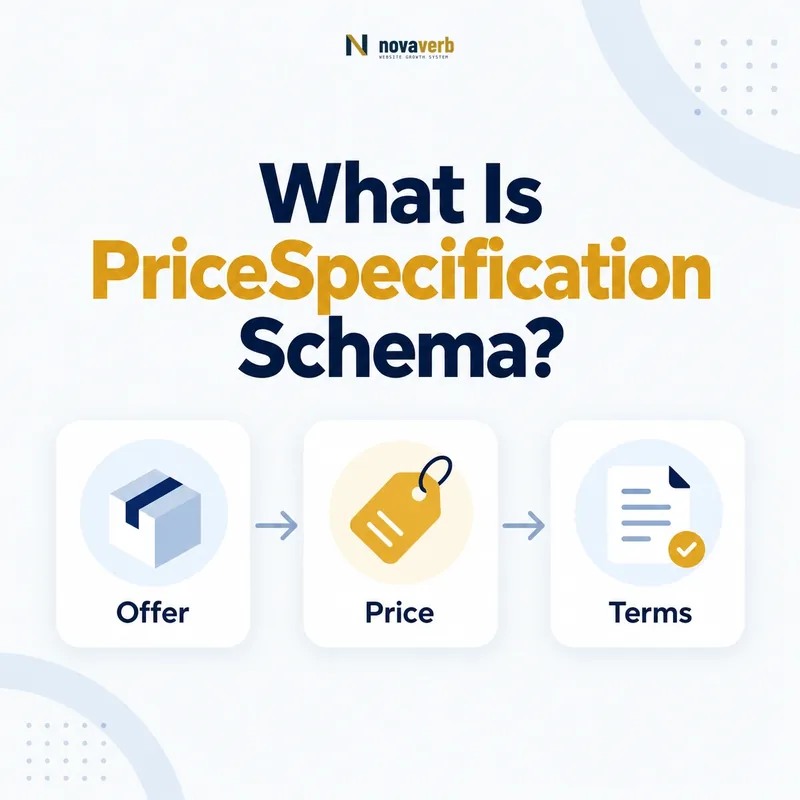
What Is PriceSpecification Schema?
PriceSpecification is a Schema.org type for a structured price or price component. It can carry an amount, currency, validity dates, eligible quantities and transaction volumes, value-added-tax status, membership conditions, and other context that a flat Offer price cannot express alone.
The type does not make pricing more accurate by itself. Every node must describe a price that customers can verify on the page and obtain under the stated conditions. A detailed but disconnected fee, invented unit rate, or stale promotional period is less useful than a simple truthful Offer.
Use PriceSpecification when the meaning of the amount depends on context: a unit price, delivery charge, payment charge, compound total, membership tier, eligible quantity, or validity window. For a straightforward one-time total, placing price and priceCurrency directly on Offer may remain the clearest model.
- Frame the decision raised by What Is PriceSpecification Schema.
- Confirm its value type and the object it describes.
- Compare the markup with visible page information.
- Correct the source data or template without inventing values.
- Validate the rendered result and monitor future changes.
| Question | Answer | Evidence |
|---|---|---|
| What is modeled? | A price or price component | Visible commercial terms |
| Where is it connected? | Usually through an Offer priceSpecification | Same item and seller |
| When is it useful? | When pricing needs structured context | Units, fees, validity, eligibility |
- Model only customer-verifiable pricing.
- Connect the node to the correct Offer.
- Prefer simplicity when details add no meaning.
PriceSpecification is the structured home for contextual pricing, not a reason to manufacture complexity.
When Should You Use PriceSpecification?
Use PriceSpecification when a price requires conditions or component meaning that cannot be communicated accurately by a single Offer price. Common cases include per-unit rates, delivery charges, payment fees, membership pricing, quantity eligibility, and time-limited price rules.
Start from the customer decision. If a shopper sees one final amount and no meaningful breakdown, an Offer price may be sufficient. If the page states “$12 per user per month,” “$25 delivery,” or “$79 for members,” structured context can prevent the number from being misread as an unconditional total.
Do not use the type to hide mandatory costs. Any charge that customers cannot avoid must be presented clearly in the page experience and reflected coherently in the total pricing story. The structured graph should clarify terms, never make a lower partial amount appear to be the complete price.
- Evidence for When Should You Use PriceSpecification: the live structured-data entity and property relationship
- The expected value type and any nested object
- Visible page information that supports the structured value
- Related offer or catalog fields needed for interpretation
- A fresh validation result after the page changes
| Scenario | Likely approach | Decision test |
|---|---|---|
| One-time fixed total | Offer price | No additional context required |
| Per-seat subscription | UnitPriceSpecification | Unit and billing period matter |
| Delivery charge | DeliveryChargeSpecification | Region or method qualifies fee |
| Several components | CompoundPriceSpecification | Relationship between parts is visible |
- Identify what the displayed number means.
- List conditions required to interpret it.
- Choose the simplest supported structure.
Use PriceSpecification only when its context makes the customer-facing price more precise and truthful.
Which PriceSpecification Subtypes Matter?
Important subtypes include UnitPriceSpecification, DeliveryChargeSpecification, PaymentChargeSpecification, and CompoundPriceSpecification. Select the subtype matching the actual commercial role rather than labeling every component as the generic parent type.
UnitPriceSpecification handles pricing tied to a unit or reference quantity. DeliveryChargeSpecification represents delivery-related charges and can carry eligible regions or delivery methods. PaymentChargeSpecification describes a payment-related charge. CompoundPriceSpecification can assemble components when a visible pricing structure truly behaves as a compound price.
Subtype choice is semantic, not cosmetic. A delivery fee represented as a unit rate loses geographic and method context; a subscription rate represented as a generic delivery charge is simply wrong. Read the existing UnitPriceSpecification guide before implementing per-unit pricing.
- Frame the decision raised by Which PriceSpecification Subtypes Matter.
- Confirm its value type and the object it describes.
- Compare the markup with visible page information.
- Correct the source data or template without inventing values.
- Validate the rendered result and monitor future changes.
| Subtype | Primary use | Context to verify |
|---|---|---|
| UnitPriceSpecification | Price per unit or reference quantity | Unit, quantity, billing basis |
| DeliveryChargeSpecification | Delivery fee | Region and method |
| PaymentChargeSpecification | Payment-related fee | Payment method or condition |
| CompoundPriceSpecification | Combined price components | Composition and total |
- Choose by commercial meaning.
- Verify subtype-specific conditions.
- Avoid generic nodes when a precise subtype applies.
The best subtype is the one whose definition matches the charge customers actually encounter.
How Does PriceSpecification Connect to Offer?
Connect PriceSpecification through the Offer’s priceSpecification property so the detailed amount remains attached to the correct item, seller, market, variant, and transaction. The Offer supplies commercial identity; the specification supplies pricing detail.
A Product can have several Offers and each may have different prices or fee structures. Never reuse one specification globally when seller, region, plan, condition, or quantity changes its terms. Connect the item with itemOffered schema and maintain one coherent graph for each purchasable option.
Decide whether a parent Offer price represents the final total or whether specifications alone provide the necessary amounts. If both appear, document their relationship and ensure components do not look like additional totals. Duplicate numbers on unrelated nodes create ambiguity for consumers and auditors.
- Evidence for How Does PriceSpecification Connect to Offer: the live structured-data entity and property relationship
- The expected value type and any nested object
- Visible page information that supports the structured value
- Related offer or catalog fields needed for interpretation
- A fresh validation result after the page changes
| Graph part | Role | Integrity check |
|---|---|---|
| Product or Service | Item being priced | Correct SKU, plan, or service |
| Offer | Seller and transaction terms | Correct market and availability |
| PriceSpecification | Amount with detailed context | Belongs to that Offer |
- Resolve the item and Offer identity.
- Create only applicable specifications.
- Verify totals and components together.
A PriceSpecification has commercial meaning only when its relationship to the exact Offer is preserved.
How Should price and priceCurrency Be Added?
Add price as a clean amount and priceCurrency as the matching currency code on the PriceSpecification. For US pricing, use USD when that is the actual transaction currency; do not place dollar signs or comma separators inside the machine-readable amount.
Our price schema guide covers amount formatting in detail. A visible “$1,299.00” can serialize as price “1299.00” and priceCurrency “USD.” Use decimal-safe storage and a period as the decimal point. Never infer currency solely from the dollar symbol because other currencies share it.
Each component needs its own currency context when required, especially on multi-market pages. Price and currency must update atomically during localization or currency switching. A converted amount with a stale code is a material contradiction even though both fields are individually valid strings.
- Frame the decision raised by How Should price and priceCurrency Be Added.
- Confirm its value type and the object it describes.
- Compare the markup with visible page information.
- Correct the source data or template without inventing values.
- Validate the rendered result and monitor future changes.
| Visible component | price | priceCurrency |
|---|---|---|
| $12.50 per unit | 12.50 | USD |
| $1,299 setup fee | 1299 | USD |
| CA$25 delivery | 25 | CAD |
| Unknown fee | Omit rather than guess | Do not invent |
- Separate amount from currency.
- Use decimal-safe formatting.
- Test every market and cache variant.
Every specification amount needs the correct currency and a format that preserves the visible commercial value.
How Do Validity and Eligibility Conditions Work?
Use validFrom and validThrough for the period in which a PriceSpecification is valid, and supported eligibility properties for quantities, transaction volumes, regions, or membership tiers. Add only conditions that are real and visible to customers.
A price may begin next month while its parent Offer already exists. Another price may apply only to purchases of ten units or to a defined membership tier. Attach each condition to the specification it qualifies instead of making the whole Offer appear restricted when other pricing options remain available.
Read the validFrom guide and validThrough guide for effective-date boundaries. Validate intervals, timezone handling, quantity units, and eligibility source records. Never copy promotional copy into eligibility fields without a documented business rule.
- Evidence for How Do Validity and Eligibility Conditions Work: the live structured-data entity and property relationship
- The expected value type and any nested object
- Visible page information that supports the structured value
- Related offer or catalog fields needed for interpretation
- A fresh validation result after the page changes
| Condition | Purpose | Audit question |
|---|---|---|
| validFrom | Price validity begins | Are terms active too early? |
| validThrough | Price validity ends | Does stale pricing remain? |
| eligibleQuantity | Quantity range applies | Are unit codes and bounds accurate? |
| validForMemberTier | Member tier qualifies | Is public pricing being misrepresented? |
- Name each condition in business language.
- Attach it to the owning price node.
- Test qualifying and non-qualifying transactions.
Pricing conditions are useful only when they explain exactly who can obtain an amount, when, and under which transaction rules.
How Do You Mark Up a PriceSpecification?
Create the Offer, add priceSpecification, select the correct PriceSpecification subtype, and populate only verified amount, currency, validity, unit, and eligibility facts. Render the same information visibly and make checkout honor those terms.
Generate the graph from commerce data rather than duplicating it in SEO fields. The source should preserve Offer ID, specification ID, subtype, amount, currency, unit, conditions, dates, and market. Templates should omit absent values rather than turning null into zero or a default date.
{
 "@context":"https://schema.org",
 "@type":"Offer",
 "itemOffered":{"@type":"Service","name":"SEO Reporting Seat"},
 "priceSpecification":{"@type":"UnitPriceSpecification","price":"29.00","priceCurrency":"USD","unitText":"MONTH"}
}- Evidence for How Do You Mark Up a PriceSpecification: the live structured-data entity and property relationship
- The expected value type and any nested object
- Visible page information that supports the structured value
- Related offer or catalog fields needed for interpretation
- A fresh validation result after the page changes
| Layer | Required truth | Test |
|---|---|---|
| Commerce source | Approved component and conditions | Compare source record |
| Visible page | Same amount, unit, and eligibility | Read selected offer |
| Checkout | Customer receives stated terms | Run qualifying path |
| JSON-LD | Same Offer and specification | Parse rendered HTML |
- Resolve the exact Offer and component.
- Serialize the narrowest truthful subtype.
- Verify page, checkout, and markup together.
A correct PriceSpecification is a verifiable extension of the live Offer, not a parallel SEO-only price model.
What PriceSpecification Mistakes Are Common?
Common errors include modeling a partial fee as the total, attaching a component to the wrong Offer, duplicating amounts, using the wrong subtype, omitting currency or units, publishing member pricing publicly, and leaving expired specifications in cached markup.
Complex graphs can conceal simple commercial contradictions. A delivery charge may belong only to Alaska but appear on every US Offer. A per-month amount may omit its billing period and look like a one-time total. A compound specification may sum parts differently from checkout. Syntax validation cannot prove any of these relationships.
Test real paths and edge cases: zero-priced trials, minimum quantities, member tiers, regional shipping, taxes, coupons, subscription renewal, sold-out variants, date transitions, and cache refreshes. Missing optional detail is generally less harmful than a confident but false amount.
- Frame the decision raised by What PriceSpecification Mistakes Are Common.
- Confirm its value type and the object it describes.
- Compare the markup with visible page information.
- Correct the source data or template without inventing values.
- Validate the rendered result and monitor future changes.
| Mistake | Consequence | Correction |
|---|---|---|
| Component shown as total | Price appears artificially low | Clarify total and breakdown |
| Wrong Offer | Conditions apply to another item | Preserve IDs and relationships |
| Missing unit | Recurring or per-unit price misread | Add verified unit context |
| Stale validity | Expired terms remain crawlable | Update source and caches atomically |
- Validate commercial meaning, not only syntax.
- Compare totals with checkout.
- Re-crawl after pricing changes.
Prevent specification errors by verifying every component, condition, and relationship against what a customer can actually buy.