
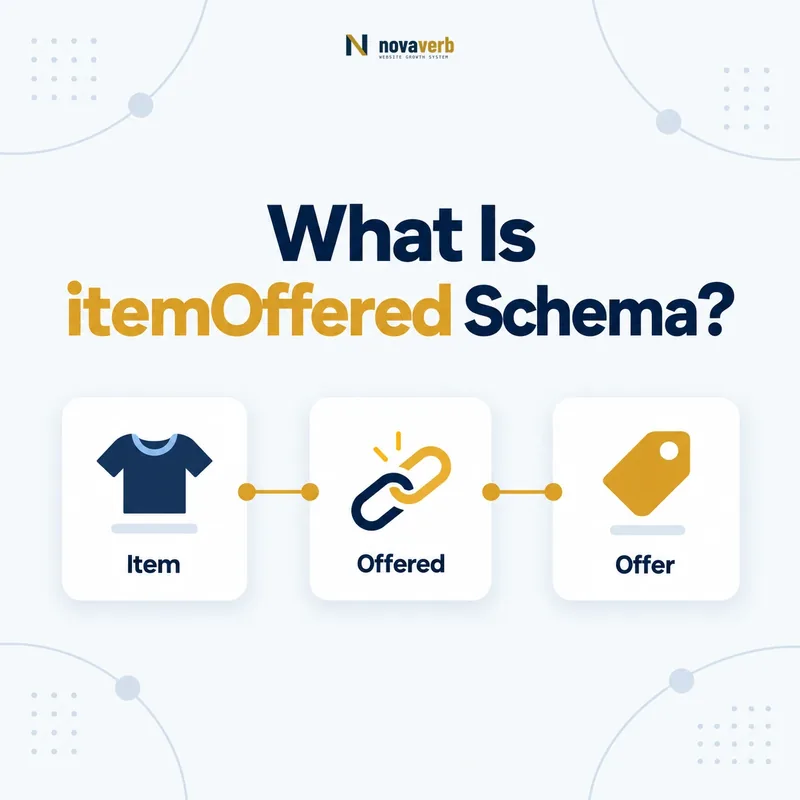
What Is itemOffered Schema?
The itemOffered schema property identifies the item being offered or demanded, connecting an Offer or Demand to a Product, Service, Event, CreativeWork, MenuItem, Trip or AggregateOffer.
It answers what the transaction is about. The Offer carries price, currency, availability, seller and eligibility terms; itemOffered points to the thing those terms apply to. Without a clear item relationship, commercial data can become detached from the product or service visitors see.
The property is the inverse of offers. It also works on Demand, where it identifies the item being sought. The transaction’s businessFunction can clarify whether the rights involve selling, leasing, repairing or another commercial function.
- Frame the decision raised by What Is itemOffered Schema.
- Confirm its value type and the object it describes.
- Compare the markup with visible page information.
- Correct the source data or template without inventing values.
- Validate the rendered result and monitor future changes.
| Element | Role | Example |
|---|---|---|
| Offer | Commercial terms | $99 monthly subscription |
| itemOffered | Connects terms to item | SEO monitoring Service |
| Demand | Request for an item | Buyer seeking consulting |
| businessFunction | Nature of transaction | Sell, lease or repair |
| seller | Merchant making Offer | Software Organization |
- Attach terms to the correct item.
- Use Offer or Demand as the parent.
- Keep item facts separate from transaction facts.
itemOffered is the bridge that gives every Offer or Demand a specific commercial subject.
Where Is itemOffered Allowed?
Use itemOffered on Offer or Demand, with AggregateOffer, CreativeWork, Event, MenuItem, Product, Service or Trip as common expected values.
Schema.org notes that other types may be used when appropriate, and a second type such as Product can clarify an item’s nature. The key is a real item connected to a transaction, not a WebPage or Organization inserted because it owns the page.
Do not place itemOffered directly on Product or Service. Those entities can point outward through offers, while Offer points back through itemOffered. Pick one consistent graph direction or use stable @id references to express both without duplicating entities.
- Evidence for Where Is itemOffered Allowed: the live structured-data entity and property relationship
- The expected value type and any nested object
- Visible page information that supports the structured value
- Related offer or catalog fields needed for interpretation
- A fresh validation result after the page changes
| Parent | Value | Meaning |
|---|---|---|
| Offer | Product | Product available under terms |
| Offer | Service | Service available under terms |
| Offer | Event | Ticket/access being offered |
| Demand | Product or Service | Item being sought |
| Product | itemOffered | Wrong direction |
- Identify Offer or Demand.
- Identify the exact item.
- Select its accurate type.
- Connect them with stable identity.
Correct placement keeps the transaction node and the item node distinct but explicitly connected.
How Is itemOffered Different From offers?
itemOffered points from Offer or Demand to the item, while offers points from an item such as Product or Service to its Offer or Demand; they are inverse relationships.
Product → offers → Offer starts from the product page entity. Offer → itemOffered → Product starts from the commercial terms. Both can describe the same graph when they reuse the same identifiers. Duplicating separate Product nodes in each direction creates identity drift.
Choose the direction that fits the page’s primary entity and CMS model. If Product owns pricing data, offers may be natural. In a marketplace feed built around offers, itemOffered may be easier. Accuracy matters more than emitting both directions.
- Frame the decision raised by How Is itemOffered Different From offers.
- Confirm its value type and the object it describes.
- Compare the markup with visible page information.
- Correct the source data or template without inventing values.
- Validate the rendered result and monitor future changes.
| Direction | Starts at | Ends at |
|---|---|---|
| Product → offers | Product | Offer |
| Service → offers | Service | Offer |
| Offer → itemOffered | Offer | Product/Service/etc. |
| Demand → itemOffered | Demand | Requested item |
- Use one canonical item identity.
- Avoid duplicate nodes for inverse directions.
- Choose the relationship your source data can maintain.
offers and itemOffered express the same connection from opposite sides of the commercial graph.
How Do You Connect an Offer to a Product?
Connect an Offer to a Product by placing or referencing the Product under itemOffered, then keep product identity and features on Product while price, availability and seller remain on Offer.
A stable Product @id lets multiple seller-specific offers refer to one product without repeating names, images and identifiers differently. The Offer should contain the live transaction facts that belong to its merchant and region.
{
  "@type": "Offer",
  "price": "149.00",
  "priceCurrency": "USD",
  "availability": "https://schema.org/InStock",
  "itemOffered": {
    "@type": "Product",
    "@id": "https://example.com/product/seo-suite#product",
    "name": "SEO Software Suite"
  }
}
Do not put Offer price on Product when multiple offers differ. Keep merchant-specific terms with their Offer and product-level facts with the item.
- Evidence for How Do You Connect an Offer to a Product: the live structured-data entity and property relationship
- The expected value type and any nested object
- Visible page information that supports the structured value
- Related offer or catalog fields needed for interpretation
- A fresh validation result after the page changes
| Fact | Entity | Reason |
|---|---|---|
| Product name/model | Product | Intrinsic identity |
| Price and currency | Offer | Transaction-specific |
| Availability | Offer | Merchant/time-specific |
| Seller | Offer | Merchant-specific |
- Create canonical Product identity.
- Create the merchant Offer.
- Reference Product through itemOffered.
- Verify live page terms.
A clean Product relationship keeps item identity stable while allowing each Offer to carry its own terms.
How Do You Connect an Offer to a Service?
Connect an Offer to a Service by using the Service as itemOffered, keeping serviceType, provider and areaServed on Service while commercial terms and seller remain on Offer.
This distinction is important for software subscriptions, consulting packages and local services. A Service explains the work or access provided. Its Offer explains the price, eligibility and availability for a specific transaction.
When seller and provider differ, model both roles. Use the provider guide for fulfillment and the seller guide for merchant identity.
- Frame the decision raised by How Do You Connect an Offer to a Service.
- Confirm its value type and the object it describes.
- Compare the markup with visible page information.
- Correct the source data or template without inventing values.
- Validate the rendered result and monitor future changes.
| Service-side fact | Offer-side fact | Example |
|---|---|---|
| serviceType | price | Technical audit at $2,500 |
| provider | seller | Agency provides; platform sells |
| areaServed | eligibleRegion | Coverage versus offer eligibility |
| audience | eligibleCustomerType | Intended group versus offer rule |
- Model service meaning separately.
- Keep commercial terms on Offer.
- Preserve different seller and provider identities.
itemOffered connects the purchasable terms to the Service without collapsing delivery and transaction roles.
How Does itemOffered Work for Events, Trips and CreativeWork?
itemOffered can connect an Offer to Event admission, a Trip, a CreativeWork or a MenuItem when those are the actual things made available under the Offer.
An event-ticket Offer points to Event; a tour package can point to Trip; a paid download or access offer can point to CreativeWork; and a restaurant Offer can point to MenuItem. The connected item should contain its own descriptive facts.
Do not connect an event ticket to the venue when the admission is for Event, or a paid article subscription to WebPage when CreativeWork represents the content. Identify what rights or access the buyer receives.
- Evidence for How Does itemOffered Work for Events, Trips and CreativeWork: the live structured-data entity and property relationship
- The expected value type and any nested object
- Visible page information that supports the structured value
- Related offer or catalog fields needed for interpretation
- A fresh validation result after the page changes
| Commercial item | itemOffered type | Keep on item |
|---|---|---|
| Conference ticket | Event | Date, location, organizer |
| Guided tour | Trip | Itinerary and provider |
| Digital publication | CreativeWork | Title, author, format |
| Restaurant dish | MenuItem | Name and nutrition |
- Define what the buyer receives.
- Choose the closest supported item type.
- Keep intrinsic facts on the item.
- Keep transaction facts on Offer.
The item type should represent the actual right, access or service transferred by the Offer.
Can One Item Have Multiple Offers?
One item can have multiple Offers for different sellers, prices, regions, conditions or availability, and each Offer should reference the same canonical item through itemOffered.
A marketplace product may have one Offer per merchant. A SaaS Service can have monthly and annual Offers. An Event can have standard and VIP ticket Offers. Separate transaction nodes prevent one price or seller from being incorrectly applied to every option.
AggregateOffer can summarize multiple Offers, but it should not erase the underlying relationship to the item. Reuse stable @id values for the Product, Service or Event.
- Frame the decision raised by Can One Item Have Multiple Offers.
- Confirm its value type and the object it describes.
- Compare the markup with visible page information.
- Correct the source data or template without inventing values.
- Validate the rendered result and monitor future changes.
| Variation | Structure | Reason |
|---|---|---|
| Different sellers | Offer per seller | Merchant-specific terms |
| Monthly vs annual | Separate Offers | Different billing terms |
| Ticket tiers | Offer per tier | Different price/access |
| Price range summary | AggregateOffer | Summarizes multiple offers |
- Reuse one canonical item.
- Split Offers when terms differ.
- Keep each seller, price and availability aligned.
Multiple Offers are accurate when they vary transaction terms while still pointing to the same clearly identified item.
What itemOffered Mistakes Are Common?
Common itemOffered mistakes include pointing to the page or seller instead of the item, using the wrong item type, duplicating item identities, attaching stale Offers and mixing product facts with merchant-specific terms.
A validator can accept Product while the page actually sells a Service. Semantic review must identify what the buyer receives. Feed systems can also create a new Product node for each seller, fragmenting one item across many IDs.
Another failure is a generic Organization used as itemOffered because the organization owns the page. The seller is a transaction participant; it is not the item unless the transaction truly concerns ownership of that organization.
- Evidence for What itemOffered Mistakes Are Common: the live structured-data entity and property relationship
- The expected value type and any nested object
- Visible page information that supports the structured value
- Related offer or catalog fields needed for interpretation
- A fresh validation result after the page changes
| Mistake | Impact | Repair |
|---|---|---|
| WebPage as item | Transaction subject unclear | Use Product/Service/etc. |
| Seller used as item | Roles confused | Keep seller on Offer |
| Product used for a service | Wrong commercial type | Use Service or dual typing if justified |
| Duplicate item per Offer | Fragmented identity | Reuse canonical @id |
| Expired Offer retained | Stale transaction | Sync live availability |
- Identify what the buyer receives.
- Verify the item type.
- Resolve canonical identity.
- Remove stale transaction relationships.
itemOffered succeeds when every commercial term points to the right current item and identity.