
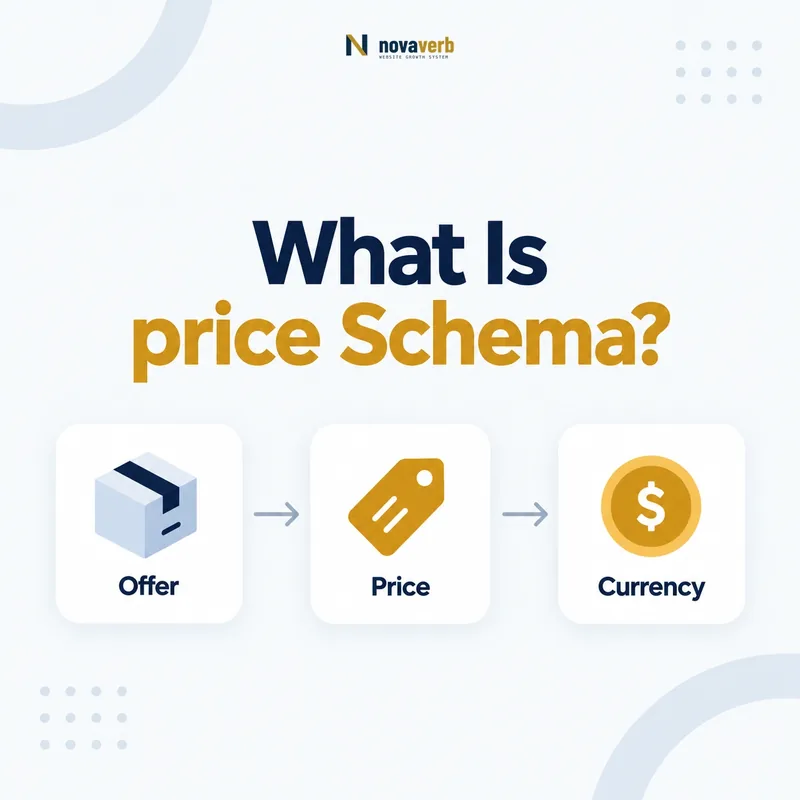
What Is price Schema?
price is the Schema.org property for the offer price of a product or for a price component when it appears on PriceSpecification or a subtype. It accepts Number or Text, but the published value should represent the exact visible amount without a currency symbol or thousands separator.
Price is a commercial claim, not decorative metadata. The value must describe the same Offer, item, seller, quantity, market, and purchasing conditions shown to a customer. A syntactically valid amount can still be wrong if it comes from another variant, excludes mandatory charges presented as part of the price, or remains cached after checkout changes.
Use price only when a definite amount is truthful for the marked entity. “Contact us,” “from $99,” ranges, subscriptions, and unit pricing require careful modeling rather than forcing one convenient number into the field. The goal is an unambiguous relationship between an amount and the terms it qualifies.
- Frame the decision raised by What Is price Schema.
- Confirm its value type and the object it describes.
- Compare the markup with visible page information.
- Correct the source data or template without inventing values.
- Validate the rendered result and monitor future changes.
| Element | Meaning | Evidence |
|---|---|---|
| price | Offer amount or price component | Visible purchasable amount |
| priceCurrency | Currency of that amount | Market and checkout currency |
| Offer identity | Terms the amount belongs to | Variant, seller, quantity, plan |
- Publish the amount customers actually see.
- Keep currency and Offer identity attached.
- Omit unsupported precision or guessed prices.
Price schema is accurate only when the numeric value and the commercial terms around it describe one real customer offer.
Where Can You Use the price Property?
Schema.org lists price on Offer, PriceSpecification, DonateAction, and TradeAction. Commercial product and service pages usually place the total offer price on Offer or a component amount on PriceSpecification and its subtypes.
Placement determines scope. A price on Offer generally describes that Offer. A price on UnitPriceSpecification can describe an amount per unit, while other price specifications can separate delivery, payment, or compound components. Do not duplicate the same amount across parent and child nodes unless each occurrence truthfully describes its own role.
Connect the Offer to the correct item with itemOffered schema, and keep seller identity explicit where multiple merchants appear. One page may need separate Offers when plan, seller, region, condition, or variant changes the amount. A single global price can misrepresent every option except the default.
- Evidence for Where Can You Use the price Property: the live structured-data entity and property relationship
- The expected value type and any nested object
- Visible page information that supports the structured value
- Related offer or catalog fields needed for interpretation
- A fresh validation result after the page changes
| Type | Price role | Main risk |
|---|---|---|
| Offer | Total offer amount | Wrong variant or seller |
| PriceSpecification | Detailed price or component | Double counting parent value |
| DonateAction | Amount associated with donation action | Inventing a fixed donation |
| TradeAction | Amount tied to transaction action | Missing transactional context |
- Identify what the amount prices.
- Select the supported owning node.
- Preserve variant and seller relationships.
Place price on the supported node that owns the exact amount, not whichever node makes implementation easiest.
How Should You Format a Schema Price?
Format price with digits and a period as the decimal point, without embedding a currency symbol or readability separator. Pair the amount with priceCurrency rather than placing “$,” “USD,” commas, or localized display text inside price.
A US page may visually display “$1,299.00,” while its machine-readable price is “1299.00” and priceCurrency is “USD.” Keep localized presentation separate from serialization. Non-ASCII lookalike digits, commas used as decimal marks, and strings such as “Only $99!” create ambiguity even when users understand them.
Preserve meaningful decimal precision from the commerce source. Do not convert cents through floating-point arithmetic that can emit rounding artifacts. Store money in a decimal-safe representation, format it deterministically, and compare the final rendered value with cart or checkout output.
- Frame the decision raised by How Should You Format a Schema Price.
- Confirm its value type and the object it describes.
- Compare the markup with visible page information.
- Correct the source data or template without inventing values.
- Validate the rendered result and monitor future changes.
| Visible text | price | priceCurrency |
|---|---|---|
| $79 | 79 | USD |
| $1,299.00 | 1299.00 | USD |
| €49.95 | 49.95 | EUR |
| From $99 | Do not assume one exact Offer | Model applicable terms |
- Use a period for decimal separation.
- Remove currency symbols and thousands separators.
- Validate decimal-safe output after rendering.
A clean schema price is a precise amount, while currency and human formatting remain in their own fields and presentation layer.
How Do price and priceCurrency Work Together?
price states the amount and priceCurrency states its currency. Publish them together on the same Offer or applicable PriceSpecification so the amount is not ambiguous across USD, CAD, EUR, and other markets.
The dollar symbol alone is insufficient because several currencies use it. For US offers, use USD when that is the actual checkout currency. Do not infer currency from the visitor’s IP after server rendering if cached HTML can be served to another market. Either vary the cache correctly or create market-specific canonical Offer representations.
Currency conversions must come from the commerce system, not from an SEO template calculation. If a page lets users switch currencies, inspect the initial crawlable state and every server-rendered locale. Price and currency must change atomically; a new amount paired with the previous currency is a material false claim.
- Evidence for How Do price and priceCurrency Work Together: the live structured-data entity and property relationship
- The expected value type and any nested object
- Visible page information that supports the structured value
- Related offer or catalog fields needed for interpretation
- A fresh validation result after the page changes
| Scenario | Correct pair | Failure |
|---|---|---|
| US checkout | 129.00 + USD | 129.00 with no currency |
| Canadian checkout | 175.00 + CAD | $175 assumed to be USD |
| Currency switch | Amount and code update together | Converted amount with stale code |
- Read amount and currency from one offer record.
- Serialize both on the same node.
- Test every crawlable market and cache key.
Never publish a price without the currency context required to interpret that exact Offer amount.
When Should Price Go on Offer or PriceSpecification?
Put a straightforward total amount on Offer; use PriceSpecification when the page truthfully describes a detailed price, unit rate, delivery charge, payment charge, or compound structure that needs its own node and context.
A PriceSpecification is not automatically better because it is more complex. For a simple product sold for $49, a clear Offer price may be enough. For $20 per month, $5 per pound, a base price plus mandatory delivery, or tiered components, a suitable specification can preserve the meaning that one flat number would lose.
Prevent double counting in downstream systems by documenting whether parent Offer price is a total and child values are components. Each component needs its own currency, eligible quantity or unit context where relevant, and visible support. Do not invent granular breakdowns that shoppers cannot verify.
- Frame the decision raised by When Should Price Go on Offer or PriceSpecification.
- Confirm its value type and the object it describes.
- Compare the markup with visible page information.
- Correct the source data or template without inventing values.
- Validate the rendered result and monitor future changes.
| Pricing case | Likely home | Modeling question |
|---|---|---|
| Single total | Offer | Is this the purchasable total? |
| Unit rate | UnitPriceSpecification | Which unit and quantity apply? |
| Delivery component | DeliveryChargeSpecification | Is it mandatory and region-specific? |
| Compound pricing | CompoundPriceSpecification | How do components form the total? |
- Prefer the simplest truthful model.
- Separate components only when supported by the page.
- Document totals versus components.
Choose Offer for a clear total and PriceSpecification for pricing details whose meaning depends on their own structured context.
How Should Sale Prices and Deadlines Be Marked Up?
Mark up the currently applicable sale amount as the Offer price, keep the visible regular and sale presentation honest, and use priceValidUntil when a real Date exists after which that price is no longer available.
A deadline describes the price, not necessarily the Offer or product availability. When a $99 promotion ends and the item remains purchasable for $129, update price while keeping the Offer active. Read the existing priceValidUntil guide and validThrough guide before selecting an end property.
Countdowns, coupon requirements, member restrictions, and strike-through prices must match the marked Offer. Do not expose a public sale price that only logged-in members can obtain, or continue a stale deadline to manufacture urgency. At expiration, invalidate caches and update the amount, visible copy, and checkout together.
- Evidence for How Should Sale Prices and Deadlines Be Marked Up: the live structured-data entity and property relationship
- The expected value type and any nested object
- Visible page information that supports the structured value
- Related offer or catalog fields needed for interpretation
- A fresh validation result after the page changes
| Fact | Property or layer | After deadline |
|---|---|---|
| Current purchasable amount | price | Update to new truthful amount |
| Currency | priceCurrency | Keep paired with amount |
| Price deadline | priceValidUntil | Remove or replace as appropriate |
| Offer validity | validThrough if applicable | Do not infer from price alone |
- Confirm who qualifies for the sale.
- Publish the currently obtainable amount and deadline.
- Test the complete transition after expiry.
Sale markup succeeds when the advertised price, eligibility, deadline, and checkout outcome remain one coherent promise.
Can You Use Zero, Free, Ranges, or Starting Prices?
Use zero only when the exact Offer is genuinely free, and do not collapse ranges or “starting at” prices into a universal fixed amount. Model distinct Offers, an AggregateOffer, or suitable price specifications when the page truth supports them.
A free trial is not automatically a zero-priced paid plan. The trial may have duration, eligibility, renewal, or payment requirements that make it a separate Offer. Similarly, “from $49” means at least one qualifying option costs $49; it does not prove every visitor can buy the displayed configuration for that amount.
For ranges, verify which variants establish low and high amounts and whether they are currently purchasable. Avoid publishing a low price from an unavailable SKU solely to attract clicks. Keep availability, item identity, and pricing synchronized for each offer.
- Frame the decision raised by Can You Use Zero, Free, Ranges, or Starting Prices.
- Confirm its value type and the object it describes.
- Compare the markup with visible page information.
- Correct the source data or template without inventing values.
- Validate the rendered result and monitor future changes.
| Presentation | Safe interpretation | Risk |
|---|---|---|
| Free | Exact Offer price is 0 | Trial confused with paid plan |
| From $49 | At least one eligible Offer is $49 | Unavailable teaser option |
| $49–$99 | Verified range across Offers | Mixed sellers or conditions |
| Contact for price | No known public exact amount | Invented placeholder price |
- Model trials and paid plans separately.
- Verify the lowest-priced option is obtainable.
- Never convert unknown pricing to zero.
Zero, ranges, and starting prices require offer-level evidence; attractive shorthand must never replace the actual commercial terms.
What Price Schema Mistakes Are Common?
Common price schema errors include currency symbols inside price, comma separators, mismatched currencies, stale sale amounts, wrong variants, member-only prices shown as public, zero used for unknown values, and component prices presented as totals.
Multi-offer templates are especially risky. A page may show the selected variant but serialize the first database row, or use a minimum price from an out-of-stock seller. Client-side price changes can also leave server-rendered JSON-LD behind. Syntax validation will not reveal these commercial contradictions.
Test actual customer paths. Compare list display, selected variant, cart, checkout, source record, and rendered markup. Include coupons, taxes, mandatory fees, regional currencies, subscriptions, sold-out options, cache changes, and delayed feed updates in regression samples.
- Evidence for What Price Schema Mistakes Are Common: the live structured-data entity and property relationship
- The expected value type and any nested object
- Visible page information that supports the structured value
- Related offer or catalog fields needed for interpretation
- A fresh validation result after the page changes
| Mistake | Customer consequence | Fix |
|---|---|---|
| $1,299 in price | Ambiguous machine value | 1299 plus USD |
| Wrong variant | Landing price cannot be purchased | Bind Offer to selected item |
| Stale sale | Markup promises expired amount | Atomic cache and feed update |
| Component as total | Mandatory cost omitted | Clarify pricing structure |
- Validate semantic ownership.
- Compare markup with checkout.
- Re-crawl after price changes.
Price quality is proven by purchasability and consistency, not by whether a validator accepts the number.