
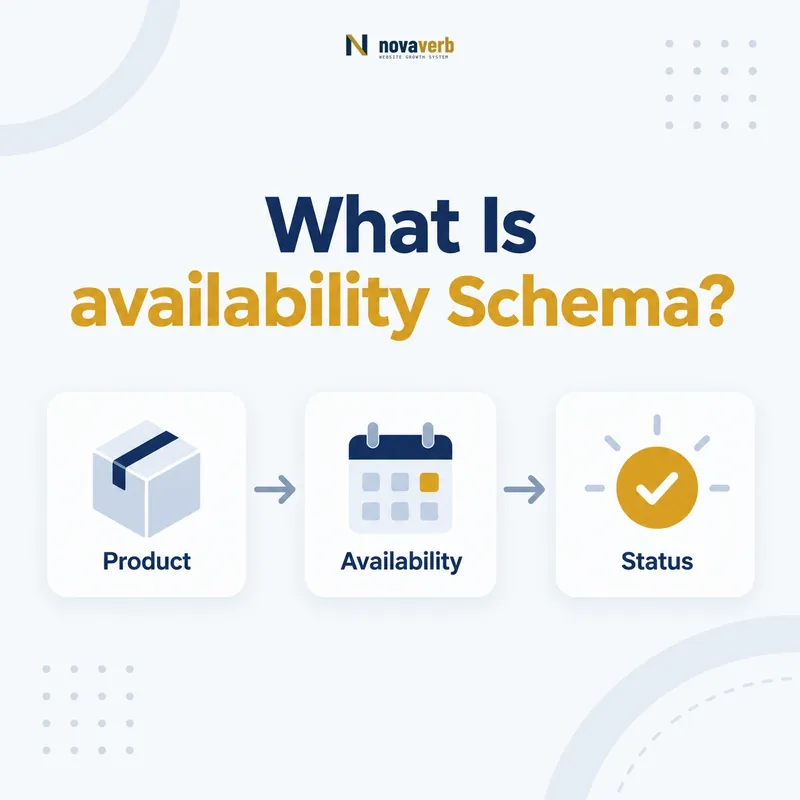
What Is availability Schema?
The availability schema property states whether the item in an Offer or Demand is available, using an ItemAvailability value such as InStock, OutOfStock, PreOrder or BackOrder.
It converts live commerce status into a standardized value. On a product Offer, it can state that inventory is ready to purchase. On a service Offer, it can represent whether enrollment or booking is currently available when the page’s commerce system supports that meaning.
availability belongs on Offer or Demand, not directly on Product, Service or WebPage. The Offer connects to the item through itemOffered or the item connects to its Offer through offers. Status should match visible text, checkout behavior and the current inventory source.
- Frame the decision raised by What Is availability Schema.
- Confirm its value type and the object it describes.
- Compare the markup with visible page information.
- Correct the source data or template without inventing values.
- Validate the rendered result and monitor future changes.
| Element | Role | Example |
|---|---|---|
| availability | States item availability | InStock |
| ItemAvailability | Controlled enumeration | OutOfStock, PreOrder |
| Offer | Commercial terms | Price and seller |
| itemOffered | Connects status to item | Product or Service |
| inventory source | Operational truth | Current stock system |
- Use an ItemAvailability value.
- Place it on Offer or Demand.
- Sync it with the live purchasing state.
availability is trustworthy only when structured status and real customer access agree.
Where Is availability Allowed?
Use availability on Offer or Demand; its value must be an ItemAvailability enumeration member.
Product pages usually nest availability inside Product.offers. Service pages can use an Offer connected to Service. Demand uses availability from the requester’s perspective when relevant. Direct placement on Product is a common structural mistake.
Keep status at the same granularity as price and seller. A marketplace item with three merchants can have one InStock Offer, one OutOfStock Offer and one PreOrder Offer. A single product-level state would erase merchant differences.
- Evidence for Where Is availability Allowed: the live structured-data entity and property relationship
- The expected value type and any nested object
- Visible page information that supports the structured value
- Related offer or catalog fields needed for interpretation
- A fresh validation result after the page changes
| Placement | Meaning | Decision |
|---|---|---|
| Offer.availability | Availability under one offer | Correct |
| Demand.availability | Availability in demand context | Supported |
| Product.availability | Status directly on item | Move to Offer |
| Service.availability | Status directly on service | Use Service Offer |
- Identify the Offer or Demand.
- Identify its item and seller.
- Read current status from the source.
- Emit the matching enumeration value.
Offer-level placement preserves seller, price and availability as one coherent transaction.
Which ItemAvailability Value Should You Use?
Choose the ItemAvailability member that matches the customer’s current purchase state: InStock, OutOfStock, BackOrder, PreOrder, PreSale, LimitedAvailability, MadeToOrder, OnlineOnly, InStoreOnly, Reserved, SoldOut or Discontinued.
The label should reflect operational meaning, not a marketing preference. BackOrder means the customer can order while fulfillment is delayed. PreOrder applies before general release. PreSale indicates availability in advance of general sale. MadeToOrder means production begins after order.
Document a deterministic mapping from commerce states to Schema.org values. Ambiguous source labels such as “available soon” should be clarified rather than guessed.
- Frame the decision raised by Which ItemAvailability Value Should You Use.
- Confirm its value type and the object it describes.
- Compare the markup with visible page information.
- Correct the source data or template without inventing values.
- Validate the rendered result and monitor future changes.
| Store state | Schema value | Customer meaning |
|---|---|---|
| Ready to purchase | InStock | Available now |
| Cannot purchase now | OutOfStock | Temporarily unavailable |
| Order accepted, delayed | BackOrder | Fulfillment later |
| Order before release | PreOrder | Future item reserved |
| No longer offered | Discontinued | Permanent end |
- Map each source state explicitly.
- Distinguish temporary and permanent unavailability.
- Test what checkout actually permits.
The correct availability value is the one that describes what a customer can do right now.
What Is the Difference Between OutOfStock, SoldOut and Discontinued?
Use OutOfStock for temporary absence, SoldOut when all available units or capacity are gone, and Discontinued when the item or offer is no longer provided.
These states have different customer implications. OutOfStock may return. SoldOut is common for finite events or releases whose inventory has been consumed. Discontinued indicates a permanent end and should not be used merely because today’s stock count is zero.
Preserve pages appropriately for users and internal links, but keep the Offer status accurate. Do not leave InStock on a discontinued product to maintain perceived freshness.
- Evidence for What Is the Difference Between OutOfStock, SoldOut and Discontinued: the live structured-data entity and property relationship
- The expected value type and any nested object
- Visible page information that supports the structured value
- Related offer or catalog fields needed for interpretation
- A fresh validation result after the page changes
| Status | Expected duration | Typical action |
|---|---|---|
| OutOfStock | Potentially temporary | Restock alert or alternative |
| SoldOut | Inventory/capacity exhausted | Waitlist or next event |
| Discontinued | Permanent | Replacement or archive |
| Reserved | Held for someone | Unavailable while reserved |
- Check whether replenishment is possible.
- Check whether finite inventory is exhausted.
- Check whether the offer has ended permanently.
- Select the status matching that operational fact.
Temporary absence, exhausted capacity and permanent discontinuation must not share one generic unavailable state.
How Do PreOrder, PreSale and BackOrder Differ?
PreOrder accepts orders before general release, PreSale indicates advance sale availability, and BackOrder accepts orders for an item normally sold but currently awaiting replenishment or fulfillment.
The terms can overlap in commerce systems, so use the page’s operational policy. A new device ordered before launch is usually PreOrder. Early ticket access can be PreSale. A standard product temporarily unavailable but orderable for later shipment is BackOrder.
Use availabilityStarts or other supported dates when they accurately communicate timing, but never invent release or restock dates. Visible customer messaging should match the structured status.
- Frame the decision raised by How Do PreOrder, PreSale and BackOrder Differ.
- Confirm its value type and the object it describes.
- Compare the markup with visible page information.
- Correct the source data or template without inventing values.
- Validate the rendered result and monitor future changes.
| Status | Lifecycle | Key evidence |
|---|---|---|
| PreOrder | Before release | Order accepted before launch |
| PreSale | Advance sale period | Early purchase window |
| BackOrder | After normal availability | Delayed replenishment |
| OutOfStock | Unavailable now | Orders not accepted |
- Identify the item lifecycle stage.
- Confirm whether orders are accepted.
- Keep dates and messaging synchronized.
PreOrder, PreSale and BackOrder communicate different reasons why immediate fulfillment is not available.
How Do You Add availability to JSON-LD?
Add availability as the canonical ItemAvailability URL inside an Offer, alongside the price, currency, seller and item relationship that share the same transaction state.
{
  "@type": "Offer",
  "price": "99.00",
  "priceCurrency": "USD",
  "availability": "https://schema.org/InStock",
  "seller": {
    "@type": "Organization",
    "name": "Example Software Company"
  },
  "itemOffered": {
    "@type": "Service",
    "name": "SEO Monitoring Plan"
  }
}
Do not use free text such as “yes,” “available” or “ships today.” Use the enumeration URL. The itemOffered guide explains item identity, and the seller guide covers merchant identity.
- Evidence for How Do You Add availability to JSON-LD: the live structured-data entity and property relationship
- The expected value type and any nested object
- Visible page information that supports the structured value
- Related offer or catalog fields needed for interpretation
- A fresh validation result after the page changes
| Offer field | Source | Consistency check |
|---|---|---|
| availability | Inventory/booking state | Checkout permits same action |
| price | Current offer price | Visible amount matches |
| priceCurrency | Market currency | Displayed currency matches |
| seller | Merchant record | Sold-by identity matches |
- Read live inventory status.
- Map it to ItemAvailability.
- Emit the canonical URL.
- Validate the full Offer.
Availability JSON-LD is reliable only when every surrounding Offer fact belongs to the same seller and item.
How Should Marketplace and Variant Availability Work?
For marketplaces and variants, assign availability at the individual Offer level so each seller, size, color, plan or location keeps its own current status.
One product can have several Offers. A size-medium variant may be InStock while size-large is OutOfStock. A marketplace seller may have inventory while another does not. An AggregateOffer summary should not replace offer-level truth when detailed offers are published.
Use stable identifiers for variants and sellers. Do not inherit the parent product’s most favorable status across all combinations.
- Frame the decision raised by How Should Marketplace and Variant Availability Work.
- Confirm its value type and the object it describes.
- Compare the markup with visible page information.
- Correct the source data or template without inventing values.
- Validate the rendered result and monitor future changes.
| Dimension | Status scope | Risk if merged |
|---|---|---|
| Seller | Seller-specific Offer | Wrong merchant availability |
| Size/color | Variant Offer | Unavailable variant appears purchasable |
| Store location | Location Offer | Pickup mismatch |
| Subscription plan | Plan Offer | Closed plan appears open |
- Keep status at transaction granularity.
- Do not propagate a best-case status.
- Reconcile parent summaries with child Offers.
Marketplace and variant availability must follow each exact Offer, not the product’s most convenient overall status.
What availability Schema Mistakes Are Common?
Common availability mistakes include placing it on Product, using free text, leaving InStock after inventory changes, applying one status to all sellers or variants, confusing BackOrder with PreOrder and keeping expired Offers active.
Fast-changing status exposes cache and feed problems. The CMS may show OutOfStock while cached JSON-LD still says InStock. Client-rendered checkout widgets may update before server-side structured data. Audit the response users actually receive.
Do not choose a more attractive state to improve CTR. Availability is an operational claim. Incorrect status can send buyers into failed checkout flows and undermine trust.
- Evidence for What availability Schema Mistakes Are Common: the live structured-data entity and property relationship
- The expected value type and any nested object
- Visible page information that supports the structured value
- Related offer or catalog fields needed for interpretation
- A fresh validation result after the page changes
| Mistake | Impact | Repair |
|---|---|---|
| availability on Product | Wrong subject | Move to Offer |
| Text “available” | Wrong value | Use ItemAvailability URL |
| Stale InStock cache | Failed purchase | Invalidate on inventory change |
| One status for variants | False variant availability | Map Offer-level state |
| PreOrder used for restock | Wrong lifecycle | Use BackOrder when appropriate |
- Check property placement.
- Validate enumeration URLs.
- Compare stock, page and checkout.
- Trace repeated defects to feed/cache.
Availability errors are commerce failures, not cosmetic schema warnings.