
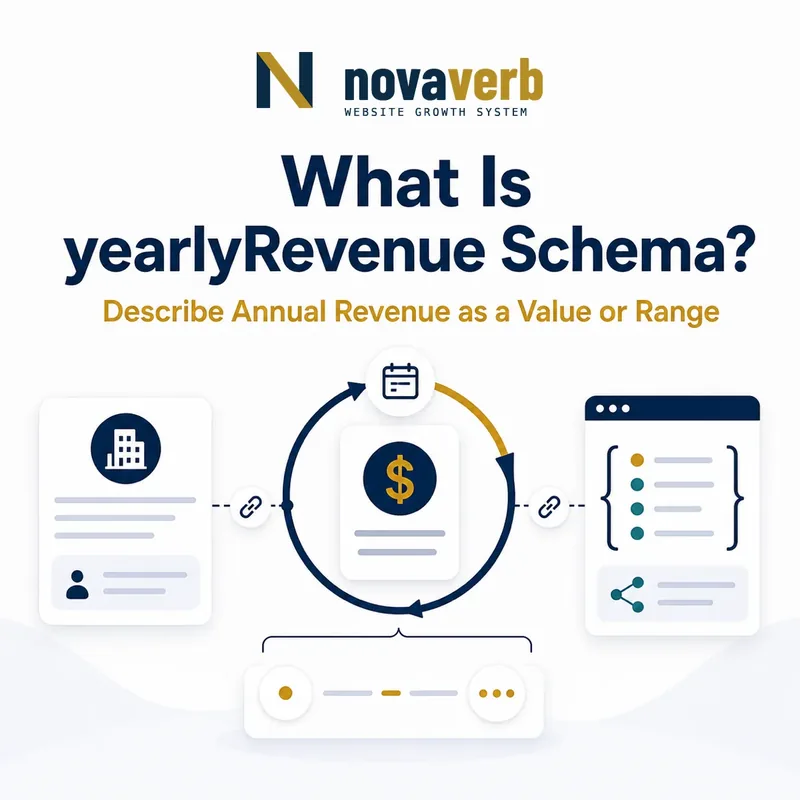
What Is yearlyRevenue Schema?
The yearlyRevenue schema property describes the annual-revenue size of businesses in a BusinessAudience, using QuantitativeValue for an exact amount, minimum, maximum or range.
It is designed for B2B audience targeting. A financing program may serve companies above $2 million in annual revenue, while a software plan may target firms between $5 million and $50 million. The value communicates which businesses an item is intended for, not what the publisher earned.
Schema.org defines the property on BusinessAudience. That context is essential: the same page may describe a vendor, its Service and its intended buyers. Revenue assigned to the wrong node changes the meaning. Use the BusinessAudience schema guide to map that relationship before adding a numeric value.
- Identify the exact page, asset, entity or relationship described in this section.
- Inspect the live implementation and retain the observed evidence.
- Compare the observation with the intended meaning and its primary specification.
- Correct any mismatch, then retest the live result.
- Record the accountable owner and review date.
| Element | Meaning | Evidence |
|---|---|---|
| yearlyRevenue | Annual-revenue criterion for target businesses | Visible audience or eligibility copy |
| QuantitativeValue | Point or interval | Published amount or band |
| unitCode/unitText | Currency context | Currency displayed on page |
| BusinessAudience | The intended business group | Offer or content positioning |
- Describe the target business segment.
- Preserve the exact public revenue meaning.
- Omit private or inferred revenue criteria.
Primary specification: Schema.org definition for yearlyRevenue.
yearlyRevenue is a public audience qualification, not a general company financial disclosure field.
Where Is yearlyRevenue Allowed?
Use yearlyRevenue inside BusinessAudience, then connect that audience to a Product, Service, Event or CreativeWork through the audience property when the page supports the relationship.
Do not place yearlyRevenue directly on Organization or Service simply because the JSON-LD still parses. The property has a specific domain: BusinessAudience. The parent entity says what is offered or published, while the nested audience says which businesses it serves.
Page scope matters. A service page with explicit revenue eligibility may support the property. A generic homepage that says “for growing businesses” does not support a numeric band. Global markup can therefore spread one unsupported revenue claim across unrelated pages.
- The exact page, asset, entity or relationship covered by this section
- The live implementation rather than an editor-only preview
- The primary specification or first-party record defining the expected behavior
- The validation result, accountable owner and review date
| Placement | Interpretation | Decision |
|---|---|---|
| BusinessAudience.yearlyRevenue | Target business revenue size | Supported |
| Organization.yearlyRevenue | Publisher revenue attempt | Do not use this property there |
| Service.audience | Links service to business target | Nest BusinessAudience |
| Sitewide default audience | Same criterion on every page | Use only if every page proves it |
- Identify the page’s primary entity.
- Confirm visible B2B targeting.
- Nest BusinessAudience under audience.
- Add only supported revenue boundaries.
Correct placement keeps revenue targeting separate from facts about the company publishing the page.
How Is yearlyRevenue Different From Company Revenue?
yearlyRevenue in BusinessAudience describes the intended customers’ revenue band, not the actual revenue, sales or financial performance of the publisher or any named Organization.
A vendor can target $10M–$100M retailers without earning revenue in that range itself. Copying the target band into the vendor’s Organization node would misstate the subject. Copying a third-party estimate of the vendor’s revenue into BusinessAudience would reverse the relationship and introduce an unverifiable claim.
Public structured data should follow first-party page evidence. CRM enrichment, modeled company size, private qualification notes and analyst estimates are not automatically publishable facts. If the page does not state a revenue threshold, use a descriptive audienceType or omit the financial criterion.
- Identify the exact page, asset, entity or relationship described in this section.
- Inspect the live implementation and retain the observed evidence.
- Compare the observation with the intended meaning and its primary specification.
- Correct any mismatch, then retest the live result.
- Record the accountable owner and review date.
| Question | Company fact | BusinessAudience criterion |
|---|---|---|
| Whose revenue? | The named company | The target business group |
| Source | First-party company disclosure | Visible offer eligibility |
| Purpose | Describe an entity | Define intended audience |
| Safe fallback | Omit unsupported finance claims | Use audienceType text |
- Ask whose money the number represents.
- Reject external estimates and private segments.
- Keep audience criteria attached to the relevant item.
Entity context determines whether a revenue number is an audience boundary or an unsupported company claim.
How Do You Mark Up an Exact Annual Revenue?
Use a QuantitativeValue with numeric value and an explicit currency unit when the intended business audience is defined by one exact annual-revenue amount.
Exact revenue criteria are uncommon because company revenue changes and qualification usually uses bands. Still, a program may be designed for a precise threshold category. Only use value when both the visible wording and business rule mean a point value. “At least $1 million” requires minValue, not value.
{
  "@type": "BusinessAudience",
  "audienceType": "US businesses with $1M annual revenue",
  "yearlyRevenue": {
    "@type": "QuantitativeValue",
    "value": 1000000,
    "unitCode": "USD"
  }
}
Store numeric values without dollar signs, commas or shorthand suffixes. A JSON number of 1000000 plus USD is clearer than the string “$1M.” Keep the human-friendly format in page copy.
- The exact page, asset, entity or relationship covered by this section
- The live implementation rather than an editor-only preview
- The primary specification or first-party record defining the expected behavior
- The validation result, accountable owner and review date
| Wording | Shape | Reason |
|---|---|---|
| Exactly $1M | value 1000000, USD | Point value |
| At least $1M | minValue 1000000 | Open upper side |
| Up to $1M | maxValue 1000000 | Open lower side |
| About $1M | Clarify or omit | Uncertain precision |
- Interpret the qualifier.
- Normalize the amount.
- Add the visible currency.
- Compare rendered markup with page copy.
Use an exact revenue value only when the audience rule truly has no interval.
How Do You Mark Up Minimum and Maximum Revenue?
Use minValue for an “at least” annual-revenue criterion and maxValue for an “up to” criterion, leaving the unknown boundary absent.
Open-ended revenue thresholds are common in B2B services. Enterprise consulting may begin at $20 million in annual revenue without an upper limit. A small-business program may cap eligibility at $5 million without stating a meaningful lower limit.
Do not make the object look complete by inventing zero as the minimum or an arbitrary enterprise ceiling. Zero may carry a real financial meaning and may include organizations the page never intended to target. Likewise, converting “more than” into “at least” can alter inclusivity at the exact boundary.
- Identify the exact page, asset, entity or relationship described in this section.
- Inspect the live implementation and retain the observed evidence.
- Compare the observation with the intended meaning and its primary specification.
- Correct any mismatch, then retest the live result.
- Record the accountable owner and review date.
| Public criterion | Safe field | Avoid |
|---|---|---|
| At least $5M USD | minValue 5000000 | Invented maximum |
| Up to $2M USD | maxValue 2000000 | Automatic zero minimum |
| More than $10M | Clarify inclusion rule | Silent boundary change |
| Established enterprise | audienceType | Invented revenue amount |
- Preserve open intervals.
- Keep currency attached to the amount.
- Align qualification logic and published copy.
A truthful one-sided threshold is better than a fabricated two-sided range.
How Do You Mark Up a Revenue Range?
Use minValue and maxValue together for a published annual-revenue band, with both boundaries normalized to the same scale and currency.
A page targeting companies with $2M–$20M annual revenue can encode 2000000 and 20000000 with USD. Do not send 2 and 20 while hoping a consumer infers “millions.” Do not use minValue in dollars and maxValue in millions.
If a page supports separate bands, preserve their distinction. Merging $1M–$5M and $20M–$50M into one broad range includes companies from the excluded middle. Separate audiences or separate offers are more accurate when the page itself separates them.
"yearlyRevenue": {
  "@type": "QuantitativeValue",
  "minValue": 2000000,
  "maxValue": 20000000,
  "unitCode": "USD"
}- The exact page, asset, entity or relationship covered by this section
- The live implementation rather than an editor-only preview
- The primary specification or first-party record defining the expected behavior
- The validation result, accountable owner and review date
| Range check | Risk | Control |
|---|---|---|
| Same scale | Million-fold boundary error | Normalize full numeric amounts |
| Same currency | Incomparable limits | Use one currency per interval |
| Minimum ≤ maximum | Impossible range | Assert boundary order |
| Continuous audience | Includes excluded businesses | Do not merge disjoint bands |
- Capture both visible limits.
- Expand shorthand consistently.
- Apply one currency.
- Test every template variant.
A revenue range is valid only when scale, currency and audience continuity all match the page.
How Should Currency Be Represented?
Represent yearlyRevenue with a clear currency unit that matches the page; for US-market dollar amounts, a consistent USD unit removes ambiguity from otherwise identical numbers.
A revenue value of 5,000,000 can mean very different purchasing power in different currencies. The URL’s market, language or top-level domain is not enough evidence to infer currency. Use the currency explicitly displayed in the eligibility or positioning copy.
QuantitativeValue supports unitCode and unitText. Choose one consistent implementation policy and validate it. Currency is not a physical measurement, but a clear USD unit is still better than a bare amount when the business rule is stated in US dollars. Do not mix USD and CAD boundaries in one interval.
- Identify the exact page, asset, entity or relationship described in this section.
- Inspect the live implementation and retain the observed evidence.
- Compare the observation with the intended meaning and its primary specification.
- Correct any mismatch, then retest the live result.
- Record the accountable owner and review date.
| Input | Representation | Decision |
|---|---|---|
| $1M–$10M USD | Full numbers plus USD | Clear |
| £1M–£10M | Full numbers plus GBP | Keep stated currency |
| 1M–10M, no currency | Clarify page first | Do not infer |
| USD minimum, CAD maximum | Separate or normalize policy | Not one coherent range |
- Use the page’s stated currency.
- Apply one currency to both boundaries.
- Recheck localized page variants independently.
Currency is part of the revenue claim, not optional decoration.
What yearlyRevenue Mistakes Are Common?
Common mistakes include attaching revenue to the wrong entity, publishing private estimates, omitting currency, mixing numeric scales, inventing missing boundaries and letting targeting thresholds become stale.
Validation alone will not reveal these errors. A parser can accept a well-formed range even when it describes the vendor rather than the audience or contradicts the public offer. Semantic review must compare the nested relationship and every amount with the rendered page.
Be especially careful with CMS fields labeled “company revenue.” That label may refer to the customer segment, the publisher, a lead, or a case-study client. Map the data owner and subject before connecting it to BusinessAudience.
- The exact page, asset, entity or relationship covered by this section
- The live implementation rather than an editor-only preview
- The primary specification or first-party record defining the expected behavior
- The validation result, accountable owner and review date
| Mistake | Impact | Repair |
|---|---|---|
| Vendor estimate as audience revenue | Wrong subject and weak evidence | Remove or use public audience rule |
| 2–20 with no scale | Ambiguous magnitude | Store full numeric amounts |
| No currency | Ambiguous value | Add stated currency |
| Global default band | False claims at scale | Generate per eligible page |
| Old sales threshold | Graph conflicts with offer | Use one source of truth |
- Verify the subject.
- Compare boundaries, scale and currency.
- Remove inferred or private data.
- Trace repeated defects to templates.
Correct meaning requires evidence, entity context and numeric consistency together.