
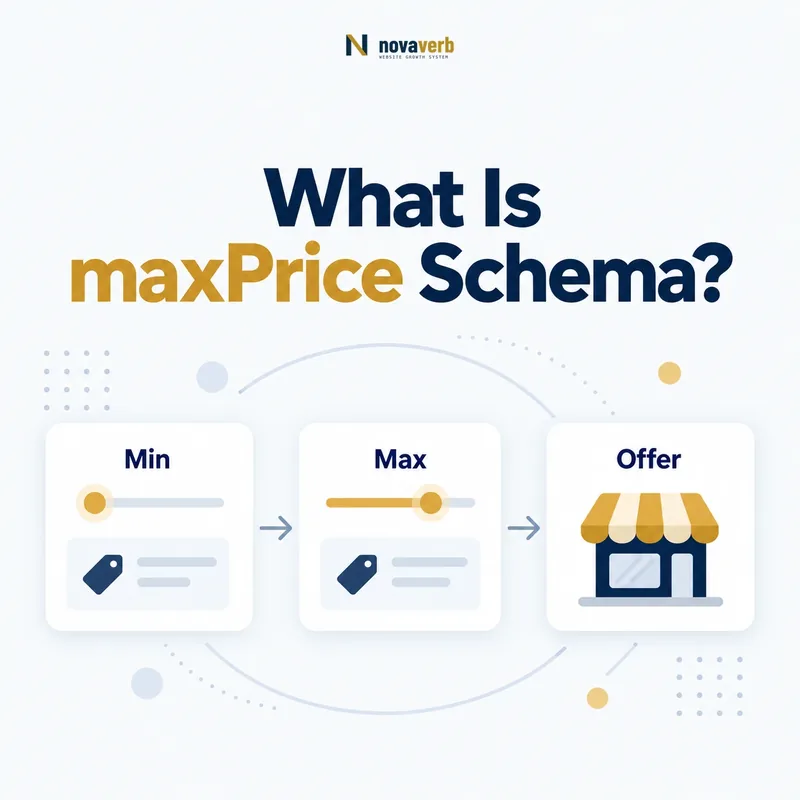
What Is maxPrice Schema?
maxPrice states the highest monetary amount allowed or represented by a PriceSpecification when the final price can vary within defined terms. It provides an upper boundary and is commonly paired with priceCurrency and, when a full range is known, minPrice.
Primary definition: Schema.org maxPrice. The upper boundary should match the price range a buyer can verify on the page.
The property is useful for capped service fees, configurable packages, rentals, usage plans, project estimates, and other offers where buyers need to know the maximum possible amount. It is not a substitute for highPrice on an AggregateOffer and should never imply a cap that exclusions or mandatory fees can exceed.
- Frame the decision raised by What Is maxPrice Schema.
- Read the primary property definition and expected value type.
- Compare markup with the visible price and commercial terms.
- Correct the source catalog or template without inventing a value.
- Validate the rendered page and recheck it after pricing changes.
| Question | Answer | Example |
|---|---|---|
| What does it define? | The upper boundary of one pricing rule | 300.00 USD |
| What may accompany it? | minPrice and priceCurrency | $100–$300 |
| What does it promise? | The represented price does not exceed the cap under stated terms | Maximum service fee of $300 |
- Use a cap customers can verify.
- Include mandatory components in the commercial meaning.
- Explain exclusions and eligibility visibly.
The definition is a ceiling: maxPrice is the highest valid amount within the specific PriceSpecification.
How Does maxPrice Work in PriceSpecification?
maxPrice works by setting the upper monetary boundary of a PriceSpecification while other properties define currency, lower boundary, quantity, eligibility, validity, and tax treatment. The combined object describes one coherent pricing rule rather than a loose collection of numbers.
A managed SEO service might range from $800 to $2,500 per month based on site size. minPrice can identify the entry configuration, maxPrice can identify the stated ceiling, and the page must explain the included scope that keeps the price inside those boundaries.
- Evidence for How Does maxPrice Work in PriceSpecification must come from the exact page and pricing context.
- Locate the Offer or PriceSpecification node that contains the property.
- Confirm the currency, price boundaries, tax treatment and eligibility context that apply.
- Compare rendered structured data with catalog, checkout and visible page terms.
- Retain a fresh validation result and the URL where the value was observed.
| Property | Responsibility | Example |
|---|---|---|
| minPrice | Lower boundary | 800 |
| maxPrice | Upper boundary | 2500 |
| priceCurrency | Currency shared by the range | USD |
| eligibleQuantity | Quantity scope when relevant | One website |
| validThrough | End of current terms | Quote expiration |
- Define the exact service or product configuration family.
- Identify its highest valid amount.
- Connect the same currency and conditions.
- Remove the cap if open-ended extras can exceed it.
Read PriceSpecification Schema for the parent model.
The ceiling belongs to one rule: maxPrice cannot summarize unrelated offers or costs outside the specified scope.
When Should You Use maxPrice?
Use maxPrice when one variable offer has a real, enforceable upper price boundary that buyers can understand before purchase. Suitable cases include capped professional services, tiered usage with a hard ceiling, configurable products, rental packages, capped commissions, and bounded project quotes.
Do not use it for an uncapped estimate, a category assortment, a marketplace’s highest seller price, or a price that can increase through mandatory add-ons. In those cases, the property would create certainty the commercial terms do not support.
- Frame the decision raised by When Should You Use maxPrice.
- Read the primary property definition and expected value type.
- Compare markup with the visible price and commercial terms.
- Correct the source catalog or template without inventing a value.
- Validate the rendered page and recheck it after pricing changes.
| Scenario | Use? | Reason |
|---|---|---|
| Service fee capped at $2,500 | Yes | Enforceable ceiling |
| Hourly consulting with no hour limit | No | No maximum total |
| Marketplace offers up to $900 | Use highPrice when appropriate | Aggregate of multiple offers |
| Package cap excludes mandatory setup | Not until clarified | Total can exceed the claim |
- Document what is included under the cap.
- Test the highest valid configuration.
- Disclose optional extras separately.
Use maxPrice only for enforceable boundaries: a buyer following the stated terms should not be charged more.
maxPrice vs highPrice: What Is the Difference?
maxPrice defines the upper boundary inside one PriceSpecification, while highPrice reports the highest offer price summarized by an AggregateOffer. The first describes a variable pricing rule; the second describes a set of multiple offers.
A custom implementation package ranging from $1,000 to $4,000 can use maxPrice of $4,000. A comparison page containing eight vendor offers from $900 to $4,500 may use highPrice of $4,500 within a truthful AggregateOffer.
- Evidence for maxPrice vs highPrice: What Is the Difference must come from the exact page and pricing context.
- Locate the Offer or PriceSpecification node that contains the property.
- Confirm the currency, price boundaries, tax treatment and eligibility context that apply.
- Compare rendered structured data with catalog, checkout and visible page terms.
- Retain a fresh validation result and the URL where the value was observed.
| Dimension | maxPrice | highPrice |
|---|---|---|
| Typical parent | PriceSpecification | AggregateOffer |
| Meaning | Ceiling of one pricing rule | Highest price among summarized offers |
| Primary evidence | Terms and configuration | Underlying offer set |
| Main error | Using it for open-ended costs | Using it without real offers |
- Ask whether the page describes one variable offer or many offers.
- Use maxPrice for one bounded price specification.
- Use highPrice for an accurate offer aggregate.
- Do not add both without two distinct entities.
See AggregateOffer Schema for multi-offer summaries.
The parent entity determines the property: maxPrice caps a pricing rule; highPrice summarizes an offer set.
How Do You Add maxPrice in JSON-LD?
Add maxPrice as a monetary value inside the matching PriceSpecification, include priceCurrency, and pair it with minPrice when the page presents a complete range. Generate the values from the same pricing engine or catalog source used by the visible configurator.
{
  "@context": "https://schema.org",
  "@type": "Offer",
  "priceSpecification": {
    "@type": "PriceSpecification",
    "minPrice": "800.00",
    "maxPrice": "2500.00",
    "priceCurrency": "USD"
  }
}- Evidence for How Do You Add maxPrice in JSON-LD must come from the exact page and pricing context.
- Locate the Offer or PriceSpecification node that contains the property.
- Confirm the currency, price boundaries, tax treatment and eligibility context that apply.
- Compare rendered structured data with catalog, checkout and visible page terms.
- Retain a fresh validation result and the URL where the value was observed.
- Frame the decision raised by How Do You Add maxPrice in JSON-LD.
- Read the primary property definition and expected value type.
- Compare markup with the visible price and commercial terms.
- Correct the source catalog or template without inventing a value.
- Validate the rendered page and recheck it after pricing changes.
| Check | Correct | Incorrect |
|---|---|---|
| Placement | Inside the relevant PriceSpecification | Loose number on Product |
| Ordering | Maximum is equal to or above minimum | Maximum below minimum |
| Currency | Explicit and market-aligned | Currency omitted |
| Scope | Visible conditions preserve the cap | Mandatory fees can exceed it |
Use Novaverb Site Audit to check deployed structured data across pricing templates.
The JSON-LD should be generated, not hand-copied: page, calculator, checkout, and markup need one canonical pricing source.
How Do You Prove a Price Cap Is Real?
Prove maxPrice is real by configuring the highest permitted combination, adding every mandatory charge within scope, and confirming checkout or a binding quote does not exceed the declared ceiling. A marketing promise without a reproducible commercial path is not sufficient.
List exactly what the cap covers: units, usage window, service scope, customer type, region, taxes, and mandatory fees. If exceptional work, expedited delivery, or overages sit outside the cap, state those exclusions next to the range.
- Frame the decision raised by How Do You Prove a Price Cap Is Real.
- Read the primary property definition and expected value type.
- Compare markup with the visible price and commercial terms.
- Correct the source catalog or template without inventing a value.
- Validate the rendered page and recheck it after pricing changes.
| Evidence | Question | Pass condition |
|---|---|---|
| Configuration | What produces the maximum? | One valid highest configuration exists |
| Fees | Are required charges included? | No mandatory in-scope amount is hidden |
| Usage | Can metered charges exceed the cap? | Hard ceiling is enforced |
| Eligibility | Who receives these terms? | Audience is disclosed |
| Validity | How long is the cap offered? | Dates and conditions are current |
- Test the upper-bound configuration.
- Inspect the generated contract or invoice.
- Confirm refund, tax, and optional-extra treatment.
- Remove stale caps after pricing changes.
A cap is a promise: the declared maximum must survive configuration, checkout, and billing under its stated scope.
How Should maxPrice Handle Usage-Based Pricing?
Use maxPrice for usage-based pricing only when the plan enforces a true monetary ceiling for the represented period and usage scope. A forecast, budget alert, or typical spend is not a maximum if charges can continue above it.
Some SaaS plans stop service, throttle usage, or waive overages after a cap; others merely notify customers. Model the former only when the pricing terms and billing system enforce the ceiling. Use billingIncrement separately to describe charge steps.
- Evidence for How Should maxPrice Handle Usage-Based Pricing must come from the exact page and pricing context.
- Locate the Offer or PriceSpecification node that contains the property.
- Confirm the currency, price boundaries, tax treatment and eligibility context that apply.
- Compare rendered structured data with catalog, checkout and visible page terms.
- Retain a fresh validation result and the URL where the value was observed.
| Mechanism | Valid maxPrice? | Reason |
|---|---|---|
| Hard monthly spend cap | Yes, within disclosed scope | Billing cannot exceed limit |
| Budget alert at $500 | No | Charges continue |
| Usage throttled after cap | Yes if terms guarantee it | Ceiling is enforced |
| Estimated “up to” spend | No | Forecast is not a boundary |
- Read the metering configuration.
- Test usage immediately below and above the cap.
- Confirm whether service stops, throttles, or continues.
- Compare the resulting invoice.
- State the billing period and excluded charges.
Read billingIncrement Schema for usage-step pricing.
Do not confuse notification with enforcement: maxPrice requires a billing ceiling, not merely a customer budget target.
How Do You Validate maxPrice Markup?
Validate maxPrice by checking JSON syntax, graph placement, range ordering, currency, visible scope, highest configuration, checkout result, and invoice enforcement. The commercial ceiling matters more than whether a parser accepts the field.
- Frame the decision raised by How Do You Validate maxPrice Markup.
- Read the primary property definition and expected value type.
- Compare markup with the visible price and commercial terms.
- Correct the source catalog or template without inventing a value.
- Validate the rendered page and recheck it after pricing changes.
| Layer | Evidence | Pass condition |
|---|---|---|
| Syntax | Parsed JSON-LD | Valid monetary value |
| Graph | PriceSpecification relationship | Maximum belongs to intended offer |
| Range | minPrice and maxPrice | Correct ordering and currency |
| Page | Range, period, and exclusions | Buyer can understand scope |
| Configuration | Highest valid selection | Amount does not exceed cap |
| Billing | Checkout or invoice | System enforces the ceiling |
- Test every plan or service family with a separate cap.
- Test regional and customer-type variations.
- Test mandatory fees and overage boundaries.
- Re-crawl after price, scope, or billing changes.
Connect price validation with the Novaverb SEO tools system.
Check the rendered page with the free website SEO checker, keep recurring evidence in Site Audit, and compare ongoing Novaverb plans when manual review no longer scales.
Validation ends with enforcement: maxPrice is correct only when the real commercial system respects it.