
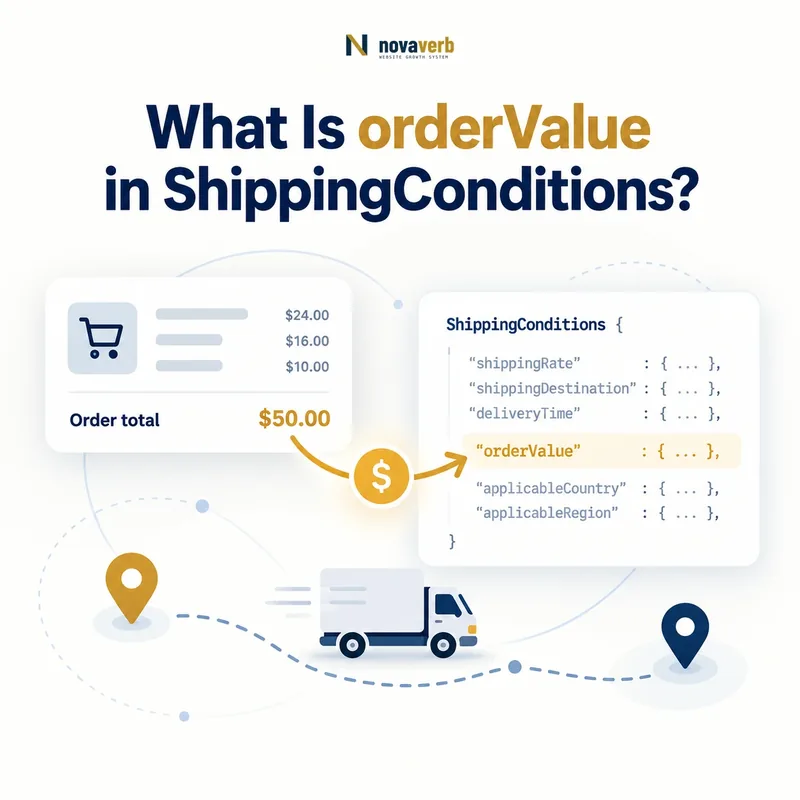
What Is orderValue in ShippingConditions?
orderValue is a MonetaryAmount that limits a ShippingConditions rule to orders within a specified minimum and maximum cart-value range.
It can distinguish paid shipping below a threshold, free shipping above it, or special service availability within a bounded cart band. The property controls when a condition applies; it is not the product price and does not itself state the shipping charge.
A $50 free-shipping threshold requires a clearly defined eligible-cart calculation and currency. The markup should follow the same subtotal logic as checkout, including treatment of discounts, taxes, gift cards, excluded products, and shipping fees.
- Identify the exact page, asset, entity or relationship described in this section.
- Inspect the live implementation and retain the observed evidence.
- Compare the observation with the intended meaning and its primary specification.
- Correct any mismatch, then retest the live result.
- Record the accountable owner and review date.
| Case | Meaning | Action |
|---|---|---|
| orderValue | Cart-value condition | $50 threshold |
| MonetaryAmount | Expected value type | USD amount |
| minValue | Lower boundary | 50 |
| maxValue | Upper boundary | 199.99 |
| currency | Money context | USD |
- Model the eligible cart value.
- Set clear boundaries.
- Include the correct currency.
Use the free backlink checker to identify linked pages before changing free-shipping promises.
Primary specification: Schema.org definition for orderValue.
orderValue is accurate when its monetary range selects exactly the carts that receive the shipping condition.
Where Does orderValue Belong?
orderValue belongs on ShippingConditions and expects a MonetaryAmount value that defines the cart range for that condition.
It should not be attached directly to Product, Offer, ShippingService, OfferShippingDetails, or ShippingRateSettings as a substitute for the supported condition path. ShippingService reaches it through shippingConditions.
The parent matters because orderValue joins destination, origin, weight, item count, dimensions, season, rate, and transit time in one complete match. Moving it to an unrelated entity can imply a product price rather than a shipping threshold.
- The exact page, asset, entity or relationship covered by this section
- The live implementation rather than an editor-only preview
- The primary specification or first-party record defining the expected behavior
- The validation result, accountable owner and review date
| Case | Meaning | Action |
|---|---|---|
| ShippingConditions | Correct parent | Cart-based condition |
| MonetaryAmount | Correct value | Range and currency |
| Product price | Different intent | Do not substitute |
| ShippingService → conditions | Correct path | Reusable rule |
- Start from the shipping service.
- Create the applicable condition.
- Add MonetaryAmount orderValue.
- Attach rate and destination.
- Validate the entity graph.
Review ShippingConditions and MonetaryAmount.
Correct placement makes cart value one explicit constraint inside a complete shipping rule.
How Do minValue and maxValue Define a Cart Tier?
minValue and maxValue define the lower and upper monetary boundaries for which an orderValue condition applies.
A lower-only tier can express orders at or above a free-shipping threshold. A bounded tier can express a paid rate from $35 through $49.99. An upper-only tier can cover carts below a boundary, provided its exact inclusion logic matches checkout.
Document whether endpoints are included and avoid accidental gaps or overlaps between adjacent tiers. Test values immediately below, exactly at, and immediately above each threshold using the store's currency precision.
- Identify the exact page, asset, entity or relationship described in this section.
- Inspect the live implementation and retain the observed evidence.
- Compare the observation with the intended meaning and its primary specification.
- Correct any mismatch, then retest the live result.
- Record the accountable owner and review date.
| Case | Meaning | Action |
|---|---|---|
| minValue 50 | Lower-bounded tier | Test 49.99, 50, 50.01 |
| maxValue 49.99 | Upper-bounded tier | Confirm cents precision |
| 35–49.99 | Bounded paid tier | Check both endpoints |
| No boundary | Unrestricted by value | Avoid accidental broad rule |
- Define eligible subtotal.
- Set monetary precision.
- Document endpoint behavior.
- Test three points per boundary.
A cart tier is reliable when every boundary value maps to one and only one shipping outcome.
How Do You Model a Free-Shipping Threshold?
Model free shipping with an orderValue condition whose eligible cart range begins at the actual threshold and whose matched shippingRate is zero in the same currency and destination context.
A common two-tier policy charges a standard rate below $50 and offers free standard shipping from $50 upward. Both tiers need compatible destinations, product eligibility, and service definitions. Express delivery can remain paid even when standard shipping is free.
The threshold shown in banners, product pages, cart messages, markup, and checkout must agree. If discounts reduce the qualifying subtotal, the condition should use the post-discount value when that is what checkout applies.
- The exact page, asset, entity or relationship covered by this section
- The live implementation rather than an editor-only preview
- The primary specification or first-party record defining the expected behavior
- The validation result, accountable owner and review date
| Case | Meaning | Action |
|---|---|---|
| Below $50 | Paid standard rate | Upper tier boundary |
| $50 and above | Zero standard rate | Lower tier boundary |
| Express shipping | Separate paid option | Do not mark universally free |
| Excluded products | Separate condition | Preserve eligibility |
| Discounted cart | Use checkout subtotal rule | Avoid false qualification |
- Name the qualifying subtotal.
- Create paid and free tiers.
- Keep service levels separate.
- Test discounts and excluded items.
- Match visible messaging.
Free-shipping markup is truthful when the same cart qualifies at every customer-visible and machine-readable surface.
What Counts Toward orderValue?
The amount counted toward orderValue should match the authoritative eligible-cart subtotal used by checkout, including explicit rules for discounts, taxes, gift cards, shipping charges, and excluded items.
Schema does not decide the merchant's commercial formula. One store may qualify on merchandise after discounts but before tax, while another excludes oversized items. The published threshold must not imply a different formula from the live cart.
Document the calculation in policy data and generate both customer messaging and structured conditions from that source. Test carts where coupons, gift cards, tax, subscriptions, bundles, and excluded products move the amount across the boundary.
- Identify the exact page, asset, entity or relationship described in this section.
- Inspect the live implementation and retain the observed evidence.
- Compare the observation with the intended meaning and its primary specification.
- Correct any mismatch, then retest the live result.
- Record the accountable owner and review date.
| Case | Meaning | Action |
|---|---|---|
| Merchandise subtotal | Common base | Document before or after discount |
| Discount | May reduce eligibility | Match checkout |
| Tax | Often excluded | Verify policy |
| Shipping fee | Usually not qualifying merchandise | Avoid circular logic |
| Gift card | Payment or product ambiguity | Define treatment |
- Identify every cart component.
- Classify included and excluded amounts.
- Apply currency precision.
- Test threshold-crossing combinations.
orderValue remains honest when its calculation uses the same components and sequence as checkout.
How Should Currency Work With orderValue?
Currency should identify the monetary context of every orderValue range and align with the cart, shipping rate, destination market, and checkout conversion logic.
A threshold of 50 is meaningless without knowing whether it represents USD, CAD, EUR, or another currency. Do not copy a US dollar threshold into Canadian or international conditions unless the operational policy genuinely uses that amount and currency.
If checkout converts dynamically, publish stable market-specific thresholds only when they can remain synchronized. Currency conversion rates change; markup should not freeze a temporary conversion as a permanent shipping rule.
- The exact page, asset, entity or relationship covered by this section
- The live implementation rather than an editor-only preview
- The primary specification or first-party record defining the expected behavior
- The validation result, accountable owner and review date
| Case | Meaning | Action |
|---|---|---|
| 50 USD | US threshold | Use USD context |
| 50 CAD | Canadian threshold | Separate market rule |
| 50 without currency | Ambiguous amount | Add currency |
| Converted live amount | Volatile threshold | Use stable policy source |
| Rate currency differs | Customer confusion | Align outcome |
- Match cart and condition currency.
- Separate market thresholds.
- Avoid stale conversion snapshots.
- Test localized checkout.
A monetary threshold is interpretable only when its currency and market context remain explicit and consistent.
How Do Overlapping orderValue Tiers Resolve?
Overlapping orderValue tiers should resolve through explicit, deterministic rules so one cart cannot receive contradictory rates, times, or availability outcomes.
A cart of $75 might match a broad paid tier from $0 to $100 and a free tier from $50 upward. If both share the same destination and service, the model is ambiguous unless specificity or separate service options explain the difference.
Use non-overlapping adjacent tiers for mutually exclusive outcomes, or preserve overlap only when each condition represents a distinct selectable service. Test boundary cents and combined destination, weight, product, and seasonal constraints.
- Identify the exact page, asset, entity or relationship described in this section.
- Inspect the live implementation and retain the observed evidence.
- Compare the observation with the intended meaning and its primary specification.
- Correct any mismatch, then retest the live result.
- Record the accountable owner and review date.
| Case | Meaning | Action |
|---|---|---|
| $0–49.99 paid | Exclusive lower tier | No overlap |
| $50+ free standard | Exclusive upper tier | Clear boundary |
| $50+ paid express | Separate service | Valid parallel option |
| $0–100 and $50+ same service | Conflict | Repair ranges |
| Same amount, different destination | Separate geography | Valid if scoped |
- List all conditions matching one cart.
- Separate services from tiers.
- Remove unintended overlaps.
- Test complete rule intersections.
Use shippingDestination to keep geographic tiers distinct.
Order-value tiers are coherent when each cart and service resolve to one intentional outcome.
What orderValue Schema Mistakes Are Common?
Common mistakes include omitting currency, confusing cart value with product price, reversing minValue and maxValue, leaving gaps or overlaps, using the wrong subtotal formula, and publishing stale thresholds.
Other defects include making every service free when only standard qualifies, ignoring product exclusions, copying one threshold across currencies, and treating syntax validation as proof of checkout behavior. A correct MonetaryAmount can still encode a false commercial rule.
Threshold defects often affect many product pages because one shared policy generates the markup. Repair the authoritative cart and shipping configuration, then regenerate and test the affected cohorts.
- The exact page, asset, entity or relationship covered by this section
- The live implementation rather than an editor-only preview
- The primary specification or first-party record defining the expected behavior
- The validation result, accountable owner and review date
| Case | Meaning | Action |
|---|---|---|
| No currency | Ambiguous threshold | Add market currency |
| minValue above maxValue | Invalid band | Correct boundaries |
| Product price used | Wrong amount | Use cart subtotal |
| Free standard becomes free express | Service overreach | Separate options |
| Old promotion remains | Stale promise | Sync dates and policy |
- Extract every tier and service.
- Validate currency and ordering.
- Find gaps and overlaps.
- Compare checkout carts.
- Repair the authority.
orderValue defects require monetary, cart-calculation, service, geographic, and checkout validation together.