
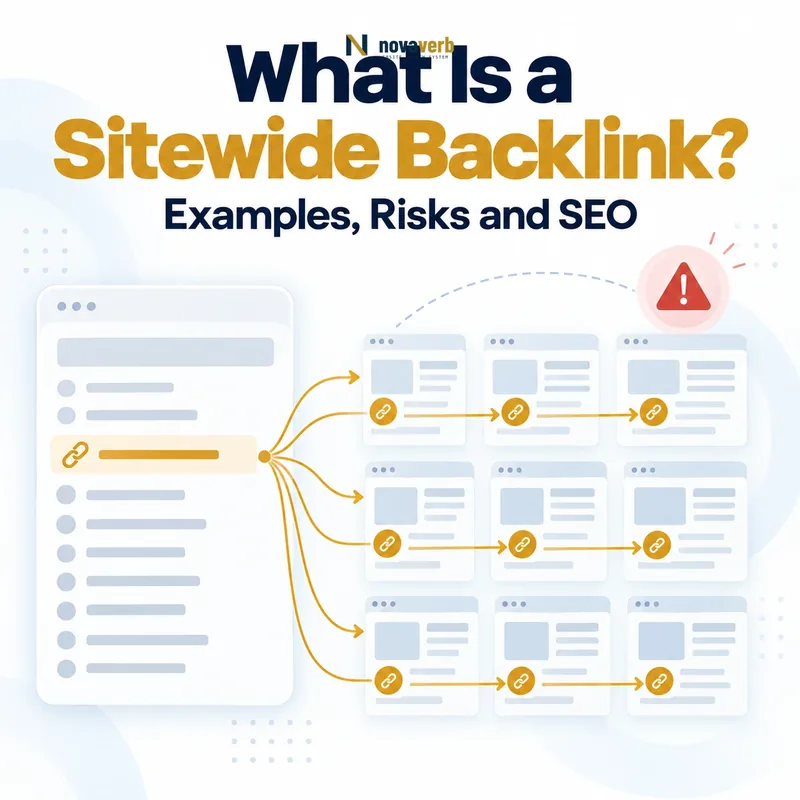
What Is a Sitewide Backlink?
Sitewide describes repetition and placement, not legitimacy or harm. A hosting credit, partner disclosure, accessibility provider, parent-company link or required legal reference can be sitewide for a valid reason.
The correct unit of analysis is usually the underlying template relationship plus the distinct referring domain, not every repeated URL as an independent editorial endorsement.
- Repeated across many source pages
- Usually generated by a shared component
- Often uses the same anchor and destination
- Can inflate raw backlink totals
- Should be grouped as one underlying event
| Pattern | Backlinks | Referring domains | Interpretation |
|---|---|---|---|
| One footer link on 5,000 pages | 5,000 observed records | 1 | One template relationship |
| Five editorial pages on one site | 5 | 1 | Five page-level contexts |
| One citation from 50 websites | 50 | 50 | Broad source diversity |
| Widget on 200 websites | Many | Up to 200 | Shared embed pattern across domains |
A sitewide backlink is a repeated template pattern whose raw link count should not be mistaken for equal source diversity.
Where Do Sitewide Backlinks Appear?
Open several source URLs to confirm whether the same component creates the link. Identical anchor, destination and nearby markup across unrelated page topics strongly suggests a shared template.
Some components appear only within one section or content type. These section-wide links are still repeated patterns even when they do not cover every URL on the domain.
- Global footer
- Persistent sidebar
- Primary or secondary navigation
- Theme or platform credit
- Embedded widget or badge
- Partner and association module
- Section-level blogroll
| Placement | Common purpose | Review question |
|---|---|---|
| Footer | Ownership, legal or provider credit | Is the relationship transparent? |
| Sidebar | Persistent recommendation or promotion | Does it match the section audience? |
| Navigation | Cross-property movement | Are the properties related? |
| Widget | Embedded functionality or badge | Who controls the link? |
| Theme credit | Design or platform attribution | Is wording and disclosure appropriate? |
Placement helps explain why a sitewide link repeats and which party controls the relationship.
Sitewide Backlinks vs Contextual Backlinks
A footer link may accurately identify a parent organization or technology provider without supporting each page’s topic. A contextual citation has a local sentence-level reason to connect the source and destination.
Read What Is a Contextual Backlink? for placement and passage-level relevance. Keep template and editorial-body links in separate audit groups.
- Classify shared-template placements
- Preserve page-level contextual links
- Do not compare raw counts directly
- Review ownership and disclosure separately
- Group repeated anchors by component
| Dimension | Sitewide backlink | Contextual backlink |
|---|---|---|
| Placement | Shared template | Relevant content |
| Repetition | Often many pages | Usually page-specific |
| Local explanation | Limited | Visible in surrounding copy |
| Counting unit | Template event and domain | Exact page relationship |
| Typical analysis | Ownership and purpose | Passage and destination fit |
Sitewide and contextual links should remain separate because repetition and local editorial context answer different questions.
How Are Sitewide Backlinks Counted?
A provider may deduplicate identical links differently, so totals can vary. One index may retain every source URL; another may surface a representative sample or classify the pattern as sitewide.
Use What Is a Referring Domain? to distinguish individual links, source pages and distinct domains. Declare target scope, provider and filters beside every total.
- Collect all observed source URLs
- Normalize source host and destination
- Group identical anchor and placement patterns
- Identify shared markup or component
- Count link records and domains separately
- Create one underlying-event record
| Metric | What it counts | Sitewide interpretation |
|---|---|---|
| Backlinks | Individual observed links | Can be very large |
| Referring pages | Distinct source URLs | Shows template coverage |
| Referring domains | Distinct source websites | Usually one per site |
| Template events | Underlying repeated relationships | Best operational unit |
| Linked pages | Distinct destinations | Shows target spread |
Report individual links, referring pages, domains and the grouped template event without adding them together.
Are Sitewide Backlinks Bad for SEO?
A transparent link between related corporate properties or a functional provider attribution can have a valid user purpose. A hidden keyword-rich link distributed through unrelated templates raises different questions.
Avoid claiming search harm from repetition alone. Document the live pattern, relationship history and any direct account evidence before recommending a change.
- Legitimate relationship purpose
- Source and destination ownership
- Visibility and user usefulness
- Commercial disclosure
- Anchor wording
- Control over the template
- Topical and audience fit
| Pattern | Likely posture | Why |
|---|---|---|
| Parent-company footer link | Review and usually keep | Ownership context may help users |
| Accessible technology credit | Review purpose and wording | Functional attribution |
| Sponsored widget without disclosure | Correct relationship labeling | Commercial context matters |
| Hidden unrelated keyword link | Investigate urgently | Deceptive placement signals |
| Unrequested scraper template | Usually monitor first | Destination may not control it |
Repetition becomes concerning when it combines with deceptive, irrelevant or controlled placement rather than by count alone.
How Do You Audit Sitewide Backlinks?
Start with the free backlink checker to discover source pages and anchors. Then use the backlink audit workflow to preserve provider, scope, live evidence and actions.
Sample pages from different templates or sections to confirm reach. Do not open thousands of URLs when a shared component and identical markup already establish one event.
- Group links by domain, target and anchor
- Check multiple representative pages
- Locate the shared footer, sidebar or widget
- Confirm relationship ownership
- Record rel attributes and disclosure
- Resolve the final destination
- Assign keep, correct, investigate or monitor
| Audit field | Question | Output |
|---|---|---|
| Coverage | Which page groups include the link? | Template reach |
| Component | What shared module creates it? | Underlying cause |
| Control | Who can change the placement? | Owner |
| Disclosure | Is the relationship labeled? | Compliance action |
| Destination | Does the final page fit? | Keep or correction decision |
A sitewide audit should identify the component and owner before generating actions for its individual rows.
How Do You Fix a Problematic Sitewide Backlink?
If your organization controls the source template, one component change can repair all affected pages. If an external partner controls it, provide the exact module, reason and requested correction rather than a list of thousands of URLs.
When the link is useful only in a specific context, replace the global placement with a narrower section-level or editorial link. Preserve legitimate navigation and attribution that still serves users.
- Confirm the shared component
- Identify the accountable owner
- Choose remove, relabel, retarget or narrow
- Update the template once
- Render representative page types
- Crawl or recheck coverage
- Record the verified result
| Problem | Template-level fix | Pass condition |
|---|---|---|
| Misleading anchor | Use accurate label | Destination expectation aligns |
| Wrong destination | Update component target | Final page matches purpose |
| Missing disclosure | Add appropriate relationship attribute | Rendered rel value is correct |
| Hidden placement | Make visible or remove | No deceptive presentation |
| Overbroad repetition | Limit to relevant section | Coverage matches audience need |
Repair the shared cause once, then verify every major template type reached by the component.
How Do Sitewide Links Affect Backlink Reports?
A footer deployment can create thousands of new rows in one crawl. A template removal can make the same number disappear. Neither event represents thousands of independent publisher decisions.
The backlink profile guide explains how link, page, domain and time layers fit together. Preserve raw counts for traceability while reporting grouped events for decisions.
- Separate raw links from domains
- Group identical anchors and targets
- Detect simultaneous first-seen dates
- Identify source template coverage
- Label one underlying event
- Keep representative page evidence
| Report pattern | Likely sitewide cause | Correct interpretation |
|---|---|---|
| Links surge, domains flat | Template added | One source event |
| Links drop, domains unchanged | Partial template removal | Coverage change |
| One anchor dominates | Shared component wording | Template anchor pattern |
| Many linked pages appear | Dynamic target logic | Inspect component rules |
| Same source dates align | Single crawl or deployment | Verify timeline |
Grouped reporting preserves raw evidence without pretending that every repeated template row is an independent relationship.
Frequently Asked Questions About Sitewide Backlinks
- Find the shared component
- Count domains separately
- Fix the template-level cause
Do sitewide backlinks count as many backlinks?
Are footer backlinks harmful?
Are blogroll links sitewide?
Can navigation links be external sitewide backlinks?
Should I remove every sitewide link?
Do nofollow attributes solve every concern?
How should sitewide links be reported?
How do I find sitewide backlinks?
A defensible sitewide-backlink decision describes the template relationship and its evidence instead of reacting to an inflated row count.
Group the Template Before You Judge the Links
Use Backlink Checker for discovery, analyze repeated patterns in Backlinks Explorer and connect template-level actions through the SEO tools system.
- Group repeated source records
- Find the component
- Confirm purpose and control
- Check destination and disclosure
- Fix once and verify coverage
The right sitewide-backlink unit is the relationship and component, not the number of pages that happened to render it.