
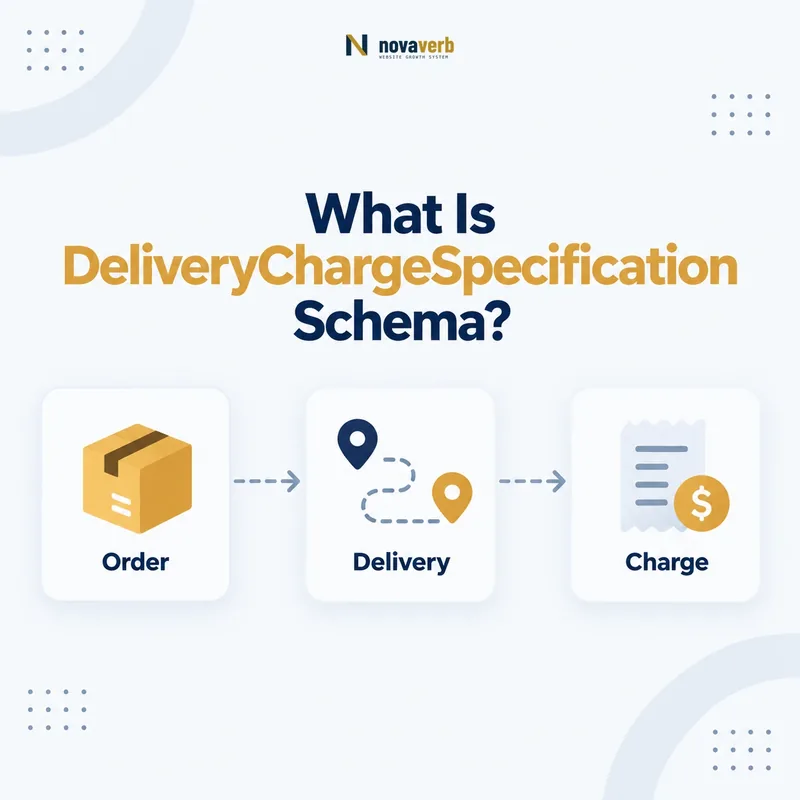
What Is DeliveryChargeSpecification Schema?
DeliveryChargeSpecification is the Schema.org type for the price of delivering an Offer through a particular delivery method. As a PriceSpecification subtype, it can also carry amount, currency, eligible or ineligible regions, transaction thresholds, quantity conditions, validity dates, and other pricing context.
The type describes a delivery charge, not delivery speed or the complete order price. A $12 ground-shipping fee is different from a three-day handling promise, a free-shipping threshold, or a product price. Keeping those facts separate prevents a component amount from being mistaken for the total a customer pays.
Use this type only when the page exposes a real delivery fee and its conditions. If shipping is calculated only after an address is entered and no truthful amount is known on the landing page, do not invent an average. Precise omission is safer than false certainty.
- Frame the decision raised by What Is DeliveryChargeSpecification Schema.
- Confirm its value type and the object it describes.
- Compare the markup with visible page information.
- Correct the source data or template without inventing values.
- Validate the rendered result and monitor future changes.
| Fact | Meaning | Evidence |
|---|---|---|
| price | Delivery charge amount | Visible shipping policy or checkout |
| priceCurrency | Currency of that fee | Market transaction currency |
| appliesToDeliveryMethod | Method the charge covers | Actual fulfillment option |
| region/eligibility | Where and when fee applies | Operational shipping rules |
- Model the fee, not the product total.
- Attach verified method and region conditions.
- Omit unknown or calculated-later amounts.
DeliveryChargeSpecification is trustworthy when it identifies one real delivery fee and the exact conditions under which customers pay it.
How Does It Connect to Offer and PriceSpecification?
Connect DeliveryChargeSpecification to the applicable Offer through priceSpecification or another supported relationship in the pricing graph. The Offer identifies the item and commercial transaction; the delivery specification identifies one delivery-related price component.
Read the PriceSpecification guide for the parent pricing model and the itemOffered guide for item identity. A Product with several sellers or variants may require separate Offers because shipping costs can depend on merchant, warehouse, item weight, destination, and fulfillment method.
Document whether the Offer price includes shipping or whether delivery is an additional component. If a parent amount is the complete delivered total, adding the same delivery fee again can suggest double charging. If the product price excludes shipping, the page must make the extra cost clear before users commit.
- Evidence for How Does It Connect to Offer and PriceSpecification: the live structured-data entity and property relationship
- The expected value type and any nested object
- Visible page information that supports the structured value
- Related offer or catalog fields needed for interpretation
- A fresh validation result after the page changes
| Node | Role | Integrity test |
|---|---|---|
| Product or Service | Item being delivered | Correct SKU or plan |
| Offer | Seller and transaction | Correct market and variant |
| DeliveryChargeSpecification | Delivery fee and conditions | Matches that Offer |
- Resolve the item and seller Offer.
- Identify the delivery price component.
- Verify how it relates to the visible total.
The delivery charge must stay connected to the exact Offer whose fulfillment terms it describes.
How Should appliesToDeliveryMethod Be Used?
Use appliesToDeliveryMethod to identify the DeliveryMethod covered by the charge, such as mail, freight, pickup, an own fleet, direct download, parcel service, or another applicable standardized delivery method.
Method matters because the same destination can have different fees for ground, express, freight, or pickup. One $15 specification should not appear to cover every method when only expedited delivery costs $15. Create distinct specifications when amounts or conditions differ materially.
Separate “available method” from “method this charge applies to.” availableDeliveryMethod on Offer can identify fulfillment choices, while appliesToDeliveryMethod qualifies the fee. Validate identifiers against the actual checkout vocabulary, and do not label a proprietary service with an unrelated standardized carrier merely because the name seems close.
- Frame the decision raised by How Should appliesToDeliveryMethod Be Used.
- Confirm its value type and the object it describes.
- Compare the markup with visible page information.
- Correct the source data or template without inventing values.
- Validate the rendered result and monitor future changes.
| Scenario | Method relationship | Modeling action |
|---|---|---|
| Free pickup, $10 mail | Two methods, two fee outcomes | Separate applicable specifications |
| $80 freight | Heavy-item delivery | Attach only to freight method |
| Digital download | No physical delivery fee | Do not invent shipping charge |
| Several carriers, one rate | Same real amount | Model only supported relationships |
- Match each fee to its actual method.
- Separate methods with different charges.
- Do not infer carrier identity from marketing text.
appliesToDeliveryMethod makes a fee interpretable only when the selected delivery method matches a real customer option.
How Do eligibleRegion and ineligibleRegion Work?
Use eligibleRegion for the geopolitical areas where the delivery charge is valid and ineligibleRegion for areas where it is not valid. Schema.org accepts Text, Place, or GeoShape for these properties, including appropriate ISO country or subdivision codes.
US shipping frequently varies by state, territory, ZIP range, remote area, or carrier zone. Do not publish one “US” fee when Alaska, Hawaii, Puerto Rico, APO/FPO addresses, or rural regions follow different rules. Separate specifications when amounts differ, and use exclusions only when the operational source can maintain them.
Distinguish eligibleRegion from areaServed. Both describe geography, but eligibleRegion specifically identifies where an Offer or delivery charge specification is valid. Avoid contradictory combinations such as listing US as eligible and California as both eligible and ineligible without a clear narrower rule.
- Evidence for How Do eligibleRegion and ineligibleRegion Work: the live structured-data entity and property relationship
- The expected value type and any nested object
- Visible page information that supports the structured value
- Related offer or catalog fields needed for interpretation
- A fresh validation result after the page changes
| Rule | Possible representation | Check |
|---|---|---|
| Contiguous United States | Supported region set or exclusions | Territories handled accurately |
| California-only fee | US-CA or appropriate Place | Checkout matches state rule |
| Local radius | GeoShape when supported | Boundary and unit are accurate |
| No delivery to one region | ineligibleRegion | Offer action blocks that address |
- Export the actual shipping zone rules.
- Map each zone to supported geography.
- Test included and excluded addresses.
Regional markup succeeds only when the same addresses qualify on the page, in the graph, and at checkout.
How Should Delivery Price and Currency Be Formatted?
Publish the delivery fee as a clean price amount and pair it with priceCurrency. For US offers, use USD when checkout charges US dollars; do not put “$,” commas, “shipping,” or localized display text inside the price value.
A visible “$1,299.00 freight fee” can serialize as price “1299.00” and priceCurrency “USD.” Follow the price schema guide for decimal-safe formatting. Never use zero to represent “calculated at checkout,” because unknown and free are different commercial facts.
Multi-currency stores need atomic amount-and-code updates. A Canadian shipping amount paired with USD, or a converted fee left in cached US markup, misleads customers. Read from one shipping-rate record and include market, method, and region in cache variation.
- Frame the decision raised by How Should Delivery Price and Currency Be Formatted.
- Confirm its value type and the object it describes.
- Compare the markup with visible page information.
- Correct the source data or template without inventing values.
- Validate the rendered result and monitor future changes.
| Visible statement | price | priceCurrency |
|---|---|---|
| $9.95 ground shipping | 9.95 | USD |
| Free pickup | 0 if exact fee is free | USD |
| Calculated at checkout | Omit unknown amount | Do not fabricate |
| CA$20 delivery | 20 | CAD |
- Separate amount from display symbols.
- Distinguish zero from unknown.
- Keep amount, currency, region, and method together.
A delivery price is machine-readable only when its clean amount, currency, method, and market all describe the same fee.
How Do Order Thresholds and Quantities Apply?
Use eligibleTransactionVolume to describe transaction-value conditions and eligibleQuantity for ordering quantities that determine whether a delivery charge applies. Model thresholds only when the qualifying rule is visible and enforced by checkout.
Free shipping over $75 is not simply a zero delivery fee for every order. The specification needs the transaction condition that produces free delivery, while below-threshold orders may require another charge. Likewise, freight pricing that applies only above a weight or quantity must retain its measurement unit and boundaries.
Threshold calculations can depend on pre-tax subtotal, post-discount subtotal, membership, excluded products, or destination. Structured data must not simplify a complex rule into a promise customers cannot obtain. Document the precise calculation basis and test values just below, at, and above the boundary.
- Evidence for How Do Order Thresholds and Quantities Apply: the live structured-data entity and property relationship
- The expected value type and any nested object
- Visible page information that supports the structured value
- Related offer or catalog fields needed for interpretation
- A fresh validation result after the page changes
| Condition | Meaning | Boundary test |
|---|---|---|
| Order value | Fee applies within transaction range | Below, at, above threshold |
| Eligible quantity | Fee applies to quantity interval | Minimum and maximum units |
| Free-shipping rule | Zero fee under qualifying terms | Discount and exclusion behavior |
| Membership condition | Tier changes shipping fee | Member versus public checkout |
- Define the exact threshold calculation.
- Map the condition to its fee specification.
- Test every boundary and exclusion.
Threshold markup is truthful only when a customer crossing the stated boundary receives the advertised delivery charge.
How Do You Mark Up a Delivery Charge?
Create the applicable Offer, add a DeliveryChargeSpecification with verified amount and currency, connect the relevant delivery method, then add only the regions, transaction thresholds, quantities, and validity dates that govern that exact fee.
Generate this graph from the shipping engine rather than an SEO-only table. The source should preserve Offer, item, seller, method, zone, amount, currency, thresholds, and effective dates. Templates should omit missing values rather than defaulting unknown shipping to free or nationwide.
{
 "@context":"https://schema.org",
 "@type":"Offer",
 "itemOffered":{"@type":"Product","name":"SEO Field Guide"},
 "priceSpecification":{"@type":"DeliveryChargeSpecification","price":"9.95","priceCurrency":"USD","eligibleRegion":"US"}
}- Evidence for How Do You Mark Up a Delivery Charge: the live structured-data entity and property relationship
- The expected value type and any nested object
- Visible page information that supports the structured value
- Related offer or catalog fields needed for interpretation
- A fresh validation result after the page changes
| Layer | Required alignment | Test |
|---|---|---|
| Shipping engine | Source fee and rules | Compare rate record |
| Visible policy | Same method, region, threshold | Read page as customer |
| Checkout | Same resulting charge | Use representative addresses |
| JSON-LD | Same Offer relationship | Parse rendered HTML |
- Resolve the exact Offer and rate rule.
- Serialize only verified conditions.
- Compare page, checkout, and graph.
Delivery charge markup is complete when the shipping source, visible policy, checkout result, and Offer graph agree.
What Delivery Charge Schema Mistakes Are Common?
Common errors include treating shipping as the product total, using zero for calculated-later fees, assigning one fee to every method or region, omitting currency, publishing stale thresholds, misrepresenting excluded destinations, and attaching rates to the wrong seller or variant.
Shipping data changes frequently. Carrier surcharges, holiday schedules, warehouse routing, fuel fees, and promotions can update checkout while static JSON-LD remains cached. Multi-seller marketplaces are particularly vulnerable when the first merchant’s rate is reused across all Offers.
Syntax checks cannot verify a shipping quote. Test actual addresses and baskets against visible policy and markup. Include contiguous states, Alaska, Hawaii, territories, PO boxes, military addresses, free-shipping thresholds, oversize items, pickup, and expired promotions.
- Frame the decision raised by What Delivery Charge Schema Mistakes Are Common.
- Confirm its value type and the object it describes.
- Compare the markup with visible page information.
- Correct the source data or template without inventing values.
- Validate the rendered result and monitor future changes.
| Mistake | Consequence | Correction |
|---|---|---|
| Unknown fee = 0 | Calculated shipping appears free | Omit unsupported amount |
| Nationwide rate reuse | Remote region price is false | Model shipping zones |
| Wrong method | Express fee looks like ground fee | Bind method to rate |
| Stale threshold | Free shipping cannot be obtained | Update source and caches atomically |
- Test commercial outcomes beyond syntax.
- Compare rate by seller, item, and destination.
- Re-crawl after shipping rule changes.
Prevent delivery markup failures by proving the fee with real address and basket scenarios.