
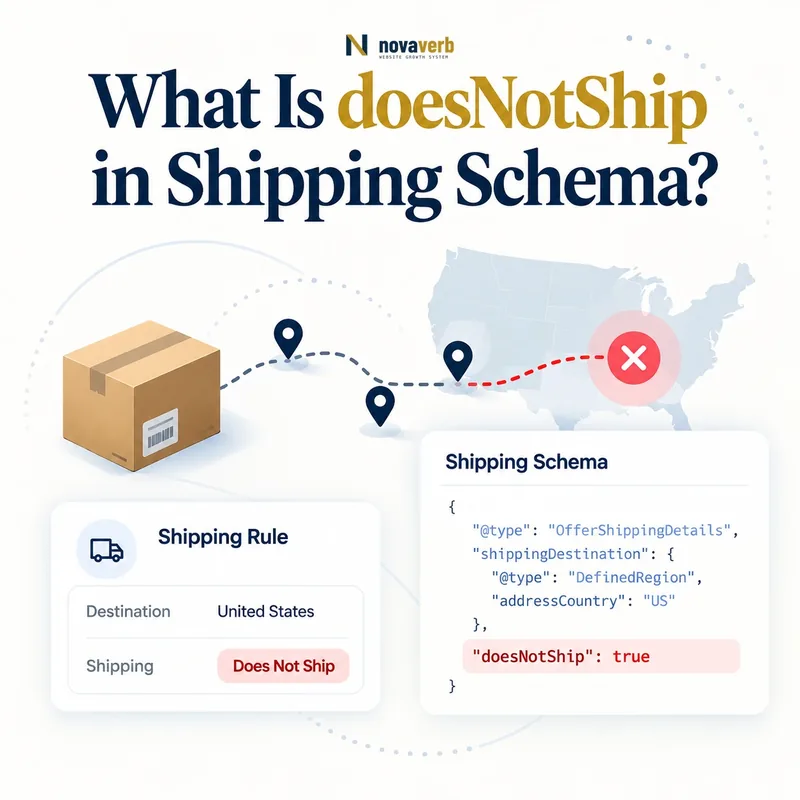
What Is doesNotShip in Shipping Schema?
DoesNotShip is a Boolean shipping property set to true when a specified shipping route or matched order condition is unavailable.
It creates a negative rule rather than a rate or delivery promise. Inside ShippingConditions, it can combine origin, destination, weight, item count, and order value. Inside OfferShippingDetails, it can identify a destination where the specific Offer cannot be shipped.
- Identify the exact page, asset, entity or relationship described in this section.
- Inspect the live implementation and retain the observed evidence.
- Compare the observation with the intended meaning and its primary specification.
- Correct any mismatch, then retest the live result.
- Record the accountable owner and review date.
| Element | Role | Example |
|---|---|---|
| doesNotShip | Marks exclusion | true |
| shippingOrigin | Where shipment begins | US warehouse region |
| shippingDestination | Where shipment is blocked | Alaska |
| weight | Restricts exclusion by weight | Over 70 lb |
| orderValue | Restricts exclusion by cart value | Under $50 |
- Set the value as Boolean true.
- Define the excluded match set precisely.
- Keep visible checkout restrictions aligned.
Use the free backlink checker while reviewing important commerce URLs.
Primary specification: Schema.org definition for doesNotShip.
DoesNotShip is accurate when one precise negative condition matches the orders checkout truly cannot fulfill.
Where Does doesNotShip Belong?
DoesNotShip belongs on ShippingConditions for reusable service rules or on OfferShippingDetails for a destination exclusion specific to one Offer.
The correct placement follows scope. A merchant-wide hazardous-goods route restriction belongs in the policy condition that defines the product class or operational rule. An oversized product that alone cannot ship to Hawaii needs an Offer-level exception. Do not place the Boolean on Product without the shipping context it negates.
- The exact page, asset, entity or relationship covered by this section
- The live implementation rather than an editor-only preview
- The primary specification or first-party record defining the expected behavior
- The validation result, accountable owner and review date
| Placement | Scope | Use |
|---|---|---|
| ShippingConditions | Reusable service rule | Route or cart-based exclusion |
| OfferShippingDetails | Specific Offer | Product destination exclusion |
| ShippingService root | Too broad alone | Use conditions |
| Product root | No shipping match context | Do not place here |
- Identify whether the restriction is global or product-specific.
- Choose policy or Offer scope.
- Add the relevant origin and destination.
- Add cart constraints when needed.
- Test the complete matching rule.
Review ShippingConditions and OfferShippingDetails for the two parent models.
Correct placement keeps a negative rule as narrow as the business restriction it represents.
How Do Origin and Destination Define the Exclusion?
ShippingOrigin and shippingDestination define the blocked route, so the same destination can be excluded from one warehouse while remaining available from another.
A destination-only rule may be sufficient when all origins share the restriction. Multi-warehouse merchants should model route-level capability because carrier contracts, inventory, customs, or product handling can differ by origin. DefinedRegion supplies exact country, state, or postal membership.
- Identify the exact page, asset, entity or relationship described in this section.
- Inspect the live implementation and retain the observed evidence.
- Compare the observation with the intended meaning and its primary specification.
- Correct any mismatch, then retest the live result.
- Record the accountable owner and review date.
| Origin | Destination | Possible outcome |
|---|---|---|
| California warehouse | Alaska | May ship |
| Texas warehouse | Alaska | May not ship |
| US warehouse | Canada | Category-dependent |
| EU warehouse | Canada | Different customs rule |
| Any origin | Restricted ZIP | Postal exclusion |
- Use DefinedRegion for both ends.
- Do not confuse warehouse location with customer market.
- Test multi-origin inventory routing.
- Preserve postal exclusions as text.
The negative rule should follow the origin that actually fulfills the item, not a generic corporate address.
Route exclusions remain truthful when origin selection and destination membership match the live fulfillment path.
How Do Weight, Item Count, and Order Value Affect Exclusions?
Weight, numItems, and orderValue narrow doesNotShip so only orders matching the restricted combination are blocked.
An ordinary product may ship to Hawaii while a 100-pound order cannot. Mexico orders under $50 may be excluded while larger orders qualify for a special service. Every constraint participates in the match, so omission broadens the negative rule.
- The exact page, asset, entity or relationship covered by this section
- The live implementation rather than an editor-only preview
- The primary specification or first-party record defining the expected behavior
- The validation result, accountable owner and review date
| Constraint | Example exclusion | Boundary test |
|---|---|---|
| weight | Over 70 lb cannot ship | 69.99, 70, 70.01 |
| numItems | More than 12 items blocked | 12 and 13 items |
| orderValue | Under $50 unavailable | 49.99 and 50 |
| Combined | Heavy high-count order blocked | All intersections |
- Define each range and unit.
- Document inclusive boundaries.
- Combine only constraints used by checkout.
- Generate boundary-value carts.
- Confirm eligible carts remain allowed.
Review MonetaryAmount for order-value range semantics.
Cart-based exclusions are safe when their ranges block exactly the restricted orders and no others.
How Do You Exclude Alaska, Hawaii, and US Territories?
Model Alaska, Hawaii, and territories as explicit destination regions when they are excluded, and ensure the negative rules override any broader US shipping condition.
A country-wide US rule is broader than “contiguous United States.” Without explicit precedence, one address can match both an allowed national rule and a state exclusion. Territories and APO/FPO addresses need their own operational evidence rather than being silently grouped with states.
- Identify the exact page, asset, entity or relationship described in this section.
- Inspect the live implementation and retain the observed evidence.
- Compare the observation with the intended meaning and its primary specification.
- Correct any mismatch, then retest the live result.
- Record the accountable owner and review date.
| Destination | Possible rule | Check |
|---|---|---|
| Contiguous states | Allowed base condition | Boundary ZIPs |
| Alaska | doesNotShip true or separate service | Anchorage and remote ZIPs |
| Hawaii | Exclusion or special rate | Multiple islands |
| US territories | Explicit treatment | Checkout service |
| APO/FPO | Carrier-specific rule | Military address support |
- Translate “contiguous US” into exact region membership.
- Use explicit state codes.
- Document territory handling.
- Test broad-positive and specific-negative overlap.
If a separate paid service exists, represent that service instead of marking the destination universally unavailable.
US exclusions work when specific regional truth overrides marketing shorthand and broad country coverage.
How Should Positive and Negative Shipping Rules Interact?
A specific matching doesNotShip rule should defeat a broader allowed rule for the same service, route, product, and cart, with deterministic precedence shared by markup and checkout.
Negative rules are dangerous when precedence is implicit. A broad US condition may provide a rate, while a narrower Hawaii condition blocks heavy items. The policy engine must decide based on specificity and all matched constraints. Publishing both without a consistent decision can create contradictory customer promises.
- The exact page, asset, entity or relationship covered by this section
- The live implementation rather than an editor-only preview
- The primary specification or first-party record defining the expected behavior
- The validation result, accountable owner and review date
| Rule | Specificity | Expected result |
|---|---|---|
| All US allowed | Broad | Base service |
| Hawaii heavy orders blocked | Specific region and weight | Block matched cart |
| Hawaii light orders paid | Specific region and weight | Allow with rate |
| Product Offer excludes Hawaii | Product-specific | Override merchant default |
- List all rules matching the same test cart.
- Rank policy and Offer specificity.
- Apply the negative rule where intended.
- Verify the same checkout decision.
- Add regression tests for intersections.
Precedence should be a documented data rule, not an accident of array order.
Positive and negative conditions are coherent when every test cart resolves to one deterministic fulfillment outcome.
How Should Product-Specific Restrictions Work?
Product-specific restrictions should use a narrowly scoped Offer-level shipping exclusion when the general merchant service remains valid for other products.
Oversized furniture, lithium batteries, perishables, regulated goods, and vendor-shipped items can have different destinations from the catalog default. The exception should follow the exact Offer and variant. A parent product restriction should not automatically block smaller or compliant children.
- Identify the exact page, asset, entity or relationship described in this section.
- Inspect the live implementation and retain the observed evidence.
- Compare the observation with the intended meaning and its primary specification.
- Correct any mismatch, then retest the live result.
- Record the accountable owner and review date.
| Product case | Restriction source | Scope |
|---|---|---|
| Oversized furniture | Dimensions or freight capability | Specific Offer |
| Lithium battery | Carrier and destination rules | Category plus variant |
| Perishable item | Transit time and temperature | Region and service |
| Vendor-direct product | Supplier network | Vendor fulfillment cohort |
| Ordinary catalog item | Merchant default | Shared policy |
- Keep dimensions and weight accurate.
- Map category restrictions to real carrier rules.
- Validate each variant independently.
- Do not expose unsupported compliance claims.
A product exception should override only the shared policy facts that are false for that Offer.
Offer-level exclusions protect the general shipping policy by isolating real product and variant exceptions.
What doesNotShip Schema Mistakes Are Common?
Common mistakes include omitting destination scope, using the string “true” inconsistently, blocking all products for one exception, ignoring origin, creating contradictory allowed rules, and leaving stale exclusions after service expands.
Another defect is publishing doesNotShip false as though it proves universal availability. A negative Boolean alone cannot establish a rate, transit time, or eligible route. Syntax validation also cannot confirm that checkout rejects or accepts a real address.
- The exact page, asset, entity or relationship covered by this section
- The live implementation rather than an editor-only preview
- The primary specification or first-party record defining the expected behavior
- The validation result, accountable owner and review date
| Mistake | Consequence | Fix |
|---|---|---|
| No destination | Exclusion becomes overly broad | Add DefinedRegion |
| One product blocks catalog | Valid offers disappear | Move to Offer scope |
| Origin ignored | Alternative warehouse blocked | Model route |
| Allowed rule also matches | Contradictory outcome | Define precedence |
| Stale exclusion | New service remains hidden | Sync policy source |
- Extract every negative rule and parent.
- Compute its exact match set.
- Find competing positive rules.
- Repair source and precedence.
- Verify real address outcomes.
One source policy should drive visible restrictions, markup, and checkout.
DoesNotShip errors require match-set and precedence analysis, not only Boolean validation.