
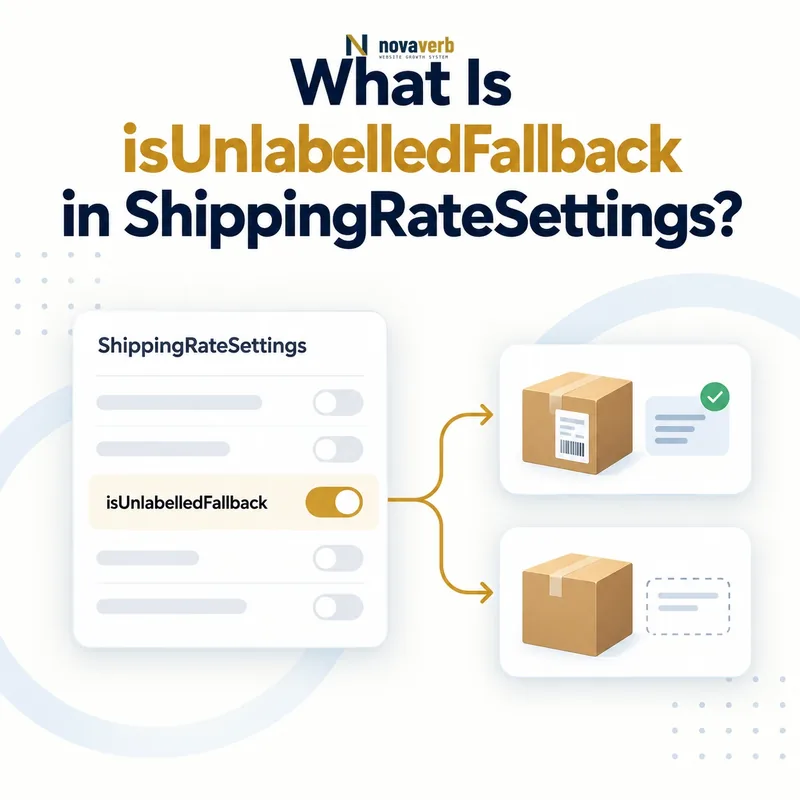
What Is isUnlabelledFallback in ShippingRateSettings?
isUnlabelledFallback is a Boolean property that marks unlabelled ShippingRateSettings as the fallback intended to apply across the same merchant's OfferShippingDetails context.
A true value expresses default behavior, not merely a convenient label omission. The vocabulary describes it for settings that are unlabelled and historically referenced through shippingSettingsLink. Because shippingSettingsLink is now retired, teams must distinguish the property's meaning from the compatibility mechanism used by a particular consumer.
The property does not set a shipping price, destination, threshold, delivery speed, or exclusion. Those outcomes still come from the rate settings and related shipping entities. A fallback is only as accurate as the rate policy it points toward.
- Identify the exact page, asset, entity or relationship described in this section.
- Inspect the live implementation and retain the observed evidence.
- Compare the observation with the intended meaning and its primary specification.
- Correct any mismatch, then retest the live result.
- Record the accountable owner and review date.
| Case | Meaning | Action |
|---|---|---|
| isUnlabelledFallback | Boolean default marker | true or false |
| true | Unlabelled fallback intended | Apply only in valid merchant context |
| ShippingRateSettings | Supported parent | Reusable rate policy |
| OfferShippingDetails | Offer-side context | Confirm consumer matching |
| Shipping rate | Separate outcome | Model amount independently |
- Use Boolean values.
- Keep true settings unlabelled.
- Validate the merchant and Offer scope.
- Test the actual shipping outcome.
Use the free backlink checker to identify linked pages before changing a shared shipping fallback.
Primary specification: Schema.org definition for isUnlabelledFallback.
isUnlabelledFallback is correct only when an unlabelled settings node genuinely represents the merchant's default shipping-rate policy.
Where Can isUnlabelledFallback Be Used?
isUnlabelledFallback can be used on ShippingRateSettings, while its definition also discusses analogous unlabelled DeliveryTimeSettings behavior.
For this article's rate intent, place the property on the ShippingRateSettings entity that contains or resolves the default rate logic. Do not attach it directly to Product, Offer, OfferShippingDetails, ShippingConditions, DefinedRegion, or MonetaryAmount.
A correctly typed parent helps crawlers and internal auditors preserve entity boundaries. It also prevents a broad default flag from being mistaken for a Product-level promise or a destination-level rule.
- The exact page, asset, entity or relationship covered by this section
- The live implementation rather than an editor-only preview
- The primary specification or first-party record defining the expected behavior
- The validation result, accountable owner and review date
| Case | Meaning | Action |
|---|---|---|
| ShippingRateSettings | Correct rate parent | Use here |
| DeliveryTimeSettings | Mentioned parallel context | Audit timing separately |
| OfferShippingDetails | Not the parent | Consumes shipping context |
| Product or Offer | Wrong direct parent | Keep entity boundaries |
| MonetaryAmount | Rate value only | Do not add fallback flag |
- Locate the settings entity.
- Confirm it models rates rather than transit time.
- Attach one Boolean value.
- Preserve stable entity identifiers.
Start with ShippingRateSettings and OfferShippingDetails.
Correct placement keeps a fallback declaration attached to reusable settings rather than to the products, Offers, or monetary values that use them.
When Should isUnlabelledFallback Be True?
Set isUnlabelledFallback to true only when the unlabelled settings are deliberately intended as the merchant-wide fallback for matching OfferShippingDetails that lack a more specific settings selection.
A true value should trace to an authoritative commerce rule: for example, the merchant's default contiguous-US standard rate when no product, service, membership, marketplace seller, or destination-specific policy supersedes it. Absence of a label by accident is not evidence of fallback intent.
The default must remain safe for every Offer cohort it may reach. If oversized, hazardous, refrigerated, vendor-direct, subscription, digital, or international products need different behavior, a single broad fallback may be too coarse without deterministic exception handling.
- The exact page, asset, entity or relationship covered by this section
- The live implementation rather than an editor-only preview
- The primary specification or first-party record defining the expected behavior
- The validation result, accountable owner and review date
| Case | Meaning | Action |
|---|---|---|
| Merchant default standard rate | Potential true | Verify exceptions |
| Accidentally missing label | Not a fallback decision | Repair source |
| Oversized products | Likely special cohort | Keep specific policy |
| Digital goods | No physical shipping | Exclude from fallback |
| Multiple sellers | Scope may differ | Resolve per merchant |
- Identify the policy owner.
- Document the intended default cohort.
- Enumerate all exceptions.
- Prove specific rules win where required.
- Only then publish true.
A true fallback is defensible when default intent is explicit and every exception keeps its more specific checkout result.
Why Must a True Fallback Remain Unlabelled?
A true isUnlabelledFallback value should not be combined with shippingLabel because the property is specifically defined for unlabelled settings.
A label selects or distinguishes a particular settings set, while a fallback covers the absence of that specific selection. Combining both creates contradictory semantics: the same entity claims to be selected by a label and to serve as the unlabelled default.
The same logic applies to transitTimeLabel when the property appears in the DeliveryTimeSettings context described by the vocabulary. Current audits must also record that shippingLabel and transitTimeLabel are retired terms, so removal or migration should follow consumer evidence rather than assumption.
- Identify the exact page, asset, entity or relationship described in this section.
- Inspect the live implementation and retain the observed evidence.
- Compare the observation with the intended meaning and its primary specification.
- Correct any mismatch, then retest the live result.
- Record the accountable owner and review date.
| Case | Meaning | Action |
|---|---|---|
| true + no label | Coherent fallback | Continue validation |
| true + shippingLabel | Meaning conflict | Separate default and specific settings |
| false + label | Historically specific settings | Audit retired term |
| Missing property + no label | Unknown intent | Trace policy source |
| Transit-time label combination | Parallel conflict | Audit timing entity |
- Extract fallback values and labels.
- Flag every true-plus-label combination.
- Split specific and default policies where needed.
- Retest entity matching.
A fallback remains semantically clear when true identifies an unlabelled default and never doubles as a labelled, specifically selected policy.
How Do Retired Shipping Links Affect This Property?
The current definition still describes matching through shippingSettingsLink, but shippingSettingsLink, shippingLabel, and transitTimeLabel are retired vocabulary terms, so implementations need an explicit compatibility and migration audit.
Retired does not mean that every existing consumer immediately ignores every historical graph. It does mean a new architecture should not assume that retired cross-references are the durable path forward. Record which parser, platform, export, feed, or internal service consumes the settings before changing production markup.
Separate three questions: what the fallback property means, how a current consumer discovers the settings, and what checkout actually charges. A vocabulary page can define semantics while a consumer supports only a subset or a different integration path.
- The exact page, asset, entity or relationship covered by this section
- The live implementation rather than an editor-only preview
- The primary specification or first-party record defining the expected behavior
- The validation result, accountable owner and review date
| Case | Meaning | Action |
|---|---|---|
| isUnlabelledFallback | Current property page | Preserve supported meaning |
| shippingSettingsLink | Retired | Measure dependencies |
| shippingLabel | Retired | Avoid new blind reliance |
| transitTimeLabel | Retired | Audit timing separately |
| Consumer behavior | Implementation-specific | Test directly |
- Inventory every retired term.
- Map each consumer and version.
- Capture rendered graphs before migration.
- Test a controlled cohort.
- Keep rollback evidence.
Retirement-safe work preserves the fallback's intended meaning while replacing unsupported dependencies only after real consumer and checkout tests.
How Do Specific Shipping Rules Override a Fallback?
Specific shipping rules should take precedence over the unlabelled fallback whenever a product, destination, service, seller, membership tier, or exception has a narrower authoritative policy.
A fallback is a last applicable rate, not permission to flatten the shipping matrix. A contiguous-US standard default must not overwrite express prices, Alaska or Hawaii rates, international exclusions, freight charges, hazardous-material restrictions, or seller-specific fulfillment.
Make precedence deterministic in the commerce source before generating markup. One useful order is availability prohibition, product or seller exception, destination and service-specific rule, qualifying promotion, then fallback. The exact order must reproduce checkout rather than follow a generic template.
- The exact page, asset, entity or relationship covered by this section
- The live implementation rather than an editor-only preview
- The primary specification or first-party record defining the expected behavior
- The validation result, accountable owner and review date
| Case | Meaning | Action |
|---|---|---|
| doesNotShip match | Availability prohibition | Stop before rate |
| Oversized freight | Product exception | Use specific charge |
| Express service | Service-specific rate | Do not use standard fallback |
| Contiguous-US standard | Default cohort | Fallback may apply |
| No matching safe fallback | Unresolved policy | Do not invent rate |
- Resolve non-shipping outcomes.
- Apply product and seller exceptions.
- Match destination and service.
- Evaluate promotions.
- Use fallback only last.
Model geography with shippingDestination and preserve unavailable outcomes before applying a rate.
A fallback is safe when every narrower rule wins predictably and the remaining default cohort matches checkout.
How Does a Fallback Interact With Rates and Thresholds?
isUnlabelledFallback selects default settings behavior; shippingRate, freeShippingThreshold, orderPercentage, and weightPercentage determine the monetary result inside those settings.
Do not treat true as a zero-cost signal. The fallback may contain a fixed maximum rate, a percentage component, a free-shipping boundary, or a combination supported by the merchant's implementation. Currency, weight units, eligible subtotal, and service scope remain independent requirements.
At checkout, first determine whether specific settings apply. Only then use fallback settings and calculate the rate in the documented order. Threshold equality, discounts, excluded items, and mandatory freight can all change the final result without changing the fallback flag.
- The exact page, asset, entity or relationship covered by this section
- The live implementation rather than an editor-only preview
- The primary specification or first-party record defining the expected behavior
- The validation result, accountable owner and review date
| Case | Meaning | Action |
|---|---|---|
| isUnlabelledFallback | Default selection | No price by itself |
| shippingRate | Base or final rate | Preserve currency |
| freeShippingThreshold | Inclusive zero boundary | Test exact amount |
| orderPercentage | Order-value component | Use fraction |
| weightPercentage | Weight component | Verify unit formula |
- Select specific or fallback settings.
- Resolve exclusions and service.
- Calculate eligible monetary inputs.
- Apply threshold or rate formula.
- Compare the final checkout charge.
Compare freeShippingThreshold and shippingRate.
Fallback selection and rate calculation stay accurate when they are modeled as separate decisions and verified together.
What isUnlabelledFallback Mistakes Are Common?
Common mistakes include using true as a substitute for a missing label, combining true with a label, attaching the property to the wrong entity, assuming it means free shipping, ignoring exception precedence, and relying blindly on retired links.
Other defects include multiple competing true fallbacks for the same merchant and cohort, false values that are treated as active defaults, Boolean strings emitted inconsistently, and fallback settings that differ from checkout after promotions or catalog changes.
Repair the policy source rather than patching individual pages. Shared settings defects can affect thousands of Offers, so preserve the affected cohort, compare live outcomes, stage the change, and keep a rollback path.
- Identify the exact page, asset, entity or relationship described in this section.
- Inspect the live implementation and retain the observed evidence.
- Compare the observation with the intended meaning and its primary specification.
- Correct any mismatch, then retest the live result.
- Record the accountable owner and review date.
| Case | Meaning | Action |
|---|---|---|
| true plus shippingLabel | Contradictory semantics | Separate settings |
| true interpreted as free | Price error | Model rate independently |
| Two default settings | Ambiguous fallback | Resolve ownership |
| Retired link assumed current | Compatibility risk | Test consumer |
| Checkout differs | False public graph | Repair source |
- Find every true value.
- Group by merchant and cohort.
- Detect labels and duplicate defaults.
- Compare exceptions and checkout.
- Repair the authoritative configuration.
Fallback defects are resolved only when entity placement, Boolean meaning, uniqueness, precedence, consumer compatibility, and checkout outcome all agree.