
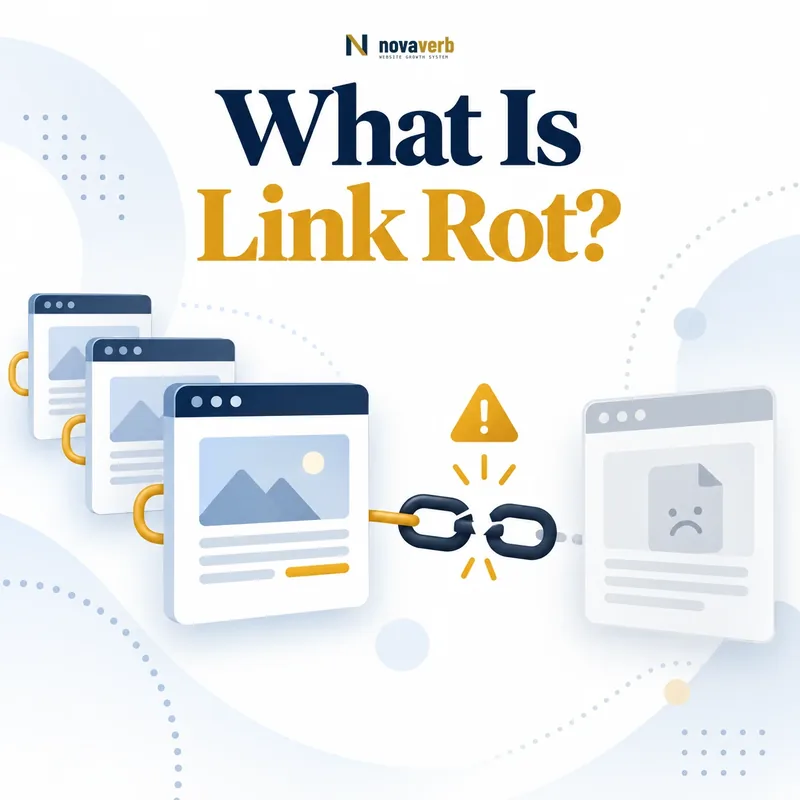
What Is Link Rot?
Link rot affects internal links, outbound references and backlinks pointing to your site. It can occur suddenly after a migration or accumulate slowly as publishers remove resources, products are retired and external domains change ownership.
A successful HTTP response does not prove a healthy link. Verification must include the final destination, content relevance and whether the page still satisfies the user promise made by the anchor and surrounding text.
- Hard 404 or 410 response
- Server and DNS failure
- Redirect to an irrelevant page
- Soft 404 or empty destination
- Removed section or fragment
- Content drift after ownership change
- Blocked or inaccessible resource
- Source page deletion
- Frame the decision raised by What Is Link Rot.
- Inspect its context, anchor, destination and redirects.
- Compare the observation with relationship evidence.
- Classify the pattern before assigning any repair.
- Recheck the live source after the action is complete.
| Link state | Technical result | User result |
|---|---|---|
| Healthy | Valid response | Expected resource |
| Hard broken | 4xx or failed host | No resource |
| Server failure | 5xx or timeout | Unavailable resource |
| Redirected | 3xx chain | Equivalent or mismatched page |
| Soft failure | 200 response | Missing expected content |
| Content drift | 200 response | Different or outdated meaning |
Link rot includes both technical failure and semantic decay, so a live status code is only the beginning of verification.
What Causes Link Rot?
Internal link rot often follows a site migration without complete redirects or content inventory. Outbound rot reflects changes on sites you do not control. Backlink rot occurs when external sources still reference a destination your own site moved or retired.
Temporary outages and crawler blocks can look like rot in a single scan. Retest uncertain failures and record response history before applying permanent corrections.
- Content deletion or consolidation
- URL and domain migration
- CMS or routing changes
- File and asset removal
- Domain expiration or resale
- Access and authentication changes
- Fragment identifier changes
- Redirect chain degradation
- Temporary infrastructure failure
- Frame the decision raised by What Causes Link Rot.
- Inspect its context, anchor, destination and redirects.
- Compare the observation with relationship evidence.
- Classify the pattern before assigning any repair.
- Recheck the live source after the action is complete.
| Cause | Owned or external | Prevention or check |
|---|---|---|
| Internal migration | Owned | Redirect map and crawl |
| External deletion | External | Replace source or archive evidence |
| Domain expiration | External or acquired | Verify ownership and relevance |
| CMS change | Owned | Route regression checks |
| Fragment change | Owned or external | Validate exact section |
| Temporary outage | Either | Retest before decision |
| Redirect decay | Either | Resolve full chain |
Understanding whether the source, destination or routing system changed determines which team can repair the link and how durable the fix will be.
Link Rot vs Broken Links and Lost Backlinks
An outbound reference that returns 404 is broken because of link rot. A backlink can remain visible on a source page while pointing to your broken destination, so the link is not lost even though the user journey fails.
A provider can mark a backlink lost because the source was unavailable during a crawl, the page changed or index coverage shifted. Use the lost backlink workflow and live source verification before assigning cause.
- Link rot as long-term decay
- Broken link as current failure
- Lost backlink as provider observation
- Live source versus destination state
- Technical error versus semantic mismatch
- Provider timing and coverage
- Different repair owners
- Frame the decision raised by Link Rot vs Broken Links and Lost Backlinks.
- Inspect its context, anchor, destination and redirects.
- Compare the observation with relationship evidence.
- Classify the pattern before assigning any repair.
- Recheck the live source after the action is complete.
| Concept | What changed | Verification |
|---|---|---|
| Link rot | Link usefulness decayed over time | Source and final destination |
| Broken link | Current path fails technically | Response and rendered page |
| Lost backlink | Provider no longer observes relation | Live referring page |
| Broken backlink destination | Source link remains, target fails | Source plus target |
| Content drift | Destination loads but meaning changed | Original reference intent |
| Temporary outage | Failure may recover | Repeated checks |
Use the precise state - rotted, broken, lost or semantically changed - so the repair targets the actual failure instead of a provider label.
How Does Link Rot Affect SEO and Users?
Broken internal links can strand users and make owned content harder to navigate. Broken outbound citations reduce trust and prevent readers from checking supporting evidence. Backlinks to missing pages waste referral demand unless a relevant replacement path exists.
Measure affected sessions, errors, crawls, conversions and linked-page search performance separately. Do not convert a broken-link count into a ranking-loss claim without first-party performance evidence.
- Failed user navigation
- Missing supporting evidence
- Wasted referral visits
- Broken conversion paths
- Crawl and discovery friction
- Lost asset attribution
- Support and maintenance burden
- Inaccurate content quality signals
- Frame the decision raised by How Does Link Rot Affect SEO and Users.
- Inspect its context, anchor, destination and redirects.
- Compare the observation with relationship evidence.
- Classify the pattern before assigning any repair.
- Recheck the live source after the action is complete.
| Impact area | Observable evidence | Do not assume |
|---|---|---|
| Users | Failed clicks and exits | Every error loses a customer |
| Referral | Visits to dead destination | Provider link count equals traffic |
| Crawl | Error requests and paths | Ranking impact from count alone |
| Content | Missing citation context | All old sources are harmful |
| Conversion | Interrupted journey | Exact revenue without attribution |
| Search | First-party query and page data | Universal penalty |
Link rot deserves priority when real user, crawl, referral or business evidence shows that a broken path interrupts a valuable journey.
How Do You Detect Link Rot?
Run consistent scans that store source URL, raw destination, final destination, response, redirect chain, anchor, discovery date and last verified date. Compare scans to identify newly broken or changed links.
Use Backlink Checker for inbound source discovery and Backlinks Explorer to monitor sources and destinations. Retest timeouts, rate limits and blocked crawlers before declaring a permanent failure.
- Inventory internal, outbound and inbound links
- Crawl each reachable destination
- Record response and redirect chain
- Render ambiguous pages
- Check fragments and expected content
- Compare with the previous verified scan
- Group failures by cause and template
- Retest temporary or blocked responses
- Open high-value sources manually
- Create an evidence-backed repair queue
- Evidence for How Do You Detect Link Rot: the live referring page and surrounding context
- The anchor, destination and complete redirect path
- Disclosure or relationship evidence where one exists
- Repeated patterns across sources, anchors and destinations
- A timestamped recheck before assigning an action
| Detection method | Finds | Limitation |
|---|---|---|
| Link crawler | Status and redirect issues | May miss rendered state |
| Rendered check | Soft failures and content changes | Costs more time |
| Backlink monitor | Inbound source changes | Provider coverage varies |
| Analytics | Failed real user paths | Only measured traffic |
| Server logs | Requests and errors | Does not show user intent |
| Manual review | Semantic relevance | Not scalable alone |
Reliable detection combines scalable technical checks with targeted rendered review for failures that status codes cannot explain.
How Do You Prioritize Link Rot Repairs?
A broken checkout or documentation link deserves faster action than an old low-traffic citation. One navigation template can affect thousands of pages, while one redirect rule can repair many backlinks to a migrated resource.
Separate urgent incidents, batchable redirect work, content replacements and monitoring. Give every item an owner, evidence, proposed destination and retest date.
- Confirm the failure is current
- Measure affected pages and user paths
- Identify source and destination ownership
- Estimate traffic and conversion exposure
- Group shared template or migration causes
- Find the closest valid replacement
- Check risk of redirecting incorrectly
- Score urgency and effort
- Assign owner and target date
- Retest the completed path
- Evidence for How Do You Prioritize Link Rot Repairs: the live referring page and surrounding context
- The anchor, destination and complete redirect path
- Disclosure or relationship evidence where one exists
- Repeated patterns across sources, anchors and destinations
- A timestamped recheck before assigning an action
| Priority factor | High priority | Lower priority |
|---|---|---|
| User path | Primary task blocked | Optional old reference |
| Reach | Shared template or many backlinks | One isolated page |
| Business | Revenue or activation path | No measured use |
| Source | Strong relevant referring pages | Unverified low-use source |
| Repair | Clear equivalent destination | No suitable replacement |
| Confidence | Repeated verified failure | One temporary timeout |
Repair priority should reflect verified journey impact and the number of paths restored, not merely the total number of errors.
How Do You Fix Link Rot?
For owned destinations, restoration is often best when the resource still has demand and backlinks. Use redirects only when the replacement is genuinely equivalent; sending every retired URL to the homepage creates a technically live but semantically broken journey.
For external references, replace the citation with a credible current source or revise the claim if evidence no longer exists. Keep an archived copy only when its use and accessibility are appropriate.
- Open source and final destination
- Identify the original linking intent
- Restore the resource when still valuable
- Select an equivalent replacement when available
- Implement the narrowest correct redirect
- Update owned source links directly
- Remove unsupported or obsolete references
- Test status, content and mobile behavior
- Update sitemaps or navigation where relevant
- Retest after deployment
- Evidence for How Do You Fix Link Rot: the live referring page and surrounding context
- The anchor, destination and complete redirect path
- Disclosure or relationship evidence where one exists
- Repeated patterns across sources, anchors and destinations
- A timestamped recheck before assigning an action
| Failure | Preferred repair | Avoid |
|---|---|---|
| Moved owned page | Direct equivalent redirect | Homepage catch-all |
| Deleted valuable asset | Restore or replace fully | Empty soft-404 page |
| Broken external citation | Current credible source | Unrelated convenient page |
| Changed fragment | Update exact section link | Removing useful context |
| Long redirect chain | Link to final canonical URL | Adding another hop |
| No valid replacement | Remove or rewrite claim | Keeping dead reference |
A link is repaired only when the final destination still fulfills the purpose communicated by the source context.
How Do You Prevent Link Rot?
Before changing URLs, inventory internal links, backlinks, traffic, conversions and external dependencies. Create explicit mappings and test them with real content rather than applying broad fallback redirects.
Connect monitoring and repair ownership through the SEO tools system. Review the wider backlink profile and backlink audit when retiring linked assets.
- Choose stable descriptive URLs
- Assign owners to linked assets
- Inventory links before migrations
- Create one-to-one redirect maps
- Test source and destination journeys
- Monitor internal and outbound links
- Track backlinks to retiring pages
- Refresh external evidence and examples
- Document content retirement decisions
- Run recurring verified scans
- Evidence for How Do You Prevent Link Rot: the live referring page and surrounding context
- The anchor, destination and complete redirect path
- Disclosure or relationship evidence where one exists
- Repeated patterns across sources, anchors and destinations
- A timestamped recheck before assigning an action
| Prevention control | Owner | Evidence |
|---|---|---|
| Stable URL policy | Content and engineering | Fewer avoidable moves |
| Migration map | SEO and engineering | Validated redirects |
| Asset ownership | Content or product | Update cadence |
| Recurring crawl | SEO operations | Change history |
| Backlink monitoring | Acquisition team | Linked-page inventory |
| Retirement review | Cross-functional owner | Replacement decision |
Start with a relevant Backlink Checker, continue the evidence workflow in Backlinks Explorer, and review pricing when comparing continuous monitoring with a one-time manual review.
Link rot prevention works when URL changes, asset ownership, monitoring and retirement decisions share one accountable process.