
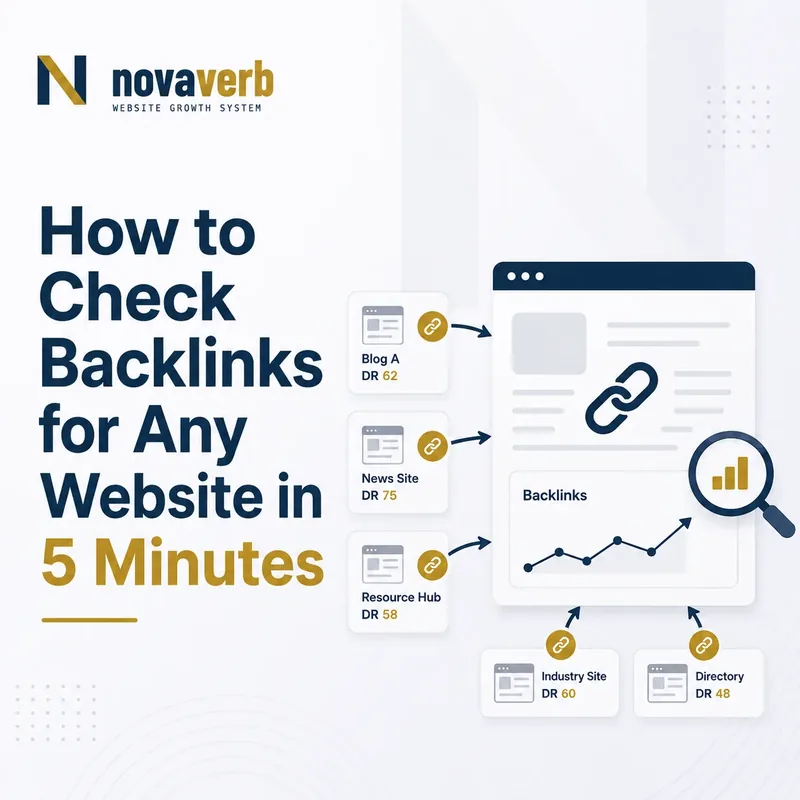
The 5-Minute Takeaway: A Backlink Snapshot Is Not a Full Link Audit
A five-minute backlink check helps you estimate the scale, diversity, and visible composition of a domain’s backlink profile. It does not prove that every backlink has been found, that all links help rankings, or that a domain is safe, authoritative, or competitive.
Begin with the free Backlink Checker and retain the original result before making strategic decisions.
What Does the Backlink Checker Show?
The Backlink Checker provides a domain-level snapshot of backlink volume, referring-domain diversity, dofollow-domain coverage, an estimated authority metric, and leading referring domains. Each number answers a different question and should be interpreted separately.
“A backlink is a link from some other website to that web resource.”
Source: Wikipedia, “Backlink” .
What Can a Five-Minute Backlink Check Actually Prove?
A quick backlink check can prove what one backlink index observed for the tested domain at the time of the lookup. It cannot expose Google’s complete link graph or prove the ranking effect of an individual link.
It can prove
- The exact domain submitted.
- The metrics returned by the selected provider.
- The referring domains visible in that dataset.
- The authority estimate shown at that time.
It can suggest
- The domain may depend heavily on a small number of sources.
- A competitor may have broader referring-domain coverage.
- Link acquisition may be concentrated in one site type.
- A deeper page-level review may be worthwhile.
It cannot prove
- That Google counted every listed link.
- That a link caused a ranking change.
- That a backlink is toxic or safe.
- That the profile is complete or current everywhere.
Minute 0–1: Enter the Correct Domain
Begin with the exact root domain whose backlink profile you intend to evaluate. Domain-level checking and page-level checking are different tasks, so confirm the scope before interpreting any number.
Enter the domain in the free Backlink Checker .
Minute 1–2: Compare Backlinks With Referring Domains
Backlink count measures observed links; referring-domain count measures the number of unique websites contributing those links. Referring domains usually provide a clearer first view of source diversity than raw backlink totals alone.
Minute 2–3: Review Dofollow Domains and Top Referring Sources
Dofollow-domain coverage helps describe the visible composition of the profile, while top referring domains show which websites contribute meaningful portions of the observed links. Neither metric should be interpreted without checking the source and context.
Minute 3–4: Interpret the Authority Estimate Carefully
An authority estimate is a third-party comparative metric derived from the provider’s own backlink data and scoring model. It is not a Google score, ranking factor, penalty indicator, or guarantee of traffic.
Minute 4–5: Record One Evidence-Backed Follow-Up
The final minute should turn the backlink snapshot into one research task, reclaim opportunity, competitor question, or target-page review. Avoid converting a few headline metrics into a complete link-building strategy.
Open Backlinks Explorer when the snapshot requires page-level targets, anchors, live/lost status, or internal-graph context.
Backlinks vs Referring Domains: What Is the Difference?
A backlink is one observed link; a referring domain is one unique website that contributes one or more backlinks. Both metrics matter, but they describe different characteristics of the profile.
| Metric | Measures | Useful for | Can be distorted by |
|---|---|---|---|
| Backlinks | Total observed inbound links | Scale and repeated-link patterns | Sitewide navigation, archives, tags, templates, and duplicates |
| Referring domains | Unique websites linking to the domain | Source diversity | Low-quality domains, mirrors, networks, and inactive sites |
Domain-Level Backlink Analysis vs Page-Level Analysis
Domain-level analysis explains the overall visible backlink profile, while page-level analysis identifies which specific URLs receive, lose, redirect, or waste external authority.
- Compare overall backlink scale
- Compare referring-domain diversity
- Review leading source domains
- Establish a quick competitor baseline
- Find the URLs receiving links
- Identify links landing on broken pages
- Review anchor and destination context
- Plan redirects, consolidation, or link reclamation
Move to Backlinks Explorer when the decision depends on target URLs rather than domain totals.
What Makes a Backlink Potentially Useful?
A backlink is potentially useful when it connects a real source, a relevant context, and a suitable destination in a way that helps users discover or verify something meaningful.
Follow, Nofollow, Sponsored, and UGC Links
Link attributes describe the relationship or handling guidance associated with a link; they are not a simple quality ranking from best to worst.
| Link state | Typical meaning | Common use |
|---|---|---|
| No special rel value | A standard link without nofollow, sponsored, or UGC qualification | Editorial and navigational references |
| nofollow | A qualification indicating that the publisher does not want to endorse or fully associate with the destination | Untrusted, unverified, or discretionary references |
| sponsored | A link associated with advertising, sponsorship, or compensation | Paid placements and commercial partnerships |
| ugc | A link created within user-generated content | Forums, comments, and community submissions |
How to Compare Competitor Backlink Profiles
Compare competitors by equivalent domains, markets, business models, and search intent - not by selecting the largest site in the industry and copying its links.
Use Competitor Top Pages to connect backlink research with the content that appears to attract search demand.
How to Audit Backlink Anchor Text and Context
Anchor text should be reviewed as a distribution of natural reference patterns, not as a target for exact-match repetition.
For a connected anchor, target-page, and internal-graph view, open Backlinks Explorer .
How to Review New and Lost Backlinks
New and lost backlink reports are time-based observations from a specific index. A lost status may reflect deletion, redirect, source failure, crawl timing, access changes, or a temporary provider gap.
- Source relevance
- Correct destination
- Natural context
- Campaign or publication origin
- Broken target pages
- Changed source content
- Redirect or migration mistakes
- Reclaim opportunities
Can a Backlink Checker Prove That a Link Is Toxic?
No automated score can prove by itself that a backlink is toxic, harmful, manipulative, or responsible for a ranking decline. Risk review requires evidence about acquisition, intent, pattern, control, context, and policy relevance.
Backlinks, Brand Mentions, and AI Citations Are Different Signals
A backlink, an unlinked brand mention, and an AI citation are three different observable relationships. They should be measured separately rather than combined into one authority score.
| Signal | Observed relationship | Evidence required |
|---|---|---|
| Backlink | A webpage links to another web resource | Source URL, destination URL, anchor, attributes, and status |
| Brand mention | A page names the brand without necessarily linking | Source page, context, entity match, and publication date |
| AI citation | An observed AI answer includes a source URL | Provider, model, question, answer, source, and timestamp |
Five-Minute Backlink Check Checklist
Use this checklist to produce a defensible backlink snapshot without claiming more than the available data supports.
Start with the free Backlink Checker .
Frequently Asked Questions About Checking Backlinks
Backlink metrics should be interpreted as provider-specific evidence rather than direct access to Google’s complete link graph.
What is a backlink?
A backlink is a link from another website to a page or resource on your website.
How can I check backlinks for free?
Enter the domain into the Novaverb Backlink Checker and review the returned domain-level metrics.
Does the checker find every backlink?
No backlink provider can guarantee complete coverage of the entire web. Each index has its own crawl and refresh limits.
What is a referring domain?
A referring domain is a unique website that contributes one or more backlinks to the checked domain.
Are more backlinks always better?
No. Link volume can be inflated by repeated template links, archives, duplicates, or low-value sources.
Are more referring domains always better?
No. Diversity is useful, but the relevance, legitimacy, context, and destination of each source still matter.
What is a dofollow backlink?
It is commonly used to describe a standard link that does not carry nofollow, sponsored, or UGC qualification.
Is domain authority a Google metric?
No. Authority scores are third-party estimates created by backlink-tool providers.
Can a checker identify toxic backlinks?
It can flag patterns or estimated risks, but a score alone cannot prove that a link is harmful.
Should I disavow every suspicious link?
No. Review Google-side evidence, acquisition history, and the broader pattern before using the disavow process.
How often should I check backlinks?
Use a consistent cadence based on site importance, campaign activity, migrations, and the need to monitor new or lost links.
When do I need a deeper backlink audit?
Use a deeper audit when you need target pages, anchors, live/lost status, competitor overlap, reclaim opportunities, or internal-link context.
Check the Domain, Find One Pattern, and Investigate the Evidence
Finish the five-minute backlink check with one defensible research action - not a generic goal to “build more links.” Start with the domain snapshot, identify the most important unanswered question, and move deeper only when the decision requires more evidence.
Use Novaverb to connect backlink evidence, competitor research, internal-link architecture, content decisions, and search visibility in one workflow.