
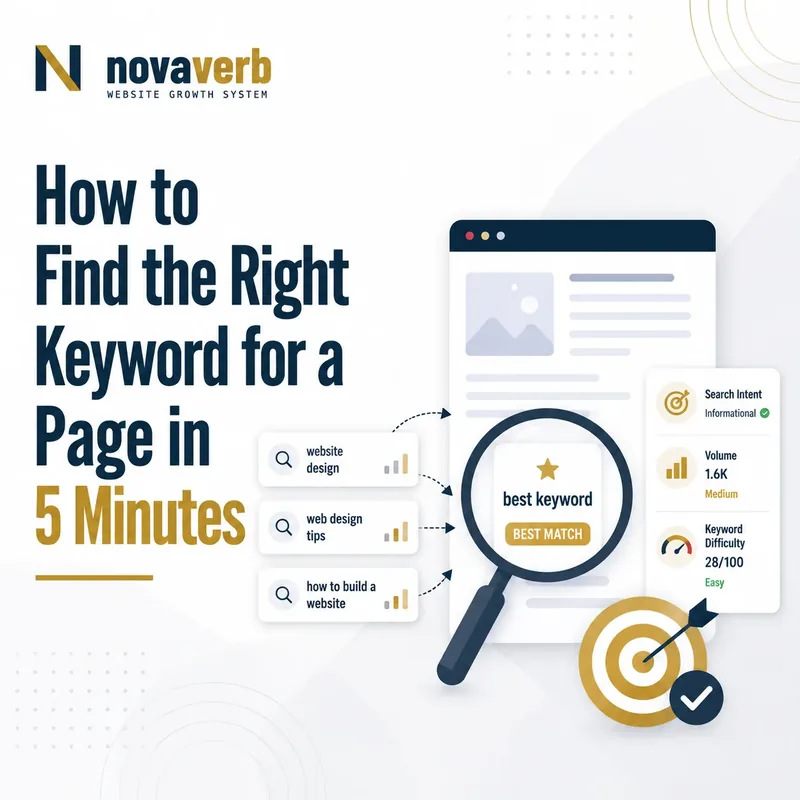
The 5-Minute Takeaway: Choose Intent Before Volume
The right keyword is the query whose search intent matches the job of the page you can realistically create, improve, rank, and convert. Search volume can indicate potential demand, but it cannot make an informational keyword suitable for a product page or make a broad query commercially valuable.
In five minutes, you can determine whether a keyword deserves its own page by checking five things in order: the page’s objective, the searcher’s intent, the page type visible in the results, the available demand and difficulty evidence, and the keyword’s value to the business.
The query expresses an intent the page can satisfy, the expected content format matches the proposed URL, and the visit can lead to a meaningful next step.
The keyword has attractive volume but requires a different page type, serves the wrong audience, duplicates an existing URL, or has no credible connection to the offer.
The decision should not automatically be “write a new article.” Sometimes the correct action is to update an existing page, combine two overlapping URLs, narrow the query, or decline a keyword that does not support the website’s topical and commercial direction.
Start with the free Keyword Research Tool to review the exact query, its detected intent, and the available keyword evidence before assigning it to a URL.
What Makes a Keyword Right for a Page?
A keyword is right for a page when the query, search intent, expected content format, target audience, and business objective all point toward the same useful destination. Volume alone cannot create that alignment.
“Keyword research is a practice search engine optimization professionals use to find and analyze search terms.”
Source: Wikipedia, “Keyword research” .
A broad keyword may have more demand, but a narrower keyword can be more suitable when it identifies the exact problem, audience, product category, location, or decision the page is designed to support.
What Can a Five-Minute Keyword Check Actually Prove?
A five-minute check can establish whether the proposed keyword and page role appear aligned based on observable intent, search results, available keyword data, and existing site coverage. It cannot guarantee rankings or forecast exact revenue.
It can prove
- The exact query being evaluated.
- The intent and page types currently visible in the SERP.
- Whether an existing URL already targets the same need.
- Which keyword metrics were available at the time of research.
It can suggest
- The proposed page format may be unsuitable.
- The query may be too broad or too narrow.
- A related keyword may provide stronger business alignment.
- The intent may already belong to another URL.
It cannot prove
- That the page will rank in a specific position.
- That estimated search volume equals future visits.
- That keyword difficulty predicts every website equally.
- That a visit will become a lead or sale.
Save the query, country, language, device where relevant, source of the metrics, date of the check, and selected page decision so the research can be reviewed later.
Minute 0–1: Define the Page’s Job
Before examining volume or difficulty, state the single primary job the page must perform for the searcher. A page without a defined job cannot be matched reliably to a keyword.
Complete this sentence before continuing: “This page helps [specific audience] accomplish [specific task or decision] by providing [content or functionality].”
Minute 1–2: Classify the Keyword’s Search Intent
Search intent describes the task the user appears to be trying to complete with the query. Classify the intent before assigning the keyword to a blog post, category, product page, tool, or landing page.
Use the SERP Checker to verify whether the live results support your initial intent classification.
Minute 2–3: Match the Query to the Expected Page Type
The correct keyword should fit the type of page users and search engines currently expect for the query. A well-written article may still be a poor match when the results are dominated by tools, product categories, local listings, or comparison pages.
| Visible SERP pattern | Likely page type | Typical page job |
|---|---|---|
| Definitions and guides | Article, glossary, wiki, or educational guide | Explain and teach |
| Lists and comparisons | Comparison, alternatives, review, or “best” page | Evaluate options |
| Product and category pages | Commercial category or product page | Browse and purchase |
| Interactive utilities | Calculator, checker, generator, or free tool | Complete a task |
| Maps and local businesses | Location, branch, service-area, or local landing page | Visit, call, or book locally |
Minute 3–4: Review Volume, Difficulty, and CPC Carefully
Keyword metrics help compare opportunities, but none of them should override an obvious intent or page-type mismatch. Interpret every metric according to its source, market, date, and methodology.
Run the exact query through the Keyword Research Tool before comparing it with broader or narrower alternatives.
Minute 4–5: Choose, Reject, Merge, or Reframe the Keyword
The correct output of keyword research is a page decision - not merely a spreadsheet row. Choose the action that best protects intent clarity and prevents unnecessary URL duplication.
Keyword Match Is Not the Same as Exact-Match Repetition
A page matches a keyword by satisfying the searcher’s need, not by repeating the exact phrase a fixed number of times. Use the primary query where it improves clarity, then write naturally around the topic, entities, questions, evidence, and next steps.
How to Distinguish Informational and Commercial Intent
Informational searches primarily seek understanding, while commercial-investigation searches help users evaluate alternatives before choosing a product, service, or provider.
| Signal | Informational intent | Commercial investigation |
|---|---|---|
| Common modifiers | what, why, how, guide, meaning, example | best, review, comparison, alternatives, pricing, versus |
| User objective | Learn or solve a knowledge problem | Evaluate available options |
| Expected page | Guide, tutorial, glossary, FAQ, explainer | Comparison, alternatives, review, category guide |
| Suitable CTA | Continue learning or run a related check | Compare plans, request details, trial, demo, or shortlist |
How to Distinguish Commercial and Transactional Intent
Commercial investigation occurs before the final choice, while transactional intent indicates that the searcher is closer to completing a specific action.
- Compare vendors, products, or plans
- Read reviews or alternatives
- Understand pricing structures
- Evaluate features and limitations
- Buy, subscribe, download, or register
- Book an appointment or request a quote
- Use a checker, generator, or calculator
- Access a product or service directly
When Is a Low-Volume Keyword the Better Choice?
A lower-volume keyword can be the better target when it identifies a more specific audience, problem, product, location, use case, or buying stage.
When Is a High-Volume Keyword Too Broad?
A high-volume keyword is too broad when the query combines multiple audiences, meanings, page types, or buying stages that one page cannot satisfy clearly.
How to Compare Two Keywords With Similar Search Volume
When two keywords have similar volume, choose between them using intent precision, SERP format, business relevance, existing site coverage, and the quality of the page you can produce.
| Comparison factor | Keyword A | Keyword B | Decision question |
|---|---|---|---|
| Search intent | Record dominant intent | Record dominant intent | Which intent matches the page’s job? |
| Expected format | Guide, tool, product, comparison, or local page | Guide, tool, product, comparison, or local page | Which format can the website deliver best? |
| Business value | Relevant next action | Relevant next action | Which query attracts the more qualified visitor? |
| Existing coverage | Existing URL or gap | Existing URL or gap | Would either keyword duplicate a current page? |
| Evidence advantage | Available expertise and proof | Available expertise and proof | Where can the site provide unique value? |
Use the Keyword Gap Checker when the decision depends on terms competitors cover that your website does not.
How to Check Whether an Existing Page Already Owns the Intent
Before creating a new URL, determine whether an existing page already targets the same search need or could satisfy it with a focused update.
Review competitor page patterns with Competitor Top Pages , but make the final ownership decision from your own architecture and evidence.
One Keyword Does Not Always Mean One Page
Several keyword variations can belong to one page when they express the same intent, while one broad keyword can require several pages when it contains distinct user needs.
- The same dominant intent
- The same expected page type
- The same audience and decision
- Substantially overlapping search results
- One coherent answer or offer
- Different search intents
- Different product or service actions
- Different locations or audiences
- Different evidence and page formats
- Independent user journeys
How to Turn a Keyword Decision Into a Verifiable Content Task
A keyword becomes operational only when it is assigned to a page, intent, audience, content format, evidence requirement, owner, and measurable completion state.
Five-Minute Keyword Selection Checklist
Use this checklist to decide whether a keyword belongs on a new page, an existing page, or nowhere on the website.
Start with the free Keyword Research Tool .
Frequently Asked Questions About Choosing SEO Keywords
A keyword should be selected from the combined evidence of intent, page type, site ownership, business relevance, and available data.
What is the right keyword for a page?
It is the query whose intent, expected page type, audience, and next action align with the page’s purpose.
Should I choose the keyword with the highest volume?
No. A lower-volume keyword may provide a clearer intent and stronger business fit.
Is low keyword difficulty enough to target a query?
No. Difficulty is provider-specific and must be evaluated alongside the live SERP, intent, format, and website capabilities.
Can one page target several keywords?
Yes, when those keywords express the same intent and can be satisfied by one coherent page.
Does every keyword need a separate URL?
No. Creating separate pages for close variations can cause duplication and competing page ownership.
How do I identify search intent?
Review the wording of the query, the task it implies, and the page types consistently appearing in the live search results.
What if the SERP has mixed intent?
Choose the dominant page role that fits your audience and business, then support secondary intent without confusing the page.
Can CPC prove a keyword converts?
No. CPC can indicate advertising competition but does not prove organic conversion performance for your website.
What should I do when volume is unavailable?
Keep the metric unavailable and use intent, SERP evidence, first-party data, audience demand, and business fit to guide the decision.
Should I create a new page or update an old one?
Update the existing page when it already serves the same intent and can be improved without changing its core role.
How do I avoid keyword cannibalization?
Assign one canonical owner to each primary intent and give supporting pages distinct roles.
Which keyword tool should I use first?
Start with the Novaverb Keyword Research Tool, then verify the live results with the SERP Checker.
Research the Query, Choose the Page Role, and Verify the Result
Finish keyword research by assigning one defensible page action - not by collecting the largest possible keyword list. A useful keyword decision connects demand to a clear intent, page format, canonical URL, user outcome, and measurement plan.
Use Novaverb to connect keyword demand, competitor evidence, page ownership, content decisions, and search performance in one workflow.