
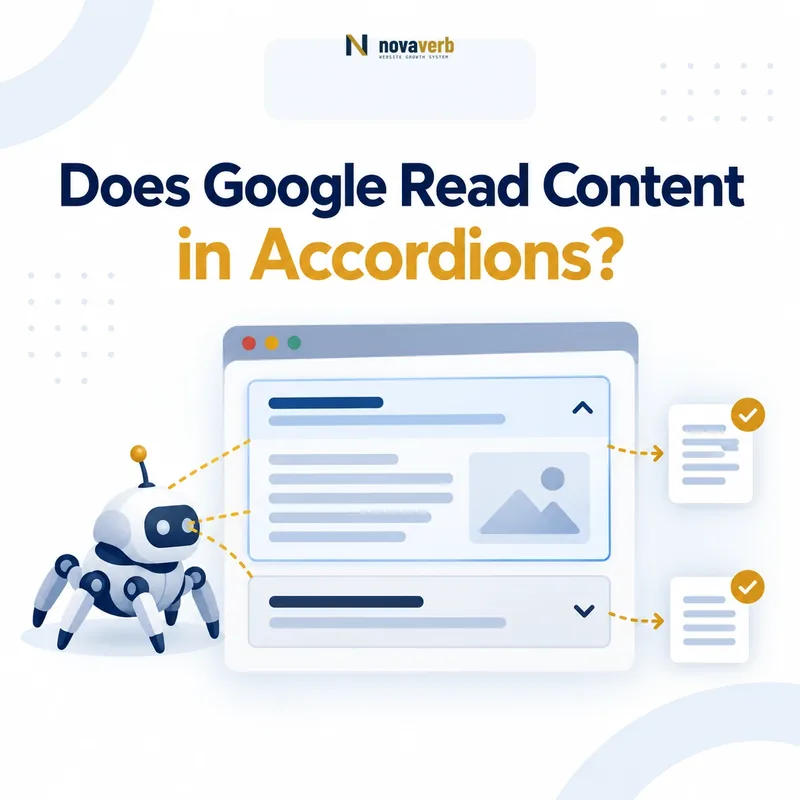
Does Google Read Content in Accordions?
Yes. Google can read content inside accordions when the content already exists in the page’s HTML or appears in the rendered DOM without requiring a user interaction to retrieve it.
An accordion does not automatically make content invisible to Google. The critical question is whether opening the panel merely reveals content that has already loaded or triggers the first request for that content.
If the text is present before the accordion opens, the interface is mainly controlling presentation. If the text is fetched only after a click, Google may never receive it because Google does not perform every possible interaction on a page.
Five-minute rule: collapsing existing text is generally safe; making primary content depend on a click is risky.
The Five-Minute Takeaway
You can determine whether an accordion creates a real SEO risk by checking one distinctive sentence before and after the panel opens.
- Copy a unique sentence from a closed accordion.
- Search for it in the original page source.
- Search for it in the browser’s rendered DOM before clicking.
- Watch the Network panel while opening the accordion.
- Use Google Search Console’s live URL test to inspect rendered HTML.
Pass: the sentence exists before interaction and appears in Google’s rendered HTML.
Investigate: the sentence appears only after the browser sends a click-triggered API request.
This test confirms technical availability. It does not guarantee indexing, rankings, featured snippets, AI Overview inclusion or an AI citation.
What Google Officially Says About Accordion Content
Google treats accordions as a legitimate interface pattern when they are used to improve usability rather than conceal manipulative text.
Google’s current documentation supports three practical conclusions:
- Accordion and tabbed content used to show and hide additional information does not violate Google’s hidden-text policies.
- Mobile pages may move content into accordions or tabs to save space, provided the important content remains equivalent to the desktop version.
- Primary content should not be retrieved only after a user clicks, swipes or types.
Therefore, the statement “Google ignores all accordion content” is incorrect. The opposite claim - “every accordion implementation is automatically safe” - is also incorrect.
Primary documentation: Google Search spam policies and mobile-first indexing best practices.
Accordion Content Is Not Automatically Hidden-Text Spam
Content is not spam merely because it starts in a collapsed panel. Google distinguishes useful interface behavior from content hidden primarily to manipulate rankings.
A legitimate accordion usually has these characteristics:
- The panel heading clearly tells users what is inside.
- The content becomes visible through a normal click or keyboard action.
- The answer is relevant to the page’s main topic.
- The content is useful even without considering SEO.
- The accordion reduces visual overload on smaller screens.
- The panels do not repeat near-identical keyword variations.
The component does not protect low-quality content. Hundreds of panels filled with repeated cities, product variations, links or keywords may still create keyword-stuffing, doorway-page or content-quality problems.
Judge the purpose and implementation of the accordion, not merely its closed visual state.
Collapsed Content and Click-Loaded Content Are Not the Same
Two accordions can look identical to visitors while exposing completely different content to crawlers.
| Implementation | Before the click | SEO assessment |
|---|---|---|
| HTML content hidden with CSS | The complete answer already exists in the document. | Generally safe. |
| JavaScript visibility toggle | The answer exists; JavaScript only changes its display state. | Generally safe when rendering works. |
| Client-rendered on page load | The answer is inserted automatically after JavaScript runs. | Test rendering and resource availability. |
| Fetched after user interaction | The answer does not exist until the user opens the panel. | Risky for primary SEO content. |
A visual review cannot identify this difference. Inspect the source, DOM and network activity before drawing an SEO conclusion.
Crawling, Rendering, Indexing and Ranking Are Different Tests
Finding accordion text in rendered HTML proves availability during that test; it does not prove that the passage is indexed or will rank.
Google Search Console reports URL-level crawl and index information. It does not provide a paragraph-level “indexed” badge for each accordion answer.
Use rendered HTML to diagnose accessibility, then use Search Console performance data to observe whether the URL earns impressions for relevant queries.
When Accordion Content Is Usually Safe for SEO
An accordion is generally safe when it organizes content that Google and users can already access without requiring a retrieval action.
- The answer exists in the server-delivered HTML.
- Alternatively, the answer appears automatically in the rendered DOM.
- The click changes visibility rather than downloading the first copy of the text.
- The panel uses a descriptive question or heading.
- The control works with a keyboard and exposes its expanded state.
- Important internal links use standard anchor elements with valid href values.
- The mobile page contains equivalent primary information.
- Required JavaScript, CSS and API resources are crawlable.
- The content is useful, distinct and aligned with the page’s intent.
The strongest implementation places the concise core answer in static HTML and uses the accordion only to control how much supporting detail is visible at once.
When Accordion Content Becomes an SEO Risk
The implementation becomes risky when the answer is unavailable until a user performs an action Google may not perform.
- Opening the panel sends an API, Fetch or XHR request containing the answer.
- The answer is absent when JavaScript fails, times out or is blocked.
- The mobile page omits important content available on desktop.
- The content is delivered through an inaccessible iframe.
- A login, consent wall or private endpoint controls the answer.
- The panel heading is rendered, but the answer body is missing.
- Important links use onclick handlers without valid href destinations.
- Panels contain repeated keyword variations rather than useful distinctions.
Highest-risk pattern: the page initially contains only the question, while the answer is fetched from the server after the visitor clicks.
Step 1: Check the Original HTML
Finding the accordion answer in the original page source confirms that the server delivered it before JavaScript or user interaction.
- Open the published page in a private browser window.
- Do not open the accordion.
- Select View Page Source.
- Search for a distinctive sentence from the answer.
- Confirm that the complete sentence - not only the question - appears.
Original source is different from the browser’s Elements panel. Page source shows the initial response, while Elements shows the current DOM after scripts have run.
Strongest result: the answer appears in both page source and the rendered DOM.
Not an automatic failure: the answer is absent from source but appears automatically after rendering. This implementation simply requires additional testing.
Step 2: Check the Rendered DOM Before Clicking
The rendered DOM reveals whether the browser has already created the answer even though the panel remains visually closed.
- Open Chrome DevTools.
- Select the Elements panel.
- Do not open the accordion.
- Press Command + F on Mac or Control + F on Windows.
- Search for the distinctive answer sentence.
Pass
The answer exists in the DOM before interaction. The control is probably changing only its visible state.
Investigate
The question exists, but the answer appears only after the panel opens.
Do not rely on the visual page alone. CSS can hide content that remains fully present and readable in the DOM.
Step 3: Watch What Happens in the Network Panel
The Network panel shows whether opening the accordion merely changes presentation or downloads the answer for the first time.
- Open Chrome DevTools and select Network.
- Choose the Fetch/XHR filter.
- Clear existing requests.
- Open the accordion.
- Inspect any request triggered at that moment.
- Search the response for the accordion answer.
An analytics request, click event or telemetry call is not necessarily a problem. The warning sign is a response that contains the answer text that was previously absent from the DOM.
Recommended fix: include primary content in the server-rendered HTML or load it automatically during page rendering. Do not require a click to retrieve the only explanation of a service, product, policy, specification or important question.
Step 4: Verify Google’s Rendered HTML
Google Search Console’s live URL test can confirm whether Google’s inspection renderer received the accordion answer during the test.
- Open URL Inspection in Google Search Console.
- Enter the exact canonical URL.
- Select Test Live URL.
- Open View Tested Page.
- Select the HTML tab.
- Search for the distinctive answer sentence.
- Review unavailable resources and JavaScript console messages.
What this proves: the inspection renderer received the sentence during that test.
What it does not prove: the passage is permanently stored, ranked, selected for a snippet or cited in an AI answer.
For an additional crawlability baseline, run the Novaverb Website SEO Checker. It separates technical indexability from actual Google index inclusion.
Accordion SEO Pass and Fail Criteria
A pass means the content is technically available without interaction. It does not mean Google must index or rank it.
| Check | Pass | Fail or investigate |
|---|---|---|
| Initial HTML | The complete answer is present. | Only an empty placeholder is present. |
| Rendered DOM | The answer exists before interaction. | The answer appears only after opening the panel. |
| Network activity | The click changes visibility only. | The click downloads the answer. |
| Google live render | The sentence appears in tested HTML. | The sentence or required resources are missing. |
| Mobile content | Important information matches desktop. | Mobile removes important answers. |
| Accessibility | The control supports keyboard use and exposes state. | The control works only with a pointer. |
| Content quality | Each panel answers a distinct need. | Panels repeat keywords or near-duplicate text. |
A Safe Native HTML Accordion
The native details and summary elements keep the complete answer in HTML while allowing the browser to manage the collapsed state.
<details>
  <summary>
    Does Google read content in accordions?
  </summary>

  <p>
    Google can read accordion content when the answer
    exists in the HTML or rendered DOM without requiring
    a click to retrieve it.
  </p>
</details>
This pattern has several advantages:
- The answer is present in the document from the start.
- The browser supplies the core open-and-close behavior.
- The component remains usable without a JavaScript framework.
- Modern browsers provide basic keyboard accessibility.
Does Google read this accordion answer?
Yes. This answer is already present in the HTML even while the panel starts closed.
A Safe Custom JavaScript Accordion
A custom accordion can be crawlable when its answer is already in the HTML and JavaScript changes only the visible state.
<h3>
  <button
    type="button"
    aria-expanded="false"
    aria-controls="accordion-answer-1">
    Does Google index collapsed content?
  </button>
</h3>

<div id="accordion-answer-1" hidden>
  <p>
    Google can process this answer because it is already
    present in the document.
  </p>
</div>

<script>
const button = document.querySelector(
  '[aria-controls="accordion-answer-1"]'
);

const panel = document.getElementById(
  'accordion-answer-1'
);

button.addEventListener('click', () => {
  const isOpen =
    button.getAttribute('aria-expanded') === 'true';

  button.setAttribute(
    'aria-expanded',
    String(!isOpen)
  );

  panel.hidden = isOpen;
});
</script>
The key detail: the paragraph already exists before the click. JavaScript does not call an endpoint to obtain the answer.
WordPress Accordion SEO Checks
WordPress does not have one universal accordion implementation. The output depends on the block, theme, page builder, plugin and performance configuration.
Inspect the published page
The editor may store the answer correctly while the public component retrieves it differently.
Test as a logged-out visitor
Administrators may receive uncached markup that differs from the version served to Googlebot and normal users.
Review JavaScript optimization
Delay-JS, script deferral, DOM reduction and lazy-rendering plugins can postpone or remove accordion content.
Check mobile visibility rules
Some builders maintain separate desktop and mobile widgets. Ensure that important answers are not disabled on mobile.
Preserve heading hierarchy
Use real H2 and H3 elements where appropriate. A styled div is not automatically a semantic heading.
React, Vue, Next.js and JavaScript Framework Checks
The framework does not determine whether an accordion is readable. The rendering and data-loading strategy does.
| Strategy | Answer availability | Recommendation |
|---|---|---|
| Static generation | The answer can be included in generated HTML. | Strong default for public content. |
| Server-side rendering | The answer can arrive in the first response. | Strong default for dynamic public pages. |
| Client rendering on load | The answer appears after scripts execute. | Test rendering, resource blocking and timeouts. |
| Fetch after interaction | The answer is absent until a click occurs. | Avoid for primary SEO content. |
Hydration is not a problem when the server already supplied the answer. The risk appears when the server outputs only an empty shell and requires interaction before retrieving the content.
Use Crawl Explorer when URL-level rendered evidence and site-wide technical inspection are required.
Mobile-First Indexing Changes the Test
Google primarily evaluates the mobile version of a page, so a desktop accordion test is not enough.
Google explicitly allows important mobile content to be placed inside accordions or tabs when the information remains equivalent to the desktop version.
Check that the mobile page:
- Contains the same primary answers as desktop.
- Uses the same clear and meaningful headings.
- Does not wait for a tap before retrieving the answer.
- Does not block scripts, styles or content endpoints.
- Preserves structured data and internal links.
- Allows keyboard and assistive-technology access where applicable.
Good mobile use: move existing specifications, questions or supporting explanations into collapsed panels to reduce scrolling.
Bad mobile use: remove the information entirely or fetch it only after interaction.
Accordion Content, Rankings and AI Extraction
Google has not published a universal ranking discount that applies simply because content begins in a closed accordion.
However, readable content is not automatically easy to extract. Search and answer systems still need to identify the question, isolate a self-contained answer, understand its context and determine whether the source is trustworthy.
Best practice: keep the page’s primary answer visible directly below the relevant H1 or H2, then use accordions for supporting detail, examples, exceptions and secondary questions.
Improve extraction by using:
- Descriptive questions instead of labels such as “More.”
- A complete answer in the first sentence of every panel.
- Short paragraphs with one main claim per block.
- Lists and tables for criteria or comparisons.
- Proof and sources close to the claims they support.
- Standard crawlable internal links.
- Clear authorship, dates and entity information.
Run the free GEO and AEO Readiness Checker to review observable retrieve, quote, cite and graph signals.
Accordion SEO FAQ and Final Checklist
Can Google read text inside a closed accordion?
Yes. Google can process the text when it already exists in the HTML or rendered DOM.
Does Google click accordion buttons?
Do not rely on that assumption. Google states that it will not load primary content that requires user interaction to retrieve.
Is display:none automatically an SEO penalty?
No. Legitimate dynamic interfaces may hide and show content. Purpose, accessibility and technical availability matter.
Does finding the answer in rendered HTML prove it is indexed?
No. It confirms that the renderer received the answer during that test, not that the passage is permanently stored or ranked.
Are native details and summary elements SEO-friendly?
They are a strong option because the answer remains in the HTML while the browser handles the collapsed state.
Can a JavaScript accordion rank?
Yes, when Google can render the answer without requiring a click-triggered retrieval.
Can links inside accordions be crawled?
Yes, when they use standard anchor elements with valid href destinations and are present in rendered HTML.
Should the main answer stay outside the accordion?
Yes for a question-focused SEO page. Keep the concise answer visible and use accordions for supporting depth.
Should product specifications use accordions?
They can, provided the complete specifications are present in the HTML and essential purchase information is not unnecessarily buried.
Does FAQPage schema still create Google FAQ rich results?
No. Google stopped showing FAQ rich results on May 7, 2026. Any remaining markup must still accurately describe visible content.
Does accordion content receive less ranking weight?
Google has not published a universal ranking discount based only on the initial collapsed state.
What is the fastest reliable test?
Search for a unique answer sentence in page source, rendered DOM and Google’s tested HTML, then check whether opening the panel triggers a content request.
Final five-minute checklist
- Answer exists before interaction.
- Answer appears in rendered HTML.
- No click-triggered retrieval is required.
- Mobile contains equivalent primary information.
- Heading and button labels describe the answer.
- Links use valid anchor elements and href values.
- The core answer remains visible outside the accordion.
- Pass/fail evidence is saved before editing.
Check what search engines and answer systems can actually retrieve.
Novaverb connects crawl evidence, content structure and AI-search readiness so teams can distinguish a real discoverability problem from an accordion that is working correctly.
The checks report observable evidence. They do not guarantee indexing, rankings, traffic, rich results or AI citations.