
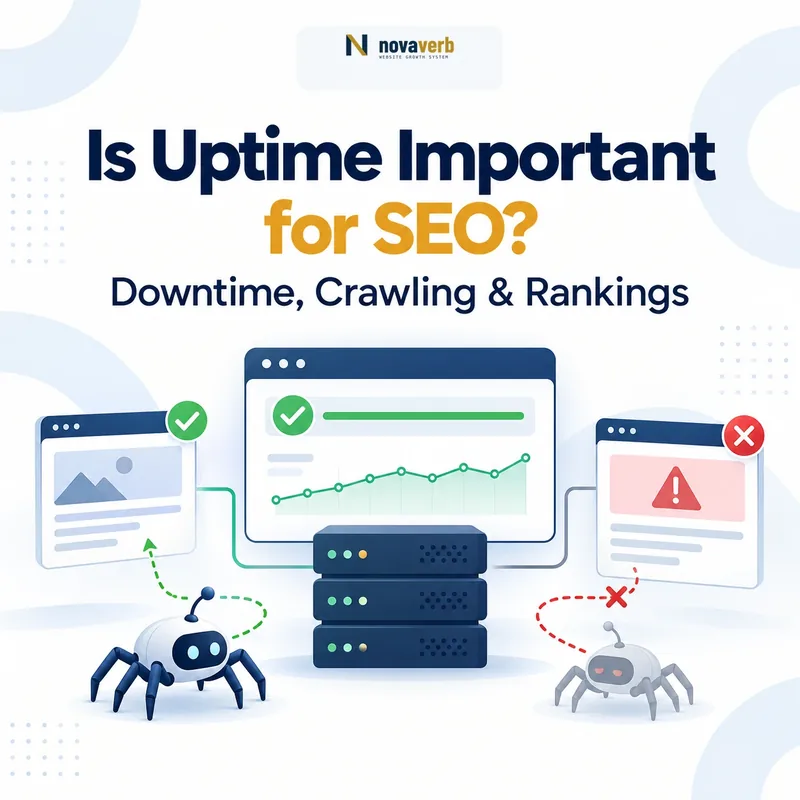
Website uptime matters for SEO because search engines cannot crawl, render, or process a page they cannot reach. Uptime is not a standalone ranking factor documented by Google, but recurring downtime, connection failures, and server errors can reduce crawl activity, delay content discovery, interrupt conversions, and eventually affect search visibility.
A short, isolated outage is rarely an SEO disaster. The real risk begins when failures become frequent, last too long, return the wrong HTTP status, or affect resources that Google needs to understand the page.
- Primary risk: Googlebot cannot retrieve important URLs.
- Secondary risk: new and updated content is processed more slowly.
- Business risk: visitors cannot complete purchases, forms, bookings, or signups.
- Trust risk: browser warnings, broken assets, and failed APIs make the site appear unreliable.
Is Uptime Important for SEO?
Yes, uptime is important for SEO because availability determines whether Googlebot and users can access your website. Google does not document uptime as a direct ranking factor, but server failures can interfere with crawling, indexing, rendering, conversions, and the reliability signals surrounding a website.
Uptime should therefore be treated as an SEO prerequisite rather than a shortcut to higher rankings. A website with excellent content cannot perform consistently if search engines repeatedly encounter timeouts, DNS failures, or 5xx server responses.
Crawl access, crawl frequency, content discovery, rendered resources, form availability, transactions, and user confidence.
High uptime alone does not guarantee indexing, rankings, traffic, citations, or conversions.
What Does Website Uptime Mean?
Website uptime is the proportion of time during which a website or online service remains accessible and able to respond to requests. It is usually expressed as a percentage over a defined monitoring period, such as 24 hours, 30 days, or one year.
“Uptime is a measure of system reliability.”
Source: Wikipedia - Uptime
This percentage must be interpreted in context. A website may report high uptime while its checkout, login system, JavaScript application, API, or regional infrastructure remains unavailable. For SEO, successful availability means more than receiving any response: the server must return the correct page, status code, resources, and rendered content.
Is Uptime a Google Ranking Factor?
Google does not identify uptime as a standalone ranking factor. Google also states that a higher crawl rate does not automatically produce better rankings. Crawling is necessary for inclusion in search, but crawl rate itself is not a ranking signal.
- There is no documented “uptime score” that directly moves a page from one ranking position to another.
- Achieving 99.99% uptime does not compensate for weak content, poor intent alignment, or low authority.
- Googlebot must access a URL before it can process its latest content.
- Repeated server failures can cause Googlebot to reduce crawling.
- Extended unavailability can eventually affect indexing and visibility.
The accurate conclusion is that uptime is an enabling condition for SEO. It protects crawl access and site reliability, but it does not replace relevance, quality, internal linking, structured data, or useful content.
Read Google’s explanation of crawl capacity, server errors, and crawl rate .
How Does Downtime Affect Googlebot Crawling?
Downtime interrupts the first step of search visibility: retrieval. When Googlebot requests a URL and repeatedly encounters a timeout, connection failure, or 5xx response, Google may slow its crawl activity to avoid placing additional pressure on the server.
Googlebot cannot retrieve the requested URL or required resource.
Repeated errors suggest that the server is struggling to handle requests.
Google may reduce crawl demand while the server appears unhealthy.
New pages, edits, canonicals, redirects, and structured data may be discovered later.
Important distinction: slower crawling does not automatically mean lower rankings. The SEO risk comes from Google being unable to retrieve, refresh, or reliably process important URLs.
Google recommends keeping server errors low and checking whether the hosting environment has enough capacity to respond to crawl requests. See Google’s crawling-error troubleshooting guidance .
What Happens During Short, Repeated, and Prolonged Outages?
The SEO impact of downtime depends on frequency, duration, scale, and the HTTP response returned. One brief outage is fundamentally different from a website that becomes unavailable every day or remains inaccessible for several days.
| Outage pattern | Likely search-engine response | Primary business risk | Recommended action |
|---|---|---|---|
| Brief, isolated outage | Googlebot normally retries later. Lasting SEO damage is unlikely when the event is rare and correctly reported. | A small number of failed visits, forms, or transactions. | Confirm recovery, inspect logs, and document the cause. |
| Frequent short outages | Repeated failures may signal limited server capacity and cause crawling to slow. | Unpredictable conversion loss and declining customer confidence. | Investigate hosting resources, application errors, database load, and traffic spikes. |
| Extended outage | Google may continue retrying, but persistent unavailability can eventually affect index retention. | Large traffic, revenue, lead, and reputation losses. | Return a temporary 503 response, restore service, and monitor affected URLs. |
| Partial service failure | The page may be fetched, but critical content, links, APIs, or resources can remain unavailable. | Broken user journeys and incomplete rendered pages. | Monitor templates, APIs, assets, and conversion endpoints - not only the homepage. |
Do not judge reliability from one successful homepage request. Availability must be measured across representative pages, locations, devices, protocols, and critical user actions.
Which HTTP Status Code Should a Site Return During Downtime?
A temporarily unavailable website should generally return an HTTP 503 Service Unavailable response. This tells search engines that the condition is temporary and that the requested content has not permanently disappeared.
HTTP/1.1 503 Service Unavailable
Retry-After: 3600
Content-Type: text/html; charset=UTF-8Return 503, provide a useful maintenance message, and include a Retry-After header when the recovery estimate is known.
Do not return 200 OK for a maintenance placeholder, and do not return 404 for content that still exists but is temporarily unavailable.
Google warns that a 503 response should remain temporary. If the server continues returning 503 for an extended period, Google may eventually treat the URLs as permanently unavailable.
Source: Google Search Central - How to Deal With Planned Site Downtime
Uptime vs. Availability vs. Website Performance
Uptime, service availability, and performance are related but not interchangeable measurements. A reliable SEO monitoring system should distinguish between them instead of reducing every condition to a simple “up” or “down” label.
Measures how long the monitored system has remained operational or responsive during the observation period.
Measures whether the service users actually need is accessible and functioning when required.
Measures how quickly the server, page, assets, and application respond after a request succeeds.
A server can return HTTP 200 and still provide a broken page. A website can also be technically online while its login, search, checkout, JavaScript rendering, or primary API is unavailable. For SEO, the meaningful question is not only “Did the server answer?” but also “Did the correct content and user journey work?”
How Much Downtime Does Each Uptime Level Allow?
Small differences in uptime percentages represent large differences in actual downtime. Moving from 99% to 99.9% does not improve availability by only 0.9 percentage points in practical terms - it reduces expected downtime from hours per month to less than one hour.
| Uptime level | Approximate downtime per month | Approximate downtime per year | Operational interpretation |
|---|---|---|---|
| 99% | 7 hours 18 minutes | 3 days 15 hours | Too unreliable for most commercial websites. |
| 99.5% | 3 hours 39 minutes | 1 day 19 hours | Potentially disruptive for lead generation and ecommerce. |
| 99.9% | 43 minutes 50 seconds | 8 hours 46 minutes | A common practical baseline for business websites. |
| 99.95% | 21 minutes 55 seconds | 4 hours 23 minutes | Stronger protection for revenue-critical websites. |
| 99.99% | 4 minutes 23 seconds | 52 minutes 36 seconds | High-availability target requiring more resilient infrastructure. |
Example: 99.77% uptime over a 30-day month represents approximately 1 hour and 39 minutes of downtime. That may include several short incidents or one extended failure, and those patterns carry different SEO and business risks.
Reference: Wikipedia - High Availability .
A Website Can Be “Up” and Still Fail SEO
An HTTP 200 response does not prove that a page is healthy, useful, or fully renderable. Basic uptime checks can miss partial failures that affect search engines and users even though the server appears online.
The HTML loads, but JavaScript fails and the primary content never appears.
The template returns 200 while product, article, pricing, or account data remains empty.
CSS, JavaScript, fonts, images, or API calls cannot be retrieved by the browser or crawler.
The server returns a maintenance or error message with an incorrect 200 OK response.
The website works from one monitoring location but fails for users or crawlers in another region.
The article loads, but the form, checkout, booking system, or account creation process does not work.
Monitoring rule: verify the response code, expected content, rendered output, resource loading, response time, and critical user action - not merely whether the host answered.
What Should SEO Teams Monitor?
SEO uptime monitoring should cover the complete path from DNS resolution to rendered content and conversion. Monitoring only the homepage leaves important templates, APIs, certificates, redirects, and commercial actions unprotected.
Check live availability with the Website Uptime Monitor , measure backend latency with the Server Response Time Checker , and inspect the full connection waterfall with the Website Performance Test .
How to Run a Five-Minute Uptime SEO Audit
A five-minute uptime audit checks whether important URLs are reachable, return the correct status, load within a reasonable time, and remain protected from certificate or infrastructure failures.
- Check the homepage from an external monitor. Confirm the live status, response code, response time, and recent availability history.
- Test representative page templates. Check one product or service page, one category, one article, one login page, and one conversion endpoint.
- Inspect HTTP status codes. Use the HTTP Status and Redirect Checker to confirm that final pages return 200 and redirects resolve without loops or broken destinations.
- Review response-time spikes. Compare current latency with the normal baseline instead of relying on a single successful request.
- Check SSL and security exposure. Use the Website Security Checker to review the certificate, selected security headers, and visible server exposure.
- Confirm the rendered page and critical action. Make sure the expected content appears and the form, booking, checkout, or signup action works.
- Record evidence and assign the fix. Save the affected URL, timestamp, response code, screenshot, duration, root cause, owner, and verification result.
Definition of done: the affected URLs return the expected status and content, critical actions work, response time returns to baseline, and a fresh independent check confirms recovery.
What Uptime Target Should a Website Set?
There is no universal Google-required uptime percentage. The appropriate operational target depends on the website’s commercial value, transaction sensitivity, update frequency, audience, and tolerance for lost sessions.
| Website type | Practical target | Suggested check interval | Critical paths to monitor |
|---|---|---|---|
| Small informational website | At least 99.9% | Every 5 minutes | Homepage, major articles, contact form |
| Lead-generation website | 99.9%–99.95% | Every 1–5 minutes | Service pages, forms, calls, chat, booking |
| Ecommerce website | 99.95% or higher | Every minute | Product, cart, checkout, payment, account |
| SaaS platform | 99.95%–99.99% | Every minute | Login, application, API, billing, status endpoints |
| Mission-critical platform | Defined by SLA and risk model | Continuous or one-minute checks | All critical services with regional redundancy |
These are operational recommendations, not Google ranking requirements. A realistic service-level objective should also define what counts as downtime, which locations are measured, how partial failures are handled, and how quickly the team must respond.
How Novaverb Helps Teams Detect Availability Problems
Availability monitoring becomes more useful when incidents are connected to crawl evidence, affected URLs, technical priorities, and verified fixes. A status alert should lead to diagnosis and rechecking rather than remain an isolated notification.
Checks live availability, HTTP status, response time, and recent monitoring history.
Reviews crawled URLs, status codes, indexability, canonicals, metadata, and internal-link evidence.
Turns technical findings into prioritized issues that can be fixed and verified through fresh evidence.
Teams can also use the complete free SEO tools collection to inspect redirects, server response time, website performance, security, robots.txt, sitemaps, and Core Web Vitals.
Novaverb connects crawl, technical SEO, content, search performance, and AI visibility in one evidence-led workspace.
Frequently Asked Questions About Uptime and SEO
Can one short outage make a website lose its rankings?
Usually not. Search engines expect occasional temporary failures and normally retry later. Risk increases when downtime is prolonged, frequent, incorrectly reported, or affects many important URLs.
Is 99.9% uptime good enough for SEO?
It is a reasonable operational baseline for many business websites, but it still permits roughly 44 minutes of downtime per month. Ecommerce, SaaS, and transaction-heavy platforms may require a stricter target.
Does faster server response improve rankings?
Faster responses can improve user experience and help crawlers retrieve more content efficiently, but response time alone does not guarantee higher rankings.
Should a maintenance page return 200 OK?
No. A temporary maintenance page should generally return 503 Service Unavailable so crawlers understand that the original content is temporarily inaccessible rather than replaced.
Can repeated 5xx errors reduce Googlebot crawling?
Yes. Google states that significant numbers of 5xx errors or connection timeouts can signal server trouble and cause crawling to slow.
Should uptime monitoring check only the homepage?
No. Monitor representative templates, login pages, forms, checkout, APIs, redirects, certificates, and other endpoints that affect search visibility or revenue.
Can a website return 200 and still be down?
Yes. The server may return 200 while showing an error message, empty template, broken JavaScript application, failed database response, or unavailable conversion flow.
How often should a website be checked?
Five-minute checks are suitable for many informational sites. Lead-generation, ecommerce, SaaS, and revenue-critical systems generally benefit from one-minute monitoring.
Final Takeaway
Uptime matters for SEO because an unavailable website cannot be crawled, rendered, understood, or converted. It is not a direct ranking shortcut, but recurring outages, server errors, timeouts, failed resources, and expired certificates can interrupt every system that organic visibility depends on.
Treat 99.9% as a practical starting point - not a universal guarantee. Monitor the URLs and actions that matter, return the correct HTTP status during maintenance, investigate repeated incidents, and verify every recovery with a fresh external check.