
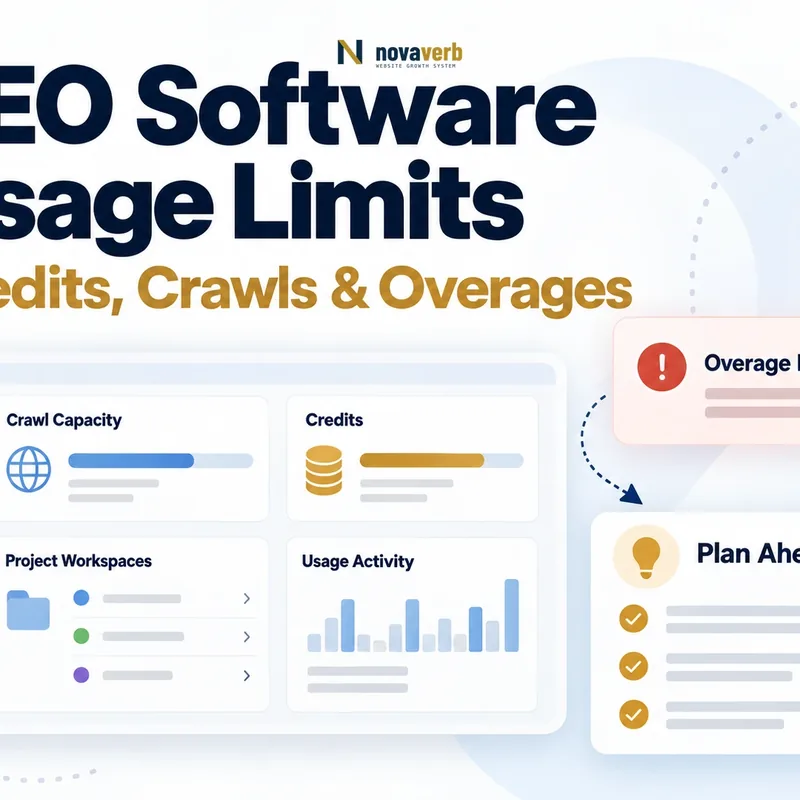
What Are SEO Software Usage Limits?
SEO software usage limits define how much work a plan includes, how units are counted and what happens when use reaches the allowance. Buyers should translate every unit into a real workflow before comparing plan prices.
- Projects, properties, users and permissions
- Crawl pages, credits, tracked items and update frequency
- History, exports, overages and reset timing
- Collect each vendor's current unit definitions.
- Map units to specific team actions.
- Mark ambiguous counting rules for written clarification.
| Review area | Buyer question | Evidence to retain |
|---|---|---|
| Capacity | How much can be stored or tracked | Plan definition |
| Consumption | Which actions spend units | Usage documentation |
| Boundary | What occurs at the limit | Product behavior and terms |
A limit is understood only when the buyer can predict which normal action consumes it and what the operator sees next.
Which Workloads Should Buyers Measure Before Comparing Plans?
Measure the team's current or explicitly planned work by project, page scope, refresh cadence, tracked entity, user and output. Do not substitute a generic company-size estimate for an observable workload.
- Normal recurring cycle and named owners
- Occasional investigation or launch workload
- Required history, exports and stakeholder delivery
- List recurring tasks for one operating cycle.
- Count the objects and runs each task requires.
- Separate normal use from stated peak scenarios.
| Review area | Buyer question | Evidence to retain |
|---|---|---|
| Technical | Sites, pages and crawl cadence | Current inventory |
| Research | Queries, markets and refreshes | Task plan |
| Reporting | Recipients, exports and history | Delivery schedule |
A measured workload gives the buying team a stable denominator for evaluating otherwise incompatible plan units.
How Should Buyers Compare Crawl and Project Limits?
Compare crawl and project limits by site scope, pages processed per run, allowed run cadence, rendering behavior and how failed or repeated requests are counted. A headline page allowance does not describe the full operating capacity.
- Active project and archived-project treatment
- Pages requested, processed, rendered or excluded
- Scheduled, manual and verification crawls
- Run a representative crawl in the trial.
- Reconcile reported consumption with the documented rule.
- Test the visible behavior near a safe limit.
| Review area | Buyer question | Evidence to retain |
|---|---|---|
| Project | What occupies a project slot | Creation and archive test |
| Page unit | Which response consumes capacity | Usage ledger |
| Recheck | Whether verification is a new run | Observed counter change |
The useful crawl limit is the amount of verified work the team can complete, not an isolated number on a pricing card.
How Should Buyers Compare Keyword and Rank Tracking Limits?
Compare keyword and tracking limits using the exact combination of query, location, device, search surface, refresh cadence and retained history. One keyword may represent several tracked observations depending on the vendor's counting model.
- Market, location and device variants
- Update frequency and on-demand refresh
- Competitor, feature and history coverage
- Define the tracking configuration the team needs.
- Create the same sample in each shortlisted product.
- Record consumed units and available context.
| Review area | Buyer question | Evidence to retain |
|---|---|---|
| Tracked item | What combination counts as one | Definition plus trial |
| Refresh | Scheduled and manual update treatment | Counter behavior |
| History | Retention and export scope | Current plan terms |
Tracking plans are comparable only after the configuration and refresh behavior behind each unit are explicit.
How Should Buyers Compare Credits and Provider Units?
Treat credits as vendor-defined accounting units and require a mapping from each important action to expected consumption. Credits with different source costs, actions or reset rules should never be compared as though they were interchangeable.
- Action-to-credit mapping and minimum charge
- Provider-dependent units and unavailable-source behavior
- Reset, rollover, shared pool and visibility
- Select three representative high-value actions.
- Observe the counter before and after each action.
- Confirm exceptions and reset rules in current documentation.
| Review area | Buyer question | Evidence to retain |
|---|---|---|
| Research | Credit cost for a defined request | Before-and-after counter |
| Batch | Whether each item or job is charged | Usage record |
| Failure | Whether failed or canceled work consumes units | Written rule and test |
A credit allowance has meaning only after its relationship to the buyer's actual requests is observable and documented.
How Should Buyers Model Normal and Higher-Usage Scenarios?
Model one normal operating cycle and one stated higher-use scenario using transparent counts from real tasks. Keep assumptions labeled, avoid invented growth rates and calculate plan fit from the vendor's current unit definitions.
- Named period and work included
- Count of projects, pages, tracked items and runs
- Headroom purpose and manual fallback
- Build the normal case from current tasks.
- Add a defined launch or investigation case.
- Recalculate when unit definitions or scope change.
| Review area | Buyer question | Evidence to retain |
|---|---|---|
| Normal | Recurring planned workload | Observed task inventory |
| Higher use | Named event and added work | Explicit scenario |
| Unknown | Work that cannot yet be counted | Open assumption |
Scenario modeling is honest when every number states what it counted and every unknown remains visible.
Which Overage and Notification Terms Need Review?
Review whether the product blocks work, degrades frequency, requests an upgrade or bills additional usage, and identify who receives warnings. The order form and incorporated terms are authoritative for commercial consequences.
- Warning thresholds and account recipients
- Hard stop, soft limit or billed overage
- Approval control, invoice treatment and dispute path
- Inspect the current commercial documents.
- Trigger or demonstrate a safe notification state.
- Assign an owner for usage monitoring and approval.
| Review area | Buyer question | Evidence to retain |
|---|---|---|
| Warning | When and where it appears | Product observation |
| Overage | Unit price and authorization | Order form |
| Control | Who can change or approve use | Role test |
A buyer should know the operational and commercial response to a limit before the team relies on the workflow.
How Should Buyers Choose the Right Plan?
Choose the smallest current plan that completes the normal workflow with understood higher-use handling, sufficient roles and acceptable operating effort. Recheck live pricing and terms at purchase because plan names and inclusions can change.
- Mandatory capabilities and connections
- Normal workload plus justified headroom
- Owners for usage, approval and plan review
- Run a free or trial workflow with real inputs.
- Map measured consumption to current plan scope.
- Record the selected plan and review trigger.
| Review area | Buyer question | Evidence to retain |
|---|---|---|
| Fit | All mandatory work completes | Trial and workload map |
| Margin | Headroom has a named purpose | Scenario record |
| Review | A specific change triggers reconsideration | Owner and condition |
The right plan is a workflow decision supported by current evidence, not simply the package with the largest allowance.