
Does Buying Links Automatically Trigger a Manual Action?
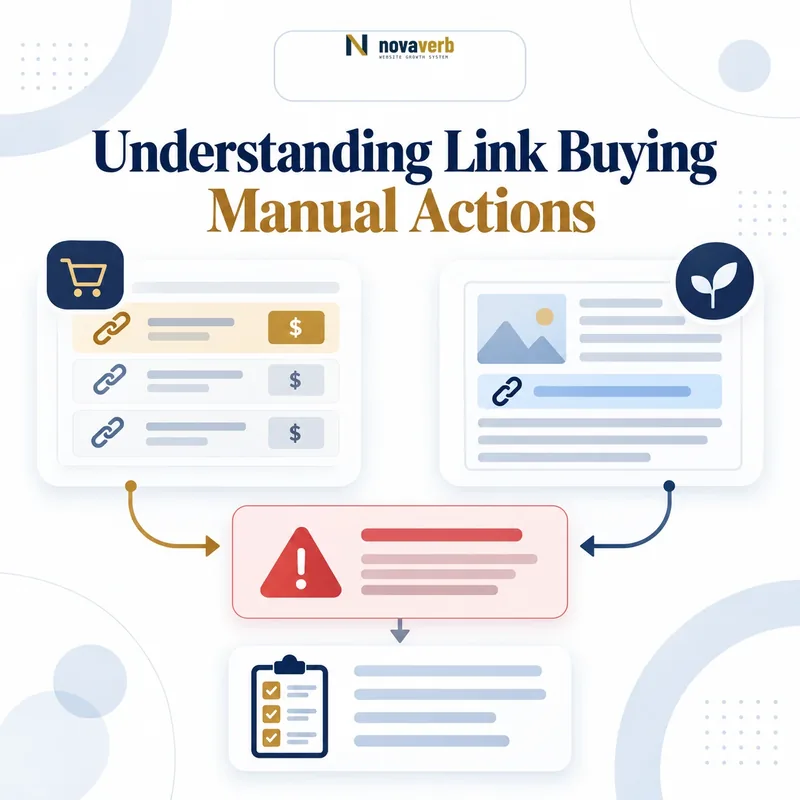
No. Buying a link does not automatically trigger a Google manual action. The risk begins when money, products, services, or another benefit is exchanged for a link primarily intended to manipulate search rankings and the link is allowed to pass ranking credit.
Google distinguishes between legitimate commercial promotion and link spam. Paying for advertising, sponsorship, affiliate placement, or brand exposure is not inherently prohibited. The commercial relationship must be disclosed to Google by qualifying the link, preferably with rel="sponsored".
A manual action becomes possible when a human reviewer determines that part or all of a website violates Google Search spam policies. However, manipulative links may also be detected and neutralized automatically without any manual action appearing in Search Console.
- Advertising objective: Usually acceptable when the link is qualified.
- Ranking manipulation objective: Considered link spam.
- No manual action shown: Does not prove every backlink is helping.
- Traffic decline: Does not by itself prove a link penalty.
Google’s current definition and examples are documented in its link spam policy.
The Five-Minute Takeaway
In five minutes, you can confirm whether Google has reported a manual action and identify obvious commercial-link risks. You cannot complete a full backlink audit, prove an algorithmic demotion, or safely create a disavow file in five minutes.
- Open Google Search Console: Select the correct verified property.
- Open Manual Actions: Go to Security & Manual Actions → Manual Actions.
- Record the result: Note whether Google reports no issues, a site-wide match, or a partial match.
- Check paid links you control: Look at sponsorships, affiliate links, advertorials, paid guest posts, widgets, and partner pages.
- Verify link qualification: Paid placements should normally use
rel="sponsored";nofollowremains acceptable. - Choose the next action: Leave compliant links alone, correct attributes, remove manipulative placements, or begin a documented audit.
Five-minute boundary: A clean Manual Actions report means Google has not reported a current manual action for that property. It does not certify the backlink profile, identify every unnatural link, or rule out automated link neutralization.
Use the official Manual Actions report documentation when interpreting the result.
What Google Classifies as Link Spam
Link spam is the creation of inbound or outbound links primarily to manipulate search rankings. Payment is one signal, but intent, placement, scale, anchor text, editorial control, and whether ranking credit is passed all matter.
Money is exchanged for a followed link or a post containing links intended to improve rankings.
A product, discount, service, or benefit is supplied in exchange for coverage containing an unqualified link.
Partner pages or reciprocal arrangements exist mainly so participants can trade ranking signals.
Programs or services generate links across comments, directories, profiles, articles, or low-value sites.
Keyword-rich links are placed repeatedly in guest posts, press releases, widgets, footers, or templates.
Pages are produced mainly to host links rather than satisfy a genuine reader need.
The decisive question is not simply, “Was money involved?” It is, “Was this link created to influence rankings without being appropriately qualified?” See Google’s complete link spam examples.
Paid Promotion vs. Paid Links for Ranking
Commercial promotion is allowed; disguised payment for ranking influence is not. The same article placement can be compliant or risky depending on its purpose and how the outbound link is marked.
| Situation | Primary purpose | Recommended treatment | Risk level |
|---|---|---|---|
| Display ad or sponsorship | Reach an audience or build awareness | rel="sponsored" |
Low when disclosed correctly |
| Affiliate product link | Earn commission from referred sales | rel="sponsored" |
Low when qualified and useful |
| Paid advertorial | Promote a company, offer, or campaign | Disclose sponsorship and qualify commercial links | Manageable when transparent |
| Payment for followed keyword anchor | Increase ranking credit | Remove the arrangement or qualify the link | High |
| Mass paid guest-post campaign | Manufacture many optimized backlinks | Stop, audit, remove, or qualify links | High |
Google explicitly recognizes buying and selling links as part of online advertising. The policy problem arises when commercial links are left unqualified so they can influence ranking systems. Google’s outbound-link qualification guide recommends sponsored for advertisements and paid placements.
What Is a Google Manual Action?
A Google manual action occurs when a human reviewer determines that pages on a website do not comply with Google Search spam policies. The action may affect specific URLs, a section of the site, or the entire property.
A manual action is not diagnosed from a traffic chart, third-party “toxicity” score, Domain Authority metric, or ranking decline. Google reports it directly inside the verified website’s Search Console property.
For link-related cases, the report may refer to:
- Unnatural links to your site: Google detected a pattern of artificial, deceptive, or manipulative inbound links.
- Unnatural links from your site: Google detected outbound links that appear to manipulate ranking signals.
- Site-wide match: The issue affects the property broadly.
- Partial match: The issue is limited to specific pages or sections.
The report normally describes the issue, its scope, and the steps needed before requesting a review. Consult Google’s Manual Actions report guide rather than relying on the generic term “Google penalty.”
Manual Action vs. Algorithmic Link Neutralization
A manual action is reported in Search Console; algorithmic link neutralization is not. This distinction explains why a clean Manual Actions report cannot certify that purchased links are passing value.
Manual action
A human reviewer finds a policy violation.
The issue appears in Search Console.
The report may specify affected pages or a site-wide scope.
After correcting the violation, the owner can submit a reconsideration request.
Automated link treatment
Google’s systems detect and reassess unnatural links automatically.
No Manual Actions message is required.
The links may be ignored or lose the ranking credit they previously appeared to provide.
Rankings can change because artificial link value has been neutralized.
Google described SpamBrain as capable of detecting sites that buy links and sites used to pass outbound link signals. When spammy links are neutralized, the ranking credit from those links can be lost. This is materially different from a visible manual action. Read Google’s explanation of the link spam update and neutralization process.
What the Manual Actions Report Can - and Cannot - Tell You
The report answers one narrow question: has Google reported a current manual action for this verified property? It is not a complete backlink-quality scanner.
It can confirm
- Whether a manual action is currently listed.
- The policy issue Google identified.
- Whether the match is partial or site-wide.
- Examples or affected areas provided by Google.
- Whether a review can be requested after remediation.
It cannot confirm
- That every backlink is natural or valuable.
- That paid links are passing ranking credit.
- That an automated spam system has taken no action.
- That a ranking loss was caused by links.
- Which third-party “toxic” score Google agrees with.
- That a disavow file is necessary.
Do not convert “No issues detected” into the broader claim “Google approves our link building.” The first statement is observable. The second is not.
Step 1: Open the Manual Actions Report
Use the Manual Actions report - not URL Inspection - to check whether Google has applied a manual spam action.
- Sign in to the Google account that has access to the website’s Search Console property.
- Select the exact property you need to review. Check protocol, hostname, subdomain, and whether you are using a Domain or URL-prefix property.
- In the left navigation, open Security & Manual Actions.
- Select Manual Actions.
- Capture the visible result and the date of your review.
Evidence to save: Property name, report status, issue name, affected scope, sample URLs supplied by Google, screenshot, reviewer, and review date.
URL Inspection is useful for checking indexed status, canonical selection, crawl information, and rendered page details. It does not classify an inbound backlink as purchased, manipulative, or responsible for a manual action.
Review the fields against Google’s Manual Actions report instructions.
Step 2: Read the Issue Type and Scope
Do not begin deleting links until you understand whether the report concerns inbound links, outbound links, a specific section, or the entire site. Each case requires a different remediation plan.
- Unnatural links to your site
- Review link acquisition performed by your company, agency, contractors, previous owners, affiliates, or automated services. Focus on patterns created to influence rankings.
- Unnatural links from your site
- Review outbound advertisements, paid placements, advertorials, sponsored posts, affiliate links, widgets, templates, and compromised pages.
- Partial match
- Identify the affected URLs or sections, but also inspect the template, workflow, or vendor that produced the pattern.
- Site-wide match
- Treat the problem as a governance failure rather than an isolated page edit. Review policies, contracts, publishing permissions, and historical campaigns.
Do not limit remediation to Google’s sample URLs. Samples illustrate the detected pattern; they are not necessarily a complete list of every problematic link.
Step 3: Check Paid Links You Control
Start with links your organization intentionally created, purchased, sold, approved, or published. These are more actionable than random spam links that appeared without your involvement.
Was payment received? Are outbound commercial links marked as sponsored?
Are affiliate destinations identifiable and properly qualified?
Were placements purchased mainly for followed keyword-rich backlinks?
Are optimized anchors repeated across many syndicated releases?
Does a contract require followed links without allowing qualification?
Are site-wide links distributed automatically across customer websites?
Use the Free Backlink Checker for a quick domain-level inventory. It can surface backlink totals, referring domains, top sources, and link attributes, but it cannot prove a Google manual action or replace a forensic link audit.
For link-level analysis, anchor distribution, target-page health, and internal-link context, review the connected Backlinks Explorer.
Step 4: Use the Right rel Attribute
Use rel="sponsored" for advertisements, sponsorships, affiliate placements, and other links created through compensation. Google still accepts nofollow for paid links, but sponsored communicates the relationship more precisely.
Paid or sponsored placement
<a href="https://example.com/product" rel="sponsored">
  Sponsored product
</a>
User-generated link
<a href="https://example.com/profile" rel="ugc">
  Community member profile
</a>
Multiple applicable values
<a href="https://example.com/offer" rel="sponsored nofollow">
  Partner offer
</a>
There is no official HTML attribute named rel="dofollow". “Dofollow” is an SEO shorthand for a normal crawlable link without a qualifying value such as nofollow, sponsored, or ugc.
Google treats these values as link qualifications and says marked links will generally not be followed. Review the current rel attribute guidance.
Step 5: Choose the Correct Next Action
The right response depends on the evidence, not on fear of every unfamiliar backlink.
rel="sponsored", remove the commercial link, or terminate the placement if its primary purpose is ranking manipulation.
The five-minute check should produce a decision: no action, qualification, removal, deeper audit, or manual-action remediation.
Link-Buying Patterns Most Likely to Create Risk
Risk rises when payment, scalable placement, optimized anchors, weak editorial control, and ranking intent appear together.
- Buying followed links sold by Domain Authority, Domain Rating, traffic, or keyword package.
- Purchasing dozens or hundreds of guest posts with repeated commercial anchor text.
- Sending free products only on the condition that the reviewer includes a followed link.
- Using private blog networks or coordinated sites created mainly to pass link signals.
- Paying for permanent homepage, sidebar, footer, or template-wide links.
- Buying links from unrelated articles whose only connection is the inserted anchor.
- Using automated services to create profile, directory, forum, comment, or Web 2.0 links.
- Publishing advertorials without disclosure or link qualification.
- Requiring suppliers, customers, or partners to provide followed links through a contract.
- Creating low-value articles mainly to host outgoing SEO links.
Practical intent test: Would you still pay for this placement if the link were marked rel="sponsored" and provided no ranking credit? A confident “yes” suggests a genuine advertising objective. A definite “no” reveals that ranking influence may be the product being purchased.
Compare your campaign against Google’s published link spam examples.
When a Paid Link Can Be Legitimate
A paid link can be legitimate when it serves an authentic advertising, sponsorship, affiliate, or audience-development purpose and is appropriately qualified.
The placement reaches relevant readers even without ranking credit.
The sponsorship, advertisement, or affiliate relationship is transparent.
Commercial destinations use rel="sponsored" or an acceptable equivalent.
The page provides genuine information rather than existing only to place links.
The seller is providing exposure, not claiming to sell Google authority.
The campaign does not manufacture a large, repetitive pattern across low-value sites.
“PageRank (PR) is an algorithm used by Google Search to rank web pages.”
Source: Wikipedia’s English-language PageRank article. This provides historical context; Google’s own spam policies remain the authority for compliance decisions.
The goal is not to avoid all commercial links. The goal is to prevent payment from being disguised as an independent editorial ranking endorsement.
What to Do About Unnatural Links to Your Site
If Google reports unnatural inbound links, focus first on link schemes created by you, your employees, your SEO provider, previous agencies, affiliates, or contractors.
- Identify the source of the pattern. Review invoices, outreach lists, guest-post orders, sponsorships, affiliate agreements, link vendors, and previous SEO reports.
- Export available backlink evidence. Combine Search Console data with reliable backlink sources and historical campaign records.
- Group links by campaign or method. A pattern is more useful than a random list of unfamiliar domains.
- Request removal or qualification. Ask publishers to remove manipulative links or apply an appropriate commercial rel value.
- Keep an outreach log. Record domain, URL, contact date, response, resolution, and evidence.
- Use disavow only when justified. Consider it for links that remain after reasonable removal efforts and meet Google’s strict criteria.
- Fix the process that caused the links. Terminate vendors, update contracts, retrain staff, and approve future campaigns through a written link policy.
Do not assume every scraper, spam directory, or random foreign-domain link caused the action. Start with deliberate link acquisition and scalable patterns you can prove.
A complete inventory is easier to manage in Backlinks Explorer, where source pages, anchors, target URLs, live status, and target-page health can be reviewed together.
What to Do About Unnatural Links From Your Site
For unnatural outbound links, audit every system that can publish, inject, or monetize links on your website. Correcting a few visible articles is not enough when a theme, plugin, database field, account, or compromised template continues generating the pattern.
Find advertorials, sponsored posts, affiliate articles, casino or finance insertions, link-rental pages, and expired commercial placements.
Check footers, sidebars, widgets, author boxes, badges, client credits, and white-label components.
Review comments, profiles, directories, forums, public forms, and uploaded files for spam links.
Look for compromised administrator accounts, injected database content, modified themes, hidden links, and suspicious scheduled jobs.
Delete manipulative placements or apply rel="sponsored" where the placement has a legitimate commercial purpose.
Restrict publishing access, require commercial disclosure fields, log changes, and create approval rules for outbound links.
After link remediation, use the Site Health Audit to review broader crawl, security, indexability, and page-level issues that may coexist with the manual action.
Should You Use the Disavow Tool?
Most websites should not routinely disavow backlinks. Google describes the tool as an advanced feature that can harm search performance if used incorrectly.
Google recommends considering disavow only when both conditions are present:
- A considerable number of spammy, artificial, or low-quality links point to the site.
- Those links have caused, or are likely to cause, a manual action.
Before disavowing, attempt to remove as many links as practical. Do not upload every low-authority domain, scraper link, directory, or unfamiliar backlink merely because a third-party tool assigns a high toxicity score.
A disavow file can include individual URLs or entire domains:
# Paid pages that could not be removed
https://spam.example.com/paid-post.html

# Entire link network
domain:linknetwork.example
Submitting a new file replaces the previous file for the property. Preserve the current file, review every line, and avoid disavowing legitimate editorial links.
Follow Google’s current Disavow Links documentation before using the tool.
How to Prepare a Reconsideration Request
Submit a reconsideration request only after correcting the underlying violation across the affected pattern. The request should be candid, specific, evidence-based, and focused on prevention.
- Acknowledge the issue. State what type of link activity occurred and how it violated the policy.
- Explain the root cause. Identify the vendor, campaign, workflow, compromised account, contract, or internal approval failure.
- Describe the remediation. Report how many links were reviewed, removed, qualified, or disavowed.
- Provide representative evidence. Include removal logs, publisher responses, corrected pages, screenshots, and relevant files.
- Explain prevention. Describe updated policies, access controls, staff training, vendor termination, and future approval requirements.
- Request review. Ask Google to reassess the property now that the violation has been resolved.
Recommended structure
We identified [specific practice] as the source of the unnatural link pattern.
We reviewed [scope], removed or qualified [result], and documented unresolved links in [evidence or disavow file].
We terminated or corrected [vendor/process] and introduced [controls] to prevent recurrence.
We respectfully request a review of the affected property.
Do not claim the violation was fixed if the same vendor, workflow, or paid-link program remains active under a different name.
Five-Minute Pass/Fail Checklist
This checklist produces a preliminary risk decision, not a complete link-audit verdict.
Pass: No current manual action is reported.
Fail: A link-related or other spam manual action is listed.
Pass: Commercial links use
rel="sponsored" or an accepted qualification.Fail: Paid placements pass unqualified ranking credit.
Pass: Placements provide audience, referral, PR, or partnership value without ranking guarantees.
Fail: The service sells followed links, optimized anchors, or guaranteed authority.
Pass: Links arise from selective, relevant, editorial relationships.
Fail: Similar anchors appear across many low-value or templated placements.
Pass: No disavow is created without strong evidence and Google’s stated conditions.
Fail: A tool’s toxicity score is used to disavow large numbers of domains automatically.
Result: A pass means no immediate manual-action remediation is indicated by this quick review. It does not guarantee rankings, link value, or immunity from automated spam systems.
Frequently Asked Questions About Link Buying and Manual Actions
These answers address the most common misunderstandings behind the search intent “link buying manual actions.”
Does every purchased backlink violate Google’s policies?
No. Paid advertising and sponsorship links are allowed when they are appropriately qualified. A purchased link becomes a policy problem when it is primarily intended to manipulate rankings and passes unqualified ranking credit.
Is rel="nofollow" still acceptable for paid links?
Yes. Google still accepts nofollow, but recommends rel="sponsored" as the more specific value for advertisements and paid placements.
What does “dofollow link” mean?
“Dofollow” is an informal SEO term for an ordinary link that does not contain a qualifying value such as nofollow, sponsored, or ugc. There is no standard rel="dofollow" attribute.
Can URL Inspection detect a paid-link violation?
No. URL Inspection reports crawl, index, canonical, and rendered-page information. Check the Manual Actions report for a reported manual action and perform a separate link audit for link patterns.
Does “No issues detected” mean my backlink profile is clean?
No. It means Google has not reported a current manual action for that Search Console property. Automated systems may still ignore or neutralize unnatural links.
Can Google take action against the site selling links?
Yes. Google’s systems can detect both sites buying links and sites used to pass outbound ranking signals. Manual or automated actions may affect either side of a link scheme.
Should I disavow every spammy backlink?
No. Google says most sites do not need the Disavow Tool. Use it cautiously and only when a considerable unnatural-link pattern has caused or is likely to cause a manual action.
Can a low Domain Authority link cause a manual action?
A low third-party authority score alone does not establish a violation. Google evaluates manipulative patterns and policy behavior, not a commercial SEO tool’s score.
Are paid guest posts always unsafe?
No. A sponsored article can be legitimate advertising when the relationship is transparent and commercial links are qualified. Scaled guest posting intended to manufacture followed backlinks is high risk.
Should I remove a paid link or change it to sponsored?
Use sponsored when the placement has legitimate advertising or referral value. Remove the link when the page exists mainly to manipulate rankings, is deceptive, or provides no genuine audience value.
How quickly will rankings recover after a manual action is removed?
There is no guaranteed recovery date or ranking position. Removal of the manual action only resolves that reported action; lost artificial link credit, other SEO issues, and competitive changes may still affect performance.
What is the safest long-term link strategy?
Create assets, research, tools, expert commentary, products, and resources that relevant publishers choose to cite editorially. Use properly qualified links for paid promotion and judge campaigns by audience and business value, not purchased ranking credit.
Audit the Evidence, Not the Fear
Link buying should be evaluated by purpose, disclosure, qualification, scale, and evidence - not by the myth that every paid placement automatically creates a Google penalty.
Start with the five-minute check: open the Manual Actions report, record the result, review commercial links you control, verify the correct rel attributes, and choose the smallest justified next action.
Do not disavow links casually, do not treat a third-party toxicity score as a Google verdict, and do not assume a clean report means purchased links are providing value.
Novaverb connects backlink evidence, crawl data, target-page health, internal-link structure, and measurable search outcomes so teams can investigate link risk without inventing a penalty or promising an unsupported recovery.