
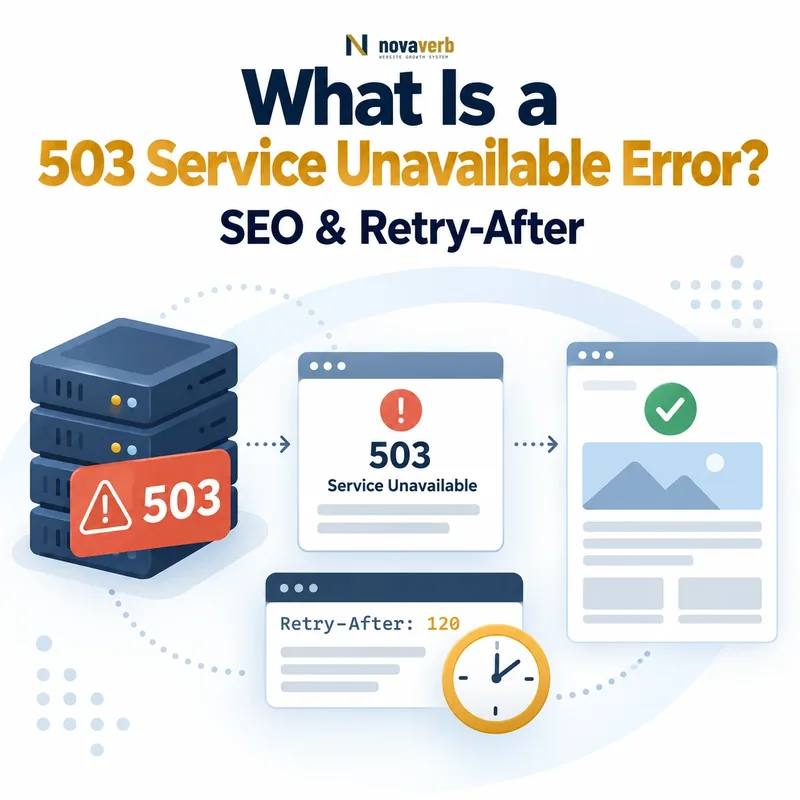
A 503 Service Unavailable error means that the server is temporarily unable to handle the request. Common conditions include planned maintenance, traffic overload, exhausted workers, unavailable dependencies and temporary infrastructure protection.
Request:
GET /important-page/ HTTP/1.1
Host: example.com

Response:
HTTP/1.1 503 Service Unavailable
Retry-After: 3600
Content-Type: text/html
The response does not mean that the requested URL has permanently disappeared. It tells the client that the service cannot complete the request now but may become available again.
Check the live response with the HTTP Status & Redirect Chain Tracer. Measure DNS, TCP, TLS and Time to First Byte with the Server Response Time Test.
What Does 503 Service Unavailable Mean?
HTTP 503 means that the server is currently unable to process the request, but the condition is expected to be temporary. The resource may still exist even though it cannot be served at that moment.
A valid 503 response normally communicates four facts:
- The request reached a serving system: The client connected far enough to receive an HTTP response.
- The request cannot be completed now: The service lacks availability or capacity.
- The interruption is temporary: The server is expected to recover.
- The client may retry later: A
Retry-Afterheader can provide an estimate when available.
The status describes current service availability rather than the permanent existence, canonical location or ownership of the requested resource.
How Does an HTTP 503 Response Work?
A 503 response is returned when a serving component recognizes that it cannot currently handle the request and communicates temporary unavailability instead of returning normal content.
- A browser, crawler or API client requests a resource.
- The request reaches the CDN, proxy, server or application.
- The system detects maintenance, overload or insufficient capacity.
- The request is rejected or routed to a lightweight maintenance response.
- The server returns
503 Service Unavailable. - The client may retry later, optionally using
Retry-After.
Client request
→ Availability or capacity check
→ Service cannot handle request now
→ HTTP 503 returned
→ Client waits and retries later
The response may originate from the application, web server, load balancer, CDN or infrastructure platform. Diagnose which layer generated it before changing application code.
200 OK is not a valid 503 response.
What Causes a 503 Service Unavailable Error?
A 503 can be caused by planned maintenance, traffic overload, exhausted resources, unavailable dependencies, failed health checks or temporary protective controls.
| Cause | Example | Evidence to inspect |
|---|---|---|
| Planned maintenance | The application is intentionally taken offline during deployment. | Maintenance schedule, deployment logs and response rules |
| Traffic overload | Request volume exceeds available workers or connections. | Request rate, queues, worker utilization and saturation metrics |
| Resource exhaustion | CPU, memory, file descriptors or connection pools reach limits. | Infrastructure metrics and operating-system logs |
| Failed health checks | A load balancer removes unhealthy application instances. | Health-check results and target-group status |
| Unavailable dependency | A required database, API, cache or queue is temporarily unavailable. | Dependency metrics, traces and connection logs |
| Autoscaling delay | Demand rises faster than new instances become ready. | Scaling events, startup time and pending-request queues |
| CDN or edge protection | An edge layer temporarily refuses traffic during an incident. | CDN events, firewall logs and edge-response headers |
| Administrative shutdown | A service or worker pool is stopped temporarily. | Service manager events and operational change records |
The same visible 503 page can represent different causes. The response status establishes temporary unavailability but does not identify the failing component.
503 Error vs 500 Internal Server Error
A 503 describes temporary service unavailability. A 500 describes an unexpected internal failure when no more specific server-error response is suitable.
| Dimension | 503 Service Unavailable | 500 Internal Server Error |
|---|---|---|
| Core condition | The service cannot handle the request now. | An unexpected internal error prevented completion. |
| Expected duration | Temporary | Not specified by the status |
| Typical use | Maintenance, overload or temporary capacity loss | Unhandled exception or unidentified server failure |
| Retry-After | Useful when an estimate is available | Not normally central to the response |
| Operational intent | Come back later | The request failed unexpectedly |
Use the most accurate status. Do not turn every application crash into 503 merely because the team expects to fix it later.
503 Error vs 502 Bad Gateway
A 503 says the service is temporarily unable to handle the request. A 502 says a gateway or proxy received an invalid response from an upstream server.
| Dimension | 503 Service Unavailable | 502 Bad Gateway |
|---|---|---|
| Primary condition | Service availability or capacity is temporarily insufficient. | An intermediary received an invalid upstream response. |
| Typical origin | Application, server, load balancer or CDN | Gateway, proxy, CDN or load balancer |
| Common example | All healthy workers are busy. | The proxy cannot obtain a valid response from the origin. |
| Retry estimate | Can be communicated with Retry-After. | Usually depends on upstream recovery. |
| Primary evidence | Capacity and availability metrics | Gateway and upstream communication logs |
A proxy may return either code depending on what it knows. Identify whether it deliberately rejected the request or failed to obtain a valid upstream response.
503 Error vs 504 Gateway Timeout
A 503 indicates temporary service unavailability. A 504 indicates that a gateway or proxy waited for an upstream response but did not receive one in time.
| Dimension | 503 Service Unavailable | 504 Gateway Timeout |
|---|---|---|
| Failure condition | The service cannot accept or complete the request now. | An upstream request exceeded the gateway timeout. |
| Request handling | May be rejected immediately. | The gateway waited before failing. |
| Typical cause | Maintenance, overload or no healthy capacity | Slow application, database, API or network path |
| Best evidence | Availability and saturation metrics | Latency traces and timeout logs |
| Corrective focus | Restore capacity or service readiness. | Find and repair the slow upstream component. |
Increasing a timeout may change a 504 into a slower failure. Measure the upstream processing path before adjusting limits.
503 Error vs 429 Too Many Requests
A 503 describes temporary service-wide unavailability or insufficient capacity. A 429 says that a specific client has sent too many requests within a defined period.
| Dimension | 503 Service Unavailable | 429 Too Many Requests |
|---|---|---|
| Error class | 5xx server error | 4xx client error |
| Primary meaning | The service cannot handle the request now. | The requester exceeded a rate limit. |
| Scope | May affect many or all clients. | Can apply to one client, token, IP or account. |
| Retry-After | Can estimate service recovery. | Can state when the client may retry. |
| Typical use | Maintenance or server overload | Rate-limiting enforcement |
Use 429 when the client’s request rate is the defining problem. Use 503 when the service itself lacks temporary availability or capacity.
When Should You Use a 503 Response?
Use 503 when the service is temporarily unable to handle a request but the affected resources are expected to become available again.
Appropriate situations include:
- Planned site or application maintenance
- Temporary traffic overload
- No healthy application instances available
- Short-lived database or dependency outages
- Temporary capacity protection during an incident
- A sitewide deployment window
- A maintenance interstitial replacing unavailable content
- Temporary bot challenges that prevent delivery of the real content
The implementation should restore the original responses when the interruption ends. A temporary status must not become the permanent state of the URL.
When Should You Not Use a 503 Response?
Do not use 503 when a resource is permanently gone, has moved, does not exist, is restricted or has failed because of an unexpected generic application error.
A 503 is normally inappropriate when:
- The page permanently moved to another URL.
- The requested resource does not exist.
- A known resource was permanently retired.
- The requester exceeded a defined rate limit.
- Access is forbidden or requires authentication.
- An unhandled exception should return 500.
- The goal is to remove a URL from search results.
- The site owner intends to keep the service offline indefinitely.
- The goal is to block one crawler while serving normal users.
What Is the Retry-After Header?
Retry-After is an HTTP response header that tells a client how long it should wait before making another request. With a 503 response, it can communicate an estimated period of service unavailability.
The header supports two formats:
Retry-After: 3600The value above asks the client to wait 3,600 seconds.
Retry-After: Wed, 05 Aug 2026 12:00:00 GMTThe value above provides a specific HTTP date in GMT.
Review the syntax in MDN’s Retry-After reference.
How Do You Set Retry-After Correctly?
Set Retry-After to a realistic best-effort recovery estimate using either delay seconds or a correctly formatted HTTP date.
- Estimate the recovery window from operational evidence.
- Choose seconds when the duration is easier to express.
- Choose an HTTP date when a scheduled completion time is known.
- Use GMT for the HTTP-date format.
- Avoid a date that has already passed.
- Do not claim precision the team cannot support.
- Update or remove the header when the estimate changes.
- Restore the normal response immediately after recovery.
For unplanned overload, a short delay can be more honest than a specific date. For scheduled maintenance, a date may be easier for clients and operators to interpret.
Does Googlebot Respect Retry-After?
Google recommends including Retry-After as a best-effort estimate with temporary 503 responses, but the header does not create a guaranteed crawl schedule.
Googlebot’s next request can still depend on:
- The previous crawl pattern for the hostname
- The scale and consistency of server errors
- The overall availability of the site
- The crawl demand for affected URLs
- Whether successful responses return between errors
- Google’s own crawl scheduling systems
Use Retry-After to communicate a truthful estimate, not to command an exact crawl time or preserve rankings for a guaranteed period.
See Google’s guidance for temporarily pausing a website.
Are 503 Errors Bad for SEO?
A short, correctly implemented 503 is not automatically harmful to SEO, but repeated or prolonged unavailability can reduce crawling, prevent content retrieval and eventually affect indexing.
Risk increases when:
- The homepage or major site sections return 503.
- Canonical pages remain unavailable across repeated crawls.
- The outage affects a large percentage of submitted URLs.
- Maintenance content returns 200 instead of 503.
- The site alternates unpredictably between success and failure.
- Robots.txt also becomes unavailable.
- Important assets and APIs prevent rendering.
- Normal responses are not restored promptly.
The correct status reduces ambiguity, but it cannot make long downtime harmless. Reliable restoration remains the primary SEO and business requirement.
How Does Google Handle 503 Responses?
Googlebot interprets 503 as temporary unavailability, cannot retrieve the intended page from that request and may return later to check whether service has recovered.
- Googlebot requests the URL.
- The server returns 503 Service Unavailable.
- Google does not receive the normal page content.
- The failure contributes to server-health evaluation.
- Googlebot may retry the URL later.
- Broad or persistent failures can reduce crawl activity.
- Prolonged unavailability can eventually affect indexing.
Google does not provide a universal safe duration that applies to every site, URL and outage. Recovery depends on subsequent successful responses and the broader crawl context.
Can 503 Errors Reduce Googlebot Crawling?
Yes. Google’s crawling infrastructure can reduce crawl activity when it encounters a significant number of 503 responses.
Crawl reduction becomes more likely when:
- Many URLs fail during the same crawl period.
- The hostname remains broadly unavailable.
- Failures continue across repeated retry attempts.
- Server latency rises before requests fail.
- Robots.txt and sitemaps also return errors.
- The infrastructure cannot recover between crawler visits.
- Error rates remain high after maintenance is expected to end.
This protects the server from additional load. Crawl activity can recover after the site consistently returns healthy responses again.
Review the wider model in What Is Crawl Budget?.
Can a Long 503 Outage Remove Pages From Google?
Yes. If Google repeatedly cannot retrieve a URL for an extended period, the page can eventually be removed from Search despite the temporary meaning of 503.
The risk depends on:
- The total duration of the outage
- How often Googlebot retries affected URLs
- Whether the failures are consistent or intermittent
- The number and importance of affected pages
- Whether the entire hostname is unavailable
- Whether normal content returns between failures
- The previous crawl demand for each URL
A correct 503 can protect against immediate misinterpretation of maintenance content, but it cannot preserve inaccessible pages indefinitely.
How Long Can a Website Return 503?
There is no universal safe duration for returning 503. It should last only as long as the temporary condition genuinely exists, with restoration treated as an urgent operational objective.
Duration risk depends on:
- Whether the outage affects one endpoint or the whole site
- Whether users can still complete important tasks
- How frequently search crawlers revisit the URLs
- Whether server errors continue for multiple days
- Whether recovery estimates remain accurate
- Whether alternative infrastructure can serve the response
- Whether the site returns stable success after recovery
Google documentation uses different timeframes for different operational contexts, including short emergency crawl reduction and complete site shutdown. These should not be converted into one guaranteed SEO deadline.
Should Planned Maintenance Return 503?
Yes. When planned maintenance prevents normal content from being served, affected URLs should normally return 503 Service Unavailable.
A reliable maintenance setup should:
- Return 503 from every genuinely unavailable URL.
- Use a static, lightweight response page.
- Include a realistic Retry-After estimate when possible.
- Explain the interruption clearly to users.
- Provide support or status information where useful.
- Minimize external CSS, JavaScript and image dependencies.
- Exclude health-check endpoints that infrastructure requires.
- Restore original responses automatically after maintenance.
A separate server, edge rule or lightweight static response can keep the 503 page available even while the main application is offline.
Should an Overloaded Server Return 503 or 429?
Return 503 when the service lacks temporary capacity broadly. Return 429 when a particular requester has exceeded a defined rate limit.
| Condition | Preferred status | Reason |
|---|---|---|
| All workers are saturated for most clients | 503 | The service itself is temporarily unavailable. |
| One API token exceeds its quota | 429 | The specific client sent too many requests. |
| A crawler sends requests above a documented limit | 429 | Rate limiting is client-specific. |
| The database pool cannot accept more work | 503 | The serving capacity is temporarily exhausted. |
| An account exceeds a usage window | 429 | The requester crossed an enforced rate boundary. |
Both responses can include Retry-After. The correct status depends on whether the defining problem is service availability or requester behavior.
Should a CDN Challenge Return 503?
A temporary CDN challenge that prevents a crawler from receiving the real page should return an explicit non-success response such as 503 rather than presenting the challenge as normal page content.
Review the CDN behavior when:
- Verified search crawlers receive challenge pages.
- The challenge returns 200 OK.
- Challenge text appears in rendered crawler output.
- JavaScript execution is required before content becomes available.
- The origin is healthy but the edge blocks access.
- Security rules vary by user agent or IP range.
- Repeated challenges create crawl errors.
Prefer verified crawler handling and explicit temporary error signaling over user-agent cloaking or indiscriminate security bypasses.
Should a Maintenance Page Return 200 or 503?
A maintenance page replacing unavailable content should return 503, not 200 OK. A 200 response says that the requested resource was served successfully.
| Response | What it communicates | Risk during maintenance |
|---|---|---|
200 OK |
The requested content was successfully served. | Crawlers may interpret the maintenance message as normal content. |
503 Service Unavailable |
The resource is temporarily unavailable. | Appropriate when the real content is expected to return. |
302 Found |
The client is temporarily sent elsewhere. | The final page still needs an accurate response. |
301 Moved Permanently |
The resource permanently moved. | Incorrect for temporary maintenance. |
The maintenance page can be attractive and helpful, but the response code must still describe the failed delivery of the requested resource.
How Do You Implement a 503 Response?
Implement 503 at the layer that can remain available while the affected application or service is temporarily offline. This may be the web server, proxy, CDN, load balancer or application.
Apache
RewriteEngine On
RewriteCond %{REMOTE_ADDR} !^203\.0\.113\.10$
RewriteRule ^ - [R=503,L]

Header always set Retry-After "3600"
Nginx
location / {
    return 503;
}

error_page 503 /maintenance.html;

location = /maintenance.html {
    root /var/www/static;
    add_header Retry-After 3600 always;
    internal;
}
PHP
<?php
http_response_code(503);
header('Retry-After: 3600');
require __DIR__ . '/maintenance.html';
exit;
?>
Application or CDN
Use a documented maintenance mode, edge rule or load-balancer response that returns 503 and a lightweight body. Preserve access to required health checks, administrator routes or deployment controls without exposing private paths publicly.
How Do You Find and Diagnose 503 Errors?
Find and diagnose 503 errors by combining live HTTP checks, server logs, uptime monitoring, crawl data, infrastructure metrics and deployment evidence.
| Evidence source | What it reveals | What to verify next |
|---|---|---|
| HTTP status check | Current public status and Retry-After header | Whether the response is persistent or intermittent |
| Access logs | URL, timestamp, user agent and response frequency | Which routes and clients are affected |
| Application logs | Capacity rejection, maintenance mode or dependency errors | The component generating the response |
| Load-balancer health | Healthy targets and failed checks | Why instances became unavailable |
| Infrastructure metrics | CPU, memory, workers, queues and connections | Whether capacity limits were reached |
| Deployment history | Changes immediately before the failure | Whether rollback restores availability |
| Crawl and Search Console data | URLs encountered as unavailable by crawlers | Scope, recurrence and recovery |
Correlate evidence by timestamp, hostname, region, route, release and serving layer. The same URL can return different responses through different CDN locations or application instances.
Use Crawl Explorer to identify 5xx patterns across crawled URLs.
How Do You Fix a 503 Service Unavailable Error?
Fix a 503 by restoring service readiness or capacity, then verify that affected URLs consistently return their intended normal responses.
| Verified cause | Possible correction | Required verification |
|---|---|---|
| Maintenance mode remains enabled | Complete deployment and disable the maintenance rule | Normal URLs return expected successful responses |
| Worker exhaustion | Reduce workload, repair queues or add justified capacity | Requests stay within worker and latency targets |
| No healthy instances | Repair health checks or restore application instances | Load balancer reports healthy targets |
| Database pool exhaustion | Optimize connections, queries or pool configuration | Connection usage remains within safe limits |
| CDN protection rule | Correct the narrow rule or verified-crawler handling | Legitimate requests receive intended content securely |
| Autoscaling lag | Improve readiness, warm-up or scaling thresholds | Traffic peaks no longer exhaust serving capacity |
| Dependency outage | Restore dependency or provide controlled degradation | Core routes remain stable during retesting |
After recovery, recrawl important URLs, confirm that Retry-After and maintenance headers are gone, review error-rate trends and monitor the next comparable traffic or deployment event.
Common 503 Error Mistakes
Common mistakes return 200 for maintenance content, leave 503 enabled indefinitely, provide unrealistic retry estimates or mask a permanent failure as temporary.
| Mistake | Why it fails | Preferred correction |
|---|---|---|
| Maintenance page returns 200 | The response reports successful delivery of the requested resource. | Return 503 from unavailable URLs. |
| Using 503 indefinitely | Temporary unavailability becomes a long-term outage. | Restore service or choose the accurate permanent state. |
| Inventing a recovery time | Retry-After becomes misleading. | Use a best-effort operational estimate. |
| Redirecting every URL to one maintenance page | Original resource states become unclear. | Serve the maintenance body while preserving 503 on each URL. |
| Returning 503 for deleted pages | The resource is not temporarily unavailable. | Use 404, 410 or a relevant redirect. |
| Using 503 for client rate limiting | The defining issue is requester behavior. | Use 429 when appropriate. |
| Blocking crawlers in robots.txt during maintenance | Crawlers may not retrieve the temporary status. | Allow the 503 response to be fetched. |
| Caching the error too aggressively | Users can continue receiving stale maintenance content after recovery. | Review cache behavior and purge after restoration. |
| Serving different status codes by user agent | The implementation may become deceptive or inconsistent. | Use consistent resource-state responses. |
| Closing the incident after one successful check | Intermittent saturation may remain. | Monitor across repeated checks and real load. |
503 Service Unavailable Checklist
A 503 implementation passes QA when temporary unavailability is truthful, the response is technically correct and normal service is restored and verified promptly.
- The exact affected URLs are recorded.
- The first HTTP response is captured.
- The final HTTP response is captured.
- The response returns 503, not 200.
- The condition is genuinely temporary.
- The cause of unavailability is documented.
- The affected route scope is measured.
- The response layer is identified.
- The maintenance body is lightweight.
- The page gives users a useful explanation.
- Retry-After is included when a reliable estimate exists.
- Retry-After uses valid seconds or HTTP-date syntax.
- The recovery estimate is realistic.
- Healthy administrator access remains controlled.
- Required health checks remain functional.
- Robots.txt does not hide the response.
- The maintenance page is not permanently redirected.
- Error responses are not cached excessively.
- The status is consistent across user agents.
- The status is consistent across regions.
- Monitoring detects the outage.
- Server logs record affected requests.
- Capacity and dependency health are reviewed.
- Normal responses return after recovery.
- Retry-After is removed after recovery.
- Important URLs are recrawled.
- Error rates remain stable afterward.
- The incident owner is recorded.
Frequently Asked Questions About 503 Errors
What does 503 Service Unavailable mean?
Is a 503 error temporary?
What causes a 503 error?
What is the difference between 503 and 500?
What is the difference between 503 and 429?
What does Retry-After mean?
Is Retry-After required with every 503?
Does Googlebot retry 503 pages?
Can 503 errors hurt SEO?
Should a maintenance page return 200?
Should a 503 page be blocked in robots.txt?
How can I check whether a URL returns 503?
Verify Temporary Downtime Before It Becomes Permanent Loss
Start with the exact URL and confirm the status, Retry-After value, serving layer and outage scope. Then connect the response to deployment logs, capacity metrics, crawler evidence and the recovery plan.
Use the free HTTP checker for one URL, measure the serving path with the Server Response Time Test and use Crawl Explorer or Site Health Audit when the problem affects a wider URL set.
Novaverb connects HTTP status, crawl evidence, server timing and affected URLs so teams can distinguish controlled temporary downtime from an unresolved infrastructure failure.
Use the Decision Ladder to determine whether the next action should be rollback, capacity recovery, maintenance completion, dependency repair or incident escalation.