
What Is a Search Engine Crawler?
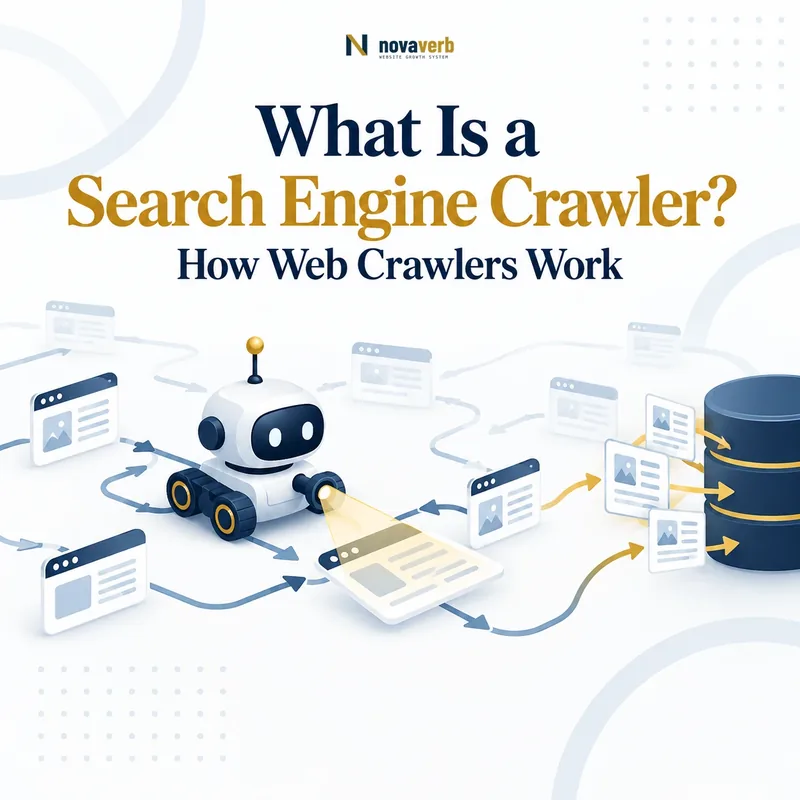
A search engine crawler is automated software that discovers URLs, requests web resources, extracts additional references, and returns collected information for later processing by a search system. It is commonly described as a crawler, spider, spiderbot, robot, or user agent.
The crawler does not search the web in response to each individual user query. It works before the query by collecting resources that may later be processed, canonicalized, indexed, retrieved, and ranked. The search engine then uses its stored systems rather than attempting to download the entire web whenever a person searches.
“A Web crawler is an Internet bot that systematically browses the World Wide Web.” Wikipedia - Web crawler
A crawler is not a single unlimited program moving through every available page. Large crawling systems commonly use distributed workers, URL queues, host rules, duplicate controls, selection policies, revisit schedules, resource limits, and politeness policies. These controls determine what may be requested, when it may be revisited, and how request pressure is distributed.
Core Parts of a Search Engine Crawler
| Crawler component | Primary responsibility | SEO relevance | What it does not prove |
|---|---|---|---|
| URL source | Supplies known or newly discovered addresses. | Internal links, sitemaps, redirects, feeds, and historical records can expose URLs. | That every supplied URL will be requested. |
| Crawl frontier | Stores and organizes URL candidates waiting for evaluation or retrieval. | Duplicate, parameterized, and low-value URL spaces can enlarge the queue. | That queue position or exact priority is publicly observable. |
| Scheduler | Chooses when a URL or host may be requested. | Change history, importance, server behavior, and crawl policy may affect revisit timing. | That every URL receives a fixed crawl interval. |
| Policy evaluator | Applies selection, access, duplication, revisit, and resource rules. | Robots.txt, URL patterns, prior responses, and host conditions influence requests. | That all search engines apply identical policies. |
| Fetcher | Sends the network request and receives the response. | Status codes, redirects, headers, timing, content type, and body become crawl evidence. | That the resource was rendered or indexed. |
| Parser | Reads the returned document and extracts content, metadata, links, and resources. | HTML structure and standard link formats affect what can be extracted. | That every script-dependent state is already available. |
| Duplicate control | Reduces repeated processing of equivalent URLs or resources. | Parameters, alternate hosts, tracking values, and duplicate paths can create unnecessary variants. | Which URL will ultimately be selected as canonical. |
| Revisit system | Determines when previously known resources should be requested again. | Stable delivery, meaningful changes, and coherent signals support useful revisits. | That a changed page will be recrawled immediately. |
| Output pipeline | Passes collected resources and signals to later processing systems. | Fetched content may enter rendering, canonicalization, indexing, or other evaluation stages. | That the page will be indexed, ranked, displayed, or cited. |
A Crawler Has a Specific Identity and Purpose
- Search crawlers: collect resources for search-engine processing and index maintenance.
- Audit crawlers: inspect a website under settings chosen by the site owner or SEO professional.
- Monitoring crawlers: revisit selected resources to detect uptime, content, status, or configuration changes.
- Archive crawlers: preserve historical copies of public web resources.
- AI-related crawlers: may collect, retrieve, or inspect content for AI products under their own stated purposes and policies.
- Malicious or unidentified bots: may imitate legitimate user agents or ignore published access preferences.
Use Crawl Explorer to inspect the resources, links, directives, canonicals, metadata, and rendering signals retrieved during your own site crawl. The product is designed around openable, filterable URL-level crawl evidence rather than a single opaque score. citeturn968477search1turn968477search6
How Does a Search Engine Crawler Work?
A search engine crawler works by selecting a URL from a managed queue, checking whether the URL may be requested, retrieving the resource, processing the response, extracting new references, and scheduling future crawl activity. The cycle repeats across many distributed crawler workers rather than through one bot visiting pages in a simple linear order.
- Receive URL candidates. The system collects addresses from links, sitemaps, redirects, feeds, previous crawls, and other supported discovery sources.
- Normalize the URL. The crawler interprets the scheme, hostname, path, parameters, and duplicate variants.
- Place the URL in a frontier. The candidate waits with other new and previously known URLs.
- Apply selection policies. The system considers access rules, prior responses, expected value, change history, duplication, and available resources.
- Schedule the host request. Politeness and capacity controls determine when another request may be sent to the host.
- Fetch the resource. The crawler sends an HTTP request and receives headers, status, timing, and a response body.
- Parse the response. The system extracts content, metadata, links, redirects, canonical references, resources, and other signals.
- Return the result. Collected data moves to rendering, canonicalization, indexing, quality, or other processing systems.
- Schedule a revisit. The URL may be crawled again according to its observed change and value patterns.
Crawler Inputs and Outputs
| Stage | Input | Output | Possible failure |
|---|---|---|---|
| Discovery | Known pages, sitemaps, redirects, feeds, and historical records. | New or updated URL candidates. | The intended URL has no supported discovery source. |
| Selection | URL candidate, history, policy, host state, and resource limits. | A crawl, defer, duplicate, or discard decision. | Low-value URL spaces compete with preferred resources. |
| Fetch | Selected URL and request conditions. | Status, headers, timing, final URL, and body. | Timeout, block, loop, server error, or wrong content. |
| Parse | Returned document or resource. | Content, metadata, links, and resource references. | Malformed output or important information unavailable before rendering. |
| Revisit | Previous crawl history, observed change, and current policy. | A future crawl time or reduced revisit priority. | Unstable delivery or low-value duplication reduces useful revisits. |
Search Engine Crawler vs Browser, Scraper, and Audit Bot
A search engine crawler collects resources for a search system, a browser renders pages for a user, a scraper extracts selected information, and an audit bot evaluates a website according to user-defined settings. These tools may all send HTTP requests, but their purpose, scale, behavior, and evidence differ.
| System | Primary purpose | Typical behavior | SEO evidence boundary |
|---|---|---|---|
| Search engine crawler | Collect public resources for search processing and index maintenance. | Discovers, schedules, fetches, parses, revisits, and passes resources to downstream systems. | Its request does not prove index inclusion or ranking. |
| Web browser | Present an interactive page to a human user. | Uses cookies, cache, scripts, interaction, storage, and user-specific state. | Browser visibility does not prove crawler visibility. |
| Web scraper | Extract selected information from one or more resources. | Targets defined fields, pages, patterns, or datasets. | Extraction behavior does not represent a search engine’s indexing policy. |
| SEO audit bot | Inspect a site under crawl settings chosen by the auditor. | Starts from supplied seeds, follows configured links, and reports technical conditions. | The audit crawl does not prove how a search engine crawled the site. |
| Monitoring bot | Detect changes, outages, errors, or policy deviations. | Requests a controlled URL set on a schedule. | Monitoring frequency does not equal search-engine crawl frequency. |
Why the Distinction Matters
A successful audit crawl proves that the audit tool reached a resource under its configuration. A successful browser session proves that the user’s browser rendered the page under its cookies, cache, location, and interaction state. Neither result alone establishes what a particular search crawler received.
What Is a Crawler User Agent?
A crawler user agent is an identifier sent in an HTTP request to describe the software making the request. Websites may use the identifier when applying robots.txt rules, reviewing logs, monitoring traffic, or diagnosing crawler-specific delivery behavior.
User-Agent Header
The request may contain a string such as User-Agent: ExampleBot/1.0. This is a claimed identity and can be copied or falsified.
Robots Product Token
Robots.txt groups normally target the crawler product token declared by the crawler operator rather than every character in the full HTTP header.
Request Context
The same crawler family may use different identities for search, images, mobile rendering, ads, inspection, or other documented purposes.
Identity Verification
A user-agent string alone is insufficient proof. Verification may require official IP or DNS procedures published by the crawler operator.
Why User-Agent Evidence Is Limited
Server logs may show a legitimate crawler, an audit platform, a monitoring service, an unidentified bot, or a client impersonating another user agent. Record the claimed identity separately from verified identity.
What Is a Crawl Frontier or Crawl Queue?
A crawl frontier is the managed collection of discovered URLs that are waiting to be evaluated, scheduled, requested, revisited, or discarded. It is more than a simple first-in, first-out list because crawlers must coordinate hosts, priorities, duplicate controls, access rules, and revisit timing.
New-URL Candidates
Addresses that have been discovered but may never have been requested.
Revisit Candidates
Previously crawled URLs that may need a fresh request because content or signals may have changed.
Host Scheduling
Requests are grouped and paced so one host is not overloaded by parallel crawler activity.
Duplicate Management
Equivalent addresses, fragments, parameters, redirects, or repeated references may be consolidated or deprioritized.
Priority Management
Candidate URLs may receive different scheduling treatment according to system-specific signals.
Failure Management
Timeouts, server errors, blocks, and repeated invalid responses influence retries and future scheduling.
What Is a Crawler Revisit Policy?
A crawler revisit policy determines when a previously known URL should be requested again. The objective is to collect meaningful changes while avoiding unnecessary repeated requests to resources that remain unchanged, unavailable, duplicated, or low value.
Observed Change History
Resources that change regularly may justify a different revisit pattern from stable archival pages.
Previous Response State
Successful pages, redirects, removed URLs, timeouts, and server errors may follow different retry and revisit behavior.
Internal and External References
Fresh links and declarations may expose a known URL again and contribute to revisit demand.
Host Capacity
A crawler must schedule revisits within the practical capacity available for the host and wider system.
Expected Search Value
Resources expected to support useful downstream processing may receive different treatment from low-value duplicates.
Freshness Evidence
Accurate modification signals may support scheduling, but they do not guarantee an immediate request.
Revisit Frequency Is Not Fixed
The same URL may be crawled frequently during a launch, migration, rapid update period, or incident and less frequently after becoming stable. Different crawlers may also revisit the same resource on different schedules.
What Is a Crawler Politeness Policy?
A crawler politeness policy controls how requests are distributed so the crawler does not place unreasonable load on a website or network. It may limit request concurrency, introduce delays, respond to server failures, and coordinate activity across many crawler workers.
Politeness Controls May Include
- Host-level pacing: spacing requests to the same host rather than sending unlimited parallel traffic.
- Concurrency limits: restricting the number of requests active at one time.
- Error backoff: reducing or delaying requests after repeated server errors, timeouts, or rate limits.
- Response-time adaptation: changing request pressure when the host becomes slow or unstable.
- Robots evaluation: checking applicable crawl directives before requesting paths.
- Queue coordination: preventing distributed workers from overwhelming the same origin.
- Retry control: limiting how frequently failed resources are requested again.
Website operators should also apply polite crawling practices to their own audit, monitoring, and competitive-research tools. Ownership, authorization, robots directives where applicable, rate limits, server stability, and legal constraints should be respected.
How Do Crawlers Handle Robots.txt?
Compliant crawlers normally retrieve the robots.txt file for the relevant origin, identify the rule group matching their product token, evaluate the requested path, and decide whether the resource may be crawled. Exact interpretation and failure handling can vary by crawler.
| Step | Crawler action | Website requirement | Common failure |
|---|---|---|---|
| Locate file | Request the robots.txt location for the relevant scheme and host. | Serve the file from the origin root. | Rules are created for a different host or placed in a subdirectory. |
| Select group | Match the crawler product token to an applicable user-agent group. | Use accurate group names and avoid accidental duplication. | A broad group unintentionally affects important crawlers. |
| Match path | Evaluate Allow and Disallow rules for the requested path. | Test overlapping paths and wildcard behavior where supported. | The rule blocks more or less than intended. |
| Apply decision | Request or avoid the path according to its policy. | Keep public search destinations and required rendering resources accessible when intended. | The team confuses crawl blocking with index removal. |
| Cache and refresh | Reuse and later refresh the file according to internal behavior. | Allow for delay after a policy change. | Expecting every crawler to apply the new file immediately. |
Robots.txt communicates crawl preferences to participating crawlers. It is not authentication, authorization, a firewall, or a guaranteed index-removal mechanism.
Inspect the live file with the Novaverb Robots.txt Checker.
How Do Crawlers Process HTTP Responses?
Crawlers process HTTP responses by recording the final URL, status code, headers, timing, content type, body, redirects, and resource references. They then decide whether to parse, retry, follow, render, revisit, discard, or pass the resource to another system.
| Response type | Possible crawler action | SEO meaning | Important limitation |
|---|---|---|---|
| Successful HTML | Parse content, metadata, links, and resources. | The document was delivered successfully under the request conditions. | The body may still be wrong, empty, duplicate, or a soft error. |
| Redirect | Record and possibly follow the destination. | The source points to another URL. | A redirect does not prove destination relevance or canonical selection. |
| Client error | Record the failure and revisit according to policy. | The resource is unavailable, restricted, or invalid for the request. | Different 4xx responses communicate different conditions. |
| Server error | Retry later and reduce request pressure if errors persist. | The host could not complete the request. | One temporary error does not prove permanent unavailability. |
| Non-HTML resource | Store, parse, render, or classify according to the media type. | The URL represents an image, document, script, stylesheet, feed, or another resource. | Processing behavior varies by resource type and crawler purpose. |
How Do Crawlers Extract Links and Resources?
Crawlers extract links and resources by parsing returned documents for references such as HTML links, redirects, canonicals, hreflang values, images, scripts, stylesheets, forms, feeds, and structured data. Extracted URLs may be normalized and added to a crawl frontier.
Standard Navigation Links
- HTML anchor elements with usable destinations
- Navigation, breadcrumb, contextual, and pagination links
- Absolute and relative URLs resolved against the document base
Metadata References
- Canonical URL declarations
- Hreflang alternates
- Open Graph and social resource URLs
- Structured-data identifiers and references
Dependent Resources
- Stylesheets and scripts
- Images, video, and fonts
- Frames, embeds, and preload references
- API requests observed during rendering
Problematic References
- Session and tracking parameters
- Infinite calendar or filter combinations
- Malformed, empty, or fragment-only addresses
- Links created only after unsupported interactions
Extraction Does Not Equal Endorsement
A crawler may extract a URL without treating it as important, canonical, indexable, or suitable for future requests. A canonical reference and a navigational link also represent different relationships even when they point to the same URL.
How Do JavaScript and Rendering Affect Crawlers?
JavaScript affects crawlers when meaningful content, links, metadata, or resources are unavailable in the initial response and require script execution to appear. A crawler may fetch the HTML first and pass the document to a separate rendering system later.
| Page state | Crawler can inspect | Risk | Verification |
|---|---|---|---|
| Initial HTML | Server-returned text, links, metadata, and script references. | An empty shell provides little immediate page meaning. | Inspect source response and headers. |
| Rendered DOM | Elements created or modified after script execution. | Rendering may fail, be delayed, or receive different data. | Compare source and rendered output. |
| API-dependent content | Data returned from public supporting requests. | Authentication, CORS, timeout, blocking, or endpoint failure. | Review resource requests and failed endpoints. |
| Interaction-dependent state | Content only after clicks, scrolling, form state, or other actions. | The required interaction may never be performed. | Confirm essential content and links exist without custom interaction. |
| Client-side routing | Unique URL states generated by the application. | Nonstandard links, duplicate routes, fragments, and uncontrolled parameters. | Test direct URL access, status, rendered content, and links. |
Do All Search Engine Crawlers Work the Same Way?
No. Search engine crawlers may differ in purpose, user-agent identity, rendering support, resource types, robots interpretation, scheduling, revisit behavior, geographic infrastructure, and downstream processing. A URL accessible to one crawler may fail for another.
Different Purposes
One crawler may collect web pages, while another focuses on images, video, ads, inspection, or specific answer products.
Different Rendering Support
Crawlers may vary in JavaScript execution, browser engine, resource limits, timing, and interaction behavior.
Different Scheduling
Each system decides when and how frequently to crawl according to its own resources and policies.
Different Access Identities
User-agent strings, network origins, verification methods, and published crawler documentation may differ.
Different Resource Coverage
Some systems process HTML, images, PDFs, feeds, or structured resources differently.
Different Downstream Uses
Fetched resources may support search indexing, previews, answer retrieval, archive storage, safety analysis, or other products.
How Can You Identify a Search Engine Crawler?
Identify a search crawler by combining the claimed user agent with official crawler documentation, verified network information, request behavior, timestamps, and server logs. A user-agent string alone can be forged.
- Read the User-Agent header. Record the complete claimed identity without assuming it is legitimate.
- Consult the operator’s official documentation. Confirm the crawler name, purpose, product token, and published verification procedure.
- Record the source IP. Preserve the actual request origin from trusted server or CDN logs.
- Apply the official verification method. This may involve reverse and forward DNS checks or published IP ranges.
- Review the requested resources. Check paths, frequency, status codes, response times, and robots behavior.
- Separate verified and unverified traffic. Do not combine spoofed, generic, and confirmed crawler activity in one report.
- Monitor changes. Crawler infrastructure and documentation may change, so verification should not rely on an old static list indefinitely.
What Server Logs Can Establish
Logs can show that a request reached the server, which URL was requested, when it occurred, the claimed user agent, source network information, status, response size, and timing. They do not prove rendering, index inclusion, ranking, or citation.
How Should Websites Manage Crawler Access?
Websites should manage crawler access by separating public crawl preferences, private access controls, security protections, rate management, URL-space governance, and monitoring. Robots.txt is only one layer of this system.
| Control layer | Purpose | Appropriate use | Unsafe assumption |
|---|---|---|---|
| Internal architecture | Expose intended pages and avoid uncontrolled crawl spaces. | Direct links, coherent hubs, controlled filters, and preferred URL formats. | Robots.txt can repair poor architecture by itself. |
| Robots.txt | Communicate crawl preferences to participating user agents. | Limit requests to public low-value paths where blocking is intentional. | It protects private data or guarantees deindexing. |
| Authentication | Prevent unauthorized access to private resources. | Accounts, private documents, internal systems, and protected data. | A robots rule is an access-control substitute. |
| Firewall and CDN | Control malicious traffic, abuse, and infrastructure risk. | Verified crawler handling, rate limits, threat controls, and challenge policies. | Every bot-like request should be blocked identically. |
| Server stability | Return usable responses under normal crawler demand. | Caching, capacity planning, monitoring, and error containment. | Crawlers will ignore repeated errors without changing behavior. |
| Logs and monitoring | Measure who requested what and how the server responded. | Verified-bot analysis, anomaly detection, and crawl diagnostics. | An audit crawl represents actual search-engine traffic. |
What Are Common Misconceptions About Search Crawlers?
Common misconceptions include assuming every crawler is Googlebot, every request leads to indexing, robots.txt provides security, more crawling always improves SEO, and a browser or audit tool reproduces every search crawler’s experience.
| Misconception | Why it is incorrect | Better interpretation |
|---|---|---|
| Every bot is a search crawler | Requests may come from monitors, scrapers, AI systems, archives, malicious bots, or spoofed clients. | Verify identity and purpose before classification. |
| A crawler visit means the page is indexed | Crawling only retrieves the resource. | Treat index selection as a separate downstream process. |
| Robots.txt hides private content | The file is public and compliant participation is voluntary. | Use authentication and security controls for private data. |
| More crawler traffic is always good | Requests may be wasted on duplicate, filtered, stale, or broken URLs. | Optimize useful crawling of the preferred URL set. |
| The crawler follows links exactly like a user | Users interact with scripts, sessions, forms, and visual interfaces differently. | Provide standard retrievable links for essential discovery. |
| One audit crawler proves search-engine access | User agents, rendering, location, headers, and policies differ. | Use audit findings as evidence for the measured configuration only. |
| Changing a page forces an immediate revisit | The crawler controls scheduling and resource allocation. | Maintain accurate links, sitemaps, and stable delivery without promising timing. |
| A user-agent string proves identity | The header can be copied by any client. | Apply the operator’s official verification method. |
Frequently Asked Questions About Search Engine Crawlers
A search engine crawler discovers and retrieves web resources for later search-system processing.
What is a search engine crawler?
A search engine crawler is automated software that discovers URLs, requests resources, extracts references, and returns collected information to a search system.
Is a crawler the same as a spider?
Yes. Crawler, spider, robot, spiderbot, and bot are commonly used for automated software that traverses web resources.
Does a crawler search the live web for every query?
No. Crawlers collect resources before user queries. Search systems later retrieve from processed and stored representations.
How does a crawler find new pages?
It may discover them through links, XML sitemaps, redirects, feeds, metadata references, external pages, and historical URL records.
What is a crawl frontier?
A crawl frontier is the managed collection of URL candidates waiting for evaluation, scheduling, retrieval, revisiting, or rejection.
Does every discovered URL get crawled?
No. Crawlers have finite resources and apply selection, access, duplication, host, and scheduling policies.
Does every crawled page get indexed?
No. Crawling retrieves the resource, while indexing is a separate selection and storage process.
What is a crawler user agent?
It is an identifier claimed by the requesting software in the HTTP request and used in logs and crawler-policy evaluation.
Can a user agent be spoofed?
Yes. Any client can copy a user-agent string, so important crawler identities should be verified through official procedures.
Do crawlers obey robots.txt?
Participating crawlers generally follow the protocol according to their policies. Malicious or unidentified bots may ignore it.
Does robots.txt protect private pages?
No. Private resources require authentication and security controls. Robots.txt communicates crawl preferences for public URLs.
Can crawlers execute JavaScript?
Some crawler systems support rendering, but capability, timing, resources, and interaction behavior vary.
Why does a crawler revisit a page?
It may revisit to detect content, links, status, directives, canonical signals, or other changes.
How often will a crawler revisit my page?
There is no universal interval. Timing depends on the crawler’s policy, resource limits, page history, host condition, and expected value.
Can I force a crawler to visit a URL?
You can expose the URL through supported discovery sources, but the crawler controls whether and when it sends a request.
How can I see crawler activity?
Use trusted server or CDN logs and record the URL, time, claimed user agent, source address, status, size, and response timing.
Is an SEO audit crawler the same as a search crawler?
No. An audit crawler follows settings selected by the auditor and does not reproduce every search engine’s policy or behavior.
Should I block unknown crawlers?
Evaluate traffic purpose, legitimacy, server load, security risk, ownership, and business needs before applying targeted controls.
Verify What Crawlers Actually Receive From Your Website
Do not infer crawler access from a successful browser session. Inspect discovery paths, robots directives, final response status, redirects, source HTML, rendered output, canonical signals, resources, and server evidence under the relevant request conditions.
Use Crawl Explorer to review URL-level status, metadata, links, crawl depth, canonicalization, and indexability evidence. Use the public Robots.txt Checker when you need a fast inspection of the live crawler-policy file.
Continue the SEO Foundations sequence with How Do Search Engines Discover URLs? Explore the connected crawl, search, and AI visibility workflow from Novaverb.