
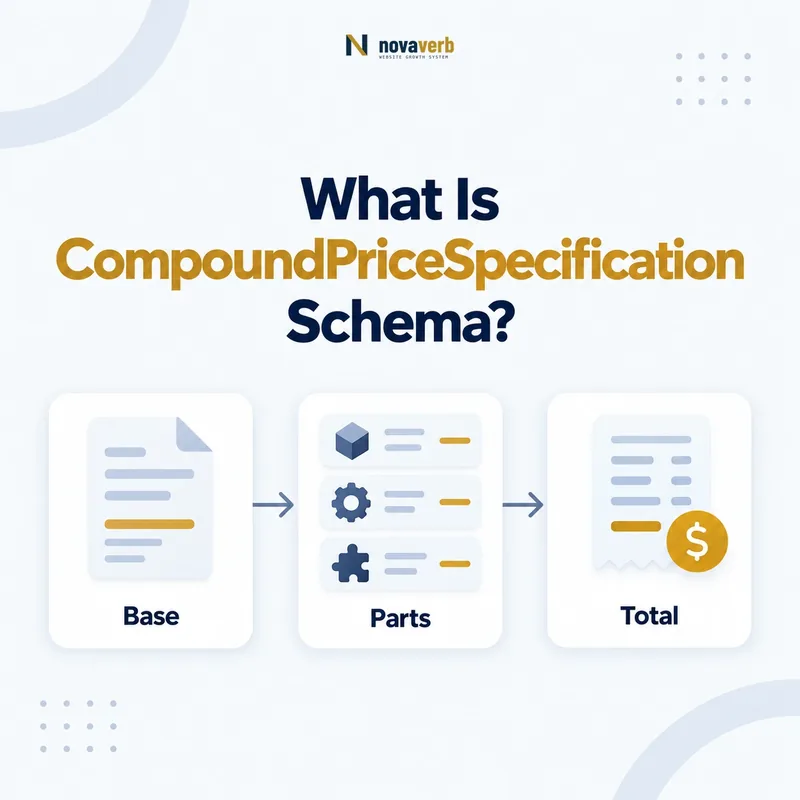
What Is CompoundPriceSpecification Schema?
CompoundPriceSpecification is the Schema.org type for a price specification that bundles multiple prices applying together across different dimensions of consumption. Its priceComponent property links the parallel PriceSpecification nodes, commonly UnitPriceSpecification components, that form the compound structure.
Primary definition: Schema.org CompoundPriceSpecification. The type combines price components that apply together, rather than treating alternatives as simultaneous charges.
This is not merely a list of alternative prices. Components in a compound specification apply in combination: a rental may have a nightly rate plus final cleaning, or a utility plan may combine a fixed monthly charge with consumption pricing. Alternative plans, sellers, or product variants generally belong in separate Offers instead.
Use the type only when the page clearly explains the same combined components. If customers see one straightforward total and no meaningful breakdown, a simple Offer price may be clearer. Complex markup must never hide mandatory costs or make one partial component look like the full payable amount.
- Frame the decision raised by What Is CompoundPriceSpecification Schema.
- Read the primary property definition and expected value type.
- Compare markup with the visible price and commercial terms.
- Correct the source catalog or template without inventing a value.
- Validate the rendered page and recheck it after pricing changes.
| Concept | Meaning | Evidence |
|---|---|---|
| Compound price | Several price dimensions apply together | Visible pricing breakdown |
| priceComponent | Links each applicable component | Commerce calculation model |
| Component name | Labels the priced dimension | Customer-facing term |
| Offer relationship | Identifies item and transaction | Same seller and plan |
- Use components that apply in parallel.
- Keep alternative offers separate.
- Show mandatory costs clearly.
CompoundPriceSpecification is appropriate when multiple customer-visible price dimensions truly combine within one Offer.
When Should You Use a Compound Price?
Use a compound price when one Offer requires two or more distinct pricing components to calculate what the customer pays, such as a fixed base fee plus usage, rent plus final cleaning, or setup plus recurring service.
The decision depends on simultaneity. If customers choose either monthly or annual billing, those are alternatives and may need separate Offers or price specifications. If every customer pays a monthly platform fee and a per-seat amount, those components apply together and can fit a compound model.
Start with the billing equation and visible page. List every mandatory and conditional component, its unit, currency, validity, and eligibility. If the equation cannot be explained plainly to a customer, do not expect structured data to repair it. Simplify the commercial presentation first.
- Evidence for When Should You Use a Compound Price must come from the exact page and pricing context.
- Locate the Offer or PriceSpecification node that contains the property.
- Confirm the currency, price boundaries, tax treatment and eligibility context that apply.
- Compare rendered structured data with catalog, checkout and visible page terms.
- Retain a fresh validation result and the URL where the value was observed.
| Pricing pattern | Compound fit | Reason |
|---|---|---|
| $50 base + $5 per seat | Strong | Both dimensions apply |
| $100 setup + $29 monthly | Strong | One-time and recurring components |
| Monthly or annual plan | Usually separate alternatives | Customer chooses one |
| One fixed $79 total | Usually unnecessary | No component context needed |
- Write the actual billing equation.
- Separate parallel parts from alternatives.
- Choose the simplest truthful graph.
Use CompoundPriceSpecification for combined dimensions, not as a container for every price shown on a page.
How Does priceComponent Work?
priceComponent links the PriceSpecification nodes that apply in parallel inside CompoundPriceSpecification. Each component should have a clear name indicating its pricing dimension and enough amount, currency, unit, and condition data to be interpreted independently.
Schema.org highlights UnitPriceSpecification nodes for components, but the property expects PriceSpecification. A component name such as “Platform access,” “Per active user,” or “Final cleaning” should match the visible pricing language. Generic labels such as “Fee 1” make the graph technically connected but commercially opaque.
Preserve stable component identifiers in the source system. Duplicated nodes, missing names, or reordered arrays can make audits appear inconsistent even when totals have not changed. Do not flatten all parts into one amount and then repeat that total as each component.
- Frame the decision raised by How Does priceComponent Work.
- Read the primary property definition and expected value type.
- Compare markup with the visible price and commercial terms.
- Correct the source catalog or template without inventing a value.
- Validate the rendered page and recheck it after pricing changes.
| Component field | Purpose | Quality check |
|---|---|---|
| name | Identifies pricing dimension | Matches visible label |
| price | Amount for that component | Not duplicated total |
| priceCurrency | Currency of component | Matches transaction |
| unit context | Explains consumption basis | Same unit as billing |
- Give every component a meaningful name.
- Preserve independent amounts and units.
- Maintain stable component relationships.
priceComponent is useful only when every linked node describes a distinct, understandable part of the combined price.
How Does It Connect to Offer and PriceSpecification?
Connect CompoundPriceSpecification to the applicable Offer through priceSpecification. The Offer identifies the item, seller, plan, market, and transaction; the compound node organizes the price components that apply together to that Offer.
Read the PriceSpecification guide for the parent model and itemOffered guide for item identity. Do not reuse one compound graph across different sellers or plans when fees, units, or eligibility differ.
Decide how the parent Offer price relates to the compound structure. It may communicate a final total for a defined quantity while components explain the breakdown, but the relationship must be visible and calculable. If usage is unknown, a single total may not exist; do not invent one.
- Evidence for How Does It Connect to Offer and PriceSpecification must come from the exact page and pricing context.
- Locate the Offer or PriceSpecification node that contains the property.
- Confirm the currency, price boundaries, tax treatment and eligibility context that apply.
- Compare rendered structured data with catalog, checkout and visible page terms.
- Retain a fresh validation result and the URL where the value was observed.
| Node | Role | Integrity check |
|---|---|---|
| Product or Service | Item being priced | Correct SKU or plan |
| Offer | Seller and transaction | Correct market and eligibility |
| CompoundPriceSpecification | Combined pricing structure | Belongs to one Offer |
| Components | Parallel price dimensions | Sum or formula matches billing |
- Resolve the exact Offer.
- Attach its compound pricing structure.
- Verify the total or calculation against checkout.
A compound price remains truthful only when its Offer and every linked component belong to the same commercial transaction.
How Should UnitPriceSpecification Components Be Modeled?
Model each consumption dimension as an applicable UnitPriceSpecification with a clear name, amount, currency, and unit or reference quantity. The unit must match how the business calculates and displays the charge.
A SaaS plan might combine a platform fee per month with a per-user monthly amount. A rental could combine a nightly rate and one final-cleaning charge. A utility price might combine a fixed service amount and a rate per measured unit. Read the UnitPriceSpecification guide for unit-level details.
Avoid mixing time and quantity dimensions without labels. “29.00” does not explain whether the amount is per month, per seat, per gigabyte, or one-time. Keep billing duration, measurement unit, eligible quantity, and reference quantity synchronized with visible terms.
- Frame the decision raised by How Should UnitPriceSpecification Components Be Modeled.
- Read the primary property definition and expected value type.
- Compare markup with the visible price and commercial terms.
- Correct the source catalog or template without inventing a value.
- Validate the rendered page and recheck it after pricing changes.
| Component | Possible unit context | Verification |
|---|---|---|
| Platform access | Per month | Recurring billing cadence |
| Active user | Per user per month | Seat counting rule |
| Final cleaning | One-time | Charged once per booking |
| Usage | Per measured unit | Meter and rounding policy |
- Label every dimension.
- Use the exact billing unit.
- Test quantity and time boundaries.
Unit components work when their names, rates, and measurement rules let customers reproduce the real calculation.
How Do Fees, Taxes, and Price Types Fit?
Include fees as components only when they apply within the same compound price and their roles are visible. Use priceType to identify relevant price types when supported, and valueAddedTaxIncluded to state whether applicable VAT is included; do not use either property to conceal mandatory charges.
Delivery and payment costs may have dedicated subtypes. Review DeliveryChargeSpecification and PaymentChargeSpecification rather than labeling every extra charge as a generic unit component. Choose the subtype whose definition matches the real cost.
For US pricing, tax treatment can vary by location and product. Do not fabricate a universal tax component when the amount is calculated from an address later. The structured graph should reflect concrete visible pricing, while the checkout remains authoritative for conditions not known on the landing page.
- Evidence for How Do Fees, Taxes, and Price Types Fit must come from the exact page and pricing context.
- Locate the Offer or PriceSpecification node that contains the property.
- Confirm the currency, price boundaries, tax treatment and eligibility context that apply.
- Compare rendered structured data with catalog, checkout and visible page terms.
- Retain a fresh validation result and the URL where the value was observed.
| Cost | Modeling direction | Risk |
|---|---|---|
| Recurring base fee | Named unit component | Cadence omitted |
| Delivery fee | DeliveryChargeSpecification | Region or method lost |
| Payment fee | PaymentChargeSpecification | Wrong method applied |
| Location-calculated tax | Only when concrete and supported | Invented universal amount |
- Classify each cost by commercial role.
- Choose the narrowest truthful subtype.
- Verify all mandatory charges remain visible.
A compound graph clarifies costs only when every fee and tax component retains its real role and conditions.
How Do You Mark Up a Compound Price?
Create the applicable Offer, attach CompoundPriceSpecification, then link each parallel UnitPriceSpecification through priceComponent. Populate meaningful names, verified amounts, currencies, units, validity, and eligibility from the same billing source used by checkout.
Do not maintain a separate SEO pricing equation. The source system should preserve Offer ID, compound ID, component IDs, names, rates, currencies, units, conditions, and effective dates. Templates should omit unsupported components rather than converting null values to zero.
{
 "@context":"https://schema.org",
 "@type":"Offer",
 "itemOffered":{"@type":"Service","name":"SEO Platform Plan"},
 "priceSpecification":{"@type":"CompoundPriceSpecification","priceComponent":[
  {"@type":"UnitPriceSpecification","name":"Platform fee","price":"49.00","priceCurrency":"USD","unitText":"MONTH"},
  {"@type":"UnitPriceSpecification","name":"Active user","price":"8.00","priceCurrency":"USD","unitText":"USER PER MONTH"}
 ]}
}- Evidence for How Do You Mark Up a Compound Price must come from the exact page and pricing context.
- Locate the Offer or PriceSpecification node that contains the property.
- Confirm the currency, price boundaries, tax treatment and eligibility context that apply.
- Compare rendered structured data with catalog, checkout and visible page terms.
- Retain a fresh validation result and the URL where the value was observed.
| Layer | Required alignment | Test |
|---|---|---|
| Billing source | Component equation and conditions | Compare pricing record |
| Visible page | Same names, rates, and units | Reproduce example total |
| Checkout | Same calculated outcome | Test representative quantities |
| JSON-LD | Same Offer and components | Parse rendered graph |
- Resolve the Offer and equation.
- Serialize each parallel component.
- Recalculate representative transactions.
Compound markup is complete only when its component equation reproduces the customer-facing billing outcome.
What Compound Price Schema Mistakes Are Common?
Common errors include mixing alternatives with parallel components, omitting component names or units, presenting one partial rate as the total, duplicating the total across components, attaching costs to the wrong Offer, and leaving stale rates or validity conditions in cached markup.
Complex pricing magnifies small mapping mistakes. A per-seat fee may be multiplied twice, a one-time setup charge may recur monthly, or a delivery component may appear for digital service. Client-side calculators can update totals while server-rendered JSON-LD retains the previous plan.
Syntax checks cannot validate the equation. Test minimum, typical, and maximum quantities; zero usage; plan changes; trials; discounts; setup periods; region-specific fees; expired prices; and cache refreshes. Missing optional detail is safer than a structured calculation that customers cannot reproduce.
- Frame the decision raised by What Compound Price Schema Mistakes Are Common.
- Read the primary property definition and expected value type.
- Compare markup with the visible price and commercial terms.
- Correct the source catalog or template without inventing a value.
- Validate the rendered page and recheck it after pricing changes.
| Mistake | Consequence | Correction |
|---|---|---|
| Alternatives bundled | Customer appears to pay every plan | Separate Offers or choices |
| Unit omitted | Rate looks like flat total | Add verified unit context |
| One-time fee recurring | Calculation overstates price | Preserve cadence |
| Stale component | Graph cannot match checkout | Update source and caches atomically |
- Validate the equation beyond syntax.
- Separate alternatives from combined parts.
- Re-crawl after any rate change.
Check the rendered page with the free website SEO checker, keep recurring evidence in Site Audit, and compare ongoing Novaverb plans when manual review no longer scales.
Prevent compound pricing errors by proving every component and cadence through real billing calculations.