
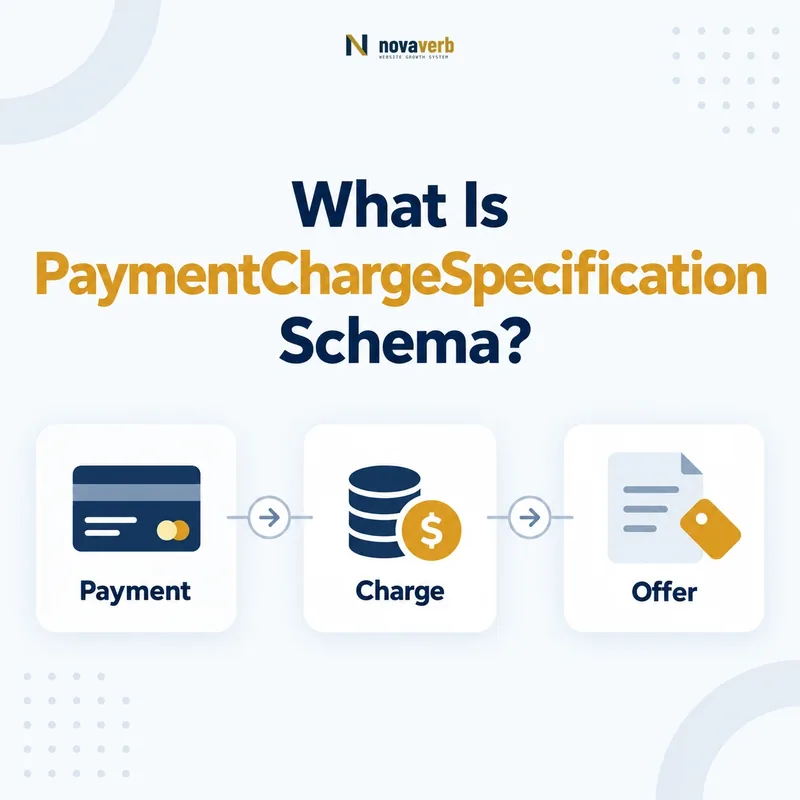
What Is PaymentChargeSpecification Schema?
PaymentChargeSpecification is the Schema.org type for costs incurred when settling a payment through a particular payment method. As a PriceSpecification subtype, it can carry the charge amount, currency, applicable payment or delivery methods, transaction conditions, validity dates, and membership restrictions.
The type describes a payment-settlement cost, not the product price, tax, shipping fee, interest schedule, or every checkout expense. A $3 card-processing surcharge should remain a component attached to the applicable Offer and payment method. Presenting that component as the item price makes the offer look artificially cheap.
Use the type only when the fee is real, visible, and obtainable under stated conditions. If the processor calculates an unknown amount only after checkout information is entered, omit the unsupported number. Structured data must not guess fees or replace required customer disclosures.
- Frame the decision raised by What Is PaymentChargeSpecification Schema.
- Confirm its value type and the object it describes.
- Compare the markup with visible page information.
- Correct the source data or template without inventing values.
- Validate the rendered result and monitor future changes.
| Fact | Meaning | Evidence |
|---|---|---|
| price | Payment-settlement charge | Visible checkout fee |
| priceCurrency | Currency of the charge | Transaction currency |
| appliesToPaymentMethod | Method that triggers fee | Checkout payment option |
| conditions | When fee applies | Operational payment rules |
- Model a payment fee, not the product total.
- Connect the fee to its triggering method.
- Omit unknown or unverified amounts.
PaymentChargeSpecification is accurate when it identifies one real settlement fee and the exact transaction conditions that produce it.
How Does It Connect to Offer and PriceSpecification?
Connect PaymentChargeSpecification to the applicable Offer through its pricing graph. The Offer identifies the item, seller, market, and transaction; the payment specification identifies one payment-related price component within those terms.
Use the PriceSpecification guide for the parent model and itemOffered schema for item identity. Multi-seller pages must not reuse one merchant’s card fee across every Offer, because payment processors and settlement policies may differ.
Document whether the Offer price includes the charge or whether it is added later. If the parent price is a complete payable total, duplicating the payment fee can imply double charging. If the amount excludes the fee, visible pricing must explain the additional condition before the customer chooses a method.
- Evidence for How Does It Connect to Offer and PriceSpecification: the live structured-data entity and property relationship
- The expected value type and any nested object
- Visible page information that supports the structured value
- Related offer or catalog fields needed for interpretation
- A fresh validation result after the page changes
| Node | Role | Integrity check |
|---|---|---|
| Product or Service | Item being purchased | Correct SKU or plan |
| Offer | Seller and transaction terms | Correct market and variant |
| PaymentChargeSpecification | Method-specific settlement fee | Belongs to that Offer |
- Resolve the exact Offer.
- Identify the payment cost component.
- Verify its relationship to the displayed total.
A payment charge has meaning only when its connection to the correct seller Offer remains intact.
How Should appliesToPaymentMethod Be Used?
Use appliesToPaymentMethod to identify the PaymentMethod that triggers the charge. Separate specifications when credit card, invoice, cash on delivery, bank transfer, payment service, or another method produces a different settlement cost.
A merchant might charge $5 for cash on delivery, no fee for ACH, and a percentage-based fee for a card. One generic charge cannot accurately describe all three. If the fee varies by card network, service provider, customer type, or transaction amount, model only the distinctions supported by the page and checkout source.
Do not confuse acceptedPaymentMethod with appliesToPaymentMethod. The first can state which methods an Offer or organization accepts; the second identifies which method a payment charge applies to. A method may be accepted without carrying any surcharge.
- Frame the decision raised by How Should appliesToPaymentMethod Be Used.
- Confirm its value type and the object it describes.
- Compare the markup with visible page information.
- Correct the source data or template without inventing values.
- Validate the rendered result and monitor future changes.
| Question | Property | Example |
|---|---|---|
| Can customers pay this way? | acceptedPaymentMethod | Card and bank transfer accepted |
| Which method triggers the fee? | appliesToPaymentMethod | $4 fee applies to COD |
| What is the method? | PaymentMethod | Structured method or service |
- Bind each fee to the triggering method.
- Separate acceptance from surcharge applicability.
- Use the payment vocabulary the checkout actually supports.
appliesToPaymentMethod prevents a fee from appearing universal when only one payment choice produces it.
When Does appliesToDeliveryMethod Matter?
Use appliesToDeliveryMethod only when a payment charge truly depends on a delivery method, such as a settlement cost that applies to cash on delivery but not pickup, mail, freight, or digital delivery.
Schema.org permits this property on PaymentChargeSpecification because payment and fulfillment can interact. That does not mean every payment fee needs a delivery method. Adding a guessed method can incorrectly limit a card fee that applies across all fulfillment options or extend a COD charge to digital download.
Model the intersection deliberately. If a fee applies only when both a payment method and delivery method are chosen, include both relationships and verify the combination in checkout. If either dimension changes the amount, create distinct specifications rather than publishing one overloaded node.
- Evidence for When Does appliesToDeliveryMethod Matter: the live structured-data entity and property relationship
- The expected value type and any nested object
- Visible page information that supports the structured value
- Related offer or catalog fields needed for interpretation
- A fresh validation result after the page changes
| Scenario | Delivery condition | Action |
|---|---|---|
| COD fee for mailed orders | Mail plus COD | Connect both real conditions |
| Card fee for every delivery | No delivery dependency | Do not add a method |
| No payment fee on pickup | Pickup exclusion | Model separate applicable rules |
| Digital service | No physical delivery | Avoid invented delivery context |
- Determine whether fulfillment changes the fee.
- Map the exact method combination.
- Test qualifying and non-qualifying checkout paths.
Add delivery-method context only when fulfillment genuinely changes the payment-settlement charge.
How Should Payment Fees and Currency Be Formatted?
Publish the payment charge as a clean price amount and pair it with priceCurrency. For a US-dollar transaction, use USD; do not place a dollar sign, comma separator, percentage label, or fee description inside the price value.
Follow the price schema guide: a visible “$3.50 card fee” can serialize as price “3.50” and priceCurrency “USD.” Zero means the applicable settlement charge is genuinely free; it must not be used as a placeholder for “calculated later” or “unknown.”
Percentage-based fees need extra care because price is an amount, not a formula engine. If the actual dollar charge is not known until the transaction total exists, avoid publishing a fixed amount that applies only to one sample cart. Expose only a concrete fee that the current Offer and visible terms support.
- Frame the decision raised by How Should Payment Fees and Currency Be Formatted.
- Confirm its value type and the object it describes.
- Compare the markup with visible page information.
- Correct the source data or template without inventing values.
- Validate the rendered result and monitor future changes.
| Visible statement | price | priceCurrency |
|---|---|---|
| $3.50 COD fee | 3.50 | USD |
| No ACH fee | 0 if exact and useful | USD |
| 2.9% card fee | Do not invent fixed amount | Model supported outcome only |
| Calculated at checkout | Omit unknown amount | Do not fabricate |
- Separate amount from symbols and labels.
- Distinguish zero from unknown.
- Do not turn percentage rules into guessed fixed fees.
A payment charge is interpretable only when its exact amount and currency match the current transaction terms.
How Do Transaction Volume and Validity Apply?
Use eligibleTransactionVolume when the payment charge depends on transaction value, and use validFrom and validThrough when the fee has a verified effective period. Add membership or quantity conditions only when they genuinely control the charge.
A card may be accepted only above a minimum amount, or a processing fee may be waived for purchases over a threshold. The threshold’s currency and calculation basis must match checkout. Discounts, taxes, refunds, deposits, and recurring billing can change which transaction value the rule evaluates.
Effective dates should come from the payment-policy source, not page publication. See the validFrom guide and validThrough guide. Test just before, at, and after each boundary, including cache updates.
- Evidence for How Do Transaction Volume and Validity Apply: the live structured-data entity and property relationship
- The expected value type and any nested object
- Visible page information that supports the structured value
- Related offer or catalog fields needed for interpretation
- A fresh validation result after the page changes
| Condition | Purpose | Test |
|---|---|---|
| eligibleTransactionVolume | Value range for fee | Below, at, above threshold |
| validFrom | Fee becomes valid | Future charge not applied early |
| validThrough | Fee ceases to be valid | Expired charge removed |
| validForMemberTier | Tier-specific fee | Member and public paths |
- Define the rule in business terms.
- Attach conditions to the correct fee node.
- Test all thresholds and date boundaries.
Payment-fee conditions are useful only when checkout produces the stated result for every qualifying and non-qualifying transaction.
How Do You Mark Up a Payment Charge?
Create the applicable Offer, add PaymentChargeSpecification with a verified fee and currency, connect the triggering PaymentMethod, then add only the delivery, transaction, validity, and membership conditions that actually govern the charge.
Generate the graph from the payment configuration rather than an SEO-only field. The source should preserve Offer, seller, method, fee, currency, threshold, market, effective dates, and any fulfillment dependency. Templates should omit missing data rather than defaulting an unknown fee to zero.
{
 "@context":"https://schema.org",
 "@type":"Offer",
 "itemOffered":{"@type":"Service","name":"SEO Consulting Session"},
 "priceSpecification":{"@type":"PaymentChargeSpecification","price":"4.00","priceCurrency":"USD","appliesToPaymentMethod":{"@type":"PaymentMethod","name":"Cash on Delivery"}}
}- Evidence for How Do You Mark Up a Payment Charge: the live structured-data entity and property relationship
- The expected value type and any nested object
- Visible page information that supports the structured value
- Related offer or catalog fields needed for interpretation
- A fresh validation result after the page changes
| Layer | Required alignment | Test |
|---|---|---|
| Payment configuration | Source fee and conditions | Compare processor rule |
| Visible page | Same method and cost | Review customer disclosure |
| Checkout | Same resulting fee | Select applicable method |
| JSON-LD | Same Offer relationship | Parse rendered HTML |
- Resolve the Offer and payment rule.
- Serialize only verified conditions.
- Compare disclosure, checkout, and graph.
Payment charge markup is complete when the source configuration, customer disclosure, checkout result, and Offer graph agree.
What Payment Charge Schema Mistakes Are Common?
Common errors include showing a fee as the item price, applying one charge to every payment method, using zero for unknown fees, omitting currency, publishing percentage rules as fixed amounts, attaching a fee to the wrong seller, and leaving expired rules in cached markup.
Payment configurations can vary by processor, card type, country, subscription stage, chargeback risk, installment plan, and fulfillment method. A template that reads the first available fee often creates a valid-looking but commercially wrong node. Client-side checkout calculations can also diverge from server-rendered schema.
Test actual transaction paths and keep local legal or network compliance review separate from schema implementation. A field’s availability does not determine whether a surcharge is allowed or adequately disclosed. Structured data must reflect the approved customer experience, not create policy.
- Frame the decision raised by What Payment Charge Schema Mistakes Are Common.
- Confirm its value type and the object it describes.
- Compare the markup with visible page information.
- Correct the source data or template without inventing values.
- Validate the rendered result and monitor future changes.
| Mistake | Consequence | Correction |
|---|---|---|
| Fee shown as total | Offer looks misleadingly cheap | Keep component relationship |
| Wrong payment method | All customers appear charged | Bind exact method |
| Percentage guessed | Marked amount fails at checkout | Publish only supported concrete fee |
| Stale rule | Expired surcharge remains visible | Update source and caches together |
- Validate commercial meaning beyond syntax.
- Compare every processor and method path.
- Re-crawl after payment-policy changes.
Prevent payment markup failures by proving each fee through the actual method-specific checkout flow.