
What Is Crawling in SEO?
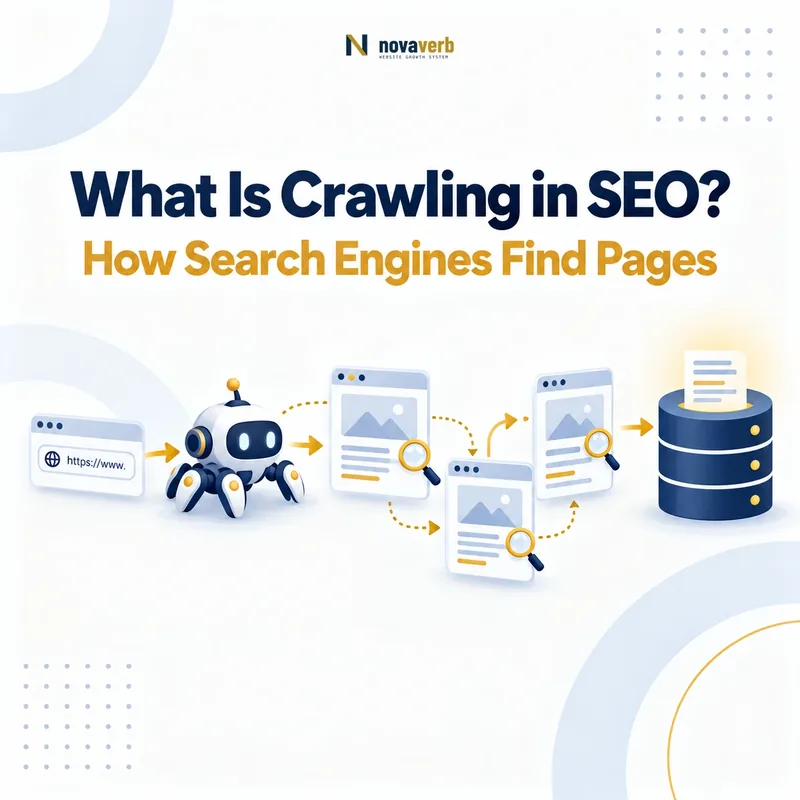
Crawling in SEO is the process through which automated software discovers URLs and requests their resources so those resources can be inspected and processed. Search-engine crawlers commonly find URLs through links, XML sitemaps, previously known addresses, redirects, feeds, and other discovery sources.
A crawl begins when a crawler selects a URL and sends a network request. The server may return HTML, an image, a script, a stylesheet, a document, a redirect, an error, or another resource. The crawler records the response and may extract additional URLs that can enter a future crawl queue.
“A Web crawler is an Internet bot that systematically browses the World Wide Web.” Wikipedia - Web crawler
Crawling is a prerequisite for many later search-engine processes, but the terms should not be treated as interchangeable. A crawler may request a URL without fully rendering it. A search engine may crawl a page without selecting it for indexing. An indexed page may never rank for a particular query, and a ranked page may receive no click.
Core Components of Crawling
| Component | Operational question | SEO example | What it does not prove |
|---|---|---|---|
| Crawler | Which automated user agent is requesting the resource? | A search crawler, audit crawler, monitoring bot, or AI-related crawler requests the page. | That every crawler follows the same rules or serves the same purpose. |
| Discovery source | How did the crawler learn that the URL exists? | An internal link, external link, XML sitemap, redirect, feed, or previously stored address. | That the discovered URL will be requested immediately. |
| Crawl queue | When and with what priority may the URL be requested? | The crawler schedules a newly discovered page for a later visit. | That every known URL receives equal crawl frequency. |
| Request | What resource and request conditions are sent to the server? | The crawler requests an HTTPS URL with its user-agent and supported headers. | That the server will return the intended page successfully. |
| Access rule | Is the crawler permitted or prevented from requesting the path? | Applicable robots.txt directives allow or disallow the path for a user-agent. | That the URL is indexable or excluded from search results. |
| Server response | What did the server return? | A successful response, redirect, client error, server error, or blocked response. | That the returned content represents the intended canonical page. |
| Response body | What content or resource was delivered? | HTML containing text, links, metadata, scripts, stylesheets, and structured data. | That all JavaScript-dependent content is already available. |
| Extracted URLs | Which additional crawl candidates were found? | Links, redirects, canonical references, hreflang values, scripts, images, and stylesheets. | That every extracted reference carries the same discovery or ranking value. |
| Crawl evidence | How can the request and response be verified? | Crawler output, server logs, live requests, rendered checks, and monitoring history. | That a search engine indexed, ranked, or cited the page. |
Crawling Does Not Guarantee Indexing
- Discovered: The search system knows the URL exists.
- Crawlable: The crawler can request the resource under the applicable conditions.
- Crawled: A request was made and a response was received or attempted.
- Renderable: Required resources and execution conditions allow a meaningful rendered result.
- Indexable: The page does not present an obvious technical exclusion from index consideration.
- Indexed: The search system selected and stored a representation for retrieval.
- Ranked: The indexed representation was selected for a particular query and context.
Use Crawl Explorer to inspect discovered URLs, response behavior, internal paths, directives, canonical signals, and technical evidence. For a public access check, use the Robots.txt Checker or Sitemap Checker.
Why Is Crawling the First Technical SEO Requirement?
Crawling is the first technical SEO requirement because a search system generally needs to discover and request a page before it can inspect the page’s content, links, directives, canonical signals, and structured data. A page that cannot be reached by the relevant crawler cannot reliably participate in later processing stages.
This does not mean that every crawled URL will be indexed. Crawling only provides access to the resource. Search systems may later decide that the page is duplicate, noncanonical, excluded, low value, unavailable, or otherwise unsuitable for index inclusion.
Access Comes Before Evaluation
The system cannot evaluate content or technical signals that it cannot retrieve under the relevant crawler conditions.
Discovery Comes Before Revisit
A URL must first become known through a link, sitemap, redirect, prior crawl record, feed, or another discovery source.
Response Quality Matters
The request must produce a usable response rather than a timeout, block, loop, server failure, or misleading soft error.
Crawl Evidence Limits Diagnosis
Without request and response evidence, teams may misclassify indexing, ranking, rendering, or content problems as crawl problems.
What Crawling Enables
| Later process | What crawling provides | What remains unresolved |
|---|---|---|
| Rendering | HTML and discoverable supporting resources such as scripts, stylesheets, and images. | Whether every required resource can be fetched and executed successfully. |
| Canonicalization | Canonical tags, redirects, internal links, sitemap entries, and content similarity signals. | Which URL the search system will ultimately select as canonical. |
| Indexing | A retrievable representation that can be evaluated for storage. | Whether the page will be selected and retained in the index. |
| Ranking | Content and signals that may later be considered for retrieval. | Relevance, quality, competition, query context, and ranking position. |
| AI citation | Potential access to source content and linked evidence. | Whether an answer system processes, trusts, selects, or cites the page. |
How Do Search Engines Discover URLs?
Search engines discover URLs from references they already know, including crawlable links, XML sitemaps, redirects, feeds, previously stored URLs, and submitted discovery sources. Discovery means the URL has become known; it does not mean the URL has already been crawled, rendered, or indexed.
| Discovery source | How the URL is exposed | Typical strength | Important limitation |
|---|---|---|---|
| Internal HTML link | A crawlable page contains a standard link to another URL. | Strong because it connects discovery with site structure and context. | Links hidden behind unsupported interactions may not be extracted consistently. |
| External link | Another website references the URL. | Can introduce previously unknown pages from outside the site. | The reference may be stale, redirected, blocked, or point to a nonpreferred variant. |
| XML sitemap | The sitemap declares URLs intended for discovery. | Useful for new, deep, or weakly linked canonical pages. | Listing does not guarantee crawl, canonical selection, or index inclusion. |
| Redirect | A requested source URL points to a destination URL. | Provides a direct transition from an old or alternate address. | Chains, loops, irrelevant destinations, and temporary behavior weaken clarity. |
| Canonical or hreflang reference | A crawled page declares another URL through metadata. | Helps reveal related preferred or localized URLs. | A declared relationship may conflict with links, status, content, or other signals. |
| Feed or API surface | A machine-readable feed or public endpoint lists content addresses. | Can expose recent or structured content efficiently. | Support and treatment vary by crawler and system. |
| Previously known URL | The crawler retains the address from an earlier visit or historical record. | Supports revisiting changed or removed resources. | A URL can remain known after internal references disappear. |
Discovery Signals Should Agree
The strongest discovery system usually aligns internal links, sitemap declarations, redirects, canonicals, hreflang references, and preferred URL formatting. Conflicting discovery sources can expose duplicate variants, obsolete paths, tracking URLs, parameter combinations, and unintended environments.
What Happens When a Crawler Requests a URL?
When a crawler requests a URL, it resolves the destination, connects to the server, sends an HTTP request, receives response headers and a response body, and records the result for further processing. The exact behavior depends on the crawler, protocol, cache state, server, access rules, and resource type.
- The URL is normalized. The crawler interprets the scheme, host, port, path, parameters, and fragment handling.
- The host is resolved. DNS information is used to locate the server or delivery network.
- A connection is established. HTTPS requests also require a valid transport and certificate negotiation.
- The request is sent. It includes the method, path, user-agent, accepted formats, and other relevant headers.
- The server returns headers. These identify status, content type, redirects, caching, robots controls, and other response metadata.
- The body is received. The response may contain HTML, XML, JavaScript, CSS, an image, a document, or an error representation.
- References are extracted. Links and dependent resources may become new crawl candidates.
- The result is scheduled for processing. The system may render, revisit, canonicalize, index, discard, or defer the resource.
Important Request and Response Evidence
| Evidence field | What it reveals | SEO risk |
|---|---|---|
| Final URL | The address reached after any redirects or normalization. | Unexpected destinations, protocol changes, locale routes, or redirect chains. |
| HTTP status | Whether the request succeeded, redirected, failed, or encountered a server error. | Errors, soft errors, loops, temporary failures, or misleading success responses. |
| Content type | How the returned body should be interpreted. | HTML served with the wrong type or non-HTML content at an intended page URL. |
| Response headers | Caching, redirects, robots controls, transport policies, and content metadata. | Conflicting X-Robots-Tag, stale caching, or incorrect redirect location. |
| Response time | How long the server takes to return the resource under the measured conditions. | Timeouts, unstable delivery, or reduced practical crawl capacity. |
| Response body | The actual HTML or resource content returned to the crawler. | Empty shells, block pages, wrong templates, errors returned as 200, or missing links. |
Crawling vs Rendering, Indexing, and Ranking
Crawling retrieves resources, rendering builds a processed page representation, indexing stores a selected representation for retrieval, and ranking orders eligible results for a particular query and context. Each stage answers a different diagnostic question.
| Stage | Primary question | Evidence | What success does not guarantee |
|---|---|---|---|
| Discovery | Does the system know the URL exists? | Links, sitemap entries, redirects, feeds, historical records, or submitted URLs. | That the URL has been requested. |
| Crawling | Can the crawler request the resource and receive a response? | Server logs, crawl records, live requests, status, headers, and body. | Rendering, indexability, or index inclusion. |
| Rendering | Can the system construct the meaningful page state? | Rendered DOM, loaded resources, executed scripts, visible content, and rendered links. | Canonical selection or index inclusion. |
| Canonicalization | Which URL represents a duplicate or related content set? | Redirects, canonicals, content similarity, internal links, sitemaps, and hreflang. | Ranking or traffic for the selected URL. |
| Indexing | Was a representation selected and stored for retrieval? | Search-engine inspection or coverage evidence appropriate to the engine. | Visibility for a specific query. |
| Ranking | Where is the page selected for a query, user, device, location, and time? | Search performance, rank observations, and SERP captures. | Clicks, conversions, revenue, or citation. |
Diagnose the Earliest Failed Stage
A page cannot be diagnosed accurately by beginning with rankings alone. Check whether the intended URL is discoverable, permitted, retrievable, successfully returned, renderable, technically eligible, canonically coherent, and indexed before investigating query relevance and competition.
What Makes a URL Crawlable?
A URL is crawlable when the relevant crawler can discover or receive the address, is permitted to request it, can reach the host, and receives a usable response without an access failure, loop, timeout, or blocking condition. Crawlability describes access, not index eligibility.
Discoverable Address
The URL appears in an internal link, sitemap, redirect, historical record, external reference, or another supported discovery source.
Valid and Reachable Host
DNS, HTTPS, certificates, routing, and server delivery allow the crawler to connect to the intended host.
Applicable Access Permission
The crawler’s user-agent is not prevented from requesting the path by the relevant robots.txt rule or access control.
Usable Server Response
The server returns a meaningful success, redirect, or intentional error response within practical request limits.
No Authentication Barrier
The intended public page does not depend on a login, private session, unsupported cookie, or inaccessible challenge.
No Persistent Delivery Failure
The resource does not consistently time out, return server errors, enter a redirect loop, or trigger crawler blocking.
Crawlable Does Not Mean Indexable
A crawlable page may still contain a noindex directive, point to another canonical URL, return duplicate content, serve a soft error, or fail quality and selection systems. Conversely, a blocked URL may remain known through links or prior records even when the crawler cannot currently retrieve its content.
How Do Internal Links Affect Crawling?
Internal links help crawlers discover URLs, understand site relationships, move between page groups, and determine practical crawl paths through the website. Their value depends on destination relevance, link format, source accessibility, rendered availability, and consistency with canonical URL ownership.
| Internal-link property | Crawl effect | Good practice | Failure pattern |
|---|---|---|---|
| Standard link target | Exposes a retrievable destination address. | Use the approved direct canonical URL. | JavaScript-only actions, invalid href values, or fragment-only navigation. |
| Source-page access | Determines whether the crawler can reach and inspect the link. | Place important links on accessible, meaningful source pages. | Links exist only on blocked, no-longer-linked, or inaccessible pages. |
| Rendered availability | Determines whether links created by scripts appear in the processed page. | Ensure essential navigation is present reliably and early. | Links depend on user actions, delayed requests, or failed JavaScript. |
| Crawl depth | Influences the number of successful steps required to reach the page. | Keep priority destinations within coherent, short paths. | Important pages require many low-value intermediary pages. |
| Destination health | Determines whether the next request succeeds directly. | Link to live, relevant, nonredirecting destinations. | Broken links, redirect chains, loops, and obsolete URLs. |
| Context and page role | Communicates how pages relate within the site architecture. | Connect pages through a meaningful user and topic journey. | Bulk links added without relevance or destination purpose. |
Internal Links Are More Than a Count
One relevant, crawlable, direct link from an appropriate hub or related page may provide more discovery value than many repeated links from low-value templates. Internal-link audits should inspect source pages, destination status, canonical consistency, context, depth, and rendered presence rather than optimizing raw quantity.
The Decision Ladder can help map internal links by page role instead of adding links without a clear next-step purpose.
How Do XML Sitemaps Support Crawling?
XML sitemaps support crawling by declaring a set of URLs that the site wants crawlers to discover or revisit. They are especially useful for new pages, deep pages, large inventories, media resources, and URLs whose internal discovery paths are incomplete or slow.
What a Sitemap Can Do
- Expose intended canonical URLs
- Organize large URL sets into files and indexes
- Provide optional modification information
- Support discovery of new or deep resources
- Help compare declared URLs with crawled URLs
- Reveal inconsistencies in URL ownership
What a Sitemap Cannot Prove
- That every URL was crawled
- That a page rendered successfully
- That the listed URL is indexable
- That the listed URL was selected as canonical
- That a page was indexed
- That a page ranks or receives traffic
What Belongs in an SEO Sitemap?
A general web-page sitemap should normally contain preferred, live, internally coherent URLs that the site intends search systems to discover. Redirecting, blocked, noncanonical, duplicate, error, staging, private, and intentionally noindexed URLs usually create conflicting declarations.
Use the Sitemap Checker to inspect sitemap reachability, document type, declared URLs, child sitemaps, file limits, and structural consistency.
How Does Robots.txt Affect Crawling?
Robots.txt affects crawling by communicating which paths participating crawlers are allowed or disallowed from requesting for a named user-agent group. It is an access-control protocol for crawling, not a guaranteed method for removing known URLs from search results.
| Robots element | Purpose | SEO use | Common mistake |
|---|---|---|---|
| User-agent | Defines which crawler group the following rules apply to. | Apply different access policies to supported named crawlers. | Assuming one group applies identically to every crawler. |
| Disallow | Requests that matching paths not be crawled by the relevant group. | Reduce access to low-value crawl spaces or sensitive crawl paths. | Using Disallow to remove an already known URL from an index. |
| Allow | Creates a permitted path within a broader disallowed pattern where supported. | Preserve access to required resources or subpaths. | Writing overlapping patterns without testing the selected rule. |
| Sitemap | Declares one or more sitemap locations. | Helps crawlers locate the intended discovery files. | Declaring an inaccessible, redirected, malformed, or obsolete sitemap. |
| File location | The protocol file is expected at the root of the relevant host and scheme. | Provide a consistent policy for that origin. | Placing the file in a subdirectory or managing the wrong hostname. |
Robots.txt Does Not Equal Noindex
If a crawler is prevented from fetching a URL, it may be unable to see a noindex directive inside that URL’s HTML. A known blocked URL can still remain visible as an address when other signals reveal it. Index removal and crawl control should therefore be designed as separate operations.
Use the Robots.txt Checker to inspect file reachability, user-agent groups, Allow and Disallow behavior, syntax, and declared sitemap locations.
How Do HTTP Status Codes Affect Crawlers?
HTTP status codes tell crawlers how a request was handled and whether the requested resource succeeded, moved, failed, or encountered a server problem. Crawlers combine the status with headers, response content, links, historical behavior, and repeated observations.
| Status class | General meaning | Crawler response | SEO risk |
|---|---|---|---|
| 2xx success | The server handled the request successfully. | The body can be inspected, rendered, and processed. | A 200 response may still contain an error page, empty content, wrong template, or soft 404. |
| 3xx redirect | The resource points to another location or condition. | The crawler may follow the destination and record the relationship. | Chains, loops, irrelevant destinations, inconsistent temporary use, and redirected internal links. |
| 4xx client error | The requested resource is unavailable or the request cannot be fulfilled as sent. | The URL may be revisited less often or removed from active processing over time. | Broken internal links, removed pages without replacements, unauthorized responses, and missing resources. |
| 5xx server error | The server failed to complete the request. | The crawler may retry later and reduce request pressure if failures persist. | Unstable access, delayed updates, incomplete crawls, and reduced practical crawl capacity. |
Check the Final Response Path
A source URL that eventually reaches a valid page may still pass through several redirects, protocol variants, hostname changes, or temporary failures. Record every hop, status, destination, and response time rather than inspecting only the final browser page.
How Does JavaScript Affect Crawling?
JavaScript can affect crawling by creating links, requesting content, changing metadata, loading navigation, or requiring supporting resources after the initial HTML response. Fetching the HTML document and rendering the JavaScript-dependent page are related but separate activities.
Initial HTML Risks
- Important content is absent from the response
- Links do not exist until execution
- Metadata appears only after hydration
- The page returns an empty application shell
- Error states still return a 200 response
Rendering Risks
- Required scripts are blocked
- API requests fail or require authentication
- Execution exceeds practical limits
- Content depends on user interaction
- Rendered links use nonstandard navigation
Architecture Risks
- Client routing generates uncontrolled URL variants
- Filters create effectively infinite spaces
- Parameters alter content without clear ownership
- Fragments represent crawl-worthy states incorrectly
- Canonical signals change after rendering
Verification Requirements
- Compare source and rendered HTML
- Inspect loaded and failed resources
- Verify rendered links and metadata
- Test public access without login state
- Confirm status and content consistency
What Is a Crawl Path?
A crawl path is a sequence of retrievable links or transitions through which a crawler can move from a known starting URL to another URL. Crawl paths reveal how discovery actually occurs within the site rather than how the menu or taxonomy is intended to work conceptually.
What Makes a Strong Crawl Path?
A strong crawl path uses live, direct, crawlable links from relevant pages; reaches the intended canonical destination; avoids unnecessary redirects and duplicate variants; remains available in rendered output; and reflects a meaningful user or topic relationship.
What Weakens a Crawl Path?
Broken links, redirect chains, blocked sources, JavaScript-only interactions, inaccessible pagination, session parameters, infinite filters, nofollow policies, duplicate destination variants, and orphaned endpoints can all weaken or interrupt the path.
What Is Crawl Depth?
Crawl depth is the minimum number of crawlable link transitions required to reach a URL from a defined starting point. A homepage may be depth zero, pages linked directly from it depth one, and pages requiring two transitions depth two.
| Depth concept | Meaning | SEO interpretation |
|---|---|---|
| Depth zero | The selected crawl starting URL. | Usually a homepage or supplied seed, not universally the most important URL. |
| Low depth | The page is reached through few crawlable transitions. | Often indicates strong architectural accessibility, but not necessarily quality or priority. |
| High depth | Many transitions are required from the selected seed. | May indicate weak pathways, excessive pagination, poor taxonomy, or a legitimate deep archive. |
| Infinite depth | No crawlable path was discovered from the selected starting set. | The page may be orphaned, blocked, excluded by crawler settings, or only externally discoverable. |
Depth Depends on the Crawl Model
Depth changes according to the starting URLs, link extraction, JavaScript rendering, pagination handling, robots rules, redirects, canonical treatment, and crawler configuration. It is not a permanent property of the page.
What Is Crawl Frequency?
Crawl frequency is how often a crawler requests a URL or group of URLs during a defined period. It is an observed behavior, not a fixed entitlement and not the same as crawl priority, crawl capacity, crawl rate, or index freshness.
Change Frequency
Pages that change meaningfully and consistently may justify more frequent revisits than stable archival pages.
Internal Importance
Prominent, well-connected pages may be encountered more often through multiple crawl paths.
Server Health
Fast, stable delivery supports practical crawling, while persistent errors and latency may reduce request activity.
Historical Value
URLs that repeatedly change, remain useful, and produce valid responses may receive different revisit patterns from stale or duplicate spaces.
Sitemap and Link Signals
Fresh sitemap declarations and internal links can support rediscovery, but do not command a fixed revisit schedule.
Site Scale and URL Space
Large duplicate, parameterized, or low-value URL spaces can compete with preferred URLs for crawler attention.
How to Measure Crawl Frequency
Use server or CDN logs when available to count requests by verified crawler, URL, status, date, and user-agent. Third-party crawler schedules measure your own audit frequency, not how often a search engine visits the site.
What Prevents Search Engines From Crawling a Page?
A page may not be crawled because the URL is undiscovered, access is disallowed, the host is unreachable, authentication is required, the server fails, redirects do not resolve, supporting resources are blocked, or the crawler deprioritizes the URL.
| Barrier | Observable condition | Appropriate evidence | Typical response |
|---|---|---|---|
| No discovery path | The URL is absent from internal links, sitemaps, redirects, and known external references. | Rendered crawl, sitemap inventory, link graph, and external reference check. | Create a meaningful crawlable link or declare the intended URL appropriately. |
| Robots disallow | The relevant user-agent is disallowed from requesting the path. | Fetched robots.txt and tested rule match. | Confirm intent before changing the applicable rule. |
| Authentication | The resource requires login, session state, or private credentials. | Public request, response headers, login redirect, and access policy. | Provide a public canonical page when search access is intended. |
| Firewall or bot protection | The crawler receives a block, challenge, rate limit, or denied response. | CDN logs, firewall records, response body, status, and user-agent test. | Correct verified crawler handling without weakening security broadly. |
| DNS or transport failure | The host cannot be resolved or a secure connection cannot be established. | DNS records, certificate test, connection failure, and infrastructure logs. | Repair host, routing, certificate, or protocol configuration. |
| Server error or timeout | Requests repeatedly return 5xx responses or exceed practical limits. | Server logs, monitoring, response times, and repeated live checks. | Stabilize delivery and verify the complete affected scope. |
| Redirect loop | The response path repeats without reaching a final resource. | Complete redirect-hop trace. | Repair the redirect logic and update internal sources. |
| Resource dependency failure | Critical scripts or APIs required for meaningful content cannot be fetched. | Rendered request log, failed resources, and DOM comparison. | Make essential content and links reliably retrievable. |
How Do You Verify That a URL Can Be Crawled?
Verify crawlability by checking discovery, robots permission, DNS and HTTPS reachability, complete response paths, final status, response body, required resources, and crawler-specific server evidence. Use several evidence layers because one successful browser visit is not sufficient.
- Confirm the exact URL. Record scheme, hostname, path, parameters, and expected canonical address.
- Find a discovery source. Verify at least one relevant internal link, sitemap entry, redirect, or known reference.
- Test robots.txt. Evaluate the path against the intended crawler’s user-agent group.
- Request the URL directly. Record status, headers, redirects, timing, content type, and final destination.
- Inspect the response body. Confirm that it contains the intended resource rather than an error, challenge, or fallback page.
- Render where necessary. Compare source HTML, rendered DOM, links, metadata, and failed resources.
- Check server logs. Verify whether the named crawler requested the URL and what response it received.
- Separate crawl from indexing. Use appropriate search-engine inspection evidence for index status rather than inferring it from crawlability.
Minimum Crawlability Evidence
- Exact tested URL and timestamp
- Named user-agent or request conditions
- Discovery source
- Applicable robots.txt rule
- Complete redirect path
- Final status and content type
- Response-body identity
- Rendered resource and link state where required
- Known limitations, authentication, or geographic differences
- Server or crawl record where available
Use Crawl Explorer to inspect URL-level status, links, depth, directives, canonical signals, and crawl evidence across the site.
What Are Common Crawling Mistakes?
Common crawling mistakes include confusing crawlability with indexability, blocking important resources, relying only on sitemaps, creating uncontrolled URL spaces, preserving redirect chains, testing only in a browser, and treating every crawler request as equally valuable.
| Mistake | Why it fails | Better practice |
|---|---|---|
| Assuming crawled means indexed | Crawling and index selection are separate processes. | Use crawl evidence for access and appropriate search-engine evidence for indexing. |
| Using robots.txt as noindex | Blocking the request can prevent the crawler from seeing a noindex directive. | Separate crawl control from index-removal strategy. |
| Submitting URLs only through a sitemap | The sitemap does not create meaningful site architecture or guarantee crawling. | Add coherent internal links and keep sitemap declarations consistent. |
| Linking through redirects | Extra hops preserve obsolete addresses and complicate crawl paths. | Update internal links to direct preferred destinations. |
| Blocking CSS or JavaScript blindly | The crawler may lose resources required to render and evaluate the page. | Test rendered output before applying broad resource blocks. |
| Creating infinite parameter combinations | Crawlers can spend requests on duplicate or low-value URL states. | Control filters, sorting, calendars, search pages, sessions, and faceted navigation. |
| Testing only with a logged-in browser | Cookies, cache, permissions, and scripts may hide the public crawler response. | Test public requests and named user-agent conditions directly. |
| Treating more crawling as the goal | Higher request volume can be wasted on duplicate, stale, or low-value spaces. | Improve successful crawling of intended canonical URLs. |
| Ignoring server logs | Audit crawlers do not prove how search crawlers actually used the site. | Use verified log evidence where available. |
| Claiming crawl budget caused every indexing issue | The actual cause may be duplication, canonicalization, quality, rendering, or technical exclusion. | Diagnose the earliest failed processing stage. |
Frequently Asked Questions About SEO Crawling
Crawling is the access stage through which automated systems discover and request web resources.
What is crawling in SEO?
Crawling in SEO is the process through which automated software discovers URLs and requests their resources for inspection and later processing.
Is crawling the same as indexing?
No. Crawling retrieves a resource. Indexing selects and stores a representation that may later be retrieved for search queries.
Does crawling guarantee ranking?
No. A crawled page must still pass rendering, canonicalization, index selection, relevance, quality, and competitive retrieval processes.
How do crawlers discover new pages?
They may discover URLs from internal links, external links, XML sitemaps, redirects, feeds, canonical references, hreflang references, and previously known addresses.
What makes a page crawlable?
The relevant crawler must know the URL, be permitted to request it, reach the host, and receive a usable response without an unresolved access failure.
Can a blocked URL still appear in search?
A known URL may remain represented by limited address-level information when crawling is blocked. Robots.txt should not be treated as a guaranteed index-removal method.
Does a sitemap guarantee crawling?
No. A sitemap supports discovery by declaring URLs, but it does not force a crawler to request, index, or rank them.
Do internal links help crawling?
Yes. Crawlable internal links expose destinations and define practical paths through the site architecture.
Can JavaScript links be crawled?
Some JavaScript-generated links may be discovered after rendering, but essential navigation should not depend on fragile execution, user interaction, or unsupported link behavior.
What is crawl depth?
Crawl depth is the minimum number of crawlable transitions required to reach a URL from a defined starting point.
What is crawl frequency?
Crawl frequency is how often a crawler requests a URL or URL group during a defined period.
Why was a page not crawled?
The URL may be undiscovered, disallowed, inaccessible, blocked, authenticated, slow, unstable, trapped in a loop, or assigned low crawl priority.
How can I prove that Googlebot crawled a URL?
Use appropriate search-engine inspection evidence or verified server logs that identify the crawler, request time, URL, and returned response.
Is a 200 status enough for crawling?
A 200 status confirms successful delivery under the tested request, but the body may still be empty, incorrect, duplicated, blocked by scripts, or function as a soft error.
Should every page be crawlable?
No. Private, duplicate, filtered, session, staging, internal-search, and low-value machine-generated spaces may require deliberate access controls.
Is more crawling always better?
No. The objective is timely and successful crawling of intended, valuable, preferred URLs rather than maximum request volume.
What is the best evidence for crawling?
Use direct request evidence, server logs, crawler records, robots tests, complete response paths, and rendered-resource checks according to the claim.
Build a Crawlable Foundation Before Optimizing Rankings
Before optimizing rankings, verify that priority URLs can be discovered, requested, rendered, and connected through coherent crawl paths. Separate crawl access from indexability, canonical selection, indexing, ranking, AI citation, and business outcomes so each problem receives the correct diagnosis.
Use Crawl Explorer to inspect discovered URLs, response classes, internal paths, crawl depth, directives, canonical signals, metadata, and links. Use the public checkers when you need a fast, source-bounded robots.txt or sitemap verification.
Continue building the SEO Foundations sequence with the next concept: What Is a Search Engine Crawler? This crawl-to-decision framework is developed by Novaverb.