
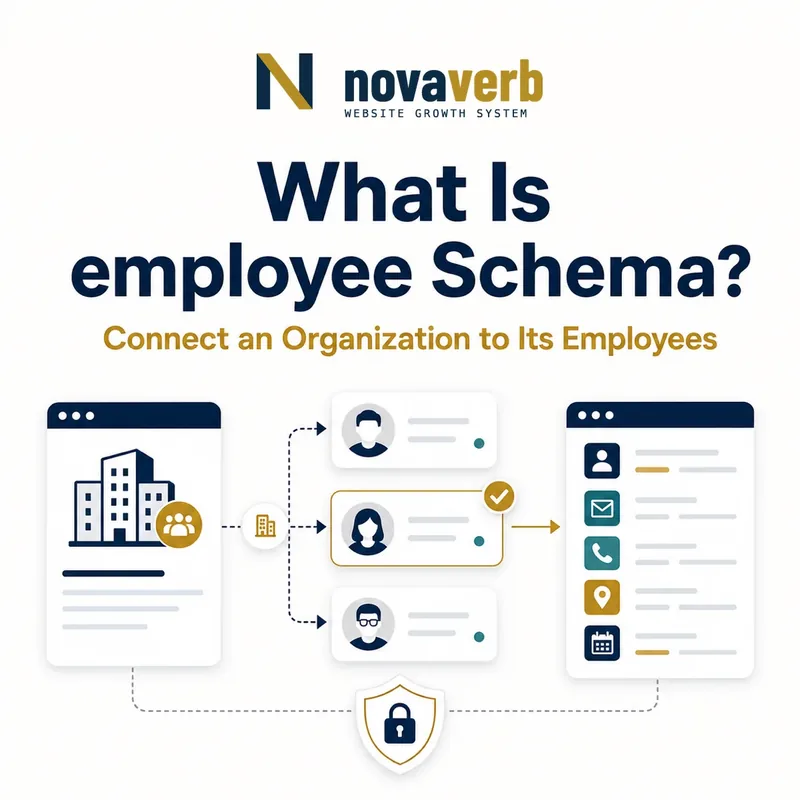
What Is employee Schema?
employee is the Schema.org property that connects an Organization to a Person working for that organization.
It describes employment from the employer’s point of view. A company team page, hospital staff page, newsroom masthead, university department, nonprofit leadership page, or agency directory can use it when the listed person is intentionally public and currently works for the organization. The subject must be Organization and the value must be Person. The property supersedes employees, but it does not replace jobTitle, EmployeeRole, founder, member, or author.
- Place employee on Organization.
- Use Person as the value.
- Publish only current, intentionally public staff relationships.
- Identify the exact page, asset, entity or relationship described in this section.
- Inspect the live implementation and retain the observed evidence.
- Compare the observation with the intended meaning and its primary specification.
- Correct any mismatch, then retest the live result.
- Record the accountable owner and review date.
| Role | Expected type | Meaning |
|---|---|---|
| Subject | Organization | The employer |
| Property | employee | Connects staff relationship |
| Value | Person | The person working there |
| Superseded property | employees | Migrate to employee |
Primary specification: Schema.org definition for employee.
employee identifies a person working for an organization, while titles, roles, dates, and authorship remain separate facts.
Where Can employee Be Used?
employee is used on Organization and expects Person as its value.
It should not be placed on Person to name an employer, on JobPosting to name the hiring company, or on CreativeWork to identify an author. Person can use worksFor, JobPosting can use hiringOrganization, and CreativeWork can use author. EmployeeRole can add role detail when the relationship requires salary or role-specific information. Correct placement avoids graphs in which a person appears to employ a company or an article appears to employ its writer.
- Identify the employer Organization.
- Create or reference the public Person entity.
- Add employee to the Organization node.
- Use adjacent properties for role, authorship, and hiring.
- The exact page, asset, entity or relationship covered by this section
- The live implementation rather than an editor-only preview
- The primary specification or first-party record defining the expected behavior
- The validation result, accountable owner and review date
| Context | Property | Direction |
|---|---|---|
| Company team page | employee | Organization → Person |
| Person profile | worksFor | Person → Organization |
| Job listing | hiringOrganization | JobPosting → Organization |
| Article | author | CreativeWork → Person |
| Detailed employment role | EmployeeRole | Role-specific relationship |
Use employee from employer to worker and preserve the distinct relationships around that person.
How Does employee Relate to worksFor?
employee and worksFor describe employment from opposite directions: Organization points to Person with employee, while Person points to Organization with worksFor.
A public team page can emit employee, and the employee’s profile can emit worksFor. Schema.org does not label the pair as a formal inverse, but they should still agree when both are present. Reuse canonical Person and Organization ids and derive both directions from one current staff source. If an offboarded employee disappears from the team page but their profile still points to the company, the graph is stale even though each template validates.
- Choose canonical ids for employer and person.
- Generate employee from the public staff record.
- Generate worksFor from the same employment record.
- Compare both directions across templates.
- Update both when employment changes.
- The exact page, asset, entity or relationship covered by this section
- The live implementation rather than an editor-only preview
- The primary specification or first-party record defining the expected behavior
- The validation result, accountable owner and review date
| Direction | Subject | Value |
|---|---|---|
| employee | Organization | Person |
| worksFor | Person | Organization |
| Consistency test | Both | Same ids and employment state |
| Visibility test | Organization roster | Only intentionally public staff |
Both directions should come from one governed employment record so they change together.
When Should a Team Page Use employee?
A team page should use employee when it intentionally lists current people who work for the Organization and the relationship is supported by the page and organization records.
Leadership, editorial, clinical, research, customer success, and public spokesperson pages may fit. A complete workforce directory is rarely necessary for SEO and can create privacy, security, scraping, and maintenance risk. Select staff based on the purpose of the public page, not on a database export. Contractors, advisors, founders, volunteers, partners, and board members need relationship-specific judgment rather than automatic inclusion.
- Include people whose public role supports the page purpose.
- Use canonical Person ids for repeat profiles.
- Keep private staff and internal contacts out of markup.
- Do not generate the roster from unrestricted HR data.
- Review status and visibility during offboarding.
- Identify the exact page, asset, entity or relationship described in this section.
- Inspect the live implementation and retain the observed evidence.
- Compare the observation with the intended meaning and its primary specification.
- Correct any mismatch, then retest the live result.
- Record the accountable owner and review date.
| Person type | Use employee? | Decision |
|---|---|---|
| Current public executive | Usually | Employment and visibility are clear |
| Public author on staff | Often | Profile supports employment |
| Private operations employee | Usually no | No public need |
| Advisor or board member | Not automatically | May not be employee |
| Independent contractor | Depends | Contract differs from employment |
A public team graph should be a curated, current profile surface rather than a machine-readable workforce export.
How Does EmployeeRole Add Detail?
EmployeeRole can represent a more detailed employee relationship when role-specific facts such as dates, role name, numbered position, salary, or salary currency are genuinely needed and appropriate.
Most public team pages only need Person, jobTitle, and employee or worksFor. EmployeeRole is useful when the role itself is the object being described, especially for structured employment histories or specialized organizational roles. Do not publish private compensation just because EmployeeRole supports salary fields. Do not create role nodes without stable meaning or use them to hide uncertainty about whether someone is actually employed.
- Decide whether a simple employee edge is sufficient.
- Create EmployeeRole only for meaningful role detail.
- Connect the Person and Organization consistently.
- Add dates or title only when current and supported.
- Exclude private compensation from public pages.
- The exact page, asset, entity or relationship covered by this section
- The live implementation rather than an editor-only preview
- The primary specification or first-party record defining the expected behavior
- The validation result, accountable owner and review date
| Need | Simple employee | EmployeeRole |
|---|---|---|
| Current staff relationship | Enough | Optional |
| Job title | Person jobTitle | Possible roleName |
| Start/end dates | Limited | Useful |
| Salary | Do not publish by default | Supported but sensitive |
| Multiple roles | May be ambiguous | Can separate role context |
Use EmployeeRole for real role detail, not as a requirement for every employee or a reason to expose sensitive data.
How Do Founders, Advisors, and Contractors Differ?
Founders, advisors, board members, volunteers, owners, and contractors should be marked as employees only when they genuinely work for the Organization in an employment relationship.
A founder can be an active employee, a former operator, or a passive owner. An advisor can support the company without employment. A contractor can provide ongoing services yet remain independent. A board member may govern rather than work as staff. Model founder, owns, affiliation, member, or a role structure where those relationships are more accurate, and omit employee when evidence does not support employment.
- Separate employment from founding and ownership.
- Confirm whether advisors and board members are staff.
- Do not treat every contractor as an employee.
- Use first-party role descriptions and current team records.
- Update after leadership or contract changes.
- Identify the exact page, asset, entity or relationship described in this section.
- Inspect the live implementation and retain the observed evidence.
- Compare the observation with the intended meaning and its primary specification.
- Correct any mismatch, then retest the live result.
- Record the accountable owner and review date.
| Relationship | employee? | Alternative |
|---|---|---|
| Founder and active CEO | Often | founder plus job title |
| Former founder | No current employee | Historical founder fact |
| Advisor | Usually no | affiliation or role |
| Board member | Depends | OrganizationRole or member context |
| Independent contractor | Depends | Often omit or use affiliation |
| Passive owner | No | owns where appropriate |
employee should reflect actual employment, not every way a person can be connected to a company.
How Should Privacy and Security Shape Employee Markup?
Employee markup should include only people and profile fields intentionally approved for public visibility, with special care for contact details, location, schedules, and sensitive roles.
Structured data can make already-visible information easier to collect at scale. Publishing a complete staff list can increase phishing, impersonation, harassment, recruiting, and physical-security risk. Do not add private email, phone, address, employee id, compensation, internal title, or work schedule merely because the source system has those fields. Central profile controls should determine who appears and what fields are allowed.
- Define public employee eligibility and approved fields.
- Use an allowlist rather than exporting HR records.
- Remove personal contact and internal identifiers.
- Review sensitive roles and location exposure.
- Test analytics, caches, feeds, and JSON-LD copies.
- The exact page, asset, entity or relationship covered by this section
- The live implementation rather than an editor-only preview
- The primary specification or first-party record defining the expected behavior
- The validation result, accountable owner and review date
| Field | Default public use | Risk |
|---|---|---|
| Name and public role | Possible | Needs approval and currency |
| Profile URL | Possible | Use canonical public page |
| Private email or phone | No | Phishing and privacy |
| Employee id | No | Identity and security |
| Home address | No | Physical safety |
| Salary | No by default | Highly sensitive |
A useful team graph is selective: public identity and role can be enough without exposing workforce data.
What employee Schema Mistakes Are Common?
Common mistakes include using the wrong subject or value type, publishing private rosters, including non-employees, retaining former staff, duplicating identities, and continuing to emit employees.
Teams may put employee on Person, use Text instead of Person, or generate a public list directly from HR or CRM data. Shared templates can leave an offboarded person on team, author, and structured-data surfaces. Locales and subdomains may create several Person ids for one employee. Advisors, founders, partners, customers, and contractors are often misclassified. Validation catches type errors but not privacy or current employment truth.
- employee placed on Person or CreativeWork.
- Text used instead of Person.
- Full workforce exported publicly.
- Advisor, partner, or contractor mislabeled as employee.
- Former worker left active after offboarding.
- Duplicate Person ids across templates.
- Superseded employees property still emitted.
- Identify the exact page, asset, entity or relationship described in this section.
- Inspect the live implementation and retain the observed evidence.
- Compare the observation with the intended meaning and its primary specification.
- Correct any mismatch, then retest the live result.
- Record the accountable owner and review date.
| Error | Impact | Fix |
|---|---|---|
| Wrong subject | Invalid placement | Move to Organization |
| Private roster | Security risk | Curate public profiles |
| False employment | Misleading claim | Use accurate relationship |
| Stale staff | Outdated profile | Sync offboarding |
| Duplicate ids | Fragmented identity | Use canonical Person |
| employees output | Migration debt | Replace with employee |
A correct employee graph needs valid types, current employment, intentional visibility, and canonical identity.