
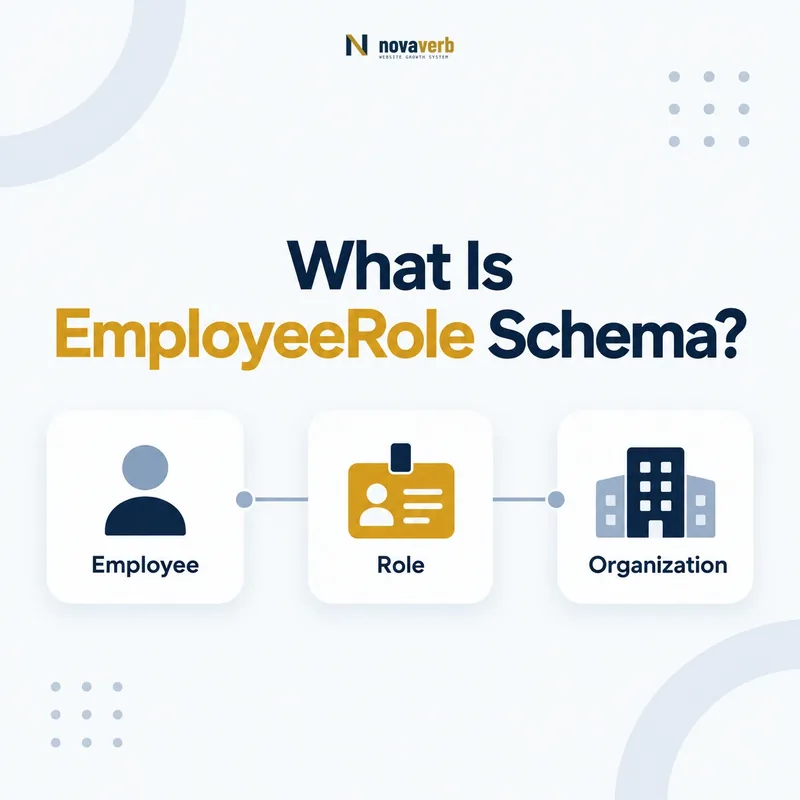
What Is EmployeeRole Schema?
EmployeeRole is a Schema.org type for describing an employee relationship as a role with optional name, dates, position number, salary, and currency details.
It is a subtype of OrganizationRole, which is itself a Role. EmployeeRole becomes useful when a simple Organization-to-Person employee edge or Person-to-Organization worksFor edge cannot express the role context a page actually provides. The role can carry roleName, startDate, endDate, numberedPosition, baseSalary, and salaryCurrency. It should not be added automatically to every team profile, and supported salary fields do not make private compensation appropriate for publication.
- Use EmployeeRole for a genuine employee relationship.
- Add only role facts supported by the page.
- Prefer a simple edge when role detail is unnecessary.
- Identify the exact page, asset, entity or relationship described in this section.
- Inspect the live implementation and retain the observed evidence.
- Compare the observation with the intended meaning and its primary specification.
- Correct any mismatch, then retest the live result.
- Record the accountable owner and review date.
| Layer | Type or property | Purpose |
|---|---|---|
| Relationship type | EmployeeRole | Employee-specific role |
| Parent type | OrganizationRole | Role within an organization |
| Role detail | roleName | Names the function |
| Lifecycle | startDate/endDate | Qualifies time |
| Sensitive detail | baseSalary | Requires strict disclosure review |
Primary specification: Schema.org definition for EmployeeRole.
EmployeeRole adds time and role context to employment; it is not a mandatory wrapper for every employee.
When Should You Use EmployeeRole?
Use EmployeeRole when the employment relationship needs structured role details that a direct employee or worksFor link cannot represent clearly.
Examples include employment histories, executive tenure, multiple positions at one organization, time-bound appointments, and public sports or numbered positions that are truly employee relationships. A basic current staff page with name and jobTitle may not need it. Do not create a role node simply because the CMS has a title field, and do not use it to disguise uncertainty about whether someone is an employee, advisor, contractor, volunteer, or member.
- Confirm the relationship is employment.
- Identify role details visible on the page.
- Decide whether direct employee/worksFor is sufficient.
- Create EmployeeRole only when it adds material context.
- The exact page, asset, entity or relationship covered by this section
- The live implementation rather than an editor-only preview
- The primary specification or first-party record defining the expected behavior
- The validation result, accountable owner and review date
| Page need | EmployeeRole? | Reason |
|---|---|---|
| Simple current team card | Usually no | Direct relationship is sufficient |
| Employment history | Yes | Dates and roles matter |
| Two roles at same employer | Often | Separates contexts |
| Advisor profile | Usually no | May not be employee |
| Job vacancy | No | Use JobPosting |
Choose EmployeeRole when it explains the employment relationship, not merely because the type exists.
How Is EmployeeRole Different From JobPosting?
EmployeeRole describes an employee relationship, while JobPosting describes an open or advertised job opportunity.
The two types can share salary-related concepts, but their subjects and business facts are different. A live vacancy can use JobPosting, hiringOrganization, employmentType, jobLocation, applicantLocationRequirements, and baseSalary. Once a person holds a position, an EmployeeRole may describe that person’s role if a page needs the detail. Never convert an open job into an EmployeeRole, and never publish a specific employee’s compensation by copying the advertised range without evidence.
- Use JobPosting for an opportunity to apply.
- Use EmployeeRole for a person’s employee relationship.
- Keep hiring data separate from staff profile data.
- Do not infer personal salary from a posting.
- Identify the exact page, asset, entity or relationship described in this section.
- Inspect the live implementation and retain the observed evidence.
- Compare the observation with the intended meaning and its primary specification.
- Correct any mismatch, then retest the live result.
- Record the accountable owner and review date.
| Question | JobPosting | EmployeeRole |
|---|---|---|
| What exists? | Open job | Held employee role |
| Primary subject | Vacancy | Employment relationship |
| Organization link | hiringOrganization | Role in organization |
| Salary meaning | Advertised job range | Role or employee base salary |
| Person required | No | Usually relationship involves a person |
Vacancies and held roles are separate entities even when their titles and salary structures look similar.
How Does EmployeeRole Relate to OrganizationRole?
EmployeeRole is the employment-specific subtype of OrganizationRole and inherits roleName, startDate, endDate, and numberedPosition.
OrganizationRole can describe broader roles in a club, team, association, alumni relationship, or other organization context that may not be employment. Use EmployeeRole only when the organization relationship is an employee relationship. A board seat, volunteer post, athlete team role, member office, or advisory appointment may be better represented by OrganizationRole unless employment is established. The narrower type makes a stronger claim and therefore requires stronger evidence.
- Classify the underlying organization relationship.
- Use OrganizationRole for non-employment roles.
- Use EmployeeRole for verified employment.
- Add inherited role properties where appropriate.
- Avoid dual typing that hides ambiguity.
- The exact page, asset, entity or relationship covered by this section
- The live implementation rather than an editor-only preview
- The primary specification or first-party record defining the expected behavior
- The validation result, accountable owner and review date
| Relationship | Type | Key reason |
|---|---|---|
| Employee position | EmployeeRole | Employment is explicit |
| Volunteer officer | OrganizationRole | Role is not employment |
| Association member office | OrganizationRole | Membership context |
| Paid executive | EmployeeRole | Employee relationship |
| Advisor | OrganizationRole or affiliation | Employment may not exist |
EmployeeRole is the narrower claim; use it only when the person truly holds an employee relationship.
How Should roleName, startDate, and endDate Be Used?
roleName, startDate, and endDate should describe the role exactly as the page and authoritative employment history support it, using ISO-formatted dates.
roleName can be Text or URL and should reflect the function rather than marketing embellishment. startDate and endDate can be Date or DateTime. Do not invent exact days when only a year is known, and do not set an endDate on a current role. When a person changes titles at the same employer, separate role nodes can preserve the timeline if the history is public and material. Current profile pages can remain simpler when dates add no user value.
- Use the public role title or function.
- Use ISO 8601 dates at the available precision.
- Omit endDate for an active role.
- Create separate roles for meaningful title periods.
- Keep historical claims clearly historical.
- Identify the exact page, asset, entity or relationship described in this section.
- Inspect the live implementation and retain the observed evidence.
- Compare the observation with the intended meaning and its primary specification.
- Correct any mismatch, then retest the live result.
- Record the accountable owner and review date.
| Field | Good value | Avoid |
|---|---|---|
| roleName | Chief Operating Officer | Inflated or internal-only title |
| startDate | 2023 or 2023-04-01 | Fabricated precision |
| endDate | 2025-06-30 for completed role | Future guess |
| Current role | No endDate | Placeholder far-future date |
| Role transition | Separate dated nodes | Overwriting history ambiguously |
Role dates should preserve known employment history without inventing precision or making old positions appear current.
How Should Multiple Roles Be Modeled?
Model multiple roles as separate EmployeeRole entities when each position has a distinct function, time period, organization, or public identity that users need to understand.
A person may be promoted within one company, hold joint appointments, or work for several employers. One role node with several conflicting roleName and date values obscures which facts belong together. Give each meaningful role a stable local identity where reuse matters, connect it to the correct Person and Organization, and preserve current versus completed status. Do not split every minor responsibility into a separate entity or treat project participation as employment.
- Identify role boundaries by employer, function, and time.
- Create one node per meaningful employee role.
- Attach the correct dates and role name.
- Reuse canonical Person and Organization ids.
- Merge duplicates created by template or locale differences.
- The exact page, asset, entity or relationship covered by this section
- The live implementation rather than an editor-only preview
- The primary specification or first-party record defining the expected behavior
- The validation result, accountable owner and review date
| Scenario | Recommended model | Avoid |
|---|---|---|
| Promotion at one company | Two dated roles | One overwritten title |
| Two current employers | One role per employer | Blended organization |
| Temporary project duty | Usually keep in description | Artificial role entity |
| Localized profile | Same role identity | Duplicate per locale |
| Concurrent titles | Separate only if materially distinct | Unclear repeated fields |
Separate role nodes should clarify employment history, not multiply entities for every responsibility.
Should EmployeeRole Include Salary Data?
EmployeeRole should include baseSalary or salaryCurrency only when the compensation is intentionally public, authorized, accurate, current, and appropriate for that specific employee role.
Most public staff and author profiles should omit salary. A public job posting salary range does not prove an employee’s actual salary. Compensation can expose private financial information, create security and employment risks, and become stale quickly. If an official public role requires disclosure, use the correct value type and currency, identify whether the figure is a base amount or structured specification, and establish an update owner. Otherwise, exclusion is the correct choice.
- Omit salary from ordinary employee profiles.
- Do not copy JobPosting ranges into EmployeeRole.
- Require explicit disclosure authority.
- Use ISO 4217 currency codes where salaryCurrency applies.
- Review retention and downstream copies.
- Identify the exact page, asset, entity or relationship described in this section.
- Inspect the live implementation and retain the observed evidence.
- Compare the observation with the intended meaning and its primary specification.
- Correct any mismatch, then retest the live result.
- Record the accountable owner and review date.
| Salary context | Publish? | Reason |
|---|---|---|
| Ordinary staff profile | No | Private compensation |
| Job vacancy range | Use JobPosting | Not employee-specific |
| Legally public official compensation | Possible | Requires verified source and policy |
| Estimated salary | No | Not authoritative |
| Old disclosed amount | Update or remove | Currency matters |
Schema support is not publication authority; employee compensation belongs in markup only under a clear public-disclosure policy.
What EmployeeRole Mistakes Are Common?
Common mistakes include using EmployeeRole for vacancies or non-employees, publishing private salary, mixing multiple roles, inventing dates, and disconnecting the role from canonical Person or Organization entities.
Teams may create a role node for every team card without any extra context, copy a JobPosting salary, assign advisors or volunteers as employees, or use a future placeholder endDate. Templates can merge two employers into one role or duplicate the same role across locales. Validation catches some type problems but not employment truth, date accuracy, or disclosure authority.
- Vacancy modeled as EmployeeRole.
- Advisor or volunteer treated as employee.
- Salary copied from a JobPosting.
- Several positions merged into one role.
- Exact dates invented from partial history.
- Former role left without endDate.
- Duplicate Person, Organization, or role ids.
- Identify the exact page, asset, entity or relationship described in this section.
- Inspect the live implementation and retain the observed evidence.
- Compare the observation with the intended meaning and its primary specification.
- Correct any mismatch, then retest the live result.
- Record the accountable owner and review date.
| Error | Impact | Fix |
|---|---|---|
| Wrong relationship | False employment claim | Use accurate type |
| Private salary | Data exposure | Remove from public markup |
| Merged roles | Ambiguous timeline | Split meaningful roles |
| Invented dates | False precision | Use available precision |
| Stale current role | Outdated profile | Set endDate or remove |
| Duplicate ids | Fragmented graph | Canonicalize entities |
A good EmployeeRole is specific, evidence-backed, time-aware, and privacy-safe.