
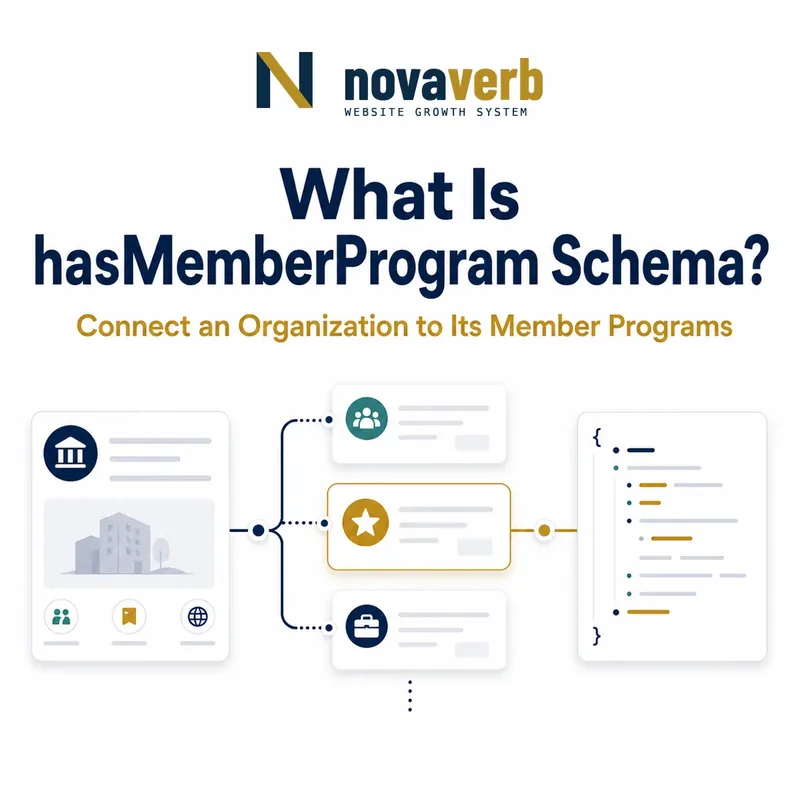
What Is hasMemberProgram Schema?
hasMemberProgram connects an Organization to a MemberProgram that the organization offers.
The property's expected value is MemberProgram, and its supported parent is Organization. It creates the top-level relationship between a merchant, airline, club, or other organization and its loyalty or membership program.
The relationship does not define tiers, benefits, requirements, prices, shipping, returns, or points by itself. Those details belong in MemberProgram, MemberProgramTier, and the operational policies referenced by tier eligibility.
- Identify the exact page, asset, entity or relationship described in this section.
- Inspect the live implementation and retain the observed evidence.
- Compare the observation with the intended meaning and its primary specification.
- Correct any mismatch, then retest the live result.
- Record the accountable owner and review date.
| Case | Meaning | Action |
|---|---|---|
| hasMemberProgram | Organization-to-program relation | Connect entities |
| Organization | Supported parent | Program host |
| MemberProgram | Expected value | Loyalty program |
| MemberProgramTier | Program detail | Model through hasTiers |
| Operational benefits | Separate policies | Verify live outcomes |
- Resolve the canonical organization.
- Resolve the canonical program.
- Connect them once.
- Build tiers and benefits beneath the program.
Use the free backlink checker to identify linked loyalty pages before changing a program relationship.
Primary specification: Schema.org definition for hasMemberProgram.
hasMemberProgram is accurate when the referenced organization genuinely offers and operates the same membership program shown to customers.
Where Can hasMemberProgram Be Used?
hasMemberProgram is used on Organization and should point to a MemberProgram entity.
It should not be attached directly to Product, Offer, MemberProgramTier, ProgramMembership, Person, PriceSpecification, ShippingService, or MerchantReturnPolicy. Those entities can participate in membership benefits or individual member state, but they do not offer the program.
Use the most specific organization that actually owns the program. A parent corporation, regional subsidiary, marketplace seller, and storefront brand can have different membership authorities.
- The exact page, asset, entity or relationship covered by this section
- The live implementation rather than an editor-only preview
- The primary specification or first-party record defining the expected behavior
- The validation result, accountable owner and review date
| Case | Meaning | Action |
|---|---|---|
| Organization | Correct parent | Use offering entity |
| MemberProgram | Correct value | Use stable @id |
| OnlineStore subtype | Organization context | Valid merchant host |
| Product | Wrong parent | Use Offer benefit instead |
| Person | Wrong parent | Use membership relationship |
- Identify the legal or operational host.
- Create stable organization identity.
- Create stable program identity.
- Connect with hasMemberProgram.
Correct placement names the organization that truly offers the program rather than whichever brand happens to render the page.
How Does hostingOrganization Relate to hasMemberProgram?
hasMemberProgram expresses Organization to MemberProgram, while hostingOrganization expresses MemberProgram or ProgramMembership back to the Organization with which membership is made or that offers the program.
The two directions should resolve to the same canonical organization when they describe the same relationship. Stable @id values prevent an OnlineStore node and a separate brand Organization node from looking like unrelated hosts.
Do not add both directions with conflicting entities. Decide whether the program is hosted by the merchant, a parent company, a financial partner, a club, or another organization based on the operative membership contract.
- Identify the exact page, asset, entity or relationship described in this section.
- Inspect the live implementation and retain the observed evidence.
- Compare the observation with the intended meaning and its primary specification.
- Correct any mismatch, then retest the live result.
- Record the accountable owner and review date.
| Case | Meaning | Action |
|---|---|---|
| hasMemberProgram | Organization → MemberProgram | Forward relation |
| hostingOrganization | Program → Organization | Reverse context |
| Same canonical @id | Coherent graph | Reuse identity |
| Two different hosts | Potential conflict | Trace contract |
| Card partner | Possible separate role | Do not assume host |
- Resolve contractual host.
- Canonicalize organization IDs.
- Connect the forward relation.
- Add reverse context consistently.
- Validate graph identity.
Program ownership is coherent when forward and reverse relationships identify the same real membership authority.
How Should MemberProgram Identity Work?
Each MemberProgram should have a stable identity that remains consistent across organization pages, program pages, tier pages, Offers, prices, shipping, returns, and account contexts.
A program name is not enough. Brands may reuse Rewards, Plus, or Club across countries, and a program can rebrand without changing its member accounts. Use a canonical @id anchored to the program authority.
Avoid creating a separate program node on every product page. Duplicate nodes can drift in tiers, benefits, requirements, or host organization and make benefits appear cross-program.
- The exact page, asset, entity or relationship covered by this section
- The live implementation rather than an editor-only preview
- The primary specification or first-party record defining the expected behavior
- The validation result, accountable owner and review date
| Case | Meaning | Action |
|---|---|---|
| US Rewards | Canonical program | Stable @id |
| Canada Rewards | Potentially distinct | Separate identity |
| Program rebrand | Same accounts | Preserve ID |
| Blank node per page | Duplicate graph | Consolidate |
| Retired program | Historical identity | Remove active benefits |
- Map programs by authority and market.
- Assign canonical IDs.
- Reuse them everywhere.
- Detect duplicate and stale nodes.
Program identity is trustworthy when every tier and benefit resolves to one canonical program under one known host.
How Do hasTiers and MemberProgramTier Fit?
MemberProgram uses hasTiers to list its MemberProgramTier entities, while each tier can connect back through isTierOf.
Tiers carry benefit categories, entry requirements, and points information. The program relationship should not flatten Silver, Gold, and Platinum into one benefit set because each tier may have different eligibility and commercial terms.
Use stable tier IDs within the program namespace. If markets have different tier ladders, model separate program or tier scopes rather than copying a global list that checkout does not enforce.
- Identify the exact page, asset, entity or relationship described in this section.
- Inspect the live implementation and retain the observed evidence.
- Compare the observation with the intended meaning and its primary specification.
- Correct any mismatch, then retest the live result.
- Record the accountable owner and review date.
| Case | Meaning | Action |
|---|---|---|
| hasTiers | Program → tiers | List canonical entities |
| isTierOf | Tier → program | Confirm parent |
| Silver | Potential free tier | Use real requirement |
| Gold | Different benefits | Keep separate |
| Regional tier ladder | Market-specific | Preserve scope |
- Create the canonical program.
- Create each real tier.
- Connect both directions.
- Validate requirements and benefits by market.
Review MemberProgramTier schema.
A program hierarchy is accurate when every listed tier belongs to that program and carries only its own verified terms.
How Do Multi-Brand and Marketplace Programs Work?
Multi-brand groups and marketplaces should connect each MemberProgram to the organization that actually offers it and explicitly scope participating brands, sellers, markets, and benefits in operational policies.
A parent-company program may span several storefronts, while a brand program may not apply to sister brands. Marketplace membership may provide platform shipping but not seller-funded discounts or returns.
Do not reuse one program ID because logos or account systems look similar. Test cross-brand login, point earning, redemption, member pricing, shipping, returns, and seller exceptions.
- The exact page, asset, entity or relationship covered by this section
- The live implementation rather than an editor-only preview
- The primary specification or first-party record defining the expected behavior
- The validation result, accountable owner and review date
| Case | Meaning | Action |
|---|---|---|
| Parent-company program | Shared across brands | Verify contract |
| Brand-only program | Narrow scope | Use brand organization |
| Marketplace program | Platform benefit | Preserve seller limits |
| Regional program | Market-specific terms | Separate scope |
| Shared login only | Not benefit proof | Test operations |
- Map legal and operational hosts.
- Map participating storefronts.
- Map seller and market limits.
- Test benefits across boundaries.
Multi-brand membership is honest when organization identity and operational benefit scope agree across every participating storefront.
How Do Program Benefits Connect to Commerce Policies?
The program organizes tiers, while detailed prices, Offers, shipping services, shipping details, and return policies reference eligible tiers through validForMemberTier.
This separation keeps hasMemberProgram focused on ownership. A program can advertise loyalty shipping as a benefit category, but the actual ShippingService must define rate, timing, destination, and exclusions. The same principle applies to prices and returns.
Keep truthful public baselines for nonmembers. A member benefit graph is incomplete when it publishes only the discounted price or free shipping and removes the public alternative.
- Identify the exact page, asset, entity or relationship described in this section.
- Inspect the live implementation and retain the observed evidence.
- Compare the observation with the intended meaning and its primary specification.
- Correct any mismatch, then retest the live result.
- Record the accountable owner and review date.
| Case | Meaning | Action |
|---|---|---|
| Program | Top-level loyalty structure | Own tiers |
| Tier | Eligibility identity | Carry benefit categories |
| PriceSpecification | Detailed member price | Reference tier |
| ShippingService | Detailed member shipping | Reference tier |
| MerchantReturnPolicy | Detailed member returns | Reference tier |
- Build program and tiers.
- Build each operational benefit.
- Reference eligible tiers.
- Keep public alternatives.
- Test account states.
Use validForMemberTier, hasTierBenefit, and ShippingService.
Program benefits are well connected when tier eligibility selects real commerce policies without hiding the nonmember baseline.
What hasMemberProgram Mistakes Are Common?
Common mistakes include using the wrong parent or value type, linking the program to a brand that does not operate it, duplicate program IDs, conflicting hostingOrganization, cross-market merges, orphan tiers, and shared logins mistaken for shared benefits.
Other defects include stale retired programs, missing tiers, benefits that disagree with checkout, no public baseline, cross-seller overreach, and syntax validation without enrollment or account testing.
Repair the organization, membership, commerce, shipping, and returns sources together. Program identity is a shared root, so a single error can contaminate many tier and benefit relationships.
- The exact page, asset, entity or relationship covered by this section
- The live implementation rather than an editor-only preview
- The primary specification or first-party record defining the expected behavior
- The validation result, accountable owner and review date
| Case | Meaning | Action |
|---|---|---|
| Property on Product | Wrong parent | Move to Organization |
| String program name | Wrong value shape | Create MemberProgram |
| Conflicting host IDs | Ownership ambiguity | Canonicalize |
| Global program merge | Market overreach | Separate identity |
| Stale program | False active relationship | Retire cleanly |
- Crawl every organization-program relation.
- Resolve canonical hosts and programs.
- Join tiers and benefits.
- Test enrollment and checkout.
- Repair shared sources.
Ownership transitions need a measured migration plan. During a rebrand, acquisition, program merger, or regional spinout, preserve historical member IDs and benefit obligations while updating the canonical host only when the operative contract changes. Test account login, tier recognition, point balances, shipping, pricing, and returns before redirecting old program identifiers. A corporate name change alone should not silently create a second loyalty program or move benefits to an organization that does not honor them.
hasMemberProgram defects require parent, value, ownership, identity, scope, and live membership evidence together.