
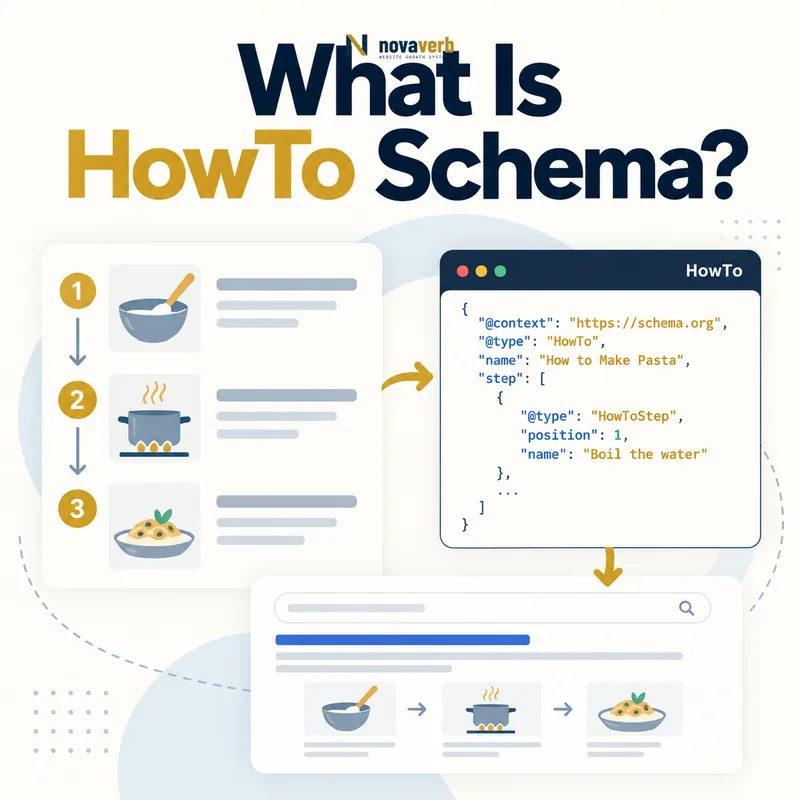
What Is HowTo Schema?
The HowTo type belongs to the Schema.org vocabulary and can connect a procedure to HowToStep, HowToSection, HowToTool and HowToSupply nodes. It fits content where a user performs a sequence to produce a defined outcome. A conceptual explanation, unordered checklist, product page or generic advice article is not automatically a HowTo.
Markup describes the procedure already visible on the page. It does not make incomplete instructions safe, prove that the process works or guarantee a special search display. The procedural content remains the product; the graph is only a machine-readable representation.
- Identify the exact page, asset, entity or relationship described in this section.
- Inspect the live implementation and retain the observed evidence.
- Compare the observation with the intended meaning and its primary specification.
- Correct any mismatch, then retest the live result.
- Record the accountable owner and review date.
| Element | Represents | Evidence to verify |
|---|---|---|
| HowTo | Complete procedure | Visible instructional page |
| name | Procedure title | Visible primary heading |
| step | Ordered actions | Complete displayed steps |
| HowToStep | One actionable stage | User can perform it |
| HowToSection | Logical step group | Visible section structure |
| tool | Reusable item needed | Requirements list |
| supply | Consumed material | Requirements list |
| totalTime | End-to-end duration | Tested realistic estimate |
| yield | Result produced | Defined outcome |
- Model an actual repeatable procedure.
- Preserve the visible step order.
- Publish only tested requirements and outcomes.
Primary specification: Schema.org definition for HowTo.
HowTo schema represents a genuine ordered procedure, not every article that happens to contain numbered headings.
How Does HowTo Schema Work?
A parser reads the main HowTo, then follows its step values in sequence. Each HowToStep can include a name, instruction text, image and URL fragment. Sections can group stages without erasing the order. Tools are reusable instruments; supplies are materials likely to be consumed.
The graph needs to match the rendered instructions. If JavaScript injects steps after load, inspect the rendered result rather than the source template alone. Syntax validity cannot detect a dangerous order, missing prerequisite or unrealistic duration, so editorial and practical review remain essential.
- The exact page, asset, entity or relationship covered by this section
- The live implementation rather than an editor-only preview
- The primary specification or first-party record defining the expected behavior
- The validation result, accountable owner and review date
| Stage | Graph action | Failure example |
|---|---|---|
| Define | Name one result | Page contains several unrelated tasks |
| Prepare | List real tools and supplies | Requirements hidden from users |
| Order | Create step sequence | JSON-LD order differs from page |
| Group | Use sections where helpful | Sections replace actionable steps |
| Explain | Provide complete directions | Step name without instruction |
| Reference | Link stable step anchors | URLs point to missing fragments |
| Maintain | Update process and graph together | Interface changed but steps did not |
- Confirm one clear procedure and outcome.
- Inventory prerequisites and requirements.
- Map the visible ordered steps.
- Add stable references and media.
- Validate and test the real procedure.
The markup works when one visible, safe and complete procedure maps to the same ordered machine-readable steps.
Can HowTo Schema Still Create Rich Results?
This distinction prevents outdated SEO planning. A vocabulary can remain valid for semantic exchange even when one search product stops generating a dedicated result treatment. Generic schema validation may recognize the graph while a rich-result testing product provides no HowTo enhancement.
Existing accurate markup does not need emergency removal solely because the former feature disappeared. Teams should compare the maintenance cost with semantic, reuse or internal data needs. A new rollout justified only by historical SERP screenshots has a weak business case. Recheck current supported-feature documentation before forecasting visibility.
- Identify the exact page, asset, entity or relationship described in this section.
- Inspect the live implementation and retain the observed evidence.
- Compare the observation with the intended meaning and its primary specification.
- Correct any mismatch, then retest the live result.
- Record the accountable owner and review date.
| Objective | Current expectation | Decision |
|---|---|---|
| Former HowTo rich result | No longer supported in Google Search | Do not forecast it |
| Schema.org semantics | Vocabulary remains available | Use when data purpose exists |
| Internal content reuse | Structured steps may help systems | Evaluate architecture |
| Other consumers | Support varies independently | Verify each consumer |
| Legacy accurate markup | Can remain if maintained | Review opportunity cost |
| Legacy stale markup | Creates data conflict | Fix or remove |
| New rollout for CTR | No direct supported feature case | Prioritize other work |
| Instruction quality | Still essential for traffic | Improve content itself |
- Separate vocabulary validity from feature support.
- Do not report historical appearances as current capability.
- Invest first in useful instructional content.
Treat HowTo as optional semantic markup and never as a dependable rich-result or CTR tactic under current search support.
Which HowTo Properties Matter Most?
Use the singular step property for the current Schema.org model. Each step needs enough text for a person to perform the action, not merely a label such as “Configure settings.” A URL fragment can connect the node to the exact visible step and help keep the relationship testable.
Time values use ISO 8601 duration syntax when expressed as Duration. Costs should reflect what the stated materials or process actually require and should specify currency where monetary values are used. Omit optional estimates when the procedure varies too widely to support a useful claim.
- The exact page, asset, entity or relationship covered by this section
- The live implementation rather than an editor-only preview
- The primary specification or first-party record defining the expected behavior
- The validation result, accountable owner and review date
| Property | Priority | Audit question |
|---|---|---|
| name | High | Does it name the same visible procedure? |
| step | Foundational | Is the full sequence complete and ordered? |
| HowToStep.text | High | Can a user perform the action? |
| HowToStep.url | Useful | Does the anchor resolve to this step? |
| tool | Situational | Is it reusable equipment genuinely required? |
| supply | Situational | Is it a consumed material? |
| totalTime | Optional | Is the estimate tested and correctly formatted? |
| estimatedCost | Optional | Is the amount scoped and current? |
| yield | Useful | Is the resulting output clear? |
- Define the procedure and result.
- Write complete step actions.
- Add stable step anchors.
- Classify tools and supplies correctly.
- Include only defensible estimates.
Prioritize complete ordered actions and add requirements or estimates only when they are reliable and maintainable.
How Should Steps and Sections Be Structured?
Each HowToStep should describe one meaningful action or checkpoint. Very broad steps hide important decisions; excessively granular steps make the procedure hard to scan and maintain. Use a section for phases such as preparation, implementation and verification when the visible page uses the same hierarchy.
Branches require careful handling. If users choose between mutually exclusive methods, explain the choice visibly and avoid presenting both paths as one mandatory linear sequence. Separate procedures may deserve separate pages when their requirements and outcomes differ substantially.
- Identify the exact page, asset, entity or relationship described in this section.
- Inspect the live implementation and retain the observed evidence.
- Compare the observation with the intended meaning and its primary specification.
- Correct any mismatch, then retest the live result.
- Record the accountable owner and review date.
| Instruction pattern | Modeling choice | Quality check |
|---|---|---|
| Simple linear process | Ordered HowToStep list | No missing transition |
| Preparation phase | HowToSection plus steps | Group is visible |
| Verification phase | Final steps or section | Success criteria included |
| Optional enhancement | Clearly labeled optional step | Not presented as required |
| Two exclusive methods | Visible branch or separate procedures | Choice is understandable |
| Repeated action | State repetition and stopping rule | No duplicated nodes needed |
| Safety checkpoint | Dedicated visible step | Warning appears before risk |
| Troubleshooting detour | Linked support section | Does not corrupt main order |
- Keep one action boundary per meaningful step.
- Use sections only for real visible phases.
- Expose choices and safety checks before action.
A strong structure preserves execution order, meaningful action boundaries and visible decision points from start to verified result.
How Should Tools, Supplies, Time and Cost Be Modeled?
A screwdriver is usually a tool; a replacement screw or cleaning solution is a supply. Software can be a tool when users need it to complete a digital process, but a commercial mention should remain genuinely required rather than becoming an embedded advertisement. Provide alternatives where the procedure supports them.
Distinguish prepTime, performTime and totalTime when those measures add value. Waiting or drying periods can affect total time even when active work is brief. Cost changes by region and date, so state scope and avoid false precision. Never omit protective equipment or prerequisites to make the process appear easier.
- The exact page, asset, entity or relationship covered by this section
- The live implementation rather than an editor-only preview
- The primary specification or first-party record defining the expected behavior
- The validation result, accountable owner and review date
| Field | Correct use | Common error |
|---|---|---|
| tool | Reusable equipment | Consumable listed as tool |
| supply | Material consumed or installed | Required item omitted |
| prepTime | Setup duration | Combined with active work silently |
| performTime | Active performance duration | Waiting period treated as work |
| totalTime | Full elapsed duration | Shorter than component times |
| estimatedCost | Scoped required expense | Universal price claim |
| currency | Monetary context | Amount without currency |
| yield | Result quantity or output | Vague success statement |
- Test the procedure from a clean start.
- Separate reusable and consumed items.
- Measure preparation, action and waiting time.
- Scope costs by currency and assumptions.
- Document the successful output.
Requirements and estimates are useful only when they help users prepare accurately without hiding safety, variability or commercial conditions.
HowTo Schema vs Article, Recipe and Video Markup
A tutorial can be both an Article and contain a HowTo procedure, but one coherent graph should clarify the primary page entity. Cooking instructions generally fit Recipe because its vocabulary handles ingredients, nutrition and cooking details more specifically. A demonstration video can connect through VideoObject without replacing the written steps.
Do not stack types to chase every possible search appearance. The page’s main purpose should remain clear. Connect related nodes with stable IDs, and ensure every marked entity is visible or meaningfully represented on the page.
- Identify the exact page, asset, entity or relationship described in this section.
- Inspect the live implementation and retain the observed evidence.
- Compare the observation with the intended meaning and its primary specification.
- Correct any mismatch, then retest the live result.
- Record the accountable owner and review date.
| Page or asset | Primary type | Relationship to HowTo |
|---|---|---|
| General repair instructions | HowTo or Article plus HowTo | Ordered procedure is central |
| Editorial explainer | Article | May not contain a full procedure |
| Cooking instructions | Recipe | More specific procedural vocabulary |
| Demonstration video | VideoObject | Can support visible steps |
| Product sales page | Product | Instructions may be secondary content |
| Software setup guide | HowTo or TechArticle context | Depends on page purpose |
| FAQ collection | FAQPage when justified | Questions are not an ordered process |
| Community troubleshooting question | QAPage when fitting | Answers are user-contributed |
- Identify the primary page entity.
- Use the most specific truthful type.
- Connect supporting media instead of duplicating content.
Choose the type that matches the page’s primary purpose, then add genuinely present supporting entities without type stacking.
What HowTo Schema Mistakes Are Common?
Generated templates often create incomplete nodes from headings alone. A step title without directions does not represent a usable action. Plugins can also duplicate HowTo output or mix Recipe and HowTo nodes without a clear primary entity. Inspect the rendered graph and visible hierarchy together.
Operational truth matters most for safety-sensitive procedures. Missing prerequisites, warnings or verification steps can harm users even when syntax is valid. Changes to software interfaces, product models or regulations can make old steps wrong, so each procedure needs a factual owner and review trigger.
- The exact page, asset, entity or relationship covered by this section
- The live implementation rather than an editor-only preview
- The primary specification or first-party record defining the expected behavior
- The validation result, accountable owner and review date
| Mistake | Risk | Correction |
|---|---|---|
| Numbered opinion list marked up | Wrong content model | Use Article or plain list |
| Schema-only steps | Users cannot access directions | Show complete steps |
| Obsolete steps property | Outdated vocabulary usage | Use step |
| Wrong action order | Procedure may fail | Test and reorder |
| Missing prerequisite or warning | User harm | Expose before applicable action |
| Duplicate plugin graphs | Conflicting procedure | Assign one output owner |
| Stale software screenshots | Instructions no longer match | Review after interface releases |
| Promised rich result | Outdated SEO claim | State current support accurately |
- Confirm the content is truly procedural.
- Compare every step with visible instructions.
- Test sequence, requirements and outcome.
- Remove duplicate or obsolete output.
- Correct current search-feature expectations.
Most HowTo failures come from weak procedural truth, stale templates and obsolete feature expectations rather than missing decorative properties.