
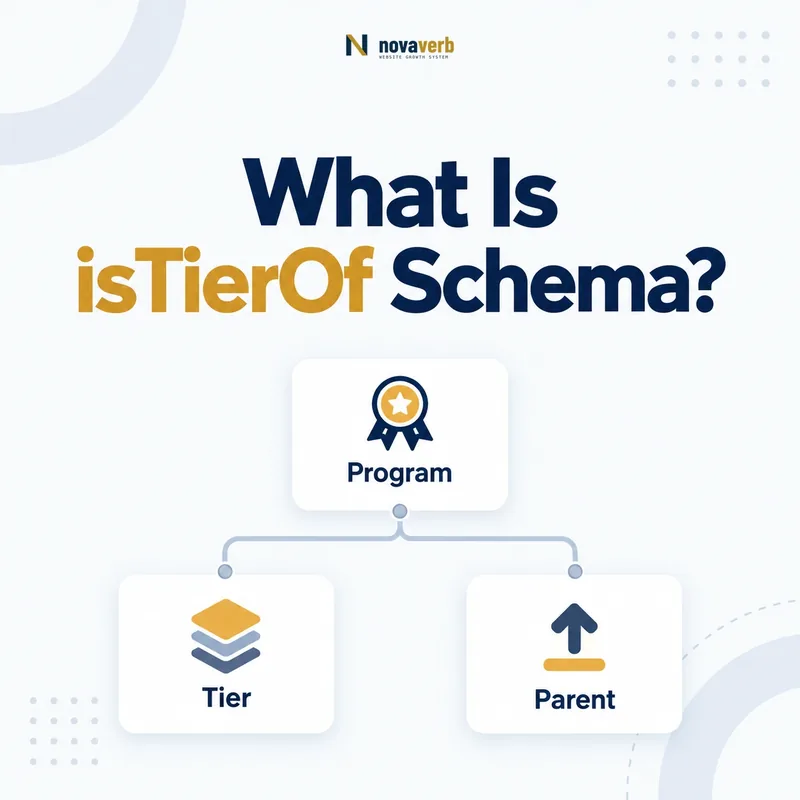
What Is isTierOf Schema?
isTierOf is the Schema.org property that connects a MemberProgramTier to the MemberProgram it belongs to.
It answers a precise parentage question from the tier’s point of view. A Gold tier page can identify the loyalty program that defines Gold, even when the program overview lives at another URL. The subject must be MemberProgramTier and the value must be MemberProgram. That is different from placing a program name in descriptive text: an entity reference gives the relationship a durable identity that can be reused across benefits, requirements, offers, shipping rules, and account experiences.
- Place isTierOf on MemberProgramTier.
- Reference one accurate MemberProgram entity.
- Reuse canonical @id values instead of creating page-specific copies.
- Identify the exact page, asset, entity or relationship described in this section.
- Inspect the live implementation and retain the observed evidence.
- Compare the observation with the intended meaning and its primary specification.
- Correct any mismatch, then retest the live result.
- Record the accountable owner and review date.
| Role | Entity | Purpose |
|---|---|---|
| Subject | MemberProgramTier | The tier being described |
| Property | isTierOf | Connects tier to parent |
| Value | MemberProgram | The governing program |
Primary specification: Schema.org definition for isTierOf.
isTierOf gives every tier an explicit program parent instead of leaving ownership to inference.
Where Can isTierOf Be Used?
isTierOf is used on MemberProgramTier and expects MemberProgram as its value.
Do not attach it directly to Offer, Organization, ProgramMembership, Person, or Product. Those entities have different relationship properties: Organization can use hasMemberProgram, MemberProgram can use hasTiers, and commercial rules can use validForMemberTier. Keeping isTierOf on the tier entity prevents a common flat-markup error in which every loyalty concept is nested without regard to its domain or range. It also makes validation results easier to interpret because each edge has one job.
- Identify the tier as MemberProgramTier.
- Create or reference the canonical MemberProgram.
- Add isTierOf to the tier node.
- Check that the relationship is supported by the visible page.
- The exact page, asset, entity or relationship covered by this section
- The live implementation rather than an editor-only preview
- The primary specification or first-party record defining the expected behavior
- The validation result, accountable owner and review date
| Wrong subject | Use instead | Why |
|---|---|---|
| Organization | hasMemberProgram | Organization offers a program |
| MemberProgram | hasTiers | Program lists tiers |
| Offer | validForMemberTier | Offer states eligibility |
| MemberProgramTier | isTierOf | Tier states its parent |
Use isTierOf only for a tier-to-program relationship; surrounding entities need their own properties.
How Does isTierOf Relate to hasTiers?
isTierOf is the inverse of hasTiers: the tier points to its program, while the program points to its tiers.
This inverse pair supports connected markup across separate templates. A program overview can enumerate Silver, Gold, and Platinum with hasTiers. Each dedicated tier page can point back to the same program with isTierOf. Publishing both directions is useful when the pages are independently crawlable, but the references must agree. If Gold points to Program A while Program A does not include Gold - or another program claims the same Gold @id - the graph contains a business contradiction rather than a cosmetic issue.
- Set one canonical @id for the MemberProgram.
- Set a unique @id for each MemberProgramTier.
- List tiers from the program with hasTiers.
- Point every tier back with isTierOf.
- Compare both directions in rendered markup.
- The exact page, asset, entity or relationship covered by this section
- The live implementation rather than an editor-only preview
- The primary specification or first-party record defining the expected behavior
- The validation result, accountable owner and review date
| Graph edge | Subject | Value |
|---|---|---|
| hasTiers | MemberProgram | MemberProgramTier |
| isTierOf | MemberProgramTier | MemberProgram |
| Consistency test | Both directions | Same canonical ids |
The two properties form a reliable reciprocal graph only when every identifier resolves consistently.
When Should a Tier Page Use isTierOf?
A tier page should use isTierOf when the page’s primary entity is a specific membership level and the parent program is clear.
Dedicated pages for premium levels, card-linked tiers, qualification guides, and member-benefit comparisons often fit this pattern. A general program page usually starts with MemberProgram and hasTiers instead. A product page should not become a tier page merely because it mentions a Gold discount. Select markup from the page subject, not from a desire to include every available loyalty property. The visible heading, main copy, canonical URL, and structured entity should tell the same story.
- Use it on substantive tier landing pages.
- Use it in a graph when a tier node is the main entity.
- Avoid it when the page only mentions a tier incidentally.
- Keep private account status outside public structured data.
- Identify the exact page, asset, entity or relationship described in this section.
- Inspect the live implementation and retain the observed evidence.
- Compare the observation with the intended meaning and its primary specification.
- Correct any mismatch, then retest the live result.
- Record the accountable owner and review date.
| Page | Primary type | isTierOf? |
|---|---|---|
| Gold benefits page | MemberProgramTier | Yes |
| Program overview | MemberProgram | Usually use hasTiers |
| Member account | ProgramMembership | Only inside a referenced tier node |
| Product offer | Offer | Use validForMemberTier |
Add isTierOf where a real tier is being described, not wherever a tier name happens to appear.
How Should Canonical IDs Work Across Tier Pages?
Canonical IDs should give each program and tier one durable identity that is reused on every page and in every direction.
A URL with a fragment can identify a graph node, while a dedicated canonical page URL can identify a standalone tier entity. Either approach can work if it remains stable through templates, locales, campaigns, and account surfaces. Do not mint a new Gold entity for every product that offers Gold pricing. Do not reuse one tier id for Gold levels belonging to unrelated programs. Names are labels, not keys; two companies can both have a Gold tier without sharing an entity.
- Choose a canonical program URL and @id.
- Choose a distinct @id for every program-specific tier.
- Reuse those identifiers from program and commercial pages.
- Redirect or reconcile retired identifiers after migrations.
- The exact page, asset, entity or relationship covered by this section
- The live implementation rather than an editor-only preview
- The primary specification or first-party record defining the expected behavior
- The validation result, accountable owner and review date
| Identity case | Correct approach | Avoid |
|---|---|---|
| Same tier on many pages | Reuse one @id | Page-specific duplicates |
| Same name in two programs | Use two ids | Merging unrelated tiers |
| Renamed tier | Preserve or deliberately migrate identity | Silent duplication |
| Localized page | Reference canonical entity | Locale-specific entity drift |
Stable identifiers make isTierOf auditable and prevent familiar tier names from collapsing into the wrong program.
How Do Multi-Brand Programs Use isTierOf?
In multi-brand environments, each tier should point to the MemberProgram that actually defines its rules, regardless of how many storefronts promote it.
A group-wide program may have one canonical program and one set of tiers shared across brands. Independent brand programs need separate program and tier identities even when their labels look alike. Marketplaces should not assign seller tiers to the marketplace program unless the marketplace truly owns the rules. White-label technology does not change program parentage: the customer-facing organization’s program remains the parent when the vendor only supplies infrastructure.
- Map program ownership before tier relationships.
- Separate shared participation from program authority.
- Keep seller programs distinct from a marketplace program.
- Review parentage after acquisitions and loyalty migrations.
- Identify the exact page, asset, entity or relationship described in this section.
- Inspect the live implementation and retain the observed evidence.
- Compare the observation with the intended meaning and its primary specification.
- Correct any mismatch, then retest the live result.
- Record the accountable owner and review date.
| Structure | Tier parent | Model |
|---|---|---|
| Group-wide loyalty program | Central MemberProgram | Shared tier ids |
| Independent brand programs | Each brand program | Separate tier ids |
| Marketplace seller rewards | Seller program | No marketplace claim |
| White-label platform | Consumer-facing program | Vendor is not parent |
The correct parent is the program that governs the tier, not the page, platform, or brand displaying it.
How Does isTierOf Affect Benefits and Eligibility?
isTierOf establishes program parentage, while tier benefits, requirements, and commercial eligibility use separate properties.
A MemberProgramTier can state hasTierBenefit, hasTierRequirement, and membershipPointsEarned. Offers, prices, shipping services, and return policies can reference that tier through validForMemberTier. None of those relationships replaces isTierOf. Together they answer different questions: where the tier belongs, what it provides, how a member qualifies, and where it applies commercially. Keeping the questions separate lets one tier identity support many current offers without redefining its program parent each time.
- Connect the tier to its program with isTierOf.
- Describe benefits and requirements on the tier.
- Reference the tier from eligible commercial entities.
- Compare structured facts with current customer-facing terms.
- The exact page, asset, entity or relationship covered by this section
- The live implementation rather than an editor-only preview
- The primary specification or first-party record defining the expected behavior
- The validation result, accountable owner and review date
| Question | Property | Entity |
|---|---|---|
| Which program owns it? | isTierOf | MemberProgramTier |
| What does it provide? | hasTierBenefit | MemberProgramTier |
| How does a user qualify? | hasTierRequirement | MemberProgramTier |
| Where does it apply? | validForMemberTier | Offer or policy |
isTierOf anchors parentage; other properties describe value, qualification, and commercial reach.
What isTierOf Mistakes Are Common?
Common isTierOf mistakes include reversed placement, text values, wrong program references, duplicate identities, and stale parent links.
Teams sometimes place isTierOf on MemberProgram as though it listed tiers, which reverses the relationship. Others use a plain program name instead of a MemberProgram node or point a tier to an Organization. Migration defects are especially risky: a tier page may retain the former program @id while the program overview moves to a new graph. Basic validation can catch wrong types, but it cannot prove that a tier belongs to the program named in current terms.
- Placing isTierOf on MemberProgram.
- Using Text or Organization as the value.
- Pointing one tier to multiple conflicting programs.
- Reusing one tier @id across unrelated programs.
- Leaving retired program parents after a migration.
- Identify the exact page, asset, entity or relationship described in this section.
- Inspect the live implementation and retain the observed evidence.
- Compare the observation with the intended meaning and its primary specification.
- Correct any mismatch, then retest the live result.
- Record the accountable owner and review date.
| Error | Impact | Fix |
|---|---|---|
| Reversed direction | Invalid relationship | Move property to tier |
| Wrong value type | Parent is unclear | Reference MemberProgram |
| Conflicting parent | Contradictory graph | Choose authoritative program |
| Stale @id | Broken continuity | Update all templates and links |
A technically shaped edge is not enough; the parent program must also be current, unique, and true.