
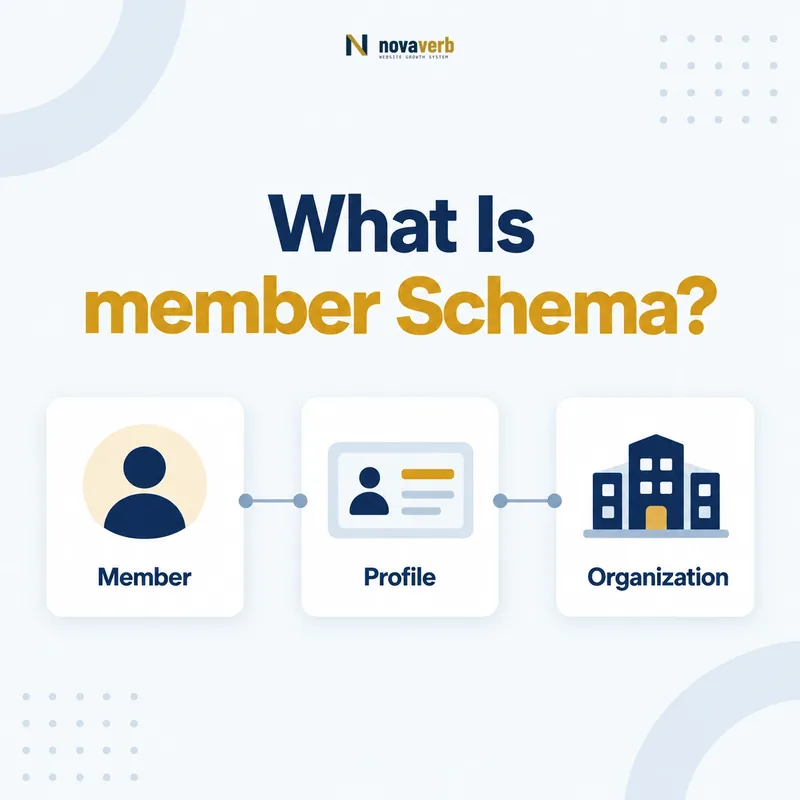
What Is member Schema?
member is the Schema.org property that identifies a Person or Organization belonging to an Organization or represented by a ProgramMembership.
The property points from the membership container to the member. A trade association can name a member company, while a ProgramMembership can identify the person who holds that loyalty relationship. The subject can be Organization or ProgramMembership, and the value can be Person or Organization. This is different from the program, tier, account number, or hosting organization. Accurate direction and type choices prevent one membership graph from confusing who belongs with who offers the program.
- Use member on Organization or ProgramMembership.
- Use Person or Organization as the value.
- Keep program, host, tier, and identifier relationships separate.
- Identify the exact page, asset, entity or relationship described in this section.
- Inspect the live implementation and retain the observed evidence.
- Compare the observation with the intended meaning and its primary specification.
- Correct any mismatch, then retest the live result.
- Record the accountable owner and review date.
| Role | Allowed type | Meaning |
|---|---|---|
| Subject | Organization | Group containing a member |
| Subject | ProgramMembership | Membership relationship containing a member |
| Property | member | Points to member |
| Value | Person or Organization | Who belongs |
Primary specification: Schema.org definition for member.
member identifies who belongs; it does not identify the program, membership number, or organization offering benefits.
Where Can member Be Used?
member is used on Organization and ProgramMembership, with Person or Organization values.
On Organization, it can represent individual or organizational membership when publication is appropriate. On ProgramMembership, the membership is typically associated with an individual, although the vocabulary permits Organization as a value. The page must support the relationship visibly and ethically. A public directory may have permission to name members; a private loyalty account generally does not justify exposing a customer identity in public structured data. Domain and range validity are only the starting point.
- Identify whether the subject is Organization or ProgramMembership.
- Confirm the member is a Person or Organization.
- Check consent, authorization, and page visibility.
- Add the relationship only when the page actually establishes it.
- The exact page, asset, entity or relationship covered by this section
- The live implementation rather than an editor-only preview
- The primary specification or first-party record defining the expected behavior
- The validation result, accountable owner and review date
| Subject | Value | Typical context |
|---|---|---|
| Organization | Person | Public leadership or member directory |
| Organization | Organization | Association or network membership |
| ProgramMembership | Person | Individual loyalty membership |
| ProgramMembership | Organization | Business account membership |
Use the property where both the entity relationship and the disclosure context are accurate.
How Does member Relate to memberOf?
member and memberOf are inverse directions: an Organization or ProgramMembership points to its member, while a Person or Organization points to the group or membership it belongs to.
A public association page may list organizations through member. Each member organization can point back through memberOf when its own page discusses that affiliation. A Person can similarly point to an Organization or ProgramMembership. Both directions are optional, but when both are published, canonical ids must agree. A person pointing to Membership A while Membership B names that person creates a contradiction even if each block is structurally valid.
- Choose canonical ids for both sides.
- Publish member from the container where useful.
- Publish memberOf from the member where useful.
- Compare reciprocal references in rendered output.
- The exact page, asset, entity or relationship covered by this section
- The live implementation rather than an editor-only preview
- The primary specification or first-party record defining the expected behavior
- The validation result, accountable owner and review date
| Direction | Subject | Value |
|---|---|---|
| member | Organization or ProgramMembership | Person or Organization |
| memberOf | Person or Organization | Organization, ProgramMembership, or MemberProgramTier |
| Consistency | Both directions | Same canonical entities |
The inverse pair is valuable only when it describes one evidence-backed relationship from both sides.
How Does member Work on ProgramMembership?
On ProgramMembership, member identifies the Person or Organization holding that specific membership relationship.
The membership can separately connect to MemberProgram through program, Organization through hostingOrganization, tier through validForMemberTier, points through membershipPointsEarned, and an account code through membershipNumber. None of those replaces member. In most loyalty contexts the holder is a Person, but business purchasing clubs or partner programs may support organizational members. Avoid creating a ProgramMembership simply to repeat a public biography; the page should genuinely describe a membership relationship.
- member answers who holds the membership.
- program answers which MemberProgram is involved.
- hostingOrganization answers who offers it.
- validForMemberTier answers which tier applies.
- membershipNumber is a private identifier, not member identity.
- Identify the exact page, asset, entity or relationship described in this section.
- Inspect the live implementation and retain the observed evidence.
- Compare the observation with the intended meaning and its primary specification.
- Correct any mismatch, then retest the live result.
- Record the accountable owner and review date.
| Question | Property | Value |
|---|---|---|
| Who belongs? | member | Person or Organization |
| Which program? | program | MemberProgram |
| Who hosts it? | hostingOrganization | Organization |
| Which tier? | validForMemberTier | MemberProgramTier |
| What account code? | membershipNumber | Text |
A clean ProgramMembership gives every relationship one job and keeps identity separate from program and account facts.
How Does member Work for B2B Organizations?
For B2B structures, an Organization can use member to identify a member company, nonprofit, institution, chapter, or other Organization when the relationship is current and public.
Examples include chambers, trade associations, purchasing cooperatives, standards bodies, and partner networks. Do not confuse membership with parentOrganization, subOrganization, department, funder, sponsor, vendor, customer, or affiliate relationships. A logo wall or partner page may use “member” informally even when the legal or contractual relationship is sponsorship. Review the organization’s membership criteria, directory language, terms, and reciprocal pages before modeling the edge.
- Define what membership means in the organization.
- Verify the member’s current status.
- Distinguish membership from ownership and partnership.
- Use stable Organization ids for both sides.
- Remove relationships when membership ends.
- The exact page, asset, entity or relationship covered by this section
- The live implementation rather than an editor-only preview
- The primary specification or first-party record defining the expected behavior
- The validation result, accountable owner and review date
| Relationship | Use member? | Alternative |
|---|---|---|
| Trade association member | Often | member/memberOf |
| Subsidiary | No | parentOrganization/subOrganization |
| Sponsor | No | sponsor or funder context |
| Vendor | No | commercial relationship |
| Informal partner | Usually no | Describe visibly without false membership |
B2B member markup should follow an actual membership relationship, not a broad marketing use of the word partner.
When Should Person Membership Stay Private?
Person membership should stay private whenever disclosure is not clearly public, authorized, expected, and necessary for the page.
Loyalty accounts, travel clubs, health groups, professional associations, unions, subscriber programs, and community memberships can reveal habits, status, beliefs, location, or identity. Authenticated display does not automatically justify adding machine-readable Person details. Public marketing pages should model the program rather than its customers. Public directories should use member only when membership is intentionally published and the individual has appropriate control or authorization.
- Do not publish customer lists for SEO.
- Minimize Person fields on authenticated pages.
- Respect directory visibility and consent settings.
- Avoid member ids, emails, balances, and reservation details.
- Test analytics, logs, caching, and client state.
- Identify the exact page, asset, entity or relationship described in this section.
- Inspect the live implementation and retain the observed evidence.
- Compare the observation with the intended meaning and its primary specification.
- Correct any mismatch, then retest the live result.
- Record the accountable owner and review date.
| Context | Default | Reason |
|---|---|---|
| Public loyalty page | No Person member | Model program, not customers |
| Private account | Minimize | Machine-readable copies add exposure |
| Opt-in professional directory | Possible | Public intent may support it |
| Sensitive association | Omit | Membership itself may be sensitive |
| Employee roster | Separate relationship | Employment is not membership by default |
A valid member edge should never expand a person’s exposure beyond the relationship they intended to make public.
How Do You Migrate From members to member?
Migrate from the superseded members property to member by preserving the same verified relationships, updating every emitter, and testing downstream consumers before removing legacy output.
The older property may remain in stored templates, feeds, microdata, emails, and partner integrations. Inventory all sources before switching. During a brief coexistence window, derive both outputs from one authoritative relationship set to avoid differences. Do not use the migration to bulk-publish private records or to convert every contact into a member. Once verified consumers accept member, remove members and add a guard against its return.
- Search templates, serializers, feeds, and stored content.
- Classify each relationship and its disclosure status.
- Emit member from the authoritative membership source.
- Test consumers and rendered entity graphs.
- Remove members after verified migration.
- Add a regression check for superseded output.
- The exact page, asset, entity or relationship covered by this section
- The live implementation rather than an editor-only preview
- The primary specification or first-party record defining the expected behavior
- The validation result, accountable owner and review date
| Phase | Output | Gate |
|---|---|---|
| Inventory | members locations mapped | No unknown emitter |
| Dual transition | Both from one source | Relationships match |
| Consumer switch | member read everywhere | Integration tests pass |
| Cleanup | members removed | Recrawl clean |
| Guard | member only | Regression blocks return |
A safe migration changes the property without changing who is publicly identified as a member.
What member Schema Mistakes Are Common?
Common mistakes include reversing the relationship, using unsupported value types, publishing private people, confusing membership with employment or ownership, and keeping superseded members output.
Teams may place member on Person instead of using memberOf, point to ProgramMembership as the value, or add plain Text names instead of Person or Organization entities. Templates can also expose every loyalty customer or CRM contact. In B2B graphs, parent companies, sponsors, vendors, and directory listings are often mislabeled as members. Validation can catch type problems but not consent, current status, or relationship truth.
- member placed on Person instead of Organization or ProgramMembership.
- Text or ProgramMembership used as the value.
- Customer roster published from account data.
- Partner or subsidiary mislabeled as member.
- Expired memberships left active.
- Superseded members property still emitted.
- Identify the exact page, asset, entity or relationship described in this section.
- Inspect the live implementation and retain the observed evidence.
- Compare the observation with the intended meaning and its primary specification.
- Correct any mismatch, then retest the live result.
- Record the accountable owner and review date.
| Error | Impact | Fix |
|---|---|---|
| Reversed direction | Invalid graph | Use memberOf on member |
| Wrong value type | Broken relationship | Use Person or Organization |
| Private roster | Privacy exposure | Remove and minimize |
| False B2B relationship | Misleading entity claim | Use accurate property or omit |
| Stale membership | Outdated fact | Sync lifecycle changes |
Technical correctness, relationship truth, currency, and privacy all belong in the same quality check.