
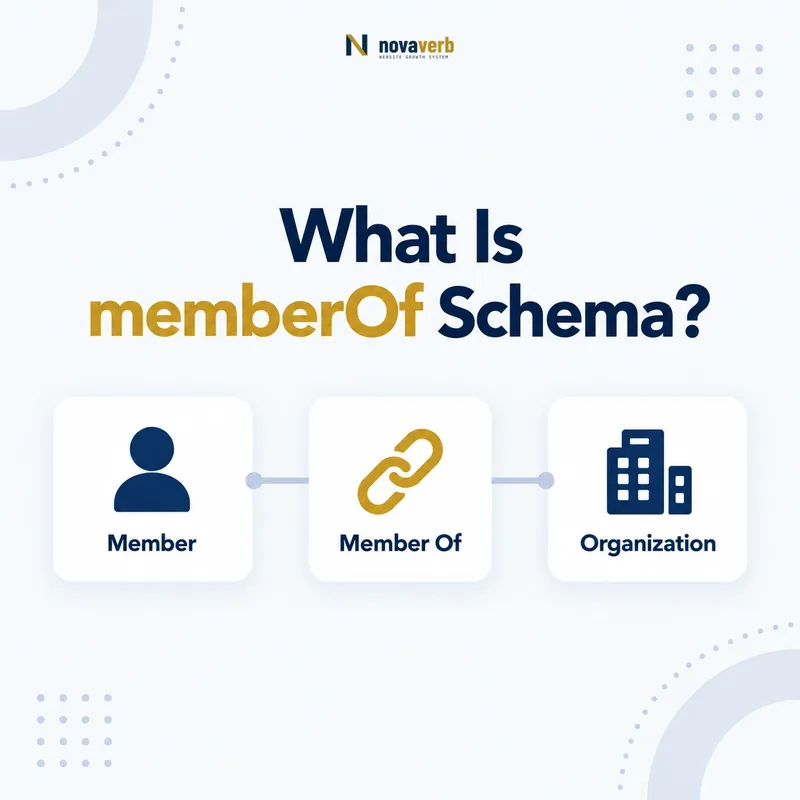
What Is memberOf Schema?
memberOf is the Schema.org property that connects a Person or Organization to an Organization, ProgramMembership, or MemberProgramTier it belongs to.
It describes membership from the member’s point of view. A company can state that it belongs to a trade association, a public professional profile can reference an organization, and an authorized loyalty context can connect a person to a ProgramMembership or tier. The subject must be Person or Organization. The value type depends on the relationship being expressed, and disclosure must remain accurate, current, and appropriate for the page.
- Use memberOf on Person or Organization.
- Choose Organization, ProgramMembership, or MemberProgramTier as the value.
- Confirm relationship truth and disclosure authority.
- Identify the exact page, asset, entity or relationship described in this section.
- Inspect the live implementation and retain the observed evidence.
- Compare the observation with the intended meaning and its primary specification.
- Correct any mismatch, then retest the live result.
- Record the accountable owner and review date.
| Role | Allowed type | Meaning |
|---|---|---|
| Subject | Person or Organization | The member |
| Property | memberOf | Points to membership target |
| Value | Organization | Group membership |
| Value | ProgramMembership | Specific membership relationship |
| Value | MemberProgramTier | Tier membership |
Primary specification: Schema.org definition for memberOf.
memberOf says where a person or organization belongs, with the value type defining the membership context.
Where Can memberOf Be Used?
memberOf can be used on Person and Organization, and its expected values are Organization, ProgramMembership, or MemberProgramTier.
The breadth is useful but easy to misuse. A Person may belong to a public association or a specific loyalty membership; an Organization may belong to a chamber, network, cooperative, or program tier where the relationship truly applies. The property should not be placed on ProgramMembership itself to point to MemberProgram - that relationship uses program. It should not be used on Offer to identify eligible tiers - that relationship uses validForMemberTier.
- Identify the Person or Organization as the subject.
- Choose the exact membership target type.
- Use a stable @id for the target.
- Verify the page establishes the membership relationship.
- The exact page, asset, entity or relationship covered by this section
- The live implementation rather than an editor-only preview
- The primary specification or first-party record defining the expected behavior
- The validation result, accountable owner and review date
| Subject | Value | Example |
|---|---|---|
| Person | Organization | Public association membership |
| Person | ProgramMembership | Authorized loyalty membership |
| Person | MemberProgramTier | Current loyalty tier |
| Organization | Organization | Trade association membership |
| Organization | ProgramMembership | Business program membership |
Select memberOf from the actual subject and membership target, not from a generic use of the word member.
How Does memberOf Relate to member?
memberOf is the inverse of member: the Person or Organization points to the membership container, while the Organization or ProgramMembership points back to the member.
A company profile can point to an association through memberOf, and the association directory can point back through member. A Person can point to a ProgramMembership while the membership identifies that person through member. Publishing both directions is optional, but canonical identifiers and visibility rules must agree. Reciprocal markup should never be used to force a private customer relationship into a public directory.
- Choose canonical ids for member and container.
- Publish memberOf from the public member page.
- Publish member from the authorized container page.
- Compare both directions and visibility states.
- The exact page, asset, entity or relationship covered by this section
- The live implementation rather than an editor-only preview
- The primary specification or first-party record defining the expected behavior
- The validation result, accountable owner and review date
| Direction | Subject | Value |
|---|---|---|
| memberOf | Person or Organization | Organization, ProgramMembership, or tier |
| member | Organization or ProgramMembership | Person or Organization |
| Reciprocal check | Both sides | Same relationship and ids |
The inverse graph strengthens a relationship only when both sides are accurate, authorized, and consistently identified.
How Is memberOf Different From affiliation?
memberOf expresses membership, while affiliation is a more specific subproperty commonly used for organizational affiliation, especially where the relationship is not best framed as membership.
A researcher may be affiliated with a university, an author with an institute, or a clinician with a hospital. Employment can require worksFor instead, alumni status can require alumniOf, and corporate hierarchy uses parentOrganization or subOrganization. Do not choose memberOf simply because two entities are associated. The page’s language, contractual relationship, directory rules, and lifecycle determine which property reflects reality.
- Use memberOf for actual membership.
- Use affiliation for a supported affiliation relationship.
- Use worksFor for employment where appropriate.
- Use parentOrganization/subOrganization for corporate hierarchy.
- Omit uncertain relationships rather than overstate them.
- Identify the exact page, asset, entity or relationship described in this section.
- Inspect the live implementation and retain the observed evidence.
- Compare the observation with the intended meaning and its primary specification.
- Correct any mismatch, then retest the live result.
- Record the accountable owner and review date.
| Relationship | Likely property | Reason |
|---|---|---|
| Trade association member | memberOf | Formal membership |
| Research affiliation | affiliation | Institutional affiliation |
| Employee and employer | worksFor | Employment relationship |
| Subsidiary and parent | parentOrganization | Corporate structure |
| Sponsor and event | sponsor | Sponsorship, not membership |
Choose the property that names the real relationship instead of treating memberOf as a universal association link.
How Does memberOf Work With Loyalty Tiers?
A Person or Organization can use memberOf to reference a MemberProgramTier when the current tier relationship is appropriate to disclose.
The tier must be a real MemberProgramTier with a stable identity, and its parent program should be clear through isTierOf or the program’s hasTiers graph. Tier membership can reveal spending, status, travel habits, subscription level, or financial relationships, so public publication is usually inappropriate for ordinary customer accounts. Account pages may represent it in a controlled context, but minimization, authorization, analytics, logging, and caching must be reviewed.
- Confirm the tier exists in the canonical program graph.
- Use the canonical MemberProgramTier @id.
- Check whether tier disclosure is necessary and authorized.
- Avoid copying account identifiers or balances.
- Retest when the member changes tiers.
- The exact page, asset, entity or relationship covered by this section
- The live implementation rather than an editor-only preview
- The primary specification or first-party record defining the expected behavior
- The validation result, accountable owner and review date
| Tier fact | Property | Entity |
|---|---|---|
| Person belongs to tier | memberOf | MemberProgramTier |
| Tier belongs to program | isTierOf | MemberProgram |
| Program lists tier | hasTiers | MemberProgramTier |
| Offer applies to tier | validForMemberTier | MemberProgramTier |
Tier membership should reuse the canonical tier entity and remain private unless the page has a justified disclosure context.
How Should B2B Membership Be Modeled?
B2B memberOf markup should connect a company to a verified organization or program relationship that is current, public, and distinct from partnership, ownership, or vendor status.
Trade associations, chambers, cooperatives, certification networks, and purchasing groups often maintain public membership directories. A company profile may reference the group through memberOf, while the directory can use member. However, a badge, sponsor logo, marketplace seller profile, customer record, or integration partner label does not automatically prove membership. Use terms, directory status, renewal data, and reciprocal evidence to establish the edge.
- Confirm formal membership criteria.
- Verify current status and expiration rules.
- Use canonical Organization ids on both sides.
- Distinguish membership from sponsor, vendor, and affiliate roles.
- Remove or update edges when membership ends.
- Identify the exact page, asset, entity or relationship described in this section.
- Inspect the live implementation and retain the observed evidence.
- Compare the observation with the intended meaning and its primary specification.
- Correct any mismatch, then retest the live result.
- Record the accountable owner and review date.
| B2B case | Use memberOf? | Evidence |
|---|---|---|
| Current chamber member | Yes | Official directory or terms |
| Subsidiary | No | Use corporate hierarchy |
| Marketplace seller | Not automatically | Seller status is different |
| Technology partner | Usually no | Integration is not membership |
| Purchasing cooperative member | Often | Current membership record |
B2B memberOf should follow formal membership evidence, not a marketing label or logo relationship.
How Should Privacy Shape Person memberOf Markup?
Person memberOf markup should be omitted whenever membership disclosure is not clearly public, expected, authorized, and necessary.
Membership can reveal professional status, political or religious association, health communities, unions, clubs, subscription levels, purchasing behavior, travel patterns, or financial status. Public loyalty pages should model programs and benefits rather than customers. Even authenticated markup can create extra machine-readable copies in HTML, scripts, analytics, logs, session replay, or caches. A valid Schema.org value does not override consent, access control, or data minimization.
- Do not publish customer membership lists.
- Respect directory visibility and consent controls.
- Minimize Person data on authenticated pages.
- Prevent private relationships from entering analytics or logs.
- Use synthetic accounts for testing.
- Identify the exact page, asset, entity or relationship described in this section.
- Inspect the live implementation and retain the observed evidence.
- Compare the observation with the intended meaning and its primary specification.
- Correct any mismatch, then retest the live result.
- Record the accountable owner and review date.
| Context | Default decision | Risk |
|---|---|---|
| Public loyalty landing page | Omit Person membership | Customer exposure |
| Private account page | Minimize | Machine-readable duplication |
| Opt-in professional profile | Possible | Must match public intent |
| Sensitive association | Omit | Membership itself reveals information |
| Public company directory | Possible | Verify current B2B status |
Privacy is part of semantic accuracy: a relationship exposed to the wrong audience is not a high-quality implementation.
What memberOf Mistakes Are Common?
Common memberOf mistakes include reversing the relationship, using unsupported subjects or values, confusing membership with affiliation or employment, exposing people, and leaving stale tiers or organizations.
Teams may place memberOf on ProgramMembership instead of using program, use Text instead of an entity, or point directly to MemberProgram even though the allowed loyalty values are ProgramMembership and MemberProgramTier. They may also turn every employee, customer, marketplace seller, or partner into a member. Validation catches some type errors, but not privacy, consent, lifecycle, or false business classification.
- memberOf placed on ProgramMembership or Offer.
- Text or MemberProgram used as the value.
- Employment or hierarchy mislabeled as membership.
- Private customer relationship published.
- Expired association or old tier left active.
- Canonical ids differ across reciprocal edges.
- Identify the exact page, asset, entity or relationship described in this section.
- Inspect the live implementation and retain the observed evidence.
- Compare the observation with the intended meaning and its primary specification.
- Correct any mismatch, then retest the live result.
- Record the accountable owner and review date.
| Error | Impact | Fix |
|---|---|---|
| Wrong subject | Invalid placement | Use Person or Organization |
| Wrong value type | Broken relationship | Use allowed entity |
| False membership | Misleading claim | Choose accurate property or omit |
| Private exposure | Customer risk | Remove and minimize |
| Stale tier | Outdated status | Sync lifecycle changes |
A trustworthy edge needs correct types, the right relationship category, current evidence, and appropriate disclosure.