
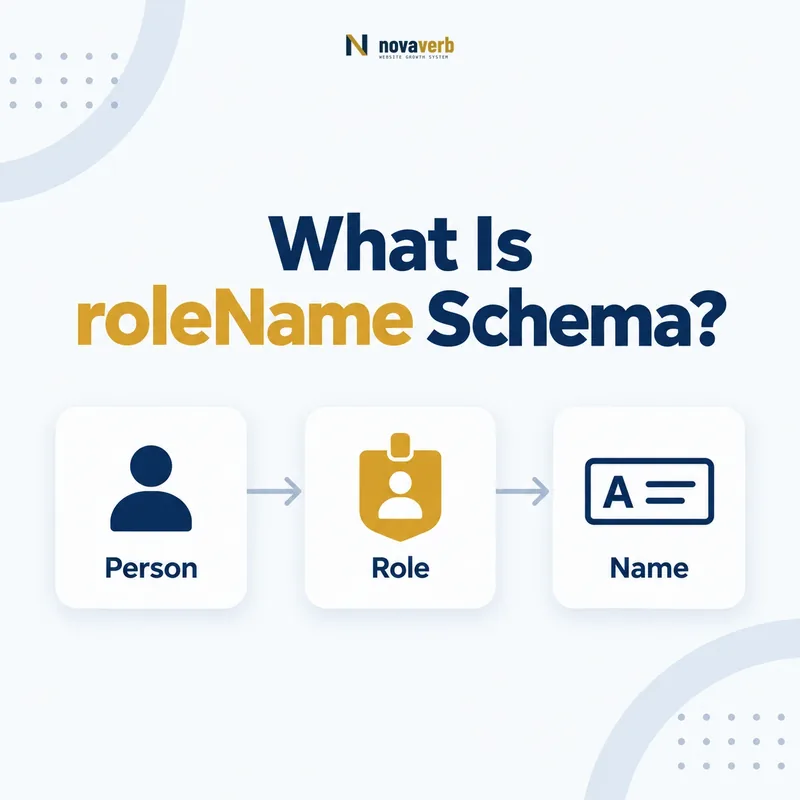
What Is roleName Schema?
roleName is the Schema.org property that names a role played, performed, or filled by a Person or Organization through a Role entity.
It accepts Text or URL and is used on Role, which means it is inherited by OrganizationRole, EmployeeRole, LinkRole, and PerformanceRole. Examples include Treasurer, Quarterback, Inker, Penciller, or another function that qualifies a relationship. roleName supersedes namedPosition. It does not identify the Person, Organization, job posting, or relationship by itself; those remain separate nodes and properties around the role wrapper.
- Place roleName on Role or a Role subtype.
- Use a clear Text or authoritative URL value.
- Keep participant, organization, and relationship data separate.
- Identify the exact page, asset, entity or relationship described in this section.
- Inspect the live implementation and retain the observed evidence.
- Compare the observation with the intended meaning and its primary specification.
- Correct any mismatch, then retest the live result.
- Record the accountable owner and review date.
| Role element | Expected type | Purpose |
|---|---|---|
| Subject | Role | The relationship wrapper |
| Property | roleName | Names the function |
| Value | Text or URL | Human label or controlled concept |
| Superseded property | namedPosition | Migrate to roleName |
Primary specification: Schema.org definition for roleName.
roleName labels what a role is, while the surrounding graph explains who holds it, where, and when.
Where Can roleName Be Used?
roleName is used on Role and therefore applies to Role subtypes such as OrganizationRole, EmployeeRole, LinkRole, and PerformanceRole.
It should not be attached directly to Person, Organization, JobPosting, CreativeWork, or MemberProgramTier merely because those entities have a title-like field. A Person can use jobTitle, a JobPosting can use title, and any Thing can use name. roleName is specifically for a Role wrapper that qualifies a relationship. The property adds value only when the role node itself is justified.
- Confirm the subject is Role or a subtype.
- Identify the relationship being qualified.
- Choose the public role label or controlled URL.
- Keep other entity names on their own nodes.
- The exact page, asset, entity or relationship covered by this section
- The live implementation rather than an editor-only preview
- The primary specification or first-party record defining the expected behavior
- The validation result, accountable owner and review date
| Subject | Use roleName? | Better property when no |
|---|---|---|
| OrganizationRole | Yes | - |
| EmployeeRole | Yes | - |
| Person | No | jobTitle or name |
| JobPosting | No | title |
| Organization | No | name |
| PerformanceRole | Yes | characterName may add separate detail |
Use roleName inside a real role wrapper, not as a universal title field.
How Is roleName Different From name?
roleName names the function represented by a Role, while name is the general label of any Thing, including the role entity itself.
A role can technically have both, but duplicating the same text across roleName and name usually adds little. roleName communicates that the value is the function being played, such as Treasurer. The Person’s name remains on Person, and the Organization’s name remains on Organization. Avoid using roleName for a person’s identity or name for role semantics when the role-specific property is available.
- Use roleName for the function.
- Use Person.name for the role holder.
- Use Organization.name for the organization.
- Use Role.name only when the role entity needs a distinct general label.
- Identify the exact page, asset, entity or relationship described in this section.
- Inspect the live implementation and retain the observed evidence.
- Compare the observation with the intended meaning and its primary specification.
- Correct any mismatch, then retest the live result.
- Record the accountable owner and review date.
| Fact | Property | Example |
|---|---|---|
| Person identity | name | Jordan Lee |
| Organization identity | name | Example Association |
| Role function | roleName | Treasurer |
| Role record label | name, rarely needed | 2025 Treasurer Term |
Keeping names on their own entities prevents a role title from replacing the person or organization identity.
How Is roleName Different From jobTitle?
roleName qualifies a Role relationship, while jobTitle is a Text property directly describing a Person’s job title.
A simple current staff profile may use Person.jobTitle with worksFor and need no role wrapper. EmployeeRole plus roleName becomes useful when dates, multiple roles, salary context, or distinct employment periods matter. The two can coexist if they remain consistent, but independent sources often drift. Do not create EmployeeRole solely to duplicate jobTitle, and do not use jobTitle for a non-employment association office, team position, or alumni role.
- Use jobTitle for a simple current Person title.
- Use EmployeeRole and roleName for qualified employment context.
- Use OrganizationRole for non-employment organization roles.
- Derive overlapping labels from one authoritative source.
- The exact page, asset, entity or relationship covered by this section
- The live implementation rather than an editor-only preview
- The primary specification or first-party record defining the expected behavior
- The validation result, accountable owner and review date
| Need | jobTitle | roleName |
|---|---|---|
| Simple current employee title | Best fit | Optional |
| Dated employment history | Insufficient alone | Best fit in EmployeeRole |
| Association officer | No | Best fit in OrganizationRole |
| Athlete position | No | Best fit in OrganizationRole |
| Multiple concurrent roles | Can be ambiguous | Separate role nodes |
Choose jobTitle for a direct current label and roleName when the relationship needs a structured role context.
When Should roleName Use Text or URL?
Use Text for ordinary human-readable role labels and URL when the role points to a stable, authoritative concept whose meaning the site intentionally reuses.
Most websites should use concise Text such as Editor, Treasurer, or Quarterback. A URL can work when an organization maintains a controlled role vocabulary or references a recognized external concept. The URL must resolve, remain stable, and unambiguously identify the role - not merely link to the person’s profile or a job page. Do not manufacture URLs for every local title or replace readable page content with opaque codes.
- Prefer clear Text for normal site roles.
- Use URL for a stable controlled concept.
- Ensure the URL identifies the role itself.
- Keep a readable visible role label on the page.
- Avoid campaign, search, and temporary URLs.
- Identify the exact page, asset, entity or relationship described in this section.
- Inspect the live implementation and retain the observed evidence.
- Compare the observation with the intended meaning and its primary specification.
- Correct any mismatch, then retest the live result.
- Record the accountable owner and review date.
| Value pattern | Use | Risk |
|---|---|---|
| Text: Treasurer | Common and clear | Variant spelling drift |
| Canonical role URL | Controlled vocabulary | Must resolve and stay stable |
| Person profile URL | Wrong | Identifies person, not role |
| Job posting URL | Wrong | Identifies vacancy |
| Internal code URL | Usually avoid | Opaque to users and fragile |
Text is the default; URL is useful only when it identifies a durable role concept rather than another entity or page.
How Should Role Names Be Standardized?
Standardize roleName values around customer-facing, evidence-backed functions while preserving meaningful distinctions in seniority, discipline, and organizational context.
Uncontrolled templates can emit CEO, Chief Executive Officer, chief executive, Founder & CEO, and internal codes for the same role. Build a governed map of canonical display labels and aliases. Do not over-normalize distinct roles into one generic term, and do not embellish titles for search. The visible page, roleName, jobTitle where present, and authoritative staff or membership record should align.
- Collect current role labels across systems.
- Normalize spacing, casing, and obvious aliases.
- Preserve materially different roles.
- Choose a canonical customer-facing label.
- Map legacy labels and block new unreviewed variants.
- The exact page, asset, entity or relationship covered by this section
- The live implementation rather than an editor-only preview
- The primary specification or first-party record defining the expected behavior
- The validation result, accountable owner and review date
| Variation | Decision | Example |
|---|---|---|
| Casing only | Normalize | editor → Editor |
| Abbreviation | Map deliberately | VP → Vice President |
| Combined title | Preserve if official | Founder and CEO |
| Internal grade code | Translate to public role | L6-ENG → Staff Engineer only if true |
| Different function | Keep separate | Treasurer vs Secretary |
Role naming should reduce accidental variants without erasing real differences or inflating titles.
How Should Localization Handle roleName?
Localization should translate generic role functions where appropriate while preserving official names, canonical role identity, and the meaning of organization-specific titles.
Editor or Treasurer may have clear localized equivalents, while branded programs, legal offices, sports positions, and professional designations may require careful treatment. Do not create a new role entity solely because the label is translated. Reuse canonical Person, Organization, and role identities, and vary the visible Text by locale only when the translation remains accurate. Controlled URL values can provide one cross-language concept while the page shows a localized label.
- Reuse canonical role identity across locales.
- Translate generic functions accurately.
- Preserve official or branded role names where required.
- Avoid machine translation without domain review.
- Audit locale-specific template fallbacks.
- Identify the exact page, asset, entity or relationship described in this section.
- Inspect the live implementation and retain the observed evidence.
- Compare the observation with the intended meaning and its primary specification.
- Correct any mismatch, then retest the live result.
- Record the accountable owner and review date.
| Localization case | Approach | Avoid |
|---|---|---|
| Generic role | Translate | Leaving wrong language |
| Official legal title | Review carefully | Loose paraphrase |
| Controlled URL role | Reuse URL | New URL per locale |
| Localized Text | Keep same role context | Duplicate role entity |
| Missing translation | Use reviewed fallback | Blank or internal code |
Localized labels can vary, but the underlying role relationship and identity should remain consistent.
How Do You Migrate From namedPosition?
Migrate from the superseded namedPosition property to roleName by preserving verified values, updating all emitters, testing consumers, and removing legacy output after a controlled transition.
Search templates, serializers, stored content, microdata, RDFa, JSON-LD, feeds, and emails. During a brief coexistence window, derive both properties from one authoritative role source so they cannot disagree. Do not migrate bad internal codes or stale titles blindly; normalize and verify the role first. Once consumers read roleName and rendered variants pass, remove namedPosition and add a regression guard against its return.
- Inventory every namedPosition emitter.
- Classify and normalize existing values.
- Emit roleName from the authoritative source.
- Test all templates and downstream consumers.
- Remove namedPosition after verified transition.
- Add a regression check.
- The exact page, asset, entity or relationship covered by this section
- The live implementation rather than an editor-only preview
- The primary specification or first-party record defining the expected behavior
- The validation result, accountable owner and review date
| Phase | Output | Gate |
|---|---|---|
| Inventory | Legacy locations mapped | No unknown emitters |
| Clean | Values reviewed | No stale or internal labels |
| Transition | Both from one source | No mismatch |
| Switch | Consumers use roleName | Integration checks pass |
| Cleanup | namedPosition removed | Recrawl clean |
A safe migration changes the property and improves the role vocabulary without changing the underlying relationship.