
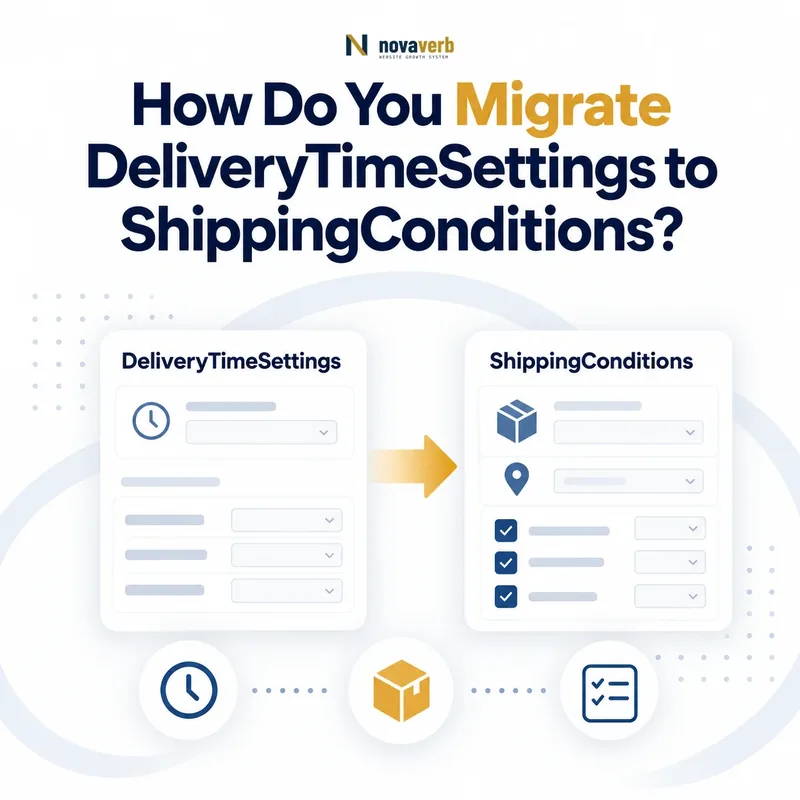
What Is DeliveryTimeSettings?
DeliveryTimeSettings is a retired and superseded Schema.org type that historically represented reusable shipping timing information linked from OfferShippingDetails.
Its primary timing property was deliveryTime, while shippingDestination scoped geography and isUnlabelledFallback could identify an unlabelled default. Historical implementations used shippingSettingsLink and transitTimeLabel to discover and distinguish settings.
The current vocabulary names ShippingConditions as the superseding type. Migration should therefore preserve the business meaning of every timing policy while moving away from the retired type, retired link, and retired label through a consumer-supported representation.
- Identify the exact page, asset, entity or relationship described in this section.
- Inspect the live implementation and retain the observed evidence.
- Compare the observation with the intended meaning and its primary specification.
- Correct any mismatch, then retest the live result.
- Record the accountable owner and review date.
| Case | Meaning | Action |
|---|---|---|
| DeliveryTimeSettings | Retired and superseded type | Migrate |
| ShippingConditions | Superseding type | Validate target |
| deliveryTime | Total order-to-arrival delay | Preserve |
| shippingDestination | Geographic scope | Preserve |
| Legacy link and label | Retired matching | Replace carefully |
- Inventory every retired entity.
- Record its Offer cohorts.
- Capture timing and destination facts.
- Choose a supported target contract.
Use the free backlink checker to identify linked pages before changing shared delivery policies.
Primary specification: Schema.org definition for DeliveryTimeSettings.
DeliveryTimeSettings migration succeeds only when the retired container is removed without altering any verified delivery promise.
Why Does ShippingConditions Supersede DeliveryTimeSettings?
ShippingConditions supersedes DeliveryTimeSettings as the current type for describing shipping conditions that can combine timing, destination, rates, order constraints, dimensions, and availability context.
The newer model can sit within ShippingService and express a cohesive policy rather than relying on a separate linked settings page and text labels. That can make service and condition relationships more explicit when supported by the consumer.
Supersession does not authorize a blind one-to-one rename. The entity graph, parent relationship, timing value type, condition precedence, and target integration contract all need validation. Reusing old values under a new type without testing can still produce false outcomes.
- The exact page, asset, entity or relationship covered by this section
- The live implementation rather than an editor-only preview
- The primary specification or first-party record defining the expected behavior
- The validation result, accountable owner and review date
| Case | Meaning | Action |
|---|---|---|
| Old container | DeliveryTimeSettings | Retired |
| New condition type | ShippingConditions | Current superseding type |
| Service context | ShippingService | Organizes conditions |
| Direct Offer timing | OfferShippingDetails deliveryTime | Possible current path |
| Consumer contract | Implementation authority | Verify shape |
- Read the target contract.
- Map old relationships.
- Design the current entity graph.
- Validate rendered structure.
- Test business outcomes.
See ShippingConditions schema for the target type.
ShippingConditions is a migration target only when its supported graph reproduces the old policy and current checkout truth.
Which Delivery-Time Facts Must Be Preserved?
Preserve the complete order-to-arrival calculation: handling time, transit time, business days, cutoff time, time zone, holidays, origin, destination, service, fulfillment status, exceptions, and effective dates.
Delivery time is not merely a minimum and maximum day count. An order placed after cutoff can start the next business day; a Friday order may cross a weekend; a remote postal region can add transit; and backordered items can require different handling.
Build a source-to-target field map and attach evidence for each value. If a target contract cannot represent one material rule, do not silently drop it; keep the cohort on a truthful supported path or escalate the modeling gap.
- Identify the exact page, asset, entity or relationship described in this section.
- Inspect the live implementation and retain the observed evidence.
- Compare the observation with the intended meaning and its primary specification.
- Correct any mismatch, then retest the live result.
- Record the accountable owner and review date.
| Case | Meaning | Action |
|---|---|---|
| Handling time | Order to dispatch | Keep range and unit |
| Transit time | Dispatch to arrival | Keep range and unit |
| Business calendar | Counted days | Keep weekdays and holidays |
| Cutoff and time zone | Start boundary | Keep exact context |
| Origin and destination | Route scope | Keep geographic policy |
- List every timing input.
- Identify its source authority.
- Map it to a target field.
- Flag unrepresentable rules.
- Test calculated dates.
Migration parity requires every input that can change the promised arrival date, not just the displayed duration range.
How Do You Model Timing Inside ShippingConditions?
Model timing in ShippingConditions through the supported transitTime relationship and place handling behavior in the appropriate ShippingService context required by the target contract.
The current vocabulary examples organize a ShippingService with handlingTime and ShippingConditions containing transitTime, destination, order constraints, and rate information. That separation can reflect warehouse preparation versus carrier movement more accurately than one undifferentiated range.
Do not force every platform into one graph. Some consumers may use OfferShippingDetails deliveryTime directly. Validate expected types, units, calendars, parent-child relationships, and rendered output for the exact integration you are shipping.
- The exact page, asset, entity or relationship covered by this section
- The live implementation rather than an editor-only preview
- The primary specification or first-party record defining the expected behavior
- The validation result, accountable owner and review date
| Case | Meaning | Action |
|---|---|---|
| ShippingService handlingTime | Preparation period | Model source truth |
| ShippingConditions transitTime | Carrier period | Model route truth |
| Offer deliveryTime | Total delay option | Verify consumer |
| QuantitativeValue or ServicePeriod | Duration structure | Use expected type |
| Business days | Calendar context | Do not omit |
- Separate handling from transit.
- Attach each period to the correct parent.
- Preserve destination and service scope.
- Validate the consumer contract.
Review transitTime in ShippingConditions.
Timing is modeled correctly when preparation and transit remain distinct yet combine into the same customer-facing delivery window.
How Do Destinations and Services Affect Migration?
Each migrated timing policy must remain scoped to the same destination, shipping service, product cohort, seller, origin, and membership context as the original checkout rule.
A two-day promise for contiguous-US express shipping must not spread to Alaska, Hawaii, international, standard, freight, vendor-direct, or backordered products. Multiple OfferShippingDetails or ShippingConditions entities can represent distinct costs and delivery times for different destinations and services.
Create an explicit scope matrix before migration. Test broad and narrow rules together so a default policy cannot erase a destination or service exception. Preserve doesNotShip outcomes before calculating any delivery window.
- The exact page, asset, entity or relationship covered by this section
- The live implementation rather than an editor-only preview
- The primary specification or first-party record defining the expected behavior
- The validation result, accountable owner and review date
| Case | Meaning | Action |
|---|---|---|
| Contiguous-US express | Two-day cohort | Specific condition |
| Alaska and Hawaii | Longer transit | Separate destination |
| International | Different route | Separate policy |
| Oversized freight | Special fulfillment | Keep exception |
| Unavailable destination | No delivery promise | Preserve prohibition |
- Map destinations.
- Map services and origins.
- Map product and seller exceptions.
- Resolve unavailable outcomes first.
- Apply the narrowest timing rule.
Use shippingDestination to keep geographic rules explicit.
Migration scope is correct when every region, service, and product cohort retains its own authoritative timing outcome.
How Do Cutoff Times and Business Days Migrate?
Cutoff times and business-day calendars must move with their time-zone, weekday, holiday, and fulfillment context so boundary orders receive the same start date and arrival window.
A 2:00 PM cutoff is ambiguous without a zone. An order at exactly 2:00 PM also needs a documented inclusive or exclusive boundary. Business days can differ across warehouses, carriers, markets, and holidays; defaulting every policy to Monday through Friday can create false dates.
Test immediately before, exactly at, and after cutoff in each relevant time zone. Include daylight-saving transitions, Friday orders, holiday eves, weekends, warehouse closures, and destination-specific calendars.
- The exact page, asset, entity or relationship covered by this section
- The live implementation rather than an editor-only preview
- The primary specification or first-party record defining the expected behavior
- The validation result, accountable owner and review date
| Case | Meaning | Action |
|---|---|---|
| 1:59 PM local | Before cutoff | Same-day handling candidate |
| 2:00 PM local | Exact boundary | Follow explicit policy |
| 2:01 PM local | After cutoff | Next valid start |
| Friday after cutoff | Weekend interaction | Test calendar |
| Holiday closure | Non-business day | Advance correctly |
- Record local zone and boundary rule.
- Preserve weekday calendars.
- Load holiday exceptions.
- Test boundary timestamps.
- Compare checkout dates.
Calendar migration is accurate when identical order timestamps produce identical fulfillment starts and arrival windows before and after the change.
How Do You Replace Legacy Links, Labels, and Fallbacks?
Replace shippingSettingsLink and transitTimeLabel by mapping every legacy relationship to stable entities supported by the target consumer, while preserving unlabelled fallback intent and specific-policy precedence.
The link and timing label are retired, so copying them into a new ShippingConditions graph does not complete migration. Extract source Offers, target pages, labels, fallback flags, and matched settings; then create deterministic target relationships using the supported contract.
A true isUnlabelledFallback setting should remain conceptually unlabelled and apply only after specific destination, service, product, or seller timing conditions. Do not turn the fallback into a universal promise.
- The exact page, asset, entity or relationship covered by this section
- The live implementation rather than an editor-only preview
- The primary specification or first-party record defining the expected behavior
- The validation result, accountable owner and review date
| Case | Meaning | Action |
|---|---|---|
| shippingSettingsLink | Retired URL relation | Map dependents |
| transitTimeLabel | Retired Text selector | Map timing cohorts |
| isUnlabelledFallback true | Default intent | Apply after specifics |
| Specific timing condition | Narrow policy | Preserve priority |
| Stable target identity | Supported relation | Verify consumer |
- Extract the legacy relationship graph.
- Resolve each labelled cohort.
- Resolve the unlabelled default.
- Create supported target identities.
- Test precedence.
Use the dedicated transitTimeLabel guide and shippingSettingsLink migration guide.
Legacy matching is replaced safely when every Offer selects the same specific or fallback timing policy through a supported relationship.
What DeliveryTimeSettings Migration Mistakes Are Common?
Common mistakes include renaming the type without rebuilding relationships, copying only the day range, dropping calendars or time zones, widening destination scope, merging standard and express timing, losing fallbacks, and deleting retired links before mapping dependents.
Other defects include using the wrong duration type, confusing handling and transit, emitting multiple conflicting conditions, retaining stale warehouse rules, ignoring checkout, and treating validator success as proof of customer-facing parity.
Repair the fulfillment source and structured-data generator together. Shared timing policy defects can affect entire catalogs, so quantify impacted Offers, stage by cohort, observe downstream consumers, and keep rollback until caches converge.
- Identify the exact page, asset, entity or relationship described in this section.
- Inspect the live implementation and retain the observed evidence.
- Compare the observation with the intended meaning and its primary specification.
- Correct any mismatch, then retest the live result.
- Record the accountable owner and review date.
| Case | Meaning | Action |
|---|---|---|
| Type rename only | Graph still wrong | Rebuild supported relationships |
| Range only | Calendar loss | Restore timing inputs |
| Broad destination | False fast promise | Narrow scope |
| Handling equals transit | Calculation error | Separate periods |
| Validator green | Insufficient evidence | Test real dates |
- Compare source and target graphs.
- Diff every timing input.
- Run boundary-date scenarios.
- Check customer-facing promises.
- Repair shared sources.
Migration defects are resolved only when graph structure, scope, timing arithmetic, consumer behavior, and checkout dates agree.