
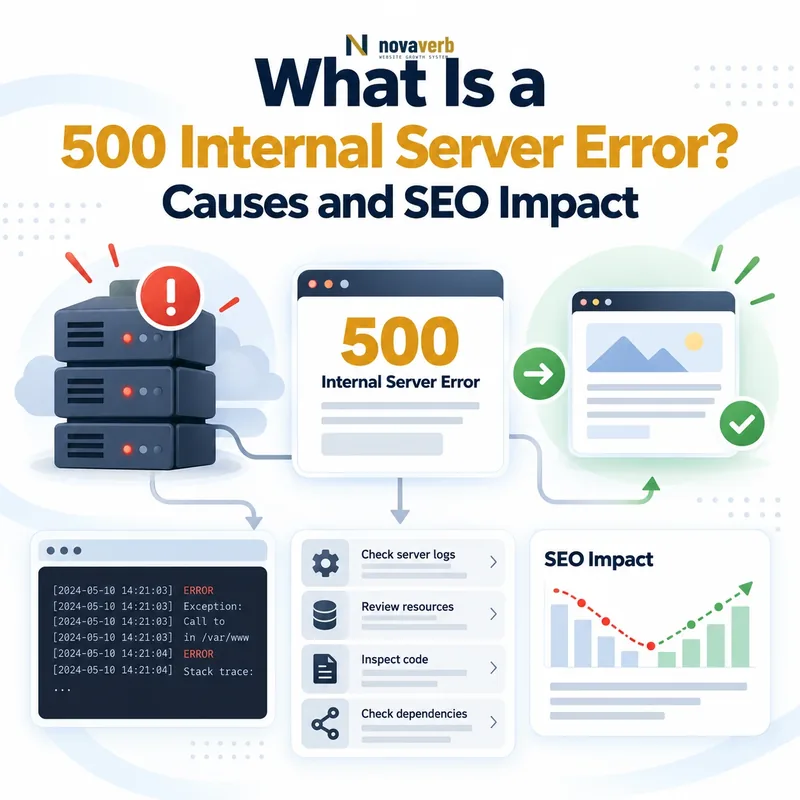
A 500 Internal Server Error means that the server encountered an unexpected condition and could not complete an otherwise valid request. It is a generic server-side response used when the system cannot return a more specific 5xx status.
Request:
GET /important-page/ HTTP/1.1
Host: example.com

Response:
HTTP/1.1 500 Internal Server Error
Content-Type: text/html
The status identifies a failure inside the serving system, but it does not reveal the exact cause. The problem may originate in application code, PHP, a database, server configuration, file permissions, memory limits, an upstream dependency or another infrastructure layer.
Check the live status with the HTTP Status & Redirect Chain Tracer. Use the Server Response Time Test to measure DNS, TCP, TLS and Time to First Byte for a public URL.
What Does a 500 Internal Server Error Mean?
HTTP 500 means the server could not fulfill the request because an unexpected internal condition occurred. It is a catch-all response used when no more specific server-error status accurately describes the failure.
A 500 response confirms several things:
- The request reached a serving system: The browser or crawler connected far enough to receive an HTTP response.
- The request was not completed: The intended page, file, API response or action could not be delivered.
- The failure occurred server-side: The problem is associated with the system processing the request rather than a missing client resource.
- The exact cause remains unknown: The status alone does not identify the failing component.
- A more specific 5xx response was not selected: The system used the generic 500 classification.
The visible message may be generated by the application, web server, hosting platform, CDN or reverse proxy. Its design does not identify which layer failed.
How Does an HTTP 500 Response Work?
An HTTP 500 response is returned after a serving component encounters an unexpected condition while processing a request and cannot produce the intended result.
- A user or crawler requests a URL.
- The request passes through DNS, a CDN, proxy or load balancer where applicable.
- The web server or application begins processing the request.
- An unexpected exception, configuration failure or resource problem occurs.
- The system cannot complete the requested operation.
- A generic
500 Internal Server Errorresponse is returned.
Client request
→ CDN or proxy
→ Web server
→ Application
→ Database or service
→ Unexpected internal failure
→ HTTP 500 returned
The response may originate at any serving layer. A browser cannot determine the root cause from the status alone because the same code can represent many different failures.
What Causes a 500 Internal Server Error?
A 500 error can be caused by application exceptions, invalid server configuration, resource exhaustion, database failures, permission problems, dependency failures or deployment defects.
| Cause category | Example | Evidence to inspect |
|---|---|---|
| Unhandled application exception | Code attempts an invalid operation and crashes the request. | Application logs, stack traces and error-monitoring events |
| Server configuration | An invalid Apache, Nginx or rewrite directive prevents processing. | Web-server logs and recent configuration changes |
| Memory exhaustion | PHP or another runtime exceeds its assigned memory limit. | Runtime logs, process metrics and out-of-memory events |
| Database failure | A query fails, connection pool is exhausted or the database is unavailable. | Database logs, connection metrics and query traces |
| File permission problem | The application cannot read or write a required file. | Ownership, permissions and security-policy logs |
| Broken deployment | A release references missing code, packages or environment variables. | Deployment logs, release diff and rollback comparison |
| Plugin or theme failure | A WordPress extension triggers a fatal PHP error. | WordPress debug log, PHP log and plugin changes |
| Upstream dependency failure | An application converts an API or service failure into a generic 500. | Distributed traces, dependency logs and timeout records |
| Resource limits | CPU, workers, disk space or file descriptors are exhausted. | Infrastructure metrics and operating-system logs |
Several causes can occur together. For example, a slow database may exhaust application workers, increase memory use and eventually produce generic 500 responses.
500 Error vs 502 Bad Gateway
A 500 indicates an unexpected failure inside the server processing the request. A 502 indicates that a gateway or proxy received an invalid response from an upstream server.
| Dimension | 500 Internal Server Error | 502 Bad Gateway |
|---|---|---|
| Failure type | Generic internal processing failure | Invalid response from an upstream server |
| Common source | Application, runtime or local server configuration | Proxy, CDN, load balancer or gateway relationship |
| Typical example | Unhandled application exception | Reverse proxy receives a malformed or failed upstream response |
| Primary logs | Application and web-server logs | Gateway, proxy and upstream-service logs |
| Diagnostic question | What failed while processing this request? | Why could the intermediary not obtain a valid upstream response? |
The response presented to the browser may be generated by an intermediary rather than the origin application. Confirm which layer returned the status before changing application code.
500 Error vs 503 Service Unavailable
A 500 indicates an unexpected internal failure. A 503 indicates that the service is temporarily unable to handle the request, commonly because of maintenance or overload.
| Dimension | 500 Internal Server Error | 503 Service Unavailable |
|---|---|---|
| Nature | Unexpected failure | Temporary inability to serve |
| Typical use | Unhandled exception or unidentified internal problem | Planned maintenance, overload or temporary outage |
| Operational intent | The failure was not represented more specifically | The service is expected to become available again |
| Retry-After header | Not normally central to the response | Can communicate when the client should retry |
| Maintenance use | Usually inappropriate | Normally the more accurate status |
500 Error vs 504 Gateway Timeout
A 500 represents a generic internal failure. A 504 indicates that a gateway or proxy did not receive a timely response from an upstream server.
| Dimension | 500 Internal Server Error | 504 Gateway Timeout |
|---|---|---|
| Primary condition | Unexpected server-side failure | Upstream response exceeded the intermediary’s time limit |
| Architecture dependency | Can occur on a single server or distributed system | Requires a gateway or proxy relationship |
| Typical cause | Exception, configuration or resource failure | Slow application, database, API or network path |
| Primary evidence | Application and server errors | Timeout metrics, upstream latency and gateway logs |
| First diagnostic question | Which component failed internally? | Which upstream component did not respond in time? |
Increasing a timeout can hide the symptom without fixing the slow dependency. Measure the full request path before changing timeout thresholds.
500 Error vs 404 Not Found
A 500 means the server failed while processing the request. A 404 means the server processed the request but could not find a matching resource.
| Dimension | 500 Internal Server Error | 404 Not Found |
|---|---|---|
| Error class | Server error | Client error response |
| Resource state | May exist but could not be served | No matching resource was found |
| Typical cause | Exception, configuration or infrastructure failure | Deleted, moved, mistyped or nonexistent URL |
| Expected permanence | Usually treated as a failure requiring recovery | May accurately represent a missing URL |
| Preferred action | Diagnose and restore serving | Keep, restore or redirect according to the resource state |
Do not return 404 to hide an internal failure. It misrepresents a valid resource as missing and can lead crawlers to process the URL incorrectly.
Review missing-resource behavior in What Is a 404 Error?.
Are 500 Errors Bad for SEO?
An isolated short-lived 500 does not automatically cause a ranking loss, but repeated or prolonged server errors can reduce crawling, block content retrieval and eventually affect indexing.
SEO risk increases when 500 errors affect:
- Important canonical pages: Search engines cannot retrieve the content or current directives.
- Large URL groups: Entire templates, directories or site sections fail together.
- Critical assets: CSS, JavaScript or API failures prevent correct rendering.
- Newly published pages: Crawlers encounter errors during initial discovery.
- Sitemaps: Submitted URLs repeatedly fail when crawled.
- Internal navigation: Users and crawlers cannot move through key paths.
- Revenue pages: Product, pricing, signup or checkout routes become unavailable.
The severity depends on duration, recurrence, URL importance, affected percentage and how quickly successful responses return.
How Does Google Handle 500 Errors?
Googlebot treats HTTP 500 as a server-error signal and may retry the URL later while reducing crawl activity when failures become persistent or widespread.
- Googlebot requests the URL.
- The server returns HTTP 500.
- Google cannot retrieve the intended page content from that request.
- The failed response contributes to crawl-health evaluation.
- Repeated failures can cause crawling to slow.
- Prolonged inability to retrieve the page can affect its indexing state.
Google does not publish a fixed number of failed requests or a universal time threshold that guarantees a specific indexing outcome.
See Google’s guide to how Google Search works.
Can 500 Errors Reduce Googlebot Crawling?
Yes. Googlebot can slow crawling when a significant number of requests return 500 responses or when server response times deteriorate substantially.
Crawl reduction is more likely when:
- Many URLs return 500 within the same period.
- The same routes fail repeatedly.
- Server response times increase before requests fail.
- Connection timeouts accompany HTTP errors.
- Important sitemap URLs become unavailable.
- The server cannot recover between crawl attempts.
- The entire hostname or infrastructure layer is unstable.
This behavior protects the server from additional load. Once the site responds reliably again, crawl activity can recover based on subsequent server health and crawl demand.
Review the full framework in What Is Crawl Budget?.
Can a 500 Error Remove a Page From Google?
A temporary 500 does not normally cause immediate removal, but a URL that continues returning server errors can eventually be removed when Google can no longer retrieve valid content.
The risk depends on:
- How long the URL remains unavailable
- How consistently the failure occurs
- Whether the page was already indexed
- How frequently Googlebot revisits it
- Whether other site signals still reference it
- Whether successful responses return between failures
- Whether the error affects one URL or a large site section
Google may revisit a failed URL, but there is no guaranteed grace period. Recovery should therefore focus on restoring a stable successful response as quickly as operationally possible.
How Long Can a 500 Error Last Before It Becomes Serious?
There is no universal safe duration for a 500 error. It becomes serious according to business impact, affected scope, recurrence, recovery time and whether crawlers and users repeatedly encounter the failure.
Escalate quickly when:
- The homepage or major navigation routes fail.
- Revenue, signup or checkout pages are unavailable.
- A large percentage of crawlable URLs returns 500.
- The error begins immediately after a deployment.
- The same URL fails across repeated checks.
- Server capacity continues deteriorating.
- Users cannot complete critical actions.
- Search crawlers encounter the failure repeatedly.
A short error can still be critical when it affects payment or authentication. A longer error on a low-demand internal tool may have less immediate public impact but still require investigation.
Should Maintenance Pages Return 500 or 503?
Planned maintenance should normally return 503 Service Unavailable, not 500, because the temporary inability to serve the resource is known and intentional.
A correct maintenance response should:
- Return HTTP 503 from the affected URLs.
- Explain that service is temporarily unavailable.
- Provide a realistic recovery estimate when known.
- Use a
Retry-Afterheader when appropriate. - Avoid returning
200 OKfor a sitewide maintenance message. - Avoid permanently redirecting every URL to one maintenance page.
- Restore original URL responses when maintenance ends.
A 500 may still occur during maintenance when something fails unexpectedly, but it should not be the planned response.
Can WordPress Cause 500 Internal Server Errors?
WordPress can return 500 errors when PHP, plugins, themes, rewrite rules, database access or hosting resources fail while processing a request.
Common WordPress-related causes include:
- A plugin triggers a fatal PHP error.
- The active theme calls missing or incompatible code.
- The PHP version is incompatible with an extension.
- The memory limit is exceeded.
- The
.htaccessfile contains invalid directives. - WordPress core or plugin files are incomplete.
- The database connection fails during execution.
- File ownership or permissions prevent required access.
- A caching or security layer terminates the request incorrectly.
WordPress itself is not always the root cause. The visible WordPress page may sit behind PHP-FPM, Apache, Nginx, a CDN and a hosting control layer.
Can Plugins and Themes Cause 500 Errors?
Yes. Plugins and themes can cause 500 errors through fatal exceptions, incompatible dependencies, invalid hooks, excessive resource use or conflicts with other extensions.
Use a controlled diagnostic sequence:
- Record the affected URLs and timestamps.
- Review recent plugin, theme and PHP changes.
- Inspect PHP and application logs for a matching stack trace.
- Test in staging or a safe maintenance window.
- Disable or roll back the suspected component.
- Retest the exact failed request.
- Confirm that unrelated site functions remain intact.
- Apply an update, patch or replacement based on evidence.
Disabling every plugin at once can restore service, but it does not prove which component failed. Reintroduce components carefully and preserve evidence.
Can PHP Memory Limits Cause 500 Errors?
Yes. A PHP request can terminate with a server error when it exceeds the configured memory limit or when the operating system cannot provide the required memory.
Memory-related evidence can include:
- A fatal “allowed memory size exhausted” message
- Errors limited to heavy admin, import or reporting routes
- Failures triggered by large images or data sets
- Sharp memory increases after a plugin update
- Worker termination or out-of-memory events
- Successful requests after temporarily reducing workload
Increasing the memory limit may restore service, but it does not prove that the application uses memory efficiently. A leak, unbounded query, recursive function or oversized process can consume any higher limit.
Can CDN or Proxy Rules Cause 500 Errors?
Yes. CDN, reverse-proxy and edge-computing rules can return or expose 500 errors when routing, transformations, authentication logic or origin communication fails.
Potential causes include:
- A broken edge function or worker
- An invalid rewrite or routing rule
- Header transformations that break the origin request
- Incorrect cache-key or bypass logic
- Authentication rules that terminate unexpectedly
- Origin selection errors
- Inconsistent environment variables
- A CDN passing an origin 500 response to the client
Compare the response through the public CDN hostname with a controlled direct-origin request when safe and authorized. Different results can identify the failing layer.
How Do You Find 500 Errors?
Find 500 errors by combining live HTTP checks, website crawls, server logs, application monitoring, uptime alerts, Search Console and infrastructure metrics.
| Evidence source | What it reveals | Limitation |
|---|---|---|
| HTTP status checker | The current public response for a specific URL | May miss intermittent failures |
| Website crawl | URLs returning 500 during the crawl window | Coverage depends on discoverability and timing |
| Server access logs | Request path, time, status, user agent and response size | May not include application root cause |
| Application logs | Exceptions, stack traces and failing components | Requires correct logging configuration |
| Uptime monitoring | Recurring availability failures over time | Usually tests selected endpoints |
| Search Console | Server errors encountered by Google | Not a complete real-time incident system |
| Infrastructure metrics | CPU, memory, workers, disk, latency and saturation | Needs correlation with URL-level failures |
Group failures by time, route, host, application version, response source and affected template. This reveals whether the issue is isolated, pattern-based or infrastructure-wide.
Trace a live URL with the HTTP Status & Redirect Chain Tracer.
How Do You Diagnose a 500 Error?
Diagnose a 500 by reproducing the exact failure, identifying the response layer and correlating the request with server, application and infrastructure evidence.
- Capture the exact URL, method, timestamp and request conditions.
- Confirm the first and final HTTP responses.
- Determine whether the error is constant or intermittent.
- Measure whether one URL, one template or the whole site is affected.
- Identify which layer generated the response.
- Review application, PHP, server, proxy and database logs.
- Compare recent deployments and configuration changes.
- Check memory, CPU, workers, disk and dependency health.
- Reproduce the failure in staging where possible.
- Test the smallest safe corrective change.
- Verify recovery under realistic conditions.
Do not rely on a browser screenshot alone. It rarely contains the exception, request identifier or infrastructure evidence needed for root-cause analysis.
How Do You Fix a 500 Internal Server Error?
Fix a 500 by correcting the verified root cause, restoring a stable successful response and adding controls that prevent or detect recurrence.
| Verified cause | Possible correction | Required verification |
|---|---|---|
| Unhandled exception | Patch the failing code and add controlled error handling | Exact request succeeds and tests cover the failure path |
| Broken deployment | Roll back or deploy corrected files and dependencies | All affected routes return expected responses |
| Invalid configuration | Restore a valid server or application configuration | Configuration test passes and service reload succeeds |
| Memory exhaustion | Reduce memory use and adjust capacity where justified | Peak request remains within safe limits |
| Database failure | Restore connectivity, capacity or valid queries | Application and database health remain stable |
| Plugin or theme conflict | Patch, replace, disable or roll back the component | Site functions correctly without recurrence |
| Permission problem | Apply least-privilege ownership and permissions | Required reads and writes succeed securely |
| Resource saturation | Optimize workload, queue requests or add justified capacity | Load test stays within response and error targets |
After recovery, recrawl important URLs, inspect server-error rates, test affected workflows and monitor the next deployment or traffic peak.
Common 500 Error Mistakes
Common mistakes hide the server error, change status codes without fixing the failure, modify production blindly or close the incident before stability is verified.
| Mistake | Why it fails | Preferred correction |
|---|---|---|
| Returning 200 for an error page | The server reports success despite failed content delivery. | Return the accurate error status. |
| Redirecting all 500s to the homepage | The redirect hides failures and changes the requested resource. | Restore service or return the correct temporary error. |
| Changing 500 to 404 | A valid resource is misrepresented as missing. | Repair the server-side failure. |
| Increasing every timeout | The slow dependency remains unresolved. | Measure and optimize the failing component. |
| Increasing memory without analysis | A leak or unbounded process may consume the new limit. | Identify memory use before changing capacity. |
| Disabling security controls broadly | The site may be exposed without proving the control caused the error. | Test safely with minimal scoped changes. |
| Editing production without backup | Recovery becomes harder if the change worsens the incident. | Preserve rollback capability. |
| Ignoring intermittent failures | A successful manual refresh does not prove stability. | Review monitoring and repeated requests. |
| Fixing one URL only | The shared template or infrastructure problem may remain. | Measure the full affected pattern. |
| Closing without recurrence monitoring | The same failure may return under load. | Define an observation window and alerts. |
500 Internal Server Error Checklist
A 500-error task passes QA when the failure is reproduced, the root cause is supported by evidence, service is restored and recurrence monitoring confirms stability.
- The exact failed URL is recorded.
- The request method is recorded.
- The failure timestamp is recorded.
- The public HTTP status is captured.
- The response source layer is identified.
- The problem is tested for recurrence.
- The affected URL scope is measured.
- Important user journeys are tested.
- Application logs are reviewed.
- Web-server logs are reviewed.
- PHP or runtime logs are reviewed.
- Database health is reviewed.
- CDN and proxy logs are reviewed where relevant.
- Infrastructure metrics are reviewed.
- Recent deployments are compared.
- Configuration changes are compared.
- Memory exhaustion is evaluated.
- CPU and worker saturation are evaluated.
- Disk capacity is evaluated.
- Dependency failures are evaluated.
- The root cause is documented.
- A rollback or correction is applied safely.
- The exact failed request now succeeds.
- Related URL patterns are retested.
- Google-facing URLs are recrawled.
- Monitoring confirms no recurrence.
- The incident owner is recorded.
- Prevention actions are assigned.
Frequently Asked Questions About 500 Errors
What is a 500 Internal Server Error?
What causes a 500 error?
Is a 500 error a browser problem?
Are 500 errors bad for SEO?
Can Google remove a URL that returns 500?
What is the difference between 500 and 503?
What is the difference between 500 and 502?
Can a WordPress plugin cause a 500 error?
Can low PHP memory cause a 500 error?
Should a maintenance page return 500?
How do I diagnose a recurring 500 error?
How can I check whether a URL returns 500?
Detect Server Failures Before Crawlers and Users Do
Start with the exact URL and capture the live HTTP response, timestamp and latency. Then correlate the failure with logs, deployments, resource metrics and the affected URL pattern before assigning a fix.
Use the free status checker for one URL, measure the serving path with the Server Response Time Test and move to Crawl Explorer or Site Audit when you need sitewide evidence.
Novaverb connects HTTP responses, crawl evidence, redirect paths and server timing so teams can distinguish an isolated failure from a scalable infrastructure problem.
Use the Decision Ladder to decide whether the next action should be rollback, capacity recovery, code correction, dependency repair or incident escalation.